Read summarized version with
What Is Mobile CRO?
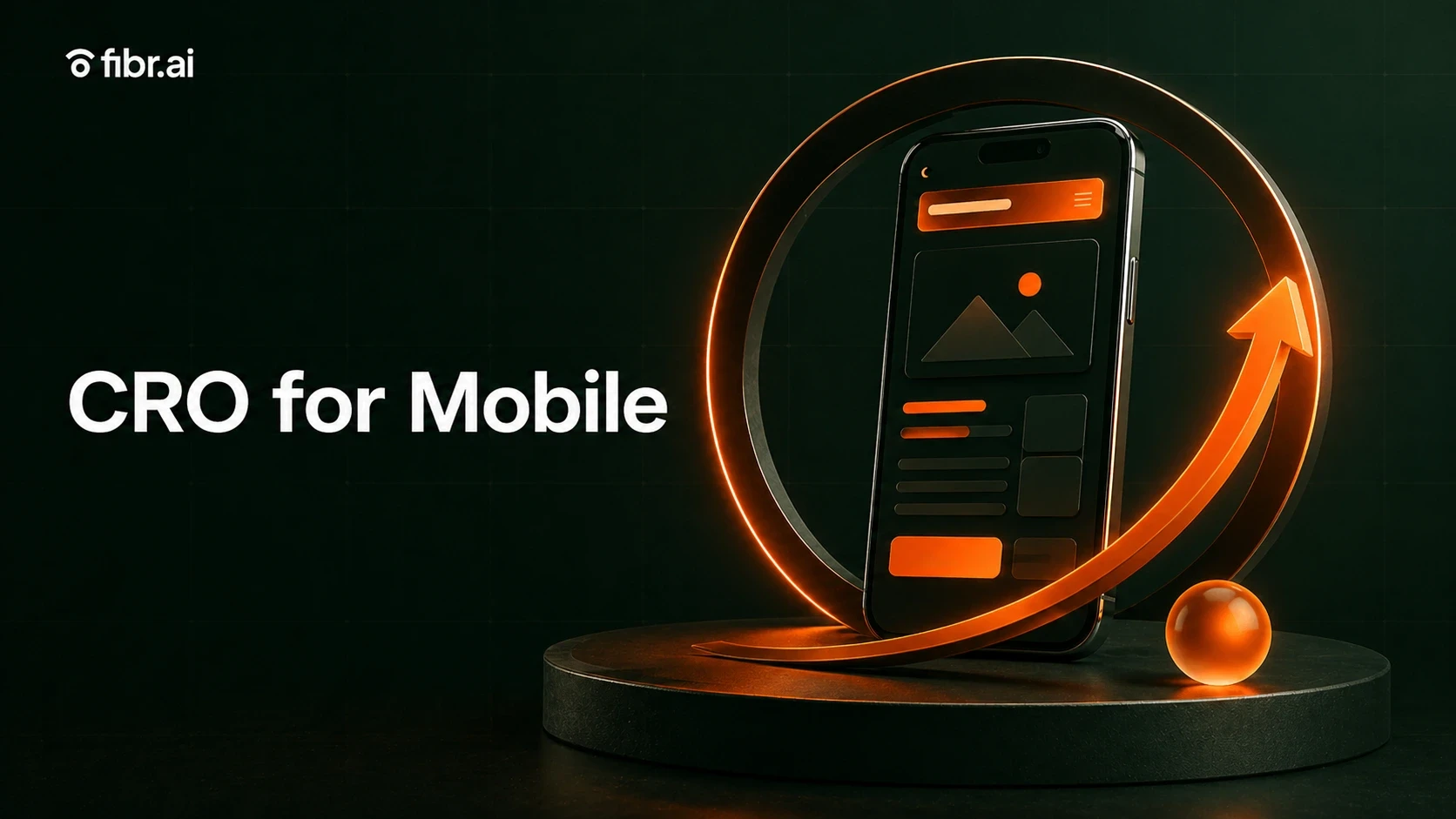
Are your mobile visitors clicking your ads but failing to convert? Mobile conversion rate optimization (CRO) is the practice of refining and enhancing the user experience on mobile platforms to maximize the chances of visitors taking desired actions, like making a purchase, filling out a form, or engaging with content. CRO involves understanding user behavior, testing design elements, and implementing improvements.
Mobile CRO is the process of optimizing the mobile user experience to drive more users to complete specific actions, like purchases, sign-ups, or downloads. This means offering better site loading speeds, clear messaging, and an uncluttered interface. Despite mobile devices driving 61.6% of global web traffic, conversion rates on mobile often lag behind desktops by as much as 1.5 times. In 2026, the gap is not just a UX problem: it is an ad spend problem. Average CPCs have increased 12 to 18% year-on-year, and landing page personalization matched to each mobile ad's specific promise is now the highest-leverage single change available to most paid mobile traffic programs.
Why Mobile CRO Matters
Despite mobile devices driving the majority of web traffic (61.6%, to be precise), conversion rates on mobile devices often lag behind desktops. This is both a challenge and a major opportunity for businesses. The biggest benefit of mobile conversion rate optimization is a higher conversion rate, which translates to more customers and more revenue.
Super Fast Conversions
Mobile CRO optimizes the checkout process to make it as fast as possible. This means quick-loading pages, tap-friendly buttons, and one-click payment with Apple Pay or Google Wallet, all of which reduce typing and form-filling.
Better User Engagement
A big part of mobile CRO is adapting content to match what mobile users want: quick info, bold visuals, and easy-to-read text. Whether it is a product photo slideshow or a punchy description, mobile CRO keeps users hooked and engaged.
Better Local Reach
Mobile CRO makes local information, including store hours, directions, and click-to-call buttons, more easily accessible. It meets mobile users exactly where they are to bridge the connection between online browsing and in-store visits and drive foot traffic.
Higher ROI on Mobile Ad Spend
Mobile ads direct users straight to a specific page. Mobile CRO ensures that the landing page they arrive on is designed to keep them moving toward conversion. Targeted design, rapid load times, and mobile-specific CTAs all maximize return on investment.
Lower Abandonment Rates
Abandonment on mobile is a result of too many steps or slow-loading pages. Mobile CRO combats this by reducing clutter and making every interaction friction-free. Sticky CTA buttons, autofill forms, and simplified navigation keep users on the page and moving through to conversion.
Key Differences Between Mobile CRO and Desktop CRO
Although the behind-the-scenes fundamentals remain the same, mobile CRO is quite different from desktop CRO. Understanding these differences is essential before deploying any CRO strategy across both device types:
Aspect | Mobile CRO | Desktop CRO |
|---|---|---|
Screen size | Optimized for smaller screens; requires concise content and responsive design. | Larger screens support more detailed layouts and expansive content. |
User behavior | Users are often on-the-go and want quick interactions. | Users spend more time exploring and might engage more in-depth. |
Navigation | Thumb-friendly, simplified menus and minimal scrolling. | Supports complex navigation and multi-level menus. |
Loading speed | Very important due to mobile network variability; faster load times are a must. | Important but less sensitive due to typically stable broadband connections. |
Forms and input | Simplified forms with fewer fields and mobile-friendly input methods. | Can accommodate longer forms and precise inputs using a keyboard and mouse. |
Design focus | Prioritizes minimalism, large buttons, and organized interfaces. | Supports more detailed designs, hover effects, and multi-column layouts. |
Difference 1: User Intent and Behavior Variability
Mobile users are typically on-the-go and are often in a browsing mindset rather than a purchase-ready state. They scan quickly and expect rapid answers, so effective mobile CRO should focus on streamlined paths to information and fast-loading, engaging visuals. Desktop users are usually browsing with more focus and patience; they may be more willing to explore deeper levels of content, so CRO can involve complex filtering, expansive menus, and detailed product information.
Difference 2: Design and Layout Optimization
With limited screen real estate, mobile CRO needs to maximize every pixel. This means vertically stacked elements, simplified navigation, and large, tappable buttons. CRO for desktop leans into the screen's width for more visual depth and side-by-side comparisons.
Difference 3: Speed and Performance
On mobile, network speeds and device processing power vary, so CRO has to account for this. Mobile-optimized sites should prioritize minimalistic assets, lightweight images, and lazy loading to keep page speeds lightning-fast. Google's own data shows that 53% of mobile visitors leave if a page takes more than 3 seconds to load.
Difference 4: Forms and Conversion Points
Forms on mobile are best when short, with minimal input. Autocomplete, mobile-friendly keyboards, and one-tap payment methods reduce friction at conversion points. Longer forms are more manageable on desktop since users often have a full keyboard.
Difference 5: Psychology of Interaction
There is an immediacy to mobile browsing that makes it feel more personal. CRO here should deliver quick satisfaction with clear, immediate feedback. Desktop experiences generally feel more task-oriented, benefiting from feature-rich experiences, visuals, and interactions that support decision-making.
Mobile CRO Best Practices
Mobile conversion rate optimization depends entirely on delivering an experience that feels natural on a small screen. The best practices for mobile CRO below have been validated by performance data across thousands of mobile campaigns in 2026.
1. Prioritize Responsive Design and Mobile-Friendly Layouts
Users today expect websites to work seamlessly on their phones. Use a minimum font size of 16px for body content. Keep elements at least 8px apart to prevent accidental taps. Avoid fixed widths; use CSS frameworks like Bootstrap and Flexbox to create grids that automatically adjust. Buttons should be at least 44 by 44 pixels to allow comfortable tapping.
2. Enhance Page Load Speed on Mobile
Google's own data shows that 53% of mobile visitors leave if a page takes more than 3 seconds to load. Large images are the biggest culprit: compressing a 2 MB hero image down to 100 KB using modern formats like WebP can slash load times without losing quality. Enable caching and minify CSS, JavaScript, and HTML to reduce the data load. Use Accelerated Mobile Pages (AMP) to preload resources and make mobile pages load faster.
3. Simplify Navigation for Touch Interfaces
Make your menu thumb-friendly by keeping essential items within easy reach at the bottom of the screen. Consider using a hamburger menu for secondary options to keep them accessible without cluttering the screen. Avoid complex sub-menus; instead, offer simple options that get users where they need to go within two or three taps.
4. Optimize Forms for Mobile Users
Keep forms short: every field you remove is one less reason for users to abandon. Place labels above fields, not beside them. Use the right input types to trigger appropriate keyboards: numerical for phone numbers, email keyboard for email addresses. For fields like phone numbers and PIN codes, default to the numeric keypad.
5. Implement Mobile-Friendly Calls-to-Action
CTA buttons should be impossible to miss and easy to tap. The standard 44 by 44 px is the minimum, but slightly larger buttons at 52 by 52 px tend to yield better results. Many studies have found that red is the most attractive, dominant color for CTA buttons that urge user action. For longer pages, consider a sticky CTA that follows users as they scroll. In 2026, personalized call to action text that mirrors the specific mobile ad that drove the click consistently outperforms generic CTAs across all mobile segment types tested.
Mobile CRO Strategies for E-Commerce
1. Streamline the Mobile Checkout Process
According to Baymard Institute, 70% of shoppers abandon their carts before completing a purchase. Key Metrics for Mobile CRO carts before completing a purchase and for mobile users the figure is even worse, at 85.6%. Aim for a one-page checkout, or better yet, a guest checkout option that removes compulsory sign-ups. Amazon's one-click checkout feature has been shown to increase conversion rates by as much as 7%. Stick to essential form fields: name, email, and payment info. Adding a progress bar helps shoppers see exactly where they are and what remains.
2. Utilize Mobile Wallets and Payment Options
Over 40% of mobile users are likely to abandon a purchase if their preferred payment option is not available. By 2026, mobile wallets hold 59% of all e-commerce transactions globally. Support Apple Pay, Google Wallet, and Samsung Pay to offer faster checkouts with biometric confirmation. In global markets, localize payment options: WeChat Pay and Alipay in China, PayPal in Europe. Consider adding Buy-Now-Pay-Later (BNPL) options like Klarna and Afterpay; offering BNPL can boost conversion rates by 20% to 30%.
3. Leverage Push Notifications for Re-Engagement
Push notifications are short, timely, and prompt customers to act without much effort on their part. Generic messages rarely inspire action: instead, use data you already have to tailor each notification. Zomato mastered this approach by personalizing push notifications based on each shopper's activity, which increased the average user's order frequency from 3 to 3.4. Aim to reach customers during working hours and afternoons. Overusing push notifications is the quickest way to irritate users: stick to 1 to 2 messages for abandoned carts or re-engagement, and always let users opt out or customize their notification preferences.
Key Metrics for Mobile CRO
1. Mobile Conversion Rate
Mobile conversion rate tells you how many mobile visitors actually complete your desired actions. Formula: Mobile Conversion Rate = (Number of mobile conversions divided by Total number of users) multiplied by 100. The average mobile conversion rate across industries sits around 2%, but top performers hit 5% and above. Desktop conversion rates are often 1.5 times higher. Review CRO metrics for a full framework of KPIs to track across mobile and desktop simultaneously.
2. Bounce Rate on Mobile Devices
Bounce rate reveals the percentage of mobile visitors who leave after only one page. Formula: Mobile Bounce Rate = (Single-page mobile sessions divided by Total mobile sessions) multiplied by 100. Mobile bounce rates average around 51%, compared to 43% on desktops, but optimized sites can cut that down to under 40%. High bounce rates signal slow load times, confusing layouts, or hard-to-read text.
3. Average Session Duration on Mobile
Average session duration indicates how long users stay engaged on your site. The global average session length on mobile is around 18.6 minutes. Formula: Average Session Duration = Total duration of all sessions divided by Number of sessions. Successful mobile experiences often mean getting users to their goals faster, not keeping them around longer. Meaningful measurement involves understanding user intent and matching metrics to business outcomes. A well-structured CRO and UX approach ensures mobile session metrics are interpreted in context.
Platforms for Optimizing Mobile Landing Pages
In 2026, mobile landing page optimization is no longer just about responsive design. The platforms that produce the highest mobile conversion lifts are those that combine mobile UX optimization with ad to landing page personalization: ensuring that every mobile ad click lands on a page built specifically for that ad's audience, message, and offer. The following platforms lead this category in 2026, evaluated on mobile optimization depth, personalization capability, and ease of deployment for marketing teams.
Platform | Best For | Mobile Optimization Features | Personalization Depth |
|---|---|---|---|
Fibr AI | AI-driven mobile landing page personalization at scale | Mobile-first variant generation, AMP support, device-specific traffic routing, no-code editor, AI-powered A/B testing | Matches every mobile ad group to a tailored landing page automatically |
Unbounce | No-code mobile landing page testing | Drag-and-drop mobile builder, Smart Traffic AI routing, dynamic text replacement, AMP templates | Attribute-based routing; basic audience-level personalization |
Instapage | Google Ads mobile landing page mapping | Ad-to-page mapping, mobile-responsive layouts, AMP support, built-in A/B testing | Ad group and keyword-level personalization for Google Ads traffic |
Leanplum (now CleverTap) | Mobile app personalization and push | In-app messaging, push notifications, mobile journey automation, behavioral triggers | Behavioral and lifecycle-based personalization for mobile app users |
HubSpot | CRM-connected mobile landing page optimization | Responsive landing page templates, A/B testing, lead scoring, CRM audience integration | CRM-data-driven personalization for returning visitors and known contacts |
1. Fibr AI
Fibr AI is the most purpose-built platform for mobile landing page personalization in 2026. Its ad personalization layer reads your Google Ads and Meta campaign data and automatically generates mobile landing page variants that mirror the headline, offer, and value proposition of each specific ad group, keyword, or audience segment. Device-specific traffic routing ensures that mobile visitors from paid campaigns are served a page optimized for their device type without requiring a separate mobile URL or developer build.
In 2026, Fibr AI's experimentation agent MAX analyzes live mobile behavioral data including scroll depth, tap patterns, and exit timing to generate hypotheses specific to mobile user behavior. Fibr AI also detects visitors arriving from AI assistants via LLM-based personalization and serves research-intent-matched experiences on mobile. Customers report 28% higher ROI and 30% lower customer acquisition costs within the first 90 days of deploying Fibr AI's personalization programs across mobile paid campaigns.
2. Unbounce
Unbounce is the most accessible option for teams that need fast, no-code mobile landing page creation and testing. Its drag-and-drop builder is designed with mobile preview in mind, and Smart Traffic automatically routes mobile visitors to the variant most likely to convert based on device, location, and referral source. Dynamic text replacement allows mobile landing page headlines to mirror the keyword a visitor searched without building a separate page for every variation.
3. Instapage
Instapage's AdMap feature connects individual Google Ads campaigns, ad groups, and keywords to specific mobile landing page variants. Its AMP landing page builder creates Google-validated AMP pages that load in under one second on mobile, directly addressing the load speed issue that drives 53% of mobile abandonment. For teams running high-volume Google Ads campaigns on mobile, Instapage is one of the most complete solutions for ad-to-page message match on mobile devices.
4. Leanplum (now CleverTap)
CleverTap, formerly Leanplum, specializes in mobile app CRO through in-app messaging, personalized push notifications, and behavioral journey automation. Its mobile journey optimization capabilities go beyond the landing page to the full post-install app experience. For teams running campaigns that drive mobile app downloads or in-app conversions, CleverTap provides behavioral targeting and lifecycle automation that extends personalization from the ad click through the entire mobile user journey.
5. HubSpot
HubSpot's landing page builder includes mobile-responsive templates, built-in A/B testing, and CRM-connected personalization that shows different content to returning visitors based on their known attributes. For B2B marketing teams managing mobile campaigns connected to a CRM, HubSpot provides one of the smoothest integrations between ad campaign data, mobile landing page content, and follow-up automation workflows. See Fibr AI pricing for a comparison of how Fibr AI's personalization-first approach compares to CRM-based alternatives for paid mobile traffic programs.
1. The Speed vs. Features Dilemma
Companies often struggle to balance rich features with mobile speed requirements. Progressive loading (lazy loading) is an effective solution. A skeleton screen makes users perceive the app or website as loading fast, improving perceived performance and helping increase conversion ratio.
2. Slow Load Times
Mobile users expect instant access. Slow load times frustrate users and drive high bounce rates. The solution is to compress images, reduce redirects, and use lazy loading to prioritize essential content. Fast-loading pages keep users engaged and lower abandonment rates.
3. Complex Navigation
Small screens can make it tricky for users to find what they are looking for, leading to dropped sessions. Simplifying navigation with single-column layouts, sticky headers, and large, tappable buttons is the most effective way to avoid cluttered navigation. Use a landing page checklist to confirm every mobile navigation element is audited before launch.
4. Inconsistent Tracking
Mobile behaviors vary widely, which makes tracking difficult. Using mobile-specific analytics to capture data on tap interactions, scrolling, and screen orientation helps identify drop-off points and optimize accordingly. In 2026, connecting landing page analytics directly to your ad campaign data closes the loop between mobile ad spend and mobile conversion outcomes at the segment level.
Platforms for Optimizing Mobile Landing Pages
Which Marketing Automation Platforms Offer Seamless Ad to Landing Page Personalization Workflows?
Fibr AI, HubSpot, Marketo Engage, ActiveCampaign, and Unbounce lead marketing automation platforms offering seamless ad to landing page personalization workflows. Fibr AI is the most purpose-built, using AI agents to connect every Google Ads and Meta ad group to a matched landing page experience automatically. HubSpot and Marketo Engage offer CRM-connected personalization workflows. ActiveCampaign supports multi-channel automation including personalized post-click pages.
What Is the Average Mobile Conversion Rate in 2026?
The average mobile conversion rate across industries is around 2%, but top-performing mobile sites reach 5% and above. Desktop conversion rates are typically 1.5 times higher than mobile. Faster load times, simplified forms, and thumb-friendly buttons close this gap most effectively. In 2026, adding ad to landing page personalization on mobile consistently produces the highest single-change conversion lift for paid mobile traffic programs.
What Is the Mobile Cart Abandonment Rate for E-Commerce?
85.6% of mobile shoppers abandon their cart before completing a purchase, according to Baymard Institute. Streamlining checkout with one-page or guest checkout, auto-fill forms, and mobile wallet support is the primary remedy. Adding personalized landing pages matched to the specific ad or promotion that drove the mobile click reduces initial bounce rate before checkout abandonment even occurs, addressing the problem earlier in the funnel.
How Does Mobile CRO Improve ROI on Mobile Ad Spend?
Mobile ads direct users straight to a specific page, so mobile CRO ensures the landing page they arrive on keeps them moving toward conversion. In 2026, ad to landing page personalization that mirrors the ad's exact headline and offer on the mobile landing page directly improves post-click conversion rate and lowers cost per acquisition. Targeted design, rapid load times, and mobile-specific CTAs all maximize return on investment.
How Can Push Notifications Help With Mobile Re-Engagement?
Personalized, timely push notifications recover abandoned carts and re-engage users. Zomato's personalized push notifications increased average user order frequency from 3 to 3.4. Best practice is to limit messages to 1 to 2 for abandoned carts or re-engagement, reach users during active hours, and always allow opt-out. In 2026, connecting push notification content to the same audience personalization signals used in ad campaigns produces the strongest re-engagement results.





Ankur Goyal
CEO @ Fibr AI
Ankur Goyal, a visionary entrepreneur, is the driving force behind Fibr, a groundbreaking AI co-pilot for websites. With a dual degree from Stanford University and IIT Delhi, Ankur brings a unique blend of technical prowess and business acumen to the table. This isn't his first rodeo; Ankur is a seasoned entrepreneur with a keen understanding of consumer behavior, web dynamics, and AI. Through Fibr, he aims to revolutionize the way websites engage with users, making digital interactions smarter and more intuitive.
Read summarized version with
What Is Mobile CRO?
Are your mobile visitors clicking your ads but failing to convert? Mobile conversion rate optimization (CRO) is the practice of refining and enhancing the user experience on mobile platforms to maximize the chances of visitors taking desired actions, like making a purchase, filling out a form, or engaging with content. CRO involves understanding user behavior, testing design elements, and implementing improvements.
Mobile CRO is the process of optimizing the mobile user experience to drive more users to complete specific actions, like purchases, sign-ups, or downloads. This means offering better site loading speeds, clear messaging, and an uncluttered interface. Despite mobile devices driving 61.6% of global web traffic, conversion rates on mobile often lag behind desktops by as much as 1.5 times. In 2026, the gap is not just a UX problem: it is an ad spend problem. Average CPCs have increased 12 to 18% year-on-year, and landing page personalization matched to each mobile ad's specific promise is now the highest-leverage single change available to most paid mobile traffic programs.
Why Mobile CRO Matters
Despite mobile devices driving the majority of web traffic (61.6%, to be precise), conversion rates on mobile devices often lag behind desktops. This is both a challenge and a major opportunity for businesses. The biggest benefit of mobile conversion rate optimization is a higher conversion rate, which translates to more customers and more revenue.
Super Fast Conversions
Mobile CRO optimizes the checkout process to make it as fast as possible. This means quick-loading pages, tap-friendly buttons, and one-click payment with Apple Pay or Google Wallet, all of which reduce typing and form-filling.
Better User Engagement
A big part of mobile CRO is adapting content to match what mobile users want: quick info, bold visuals, and easy-to-read text. Whether it is a product photo slideshow or a punchy description, mobile CRO keeps users hooked and engaged.
Better Local Reach
Mobile CRO makes local information, including store hours, directions, and click-to-call buttons, more easily accessible. It meets mobile users exactly where they are to bridge the connection between online browsing and in-store visits and drive foot traffic.
Higher ROI on Mobile Ad Spend
Mobile ads direct users straight to a specific page. Mobile CRO ensures that the landing page they arrive on is designed to keep them moving toward conversion. Targeted design, rapid load times, and mobile-specific CTAs all maximize return on investment.
Lower Abandonment Rates
Abandonment on mobile is a result of too many steps or slow-loading pages. Mobile CRO combats this by reducing clutter and making every interaction friction-free. Sticky CTA buttons, autofill forms, and simplified navigation keep users on the page and moving through to conversion.
Key Differences Between Mobile CRO and Desktop CRO
Although the behind-the-scenes fundamentals remain the same, mobile CRO is quite different from desktop CRO. Understanding these differences is essential before deploying any CRO strategy across both device types:
Aspect | Mobile CRO | Desktop CRO |
|---|---|---|
Screen size | Optimized for smaller screens; requires concise content and responsive design. | Larger screens support more detailed layouts and expansive content. |
User behavior | Users are often on-the-go and want quick interactions. | Users spend more time exploring and might engage more in-depth. |
Navigation | Thumb-friendly, simplified menus and minimal scrolling. | Supports complex navigation and multi-level menus. |
Loading speed | Very important due to mobile network variability; faster load times are a must. | Important but less sensitive due to typically stable broadband connections. |
Forms and input | Simplified forms with fewer fields and mobile-friendly input methods. | Can accommodate longer forms and precise inputs using a keyboard and mouse. |
Design focus | Prioritizes minimalism, large buttons, and organized interfaces. | Supports more detailed designs, hover effects, and multi-column layouts. |
Difference 1: User Intent and Behavior Variability
Mobile users are typically on-the-go and are often in a browsing mindset rather than a purchase-ready state. They scan quickly and expect rapid answers, so effective mobile CRO should focus on streamlined paths to information and fast-loading, engaging visuals. Desktop users are usually browsing with more focus and patience; they may be more willing to explore deeper levels of content, so CRO can involve complex filtering, expansive menus, and detailed product information.
Difference 2: Design and Layout Optimization
With limited screen real estate, mobile CRO needs to maximize every pixel. This means vertically stacked elements, simplified navigation, and large, tappable buttons. CRO for desktop leans into the screen's width for more visual depth and side-by-side comparisons.
Difference 3: Speed and Performance
On mobile, network speeds and device processing power vary, so CRO has to account for this. Mobile-optimized sites should prioritize minimalistic assets, lightweight images, and lazy loading to keep page speeds lightning-fast. Google's own data shows that 53% of mobile visitors leave if a page takes more than 3 seconds to load.
Difference 4: Forms and Conversion Points
Forms on mobile are best when short, with minimal input. Autocomplete, mobile-friendly keyboards, and one-tap payment methods reduce friction at conversion points. Longer forms are more manageable on desktop since users often have a full keyboard.
Difference 5: Psychology of Interaction
There is an immediacy to mobile browsing that makes it feel more personal. CRO here should deliver quick satisfaction with clear, immediate feedback. Desktop experiences generally feel more task-oriented, benefiting from feature-rich experiences, visuals, and interactions that support decision-making.
Mobile CRO Best Practices
Mobile conversion rate optimization depends entirely on delivering an experience that feels natural on a small screen. The best practices for mobile CRO below have been validated by performance data across thousands of mobile campaigns in 2026.
1. Prioritize Responsive Design and Mobile-Friendly Layouts
Users today expect websites to work seamlessly on their phones. Use a minimum font size of 16px for body content. Keep elements at least 8px apart to prevent accidental taps. Avoid fixed widths; use CSS frameworks like Bootstrap and Flexbox to create grids that automatically adjust. Buttons should be at least 44 by 44 pixels to allow comfortable tapping.
2. Enhance Page Load Speed on Mobile
Google's own data shows that 53% of mobile visitors leave if a page takes more than 3 seconds to load. Large images are the biggest culprit: compressing a 2 MB hero image down to 100 KB using modern formats like WebP can slash load times without losing quality. Enable caching and minify CSS, JavaScript, and HTML to reduce the data load. Use Accelerated Mobile Pages (AMP) to preload resources and make mobile pages load faster.
3. Simplify Navigation for Touch Interfaces
Make your menu thumb-friendly by keeping essential items within easy reach at the bottom of the screen. Consider using a hamburger menu for secondary options to keep them accessible without cluttering the screen. Avoid complex sub-menus; instead, offer simple options that get users where they need to go within two or three taps.
4. Optimize Forms for Mobile Users
Keep forms short: every field you remove is one less reason for users to abandon. Place labels above fields, not beside them. Use the right input types to trigger appropriate keyboards: numerical for phone numbers, email keyboard for email addresses. For fields like phone numbers and PIN codes, default to the numeric keypad.
5. Implement Mobile-Friendly Calls-to-Action
CTA buttons should be impossible to miss and easy to tap. The standard 44 by 44 px is the minimum, but slightly larger buttons at 52 by 52 px tend to yield better results. Many studies have found that red is the most attractive, dominant color for CTA buttons that urge user action. For longer pages, consider a sticky CTA that follows users as they scroll. In 2026, personalized call to action text that mirrors the specific mobile ad that drove the click consistently outperforms generic CTAs across all mobile segment types tested.
Mobile CRO Strategies for E-Commerce
1. Streamline the Mobile Checkout Process
According to Baymard Institute, 70% of shoppers abandon their carts before completing a purchase. Key Metrics for Mobile CRO carts before completing a purchase and for mobile users the figure is even worse, at 85.6%. Aim for a one-page checkout, or better yet, a guest checkout option that removes compulsory sign-ups. Amazon's one-click checkout feature has been shown to increase conversion rates by as much as 7%. Stick to essential form fields: name, email, and payment info. Adding a progress bar helps shoppers see exactly where they are and what remains.
2. Utilize Mobile Wallets and Payment Options
Over 40% of mobile users are likely to abandon a purchase if their preferred payment option is not available. By 2026, mobile wallets hold 59% of all e-commerce transactions globally. Support Apple Pay, Google Wallet, and Samsung Pay to offer faster checkouts with biometric confirmation. In global markets, localize payment options: WeChat Pay and Alipay in China, PayPal in Europe. Consider adding Buy-Now-Pay-Later (BNPL) options like Klarna and Afterpay; offering BNPL can boost conversion rates by 20% to 30%.
3. Leverage Push Notifications for Re-Engagement
Push notifications are short, timely, and prompt customers to act without much effort on their part. Generic messages rarely inspire action: instead, use data you already have to tailor each notification. Zomato mastered this approach by personalizing push notifications based on each shopper's activity, which increased the average user's order frequency from 3 to 3.4. Aim to reach customers during working hours and afternoons. Overusing push notifications is the quickest way to irritate users: stick to 1 to 2 messages for abandoned carts or re-engagement, and always let users opt out or customize their notification preferences.
Key Metrics for Mobile CRO
1. Mobile Conversion Rate
Mobile conversion rate tells you how many mobile visitors actually complete your desired actions. Formula: Mobile Conversion Rate = (Number of mobile conversions divided by Total number of users) multiplied by 100. The average mobile conversion rate across industries sits around 2%, but top performers hit 5% and above. Desktop conversion rates are often 1.5 times higher. Review CRO metrics for a full framework of KPIs to track across mobile and desktop simultaneously.
2. Bounce Rate on Mobile Devices
Bounce rate reveals the percentage of mobile visitors who leave after only one page. Formula: Mobile Bounce Rate = (Single-page mobile sessions divided by Total mobile sessions) multiplied by 100. Mobile bounce rates average around 51%, compared to 43% on desktops, but optimized sites can cut that down to under 40%. High bounce rates signal slow load times, confusing layouts, or hard-to-read text.
3. Average Session Duration on Mobile
Average session duration indicates how long users stay engaged on your site. The global average session length on mobile is around 18.6 minutes. Formula: Average Session Duration = Total duration of all sessions divided by Number of sessions. Successful mobile experiences often mean getting users to their goals faster, not keeping them around longer. Meaningful measurement involves understanding user intent and matching metrics to business outcomes. A well-structured CRO and UX approach ensures mobile session metrics are interpreted in context.
Platforms for Optimizing Mobile Landing Pages
In 2026, mobile landing page optimization is no longer just about responsive design. The platforms that produce the highest mobile conversion lifts are those that combine mobile UX optimization with ad to landing page personalization: ensuring that every mobile ad click lands on a page built specifically for that ad's audience, message, and offer. The following platforms lead this category in 2026, evaluated on mobile optimization depth, personalization capability, and ease of deployment for marketing teams.
Platform | Best For | Mobile Optimization Features | Personalization Depth |
|---|---|---|---|
Fibr AI | AI-driven mobile landing page personalization at scale | Mobile-first variant generation, AMP support, device-specific traffic routing, no-code editor, AI-powered A/B testing | Matches every mobile ad group to a tailored landing page automatically |
Unbounce | No-code mobile landing page testing | Drag-and-drop mobile builder, Smart Traffic AI routing, dynamic text replacement, AMP templates | Attribute-based routing; basic audience-level personalization |
Instapage | Google Ads mobile landing page mapping | Ad-to-page mapping, mobile-responsive layouts, AMP support, built-in A/B testing | Ad group and keyword-level personalization for Google Ads traffic |
Leanplum (now CleverTap) | Mobile app personalization and push | In-app messaging, push notifications, mobile journey automation, behavioral triggers | Behavioral and lifecycle-based personalization for mobile app users |
HubSpot | CRM-connected mobile landing page optimization | Responsive landing page templates, A/B testing, lead scoring, CRM audience integration | CRM-data-driven personalization for returning visitors and known contacts |
1. Fibr AI
Fibr AI is the most purpose-built platform for mobile landing page personalization in 2026. Its ad personalization layer reads your Google Ads and Meta campaign data and automatically generates mobile landing page variants that mirror the headline, offer, and value proposition of each specific ad group, keyword, or audience segment. Device-specific traffic routing ensures that mobile visitors from paid campaigns are served a page optimized for their device type without requiring a separate mobile URL or developer build.
In 2026, Fibr AI's experimentation agent MAX analyzes live mobile behavioral data including scroll depth, tap patterns, and exit timing to generate hypotheses specific to mobile user behavior. Fibr AI also detects visitors arriving from AI assistants via LLM-based personalization and serves research-intent-matched experiences on mobile. Customers report 28% higher ROI and 30% lower customer acquisition costs within the first 90 days of deploying Fibr AI's personalization programs across mobile paid campaigns.
2. Unbounce
Unbounce is the most accessible option for teams that need fast, no-code mobile landing page creation and testing. Its drag-and-drop builder is designed with mobile preview in mind, and Smart Traffic automatically routes mobile visitors to the variant most likely to convert based on device, location, and referral source. Dynamic text replacement allows mobile landing page headlines to mirror the keyword a visitor searched without building a separate page for every variation.
3. Instapage
Instapage's AdMap feature connects individual Google Ads campaigns, ad groups, and keywords to specific mobile landing page variants. Its AMP landing page builder creates Google-validated AMP pages that load in under one second on mobile, directly addressing the load speed issue that drives 53% of mobile abandonment. For teams running high-volume Google Ads campaigns on mobile, Instapage is one of the most complete solutions for ad-to-page message match on mobile devices.
4. Leanplum (now CleverTap)
CleverTap, formerly Leanplum, specializes in mobile app CRO through in-app messaging, personalized push notifications, and behavioral journey automation. Its mobile journey optimization capabilities go beyond the landing page to the full post-install app experience. For teams running campaigns that drive mobile app downloads or in-app conversions, CleverTap provides behavioral targeting and lifecycle automation that extends personalization from the ad click through the entire mobile user journey.
5. HubSpot
HubSpot's landing page builder includes mobile-responsive templates, built-in A/B testing, and CRM-connected personalization that shows different content to returning visitors based on their known attributes. For B2B marketing teams managing mobile campaigns connected to a CRM, HubSpot provides one of the smoothest integrations between ad campaign data, mobile landing page content, and follow-up automation workflows. See Fibr AI pricing for a comparison of how Fibr AI's personalization-first approach compares to CRM-based alternatives for paid mobile traffic programs.
Common Mobile CRO Challenges and Solutions
1. The Speed vs. Features Dilemma
Companies often struggle to balance rich features with mobile speed requirements. Progressive loading (lazy loading) is an effective solution. A skeleton screen makes users perceive the app or website as loading fast, improving perceived performance and helping increase conversion ratio.
2. Slow Load Times
Mobile users expect instant access. Slow load times frustrate users and drive high bounce rates. The solution is to compress images, reduce redirects, and use lazy loading to prioritize essential content. Fast-loading pages keep users engaged and lower abandonment rates.
3. Complex Navigation
Small screens can make it tricky for users to find what they are looking for, leading to dropped sessions. Simplifying navigation with single-column layouts, sticky headers, and large, tappable buttons is the most effective way to avoid cluttered navigation. Use a landing page checklist to confirm every mobile navigation element is audited before launch.
4. Inconsistent Tracking
Mobile behaviors vary widely, which makes tracking difficult. Using mobile-specific analytics to capture data on tap interactions, scrolling, and screen orientation helps identify drop-off points and optimize accordingly. In 2026, connecting landing page analytics directly to your ad campaign data closes the loop between mobile ad spend and mobile conversion outcomes at the segment level.
Platforms for Optimizing Mobile Landing Pages
Which Marketing Automation Platforms Offer Seamless Ad to Landing Page Personalization Workflows?
Fibr AI, HubSpot, Marketo Engage, ActiveCampaign, and Unbounce lead marketing automation platforms offering seamless ad to landing page personalization workflows. Fibr AI is the most purpose-built, using AI agents to connect every Google Ads and Meta ad group to a matched landing page experience automatically. HubSpot and Marketo Engage offer CRM-connected personalization workflows. ActiveCampaign supports multi-channel automation including personalized post-click pages.
What Is the Average Mobile Conversion Rate in 2026?
The average mobile conversion rate across industries is around 2%, but top-performing mobile sites reach 5% and above. Desktop conversion rates are typically 1.5 times higher than mobile. Faster load times, simplified forms, and thumb-friendly buttons close this gap most effectively. In 2026, adding ad to landing page personalization on mobile consistently produces the highest single-change conversion lift for paid mobile traffic programs.
What Is the Mobile Cart Abandonment Rate for E-Commerce?
85.6% of mobile shoppers abandon their cart before completing a purchase, according to Baymard Institute. Streamlining checkout with one-page or guest checkout, auto-fill forms, and mobile wallet support is the primary remedy. Adding personalized landing pages matched to the specific ad or promotion that drove the mobile click reduces initial bounce rate before checkout abandonment even occurs, addressing the problem earlier in the funnel.
How Does Mobile CRO Improve ROI on Mobile Ad Spend?
Mobile ads direct users straight to a specific page, so mobile CRO ensures the landing page they arrive on keeps them moving toward conversion. In 2026, ad to landing page personalization that mirrors the ad's exact headline and offer on the mobile landing page directly improves post-click conversion rate and lowers cost per acquisition. Targeted design, rapid load times, and mobile-specific CTAs all maximize return on investment.
How Can Push Notifications Help With Mobile Re-Engagement?
Personalized, timely push notifications recover abandoned carts and re-engage users. Zomato's personalized push notifications increased average user order frequency from 3 to 3.4. Best practice is to limit messages to 1 to 2 for abandoned carts or re-engagement, reach users during active hours, and always allow opt-out. In 2026, connecting push notification content to the same audience personalization signals used in ad campaigns produces the strongest re-engagement results.
Conclusion
Ankur Goyal
CEO @ Fibr AI
Ankur Goyal, a visionary entrepreneur, is the driving force behind Fibr, a groundbreaking AI co-pilot for websites. With a dual degree from Stanford University and IIT Delhi, Ankur brings a unique blend of technical prowess and business acumen to the table. This isn't his first rodeo; Ankur is a seasoned entrepreneur with a keen understanding of consumer behavior, web dynamics, and AI. Through Fibr, he aims to revolutionize the way websites engage with users, making digital interactions smarter and more intuitive.
Featured Blogs
Featured Blogs


Delaware, USA
Subscribe to our newsletter for exclusive updates and insights.
By clicking submit, you agree to the terms and conditions and acknowledge the privacy policy.











Delaware, USA
Subscribe to our newsletter for exclusive updates and insights.
By clicking submit, you agree to the terms and conditions and acknowledge the privacy policy.
Delaware, USA
Subscribe to our newsletter for exclusive updates and insights.
By clicking submit, you agree to the terms and conditions and acknowledge the privacy policy.