Read summarized version with
What Is A/B Testing?
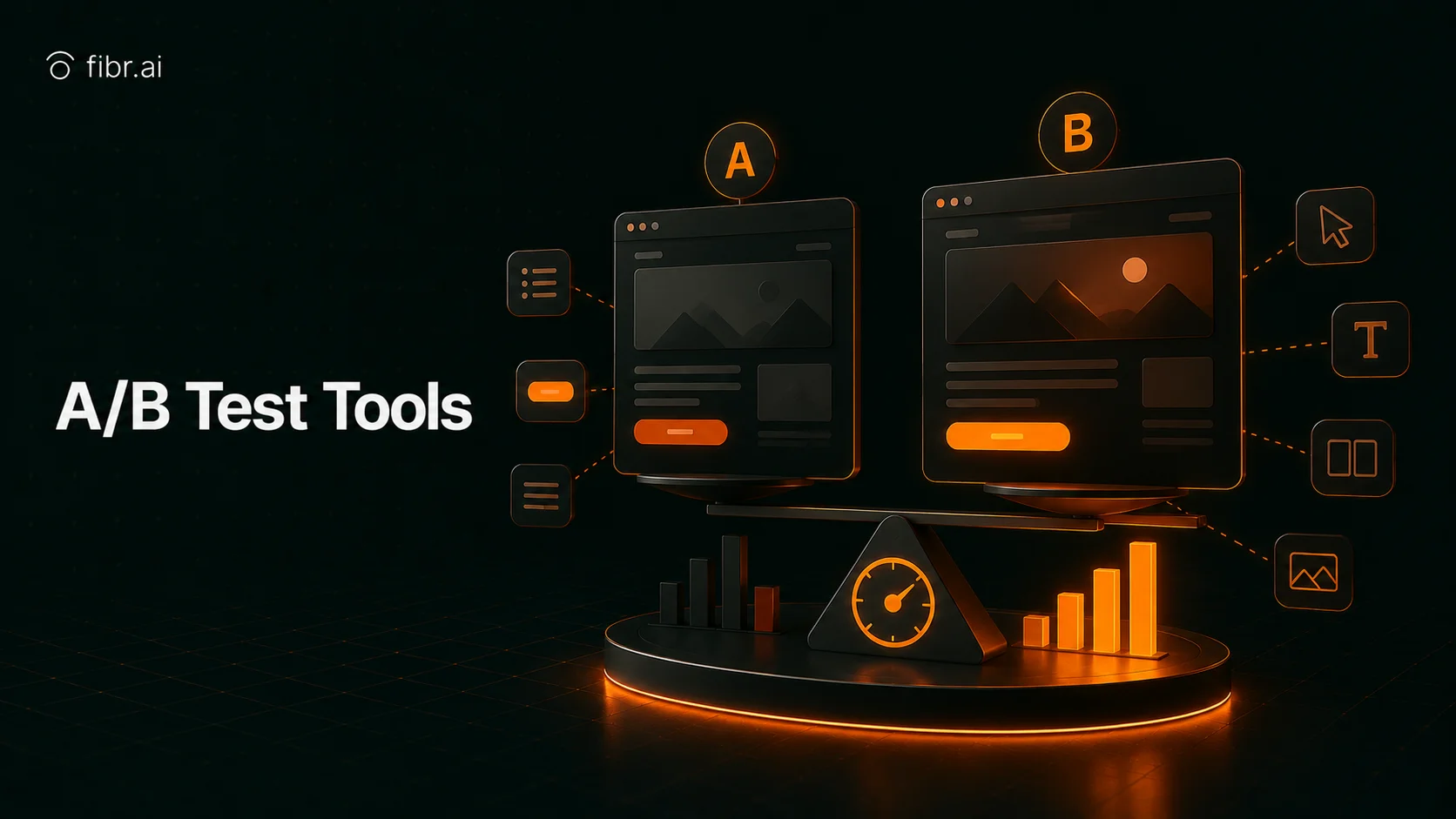
A/B testing works. The global A/B testing software market is expected to reach $4.4 billion by 2035, according to Future Market Insights, and the reason is simple: it removes guesswork from how you grow your website, app, or campaigns. A/B testing is a method for comparing two versions of a webpage, app feature, or campaign to determine which performs better. It works by showing version A to one group of users and version B to another, then measuring which one drives more clicks, sign-ups, or sales. You can test anything from headlines and buttons to layouts and pricing, and the idea is simple: make decisions based on real user behavior, not assumptions.
To get results without jeopardizing performance or wasting time, you need the right set of AI-powered A/B testing tools. Over 50 tools were closely assessed to bring you the best 14 A/B testing software worth your investment in this guide, with features, ratings, and a short framework to help you choose the right solution for your team.
The process starts with a question or assumption. You might wonder if a shorter form will generate more leads or if a new image will encourage people to stay longer on a page. From there, the steps are:
Choose one variable to test. Keeping one change at a time helps you see what really made the difference.
Split your audience randomly into two or more groups so each version gets a fair test.
Run the test for a sufficient amount of time to collect enough data. Ending too soon can give misleading results.
Measure results using clear metrics like conversion rate, bounce rate, and click-throughs.
Pick the winning version and apply the change. Then plan your next test.
In simple terms, A/B testing is a loop of learning. Each test gives you clear insights into what your users prefer and how they respond. The more you test, the better your understanding of your audience becomes. Over time, these small, data-backed changes lead to stronger engagement, higher sales, and happier users. Review A/B testing ideas for a categorized list of high-impact elements to test first.
Benefits of A/B Testing
Helps You Understand What Works
A/B testing shows you what your audience actually responds to. Instead of guessing what headline, image, or layout performs better, you can let the numbers tell you the truth. When you run tests often, you start spotting patterns. You learn what types of content and design attract attention and what pushes people away. This insight helps you make better choices every time you update your site or campaign.
Improves Conversions and Sales
A/B testing helps you turn more visitors into customers. Testing versions of your landing page, sign-up form, or pricing layout shows which version drives more conversions. Even a small lift, like 5 to 10 percent, can add up when you run several tests across your site. With conversion rate optimization, you spend the same amount on ads and content but get more value from every visit.
Reduces Risk in Decision Making
A/B testing helps you avoid making big changes that might fail. Instead of redesigning everything at once, you can test small parts and see what works before rolling it out to everyone. This way, you protect your website and app from sudden drops in traffic or sales and make changes safely, knowing your decisions are backed by data.
Improves User Experience
A/B testing helps you create smoother, more enjoyable user experiences. When you test different versions of your site or app, you find what is easiest for people to use and what helps them finish a task faster. Fixing those points makes your design cleaner and your flow simpler, leading to fewer frustrations and happier visitors. A better experience means higher satisfaction and loyalty. Review landing page optimization strategies that pair naturally with this kind of continuous testing.
Top 14 A/B Testing Tools: At a Glance
Below is a quick-reference comparison of the top 14 A/B testing tools in 2026, including what each is best for and current ratings.
Tool | Best for | Rating | Category |
|---|---|---|---|
Fibr AI | Automated A/B testing and personalization at scale | 4.6/5 | AI |
Unbounce | Building and testing landing pages | 4.3/5 | Pages |
Omniconvert | Full-suite CRO with personalization and surveys | 4.6/5 | CRO |
VWO | End-to-end digital experimentation | 4.4/5 | Cross-platform |
Benchmark | Email campaign testing and optimization | 4.3/5 | |
ActiveCampaign | Automated multi-channel campaigns | 4.5/5 | Multi-channel |
AB Tasty | Feature experimentation and personalization | 4.4/5 | Features |
Crazy Egg | Heatmap-based website testing | 4.2/5 | Visual |
LaunchDarkly | Safe feature rollouts and experiments | 4.5/5 | Feature flags |
Dynamic Yield | Enterprise digital experience optimization | 4.5/5 | Enterprise |
Convert.com | Privacy-focused full-stack experimentation | 4.7/5 | Privacy |
Eppo | Data warehouse-native experimentation | 4.7/5 | Data |
Statsig | Product experimentation with analytics | 4.7/5 | Product |
Kameleoon | Collaborative A/B testing and predictive targeting | 4.8/5 | Collaboration |
Detailed Reviews of the 14 Best A/B Testing Tools
1. Fibr AI
Fibr AI is an AI-powered CRO platform that helps you turn your website into a self-optimizing growth engine. You can run continuous experiments faster, without any developers. The system continuously improves you landing pages and funnels using real visitor data and automates A/B testing.
You just need to provide your page URL. Fibr AI scans the desktop and mobile variants while analyzing live analytics like bounce rates, scroll depth, and exit points to identify optimization opportunities. It then generates multiple variants, including copy changes, image swaps, and layout tweaks, which you can approve or adjust in a no-code visual editor. Once live, it deploys experiments with adaptive traffic routing and continuously monitors results using multivariate testing with Bayesian, Fisher, and Z-test methods.
Fibr AI also connects to your ad platforms, imports campaigns and audience segments, and serves dynamically personalized landing pages based on visitor context. The platform additionally offers GEO insights into your brand's performance across AI-driven and generative search platforms.
Key Features
Match ad copy, visuals, and offers to your landing page for a seamless post-click experience.
Personalize the experience for visitors with product recommendations, images, and messaging tailored to their interests, location, or behavior.
Continuously test page variations including headlines, images, CTAs, and offers to find what converts best.
Approve AI-generated variants with a single click or tweak copy, images, and layouts in a no-code editor.
Create hundreds of personalized landing pages at once with bulk generation, all aligned with your ads.
Track performance for every variation in your bulk flow to see what is working.
Monitor GEO data to measure how well your AI-driven optimizations perform across regions.
Rating: 4.6/5
Our Take
Automated workflows: Fibr AI handles everything from creating test variants to tracking results, so you do not spend time on manual work or coding.
Efficiency: The AI agents test multiple variations at once and iterate quickly, helping you find the best-performing pages in far less time.
Scalability: The platform adapts to your needs and scales to handle larger experiments as your campaigns expand.
Compliance: Every test runs with strict privacy controls to keep customer data safe and ensure your results are trustworthy.
2. Unbounce
Unbounce stands out for making landing page creation simple and fast. You can use the drag-and-drop editor to build pages from templates or customize them fully to match your brand. It lets you run A/B tests on your pages without a developer and watch real-time results to see what converts best.
Key Features
Build landing pages quickly using the drag-and-drop editor.
Choose from over 100 templates designed for high conversions.
Run A/B tests to find the best-performing page variants.
Route visitors automatically to the version most likely to convert with Smart Traffic.
Tailor page content to match visitor search terms using dynamic text replacement.
Connect your landing pages with CRM, analytics, and marketing tools.
Rating: 4.3/5
3. Omniconvert
Omniconvert is a CRO platform that combines A/B testing, personalization, overlays, and surveys. You can run experiments on page variants, segment visitors into multiple groups, place exit intent pop-ups or targeted overlays, and collect real-time feedback. It also lets you track how each variant impacts revenue and engagement.
Key Features
Run A/B tests on different page variants to see what converts best.
Personalize content for different visitor segments to improve engagement.
Add exit intent pop-ups and targeted overlays to capture leads or promote offers.
Collect feedback with built-in surveys and NPS monitoring.
Segment visitors into multiple groups based on behavior, demographics, or source.
Use customer retention tools to identify and prevent churn.
Rating: 4.6/5
4. VWO
VWO is a digital experience optimization platform that lets you test anything across your digital properties including website, mobile app, and server-side features. You can run experiments on page variations, personalize experiences for different visitor segments, and analyze behavior using heatmaps, session recordings, and funnels. It is one of the most frequently cited VWO alternatives that teams consider when expanding their experimentation stack in 2026.
Key Features
Test anything across your website, mobile app, and server-side features.
Run A/B, split, and multivariate tests to find the best-performing variations.
Use heatmaps, session recordings, and funnels to analyze visitor behavior.
Ship identical experiments to web, React Native, Flutter, iOS, and Android from one dashboard.
Track results in real-time and scale successful experiments across all digital channels.
Rating: 4.4/5
5. Benchmark
Benchmark is an email marketing platform built to help you design, send, and track email campaigns without stress. Its drag-and-drop builder lets you quickly create professional-looking emails. You can manage your contact lists with tags, filters, and segments, and view opens and clicks in real time.
Key Features
Create emails quickly using the drag-and-drop editor with no coding required.
Run A/B tests on subject lines, content, and send times to find what resonates best.
Generate or rewrite email content using AI-powered tools like Smart Content and Smart Design.
Keep email delivery smooth and compliant with tools for deliverability and data privacy.
Rating: 4.3/5
6. ActiveCampaign
ActiveCampaign is an all-in-one platform for creating personalized customer experiences. You can design email campaigns with drag-and-drop tools or let AI generate them for you. The platform automates workflows across email, SMS, WhatsApp, and website events.
Key Features
Design and send emails using drag-and-drop tools or AI-generated content.
Automate workflows across email, SMS, WhatsApp, and website events.
Use predictive content and split testing to optimize engagement and conversions.
Connect with over a thousand integrations to unify your marketing stack.
Rating: 4.5/5
7. AB Tasty
AB Tasty lets you run A/B tests, split URL tests, and multivariate tests on your website and apps. The platform supports feature experimentation and rollouts across web, mobile, and server-side environments. It is a strong middle-ground option when comparing AB Tasty alternatives for teams that need both behavioral personalization and structured experimentation.
Key Features
Run A/B tests, split-URL tests, and multivariate tests across web pages and apps.
Personalize experiences using advanced user segments, behavior insights, and AI-powered personalization engines.
Roll out new features gradually with feature flagging, API and SDK support, and KPI-triggered automatic rollbacks.
Leverage AI assistants to generate test ideas, analyze results, and surface insights.
Rating: 4.4/5
8. Crazy Egg
Crazy Egg's standout feature is heatmaps. You can see exactly where visitors click, scroll, and hover on your web pages so you know which parts of your site are working and which are being ignored. Session recordings let you watch how individual users navigate your site.
Key Features
See where visitors click, scroll, and hover with heatmaps.
Watch individual user sessions with session recordings.
Run A/B tests to compare different page variants.
Collect visitor feedback using targeted surveys and polls.
Segment visitor data to understand behavior by location, device, or source.
Rating: 4.2/5
9. LaunchDarkly
LaunchDarkly focuses on feature flags and release controls so you can launch new functions when you are ready. You can toggle features for specific user groups, run canary rollouts, and trigger immediate rollbacks without redeploying your code.
Key Features
Control feature releases with feature flags for targeted user groups.
Run canary rollouts to gradually release new features.
Trigger immediate rollbacks without redeploying code.
Run A/B tests to measure feature performance and user impact.
Rating: 4.5/5
10. Dynamic Yield
Dynamic Yield is a personalization and experience-optimization platform that helps you tailor your digital touchpoints to match each user's behavior and preferences. The platform supports segmentation, A/B testing, and multivariate testing. For teams evaluating Dynamic Yield alternatives, this remains the benchmark for enterprise-level experience optimization.
Key Features
Personalize content, offers, and product recommendations across web, mobile, and email.
Run A/B tests and multivariate tests to optimize experiences for different segments.
Deliver real-time content and recommendations using AI-powered algorithms.
Rating: 4.5/5
11. Convert.com
Convert Experiences is an A/B testing and full-stack experimentation platform built for serious optimization work. It supports both frequentist and Bayesian statistical engines, and is one of the strongest privacy-first options in the category.
Key Features
Run A/B tests, multivariate tests, and split URL tests on websites and apps.
Use frequentist or Bayesian statistical engines for accurate results.
Maintain privacy with first-party cookies and GDPR-compliant data handling.
Integrate with over 90 tools and support headless frameworks for flexibility.
Rating: 4.7/5
12. Eppo
Eppo's highlight feature is its warehouse-native architecture for experimentation. You can run A/B tests, feature flag rollouts, and personalization experiments using the same data your business already trusts.
Key Features
Connect directly to your data warehouse for source-of-truth metrics.
Use advanced statistical methods like CUPED and contextual bandits.
Plan, configure, and manage the full experiment lifecycle from one platform.
Search and analyze past experiments with a centralized experiment repository.
Rating: 4.7/5
13. Statsig
Statsig combines experimentation, feature flags, analytics, and session replays into one platform so you can learn more from every release. The infrastructure is built to handle trillions of events and billions of users.
Key Features
Run advanced A/B tests across web, mobile, and server-side platforms.
Use product analytics to link feature changes to real business metrics.
Automatically track feature exposure to see the true effect of rollouts.
Rating: 4.7/5
14. Kameleoon
Kameleoon stands out with its chat-like interface that makes collaborative A/B testing effortless. It supports A/B, split, and multivariate testing across websites, apps, and server environments with AI-powered predictive targeting.
Key Features
Run A/B, split, and multivariate tests across web and app environments.
Collaborate in a chat-like interface with comments and shared drafts.
Personalize content using AI-powered predictive targeting.
Rating: 4.8/5
Tools for A/B Testing Website Elements
Beyond the 14 platforms reviewed above, choosing the right tool for testing specific website elements such as buttons, headlines, images, forms, and navigation depends heavily on the type of element you are optimizing and the technical resources available to your team. The right tool does not just measure clicks. In 2026, it connects behavioral data from your pages to your ad campaigns, audience segments, and experimentation hypotheses in a single workflow.
Website elements that benefit most from structured testing fall into four broad categories. Visual elements include headlines, hero images, background colors, and typography. Functional elements include form fields, CTA buttons, navigation menus, and checkout flows. Content elements include body copy, social proof blocks, pricing tables, and FAQs. And structural elements include page length, section order, and above-the-fold layout. The tools that lead this category in 2026 have converged on three distinct approaches: visual no-code editors, AI-driven automated optimization, and developer-first feature flagging systems.
2026 Industry Data According to a 2026 industry survey by Conversion Rate Experts, teams that test at least one website element per week see 34 percent higher year-over-year conversion growth than teams testing quarterly or less. This has driven rapid adoption of AI-assisted tools that reduce the manual effort required per test, with the average time to launch a new website element test dropping from 5 days in 2023 to under 1 day in 2026 for teams using automated platforms. |
What to Look for in a Website Element A/B Testing Tool
Before selecting a platform, evaluate it against the specific requirements of website element testing. Not all tools handle every category equally well. The most important capabilities to prioritize are:
Visual editor without code: Your team should be able to create and modify element-level variants directly on the page without a developer building each version. This is the most common bottleneck in A/B testing for websites and the most significant capability gap between entry-level and professional tools.
Segment-level targeting: The tool must route specific visitor groups to specific variants rather than splitting all traffic equally. A headline test that is meaningful for visitors from a Google Ads campaign may be irrelevant for organic search visitors.
Statistical significance monitoring: The platform should surface A/B testing statistics in real time and alert you when a test reaches 95 percent confidence so you do not act on premature results.
Mobile and desktop variant control: Website elements behave differently across devices. A CTA button placement that converts well on desktop may underperform on mobile, and vice versa.
Multivariate capability: When you need to test more than one element on the same page simultaneously, you need multivariate testing capability, which requires larger sample sizes to reach significance than single-element A/B tests.
Integration with your analytics stack: Results from element tests should flow directly into your existing analytics platform so you can correlate conversion changes with behavioral data from other tools.
The Five Categories of Element Testing Tools
Visual no-code editors: Tools such as Unbounce, AB Tasty, and Kameleoon let marketers test buttons, headlines, images, and layout changes directly through a point-and-click visual interface without writing code.
AI-driven automated optimization: Platforms like Fibr AI use AI agents to scan a page, identify underperforming elements, generate variants automatically, and deploy tests with adaptive traffic routing with minimal manual configuration.
Heatmap and behavior-driven testing: Tools such as Crazy Egg combine visual click and scroll data with A/B testing so you know which specific element on the page is worth testing before you build a variant.
Developer-first feature flagging: Platforms like LaunchDarkly and Statsig let engineering teams test structural or functional website elements, such as new checkout flows or navigation logic, with code-level control and safe rollback.
Data warehouse-native testing: Tools such as Eppo and Statsig connect directly to your existing data warehouse so element-level test results are measured against the same metrics your business already trusts, rather than a separate analytics silo.
Choosing a Tool by Element Type
When testing specific website elements, the choice of tool often depends on the element type itself:
Headlines and copy: Visual editors with AI copy generation, such as AB Tasty or Fibr AI, allow rapid creation and testing of multiple headline variants without developer time.
Buttons and CTAs: Most visual editors handle this well, but tools with adaptive traffic routing such as Fibr AI and Unbounce Smart Traffic automatically shift more visitors to the better-performing CTA as data accumulates.
Images and visuals: Heatmap tools like Crazy Egg are useful for identifying which existing images draw attention before testing alternatives, while Fibr AI can generate and swap image variants automatically.
Forms: Omniconvert and VWO both offer strong form-testing capabilities, including field-level testing and segment-based form length variation.
Navigation and structural elements: Feature flagging tools like LaunchDarkly and AB Tasty are best suited for testing structural changes that touch application logic rather than just visual presentation.
How AI Is Changing Website Element A/B Testing in 2026
The most significant shift in A/B testing website elements in 2026 is the integration of AI at every stage of the experimentation cycle. Previously, AI was limited to suggesting test ideas based on heuristic analysis. In 2026, leading platforms use AI to generate hypotheses from live behavioral data, automatically build page variants, deploy tests without manual configuration, and promote winners in real time without a human declaring a result.
Fibr AI's experimentation engine exemplifies this shift. Rather than a marketer manually identifying that the hero headline is a potential test candidate, it analyzes live metrics including bounce rate, scroll depth, and exit point distribution across the page and identifies which specific element has the highest probability of producing a conversion lift if changed. It then generates the variant, routes traffic, monitors significance, and promotes the winner, all within a single workflow that requires minimal human intervention beyond the initial approval step.
This agentic approach has several practical implications for how teams structure their experimentation programs in 2026:
Testing velocity has increased from an industry average of 2 to 4 experiments per month to 10 to 20 per month for teams using AI A/B testing platforms, according to Forrester Wave Q1 2026.
Hypothesis quality has improved because AI-generated hypotheses are based on actual behavioral signal patterns rather than subjective judgment about what looks like it should be tested.
The skill requirement for running rigorous website element tests has decreased significantly, enabling marketing teams to run experiments that previously required collaboration with data science or engineering.
LLM visitor detection has added a new dimension to website element testing: LLM-based personalization tools can now identify traffic arriving from AI assistants like ChatGPT, Perplexity, and Gemini and serve element-level variants optimized for research-intent behavior patterns.
A/B Testing Website Elements: Best Practices for 2026
Applying the right testing discipline to website elements is as important as choosing the right tool. A structured A/B testing framework ensures your element-level experiments generate compounding institutional knowledge rather than one-off results that get lost between campaigns.
Start with the element that has the highest traffic and conversion impact. For most websites, this is the above-the-fold headline and primary CTA, since these elements reach statistical significance fastest and consistently produce the largest conversion lifts.
Define your success metric before building the variant. Changing the success metric after a test launches invalidates the statistical model. Choose A/B testing metrics that are directly connected to your campaign or business objective.
Never end a test before reaching your pre-defined sample size. Determining the right A/B testing sample size before launch prevents the most common and costly mistake in element testing.
Document losing tests with as much care as winning ones. Losing tests reveal which assumptions about your audience were incorrect. Avoiding the most common A/B testing mistakes starts with treating every test result as a learning asset.
Coordinate element tests with your ad campaigns. Connecting element tests to Google ads landing page optimization programs produces compound gains across both quality score and conversion rate.
Use personalization to extend the value of winning variants. Use personalization at scale tools to apply the winning element to every page and audience that matches the same segment profile.
In 2026, the highest-performing teams rarely rely on a single tool for all element-level testing. Instead, they pair a visual or AI-driven editor for content and design elements with a feature-flagging platform for structural and functional elements, ensuring both surface-level and deep technical changes are tested with the same scientific rigor. For a full breakdown of which A/B testing tools suit each use case, the comparison table earlier in this guide remains the fastest reference.
Suggested Visual: Element Testing Tool Categories Recommended placement: a simple comparison graphic showing the 5 tool categories above (visual editors, AI-driven, heatmap, feature flagging, data warehouse-native) with 1 example tool per category. Use an original Fibr.ai-branded graphic or screenshot here rather than a stock image, to maintain brand consistency and avoid copyright issues. |
What Key Features Should You Look For in an A/B Testing Tool?
When picking an A/B testing tool, you want something that goes beyond running basic experiments. The right platform should help you test confidently, learn faster, and make changes that actually improve performance. Here are the key features to look for:
Easy test setup: You should be able to launch tests quickly without heavy coding or complex workflows.
Real-time reporting: Results should update as data comes in so you can make timely decisions.
Robust targeting options: The tool should let you test on specific audiences based on behavior, location, or device.
Multi-page and multivariate testing: You should be able to test full user journeys and multiple elements at once.
Integration with analytics tools: Data should flow smoothly between your testing platform and analytics setup for accurate insights.
Traffic allocation control: You should decide how traffic is split across variations to manage risk and optimize faster.
Personalization capabilities: Beyond tests, look for features that help tailor experiences to different user segments.
Collaborative workspace: Your team should be able to comment, review, and manage tests together without losing context.
Data accuracy and transparency: The tool must clearly show how metrics are calculated so you can trust the results.
Scalability: As your experiments grow, the platform should handle more users, pages, and tests without slowing down.
How to Choose the Best A/B Testing Tool
Choosing the right A/B testing tool depends on your goals, team setup, and the level of experimentation you want. You want a platform that fits your workflow instead of slowing it down. Here is what to focus on when selecting the perfect software:
Match your goals: Pick a tool that fits your main objective, whether it is improving conversions, testing features, or refining content.
Check ease of use: The setup should be quick, with a simple interface that your marketing and product teams can navigate easily.
Look for flexibility: Choose a tool that supports client-side and server-side testing so you can run experiments anywhere in the user journey.
Review data handling: Make sure the platform uses reliable statistical models and provides transparent reporting.
Test for integrations: The tool should work smoothly with your analytics, CRM, and ad platforms to centralize insights. See CDP personalization for how this connects to broader personalization workflows.
Assess collaboration: Teams should be able to leave notes, share results, and manage approvals without extra tools.
Consider scale and speed: As traffic and tests grow, the tool should stay stable and load fast.
Evaluate support and documentation: A good help center and responsive support team save hours during setup and troubleshooting.
Check pricing structure: Go for a plan that matches your current testing volume but can expand as your experimentation matures. Review Fibr AI pricing as a reference point.
Review privacy and compliance: Data collection must align with GDPR and other privacy standards to keep your experiments safe and credible.
FAQs
How to use AI for A/B testing tools?
AI is used in A/B testing tools to generate hypotheses, create test variants automatically, and analyze results faster than manual methods. Platforms like Fibr AI use AI agents that scan a webpage, identify underperforming elements, generate copy and design variants, and deploy tests with adaptive traffic routing, reducing setup time from days to hours.
What are the best tools for visual A/B testing?
Unbounce, AB Tasty, and Kameleoon are among the best tools for visual A/B testing in 2026. They offer drag-and-drop or point-and-click editors that let marketers test headlines, images, buttons, and layouts without writing code. Fibr AI also supports a no-code visual editor combined with AI-generated variant suggestions.
Which tools support A/B testing for mobile apps?
VWO, Statsig, and AB Tasty support A/B testing for mobile apps across iOS, Android, and React Native or Flutter from a single dashboard. LaunchDarkly and Eppo also support mobile experimentation through feature flags, allowing teams to test app features safely before a full rollout to all users.
How to use ChatGPT for A/B testing tools?
ChatGPT can be used to draft test hypotheses, write multiple headline or copy variants for testing, and summarize A/B test results in plain language. It works best as a brainstorming and writing aid alongside a dedicated A/B testing platform, since ChatGPT itself cannot run live experiments, route traffic, or measure statistical significance.
What metrics indicate a successful website element test?
A successful website element test shows a statistically significant lift in your primary metric, typically conversion rate, click-through rate, or form completion rate, alongside stable or improved secondary metrics like bounce rate and time on page. Results should reach at least 95 percent statistical confidence before a variant is declared the winner.





Ankur Goyal
CEO @ Fibr AI
Ankur Goyal, a visionary entrepreneur, is the driving force behind Fibr, a groundbreaking AI co-pilot for websites. With a dual degree from Stanford University and IIT Delhi, Ankur brings a unique blend of technical prowess and business acumen to the table. This isn't his first rodeo; Ankur is a seasoned entrepreneur with a keen understanding of consumer behavior, web dynamics, and AI. Through Fibr, he aims to revolutionize the way websites engage with users, making digital interactions smarter and more intuitive.
Read summarized version with
What Is A/B Testing?
A/B testing works. The global A/B testing software market is expected to reach $4.4 billion by 2035, according to Future Market Insights, and the reason is simple: it removes guesswork from how you grow your website, app, or campaigns. A/B testing is a method for comparing two versions of a webpage, app feature, or campaign to determine which performs better. It works by showing version A to one group of users and version B to another, then measuring which one drives more clicks, sign-ups, or sales. You can test anything from headlines and buttons to layouts and pricing, and the idea is simple: make decisions based on real user behavior, not assumptions.
To get results without jeopardizing performance or wasting time, you need the right set of AI-powered A/B testing tools. Over 50 tools were closely assessed to bring you the best 14 A/B testing software worth your investment in this guide, with features, ratings, and a short framework to help you choose the right solution for your team.
The process starts with a question or assumption. You might wonder if a shorter form will generate more leads or if a new image will encourage people to stay longer on a page. From there, the steps are:
Choose one variable to test. Keeping one change at a time helps you see what really made the difference.
Split your audience randomly into two or more groups so each version gets a fair test.
Run the test for a sufficient amount of time to collect enough data. Ending too soon can give misleading results.
Measure results using clear metrics like conversion rate, bounce rate, and click-throughs.
Pick the winning version and apply the change. Then plan your next test.
In simple terms, A/B testing is a loop of learning. Each test gives you clear insights into what your users prefer and how they respond. The more you test, the better your understanding of your audience becomes. Over time, these small, data-backed changes lead to stronger engagement, higher sales, and happier users. Review A/B testing ideas for a categorized list of high-impact elements to test first.
Benefits of A/B Testing
Helps You Understand What Works
A/B testing shows you what your audience actually responds to. Instead of guessing what headline, image, or layout performs better, you can let the numbers tell you the truth. When you run tests often, you start spotting patterns. You learn what types of content and design attract attention and what pushes people away. This insight helps you make better choices every time you update your site or campaign.
Improves Conversions and Sales
A/B testing helps you turn more visitors into customers. Testing versions of your landing page, sign-up form, or pricing layout shows which version drives more conversions. Even a small lift, like 5 to 10 percent, can add up when you run several tests across your site. With conversion rate optimization, you spend the same amount on ads and content but get more value from every visit.
Reduces Risk in Decision Making
A/B testing helps you avoid making big changes that might fail. Instead of redesigning everything at once, you can test small parts and see what works before rolling it out to everyone. This way, you protect your website and app from sudden drops in traffic or sales and make changes safely, knowing your decisions are backed by data.
Improves User Experience
A/B testing helps you create smoother, more enjoyable user experiences. When you test different versions of your site or app, you find what is easiest for people to use and what helps them finish a task faster. Fixing those points makes your design cleaner and your flow simpler, leading to fewer frustrations and happier visitors. A better experience means higher satisfaction and loyalty. Review landing page optimization strategies that pair naturally with this kind of continuous testing.
Top 14 A/B Testing Tools: At a Glance
Below is a quick-reference comparison of the top 14 A/B testing tools in 2026, including what each is best for and current ratings.
Tool | Best for | Rating | Category |
|---|---|---|---|
Fibr AI | Automated A/B testing and personalization at scale | 4.6/5 | AI |
Unbounce | Building and testing landing pages | 4.3/5 | Pages |
Omniconvert | Full-suite CRO with personalization and surveys | 4.6/5 | CRO |
VWO | End-to-end digital experimentation | 4.4/5 | Cross-platform |
Benchmark | Email campaign testing and optimization | 4.3/5 | |
ActiveCampaign | Automated multi-channel campaigns | 4.5/5 | Multi-channel |
AB Tasty | Feature experimentation and personalization | 4.4/5 | Features |
Crazy Egg | Heatmap-based website testing | 4.2/5 | Visual |
LaunchDarkly | Safe feature rollouts and experiments | 4.5/5 | Feature flags |
Dynamic Yield | Enterprise digital experience optimization | 4.5/5 | Enterprise |
Convert.com | Privacy-focused full-stack experimentation | 4.7/5 | Privacy |
Eppo | Data warehouse-native experimentation | 4.7/5 | Data |
Statsig | Product experimentation with analytics | 4.7/5 | Product |
Kameleoon | Collaborative A/B testing and predictive targeting | 4.8/5 | Collaboration |
Detailed Reviews of the 14 Best A/B Testing Tools
1. Fibr AI
Fibr AI is an AI-powered CRO platform that helps you turn your website into a self-optimizing growth engine. You can run continuous experiments faster, without any developers. The system continuously improves you landing pages and funnels using real visitor data and automates A/B testing.
You just need to provide your page URL. Fibr AI scans the desktop and mobile variants while analyzing live analytics like bounce rates, scroll depth, and exit points to identify optimization opportunities. It then generates multiple variants, including copy changes, image swaps, and layout tweaks, which you can approve or adjust in a no-code visual editor. Once live, it deploys experiments with adaptive traffic routing and continuously monitors results using multivariate testing with Bayesian, Fisher, and Z-test methods.
Fibr AI also connects to your ad platforms, imports campaigns and audience segments, and serves dynamically personalized landing pages based on visitor context. The platform additionally offers GEO insights into your brand's performance across AI-driven and generative search platforms.
Key Features
Match ad copy, visuals, and offers to your landing page for a seamless post-click experience.
Personalize the experience for visitors with product recommendations, images, and messaging tailored to their interests, location, or behavior.
Continuously test page variations including headlines, images, CTAs, and offers to find what converts best.
Approve AI-generated variants with a single click or tweak copy, images, and layouts in a no-code editor.
Create hundreds of personalized landing pages at once with bulk generation, all aligned with your ads.
Track performance for every variation in your bulk flow to see what is working.
Monitor GEO data to measure how well your AI-driven optimizations perform across regions.
Rating: 4.6/5
Our Take
Automated workflows: Fibr AI handles everything from creating test variants to tracking results, so you do not spend time on manual work or coding.
Efficiency: The AI agents test multiple variations at once and iterate quickly, helping you find the best-performing pages in far less time.
Scalability: The platform adapts to your needs and scales to handle larger experiments as your campaigns expand.
Compliance: Every test runs with strict privacy controls to keep customer data safe and ensure your results are trustworthy.
2. Unbounce
Unbounce stands out for making landing page creation simple and fast. You can use the drag-and-drop editor to build pages from templates or customize them fully to match your brand. It lets you run A/B tests on your pages without a developer and watch real-time results to see what converts best.
Key Features
Build landing pages quickly using the drag-and-drop editor.
Choose from over 100 templates designed for high conversions.
Run A/B tests to find the best-performing page variants.
Route visitors automatically to the version most likely to convert with Smart Traffic.
Tailor page content to match visitor search terms using dynamic text replacement.
Connect your landing pages with CRM, analytics, and marketing tools.
Rating: 4.3/5
3. Omniconvert
Omniconvert is a CRO platform that combines A/B testing, personalization, overlays, and surveys. You can run experiments on page variants, segment visitors into multiple groups, place exit intent pop-ups or targeted overlays, and collect real-time feedback. It also lets you track how each variant impacts revenue and engagement.
Key Features
Run A/B tests on different page variants to see what converts best.
Personalize content for different visitor segments to improve engagement.
Add exit intent pop-ups and targeted overlays to capture leads or promote offers.
Collect feedback with built-in surveys and NPS monitoring.
Segment visitors into multiple groups based on behavior, demographics, or source.
Use customer retention tools to identify and prevent churn.
Rating: 4.6/5
4. VWO
VWO is a digital experience optimization platform that lets you test anything across your digital properties including website, mobile app, and server-side features. You can run experiments on page variations, personalize experiences for different visitor segments, and analyze behavior using heatmaps, session recordings, and funnels. It is one of the most frequently cited VWO alternatives that teams consider when expanding their experimentation stack in 2026.
Key Features
Test anything across your website, mobile app, and server-side features.
Run A/B, split, and multivariate tests to find the best-performing variations.
Use heatmaps, session recordings, and funnels to analyze visitor behavior.
Ship identical experiments to web, React Native, Flutter, iOS, and Android from one dashboard.
Track results in real-time and scale successful experiments across all digital channels.
Rating: 4.4/5
5. Benchmark
Benchmark is an email marketing platform built to help you design, send, and track email campaigns without stress. Its drag-and-drop builder lets you quickly create professional-looking emails. You can manage your contact lists with tags, filters, and segments, and view opens and clicks in real time.
Key Features
Create emails quickly using the drag-and-drop editor with no coding required.
Run A/B tests on subject lines, content, and send times to find what resonates best.
Generate or rewrite email content using AI-powered tools like Smart Content and Smart Design.
Keep email delivery smooth and compliant with tools for deliverability and data privacy.
Rating: 4.3/5
6. ActiveCampaign
ActiveCampaign is an all-in-one platform for creating personalized customer experiences. You can design email campaigns with drag-and-drop tools or let AI generate them for you. The platform automates workflows across email, SMS, WhatsApp, and website events.
Key Features
Design and send emails using drag-and-drop tools or AI-generated content.
Automate workflows across email, SMS, WhatsApp, and website events.
Use predictive content and split testing to optimize engagement and conversions.
Connect with over a thousand integrations to unify your marketing stack.
Rating: 4.5/5
7. AB Tasty
AB Tasty lets you run A/B tests, split URL tests, and multivariate tests on your website and apps. The platform supports feature experimentation and rollouts across web, mobile, and server-side environments. It is a strong middle-ground option when comparing AB Tasty alternatives for teams that need both behavioral personalization and structured experimentation.
Key Features
Run A/B tests, split-URL tests, and multivariate tests across web pages and apps.
Personalize experiences using advanced user segments, behavior insights, and AI-powered personalization engines.
Roll out new features gradually with feature flagging, API and SDK support, and KPI-triggered automatic rollbacks.
Leverage AI assistants to generate test ideas, analyze results, and surface insights.
Rating: 4.4/5
8. Crazy Egg
Crazy Egg's standout feature is heatmaps. You can see exactly where visitors click, scroll, and hover on your web pages so you know which parts of your site are working and which are being ignored. Session recordings let you watch how individual users navigate your site.
Key Features
See where visitors click, scroll, and hover with heatmaps.
Watch individual user sessions with session recordings.
Run A/B tests to compare different page variants.
Collect visitor feedback using targeted surveys and polls.
Segment visitor data to understand behavior by location, device, or source.
Rating: 4.2/5
9. LaunchDarkly
LaunchDarkly focuses on feature flags and release controls so you can launch new functions when you are ready. You can toggle features for specific user groups, run canary rollouts, and trigger immediate rollbacks without redeploying your code.
Key Features
Control feature releases with feature flags for targeted user groups.
Run canary rollouts to gradually release new features.
Trigger immediate rollbacks without redeploying code.
Run A/B tests to measure feature performance and user impact.
Rating: 4.5/5
10. Dynamic Yield
Dynamic Yield is a personalization and experience-optimization platform that helps you tailor your digital touchpoints to match each user's behavior and preferences. The platform supports segmentation, A/B testing, and multivariate testing. For teams evaluating Dynamic Yield alternatives, this remains the benchmark for enterprise-level experience optimization.
Key Features
Personalize content, offers, and product recommendations across web, mobile, and email.
Run A/B tests and multivariate tests to optimize experiences for different segments.
Deliver real-time content and recommendations using AI-powered algorithms.
Rating: 4.5/5
11. Convert.com
Convert Experiences is an A/B testing and full-stack experimentation platform built for serious optimization work. It supports both frequentist and Bayesian statistical engines, and is one of the strongest privacy-first options in the category.
Key Features
Run A/B tests, multivariate tests, and split URL tests on websites and apps.
Use frequentist or Bayesian statistical engines for accurate results.
Maintain privacy with first-party cookies and GDPR-compliant data handling.
Integrate with over 90 tools and support headless frameworks for flexibility.
Rating: 4.7/5
12. Eppo
Eppo's highlight feature is its warehouse-native architecture for experimentation. You can run A/B tests, feature flag rollouts, and personalization experiments using the same data your business already trusts.
Key Features
Connect directly to your data warehouse for source-of-truth metrics.
Use advanced statistical methods like CUPED and contextual bandits.
Plan, configure, and manage the full experiment lifecycle from one platform.
Search and analyze past experiments with a centralized experiment repository.
Rating: 4.7/5
13. Statsig
Statsig combines experimentation, feature flags, analytics, and session replays into one platform so you can learn more from every release. The infrastructure is built to handle trillions of events and billions of users.
Key Features
Run advanced A/B tests across web, mobile, and server-side platforms.
Use product analytics to link feature changes to real business metrics.
Automatically track feature exposure to see the true effect of rollouts.
Rating: 4.7/5
14. Kameleoon
Kameleoon stands out with its chat-like interface that makes collaborative A/B testing effortless. It supports A/B, split, and multivariate testing across websites, apps, and server environments with AI-powered predictive targeting.
Key Features
Run A/B, split, and multivariate tests across web and app environments.
Collaborate in a chat-like interface with comments and shared drafts.
Personalize content using AI-powered predictive targeting.
Rating: 4.8/5
Tools for A/B Testing Website Elements
Beyond the 14 platforms reviewed above, choosing the right tool for testing specific website elements such as buttons, headlines, images, forms, and navigation depends heavily on the type of element you are optimizing and the technical resources available to your team. The right tool does not just measure clicks. In 2026, it connects behavioral data from your pages to your ad campaigns, audience segments, and experimentation hypotheses in a single workflow.
Website elements that benefit most from structured testing fall into four broad categories. Visual elements include headlines, hero images, background colors, and typography. Functional elements include form fields, CTA buttons, navigation menus, and checkout flows. Content elements include body copy, social proof blocks, pricing tables, and FAQs. And structural elements include page length, section order, and above-the-fold layout. The tools that lead this category in 2026 have converged on three distinct approaches: visual no-code editors, AI-driven automated optimization, and developer-first feature flagging systems.
2026 Industry Data According to a 2026 industry survey by Conversion Rate Experts, teams that test at least one website element per week see 34 percent higher year-over-year conversion growth than teams testing quarterly or less. This has driven rapid adoption of AI-assisted tools that reduce the manual effort required per test, with the average time to launch a new website element test dropping from 5 days in 2023 to under 1 day in 2026 for teams using automated platforms. |
What to Look for in a Website Element A/B Testing Tool
Before selecting a platform, evaluate it against the specific requirements of website element testing. Not all tools handle every category equally well. The most important capabilities to prioritize are:
Visual editor without code: Your team should be able to create and modify element-level variants directly on the page without a developer building each version. This is the most common bottleneck in A/B testing for websites and the most significant capability gap between entry-level and professional tools.
Segment-level targeting: The tool must route specific visitor groups to specific variants rather than splitting all traffic equally. A headline test that is meaningful for visitors from a Google Ads campaign may be irrelevant for organic search visitors.
Statistical significance monitoring: The platform should surface A/B testing statistics in real time and alert you when a test reaches 95 percent confidence so you do not act on premature results.
Mobile and desktop variant control: Website elements behave differently across devices. A CTA button placement that converts well on desktop may underperform on mobile, and vice versa.
Multivariate capability: When you need to test more than one element on the same page simultaneously, you need multivariate testing capability, which requires larger sample sizes to reach significance than single-element A/B tests.
Integration with your analytics stack: Results from element tests should flow directly into your existing analytics platform so you can correlate conversion changes with behavioral data from other tools.
The Five Categories of Element Testing Tools
Visual no-code editors: Tools such as Unbounce, AB Tasty, and Kameleoon let marketers test buttons, headlines, images, and layout changes directly through a point-and-click visual interface without writing code.
AI-driven automated optimization: Platforms like Fibr AI use AI agents to scan a page, identify underperforming elements, generate variants automatically, and deploy tests with adaptive traffic routing with minimal manual configuration.
Heatmap and behavior-driven testing: Tools such as Crazy Egg combine visual click and scroll data with A/B testing so you know which specific element on the page is worth testing before you build a variant.
Developer-first feature flagging: Platforms like LaunchDarkly and Statsig let engineering teams test structural or functional website elements, such as new checkout flows or navigation logic, with code-level control and safe rollback.
Data warehouse-native testing: Tools such as Eppo and Statsig connect directly to your existing data warehouse so element-level test results are measured against the same metrics your business already trusts, rather than a separate analytics silo.
Choosing a Tool by Element Type
When testing specific website elements, the choice of tool often depends on the element type itself:
Headlines and copy: Visual editors with AI copy generation, such as AB Tasty or Fibr AI, allow rapid creation and testing of multiple headline variants without developer time.
Buttons and CTAs: Most visual editors handle this well, but tools with adaptive traffic routing such as Fibr AI and Unbounce Smart Traffic automatically shift more visitors to the better-performing CTA as data accumulates.
Images and visuals: Heatmap tools like Crazy Egg are useful for identifying which existing images draw attention before testing alternatives, while Fibr AI can generate and swap image variants automatically.
Forms: Omniconvert and VWO both offer strong form-testing capabilities, including field-level testing and segment-based form length variation.
Navigation and structural elements: Feature flagging tools like LaunchDarkly and AB Tasty are best suited for testing structural changes that touch application logic rather than just visual presentation.
How AI Is Changing Website Element A/B Testing in 2026
The most significant shift in A/B testing website elements in 2026 is the integration of AI at every stage of the experimentation cycle. Previously, AI was limited to suggesting test ideas based on heuristic analysis. In 2026, leading platforms use AI to generate hypotheses from live behavioral data, automatically build page variants, deploy tests without manual configuration, and promote winners in real time without a human declaring a result.
Fibr AI's experimentation engine exemplifies this shift. Rather than a marketer manually identifying that the hero headline is a potential test candidate, it analyzes live metrics including bounce rate, scroll depth, and exit point distribution across the page and identifies which specific element has the highest probability of producing a conversion lift if changed. It then generates the variant, routes traffic, monitors significance, and promotes the winner, all within a single workflow that requires minimal human intervention beyond the initial approval step.
This agentic approach has several practical implications for how teams structure their experimentation programs in 2026:
Testing velocity has increased from an industry average of 2 to 4 experiments per month to 10 to 20 per month for teams using AI A/B testing platforms, according to Forrester Wave Q1 2026.
Hypothesis quality has improved because AI-generated hypotheses are based on actual behavioral signal patterns rather than subjective judgment about what looks like it should be tested.
The skill requirement for running rigorous website element tests has decreased significantly, enabling marketing teams to run experiments that previously required collaboration with data science or engineering.
LLM visitor detection has added a new dimension to website element testing: LLM-based personalization tools can now identify traffic arriving from AI assistants like ChatGPT, Perplexity, and Gemini and serve element-level variants optimized for research-intent behavior patterns.
A/B Testing Website Elements: Best Practices for 2026
Applying the right testing discipline to website elements is as important as choosing the right tool. A structured A/B testing framework ensures your element-level experiments generate compounding institutional knowledge rather than one-off results that get lost between campaigns.
Start with the element that has the highest traffic and conversion impact. For most websites, this is the above-the-fold headline and primary CTA, since these elements reach statistical significance fastest and consistently produce the largest conversion lifts.
Define your success metric before building the variant. Changing the success metric after a test launches invalidates the statistical model. Choose A/B testing metrics that are directly connected to your campaign or business objective.
Never end a test before reaching your pre-defined sample size. Determining the right A/B testing sample size before launch prevents the most common and costly mistake in element testing.
Document losing tests with as much care as winning ones. Losing tests reveal which assumptions about your audience were incorrect. Avoiding the most common A/B testing mistakes starts with treating every test result as a learning asset.
Coordinate element tests with your ad campaigns. Connecting element tests to Google ads landing page optimization programs produces compound gains across both quality score and conversion rate.
Use personalization to extend the value of winning variants. Use personalization at scale tools to apply the winning element to every page and audience that matches the same segment profile.
In 2026, the highest-performing teams rarely rely on a single tool for all element-level testing. Instead, they pair a visual or AI-driven editor for content and design elements with a feature-flagging platform for structural and functional elements, ensuring both surface-level and deep technical changes are tested with the same scientific rigor. For a full breakdown of which A/B testing tools suit each use case, the comparison table earlier in this guide remains the fastest reference.
Suggested Visual: Element Testing Tool Categories Recommended placement: a simple comparison graphic showing the 5 tool categories above (visual editors, AI-driven, heatmap, feature flagging, data warehouse-native) with 1 example tool per category. Use an original Fibr.ai-branded graphic or screenshot here rather than a stock image, to maintain brand consistency and avoid copyright issues. |
What Key Features Should You Look For in an A/B Testing Tool?
When picking an A/B testing tool, you want something that goes beyond running basic experiments. The right platform should help you test confidently, learn faster, and make changes that actually improve performance. Here are the key features to look for:
Easy test setup: You should be able to launch tests quickly without heavy coding or complex workflows.
Real-time reporting: Results should update as data comes in so you can make timely decisions.
Robust targeting options: The tool should let you test on specific audiences based on behavior, location, or device.
Multi-page and multivariate testing: You should be able to test full user journeys and multiple elements at once.
Integration with analytics tools: Data should flow smoothly between your testing platform and analytics setup for accurate insights.
Traffic allocation control: You should decide how traffic is split across variations to manage risk and optimize faster.
Personalization capabilities: Beyond tests, look for features that help tailor experiences to different user segments.
Collaborative workspace: Your team should be able to comment, review, and manage tests together without losing context.
Data accuracy and transparency: The tool must clearly show how metrics are calculated so you can trust the results.
Scalability: As your experiments grow, the platform should handle more users, pages, and tests without slowing down.
How to Choose the Best A/B Testing Tool
Choosing the right A/B testing tool depends on your goals, team setup, and the level of experimentation you want. You want a platform that fits your workflow instead of slowing it down. Here is what to focus on when selecting the perfect software:
Match your goals: Pick a tool that fits your main objective, whether it is improving conversions, testing features, or refining content.
Check ease of use: The setup should be quick, with a simple interface that your marketing and product teams can navigate easily.
Look for flexibility: Choose a tool that supports client-side and server-side testing so you can run experiments anywhere in the user journey.
Review data handling: Make sure the platform uses reliable statistical models and provides transparent reporting.
Test for integrations: The tool should work smoothly with your analytics, CRM, and ad platforms to centralize insights. See CDP personalization for how this connects to broader personalization workflows.
Assess collaboration: Teams should be able to leave notes, share results, and manage approvals without extra tools.
Consider scale and speed: As traffic and tests grow, the tool should stay stable and load fast.
Evaluate support and documentation: A good help center and responsive support team save hours during setup and troubleshooting.
Check pricing structure: Go for a plan that matches your current testing volume but can expand as your experimentation matures. Review Fibr AI pricing as a reference point.
Review privacy and compliance: Data collection must align with GDPR and other privacy standards to keep your experiments safe and credible.
FAQs
How to use AI for A/B testing tools?
AI is used in A/B testing tools to generate hypotheses, create test variants automatically, and analyze results faster than manual methods. Platforms like Fibr AI use AI agents that scan a webpage, identify underperforming elements, generate copy and design variants, and deploy tests with adaptive traffic routing, reducing setup time from days to hours.
What are the best tools for visual A/B testing?
Unbounce, AB Tasty, and Kameleoon are among the best tools for visual A/B testing in 2026. They offer drag-and-drop or point-and-click editors that let marketers test headlines, images, buttons, and layouts without writing code. Fibr AI also supports a no-code visual editor combined with AI-generated variant suggestions.
Which tools support A/B testing for mobile apps?
VWO, Statsig, and AB Tasty support A/B testing for mobile apps across iOS, Android, and React Native or Flutter from a single dashboard. LaunchDarkly and Eppo also support mobile experimentation through feature flags, allowing teams to test app features safely before a full rollout to all users.
How to use ChatGPT for A/B testing tools?
ChatGPT can be used to draft test hypotheses, write multiple headline or copy variants for testing, and summarize A/B test results in plain language. It works best as a brainstorming and writing aid alongside a dedicated A/B testing platform, since ChatGPT itself cannot run live experiments, route traffic, or measure statistical significance.
What metrics indicate a successful website element test?
A successful website element test shows a statistically significant lift in your primary metric, typically conversion rate, click-through rate, or form completion rate, alongside stable or improved secondary metrics like bounce rate and time on page. Results should reach at least 95 percent statistical confidence before a variant is declared the winner.
Ankur Goyal
CEO @ Fibr AI
Ankur Goyal, a visionary entrepreneur, is the driving force behind Fibr, a groundbreaking AI co-pilot for websites. With a dual degree from Stanford University and IIT Delhi, Ankur brings a unique blend of technical prowess and business acumen to the table. This isn't his first rodeo; Ankur is a seasoned entrepreneur with a keen understanding of consumer behavior, web dynamics, and AI. Through Fibr, he aims to revolutionize the way websites engage with users, making digital interactions smarter and more intuitive.