Read summarized version with
Introduction
In today’s digital-first world of websites and apps, are you still relying on surface-level metrics to understand your users? While many marketers rely on standard indicators like bounce rates, conversion rates, and page visits, these numbers usually don’t give you the full story. Sure, they’ll tell you 'what' is happening on your site but will leave you scratching your head about the 'why'.
This is where user behaviour analysis comes in. It digs deeper, giving you richer insights into user behaviour patterns, preferences, and pain points. With sophisticated user behaviour analytics tools, you can uncover valuable nuggets of information to tailor your strategies and enhance user experience.
A McKinsey report reveals how companies that track user behavior generate twice as much profit. They also see a staggering 115% greater ROI!
In this article, we’re taking a closer look at user behaviour analytics software and sharing our top seven picks for 2025.
These tools—Fibr AI, Mixpanel, VWO Insights, Zipy.ai, Hotjar, Fullstory, and Crazy Egg—offer powerful analytics for tracking and understanding user behavior to optimize digital experiences and drive conversions.
But first, let's lay the groundwork.
What are User Behaviour Tools?
User behaviour analytics tools are advanced software that enable you to track and analyse how users interact with your website. They go beyond standard metrics and help you understand the reasons behind specific actions like clicking on a link, mouse movements, scrolls, etc.
User behavior tools are software designed to track, analyze, and understand how users interact with your website, app, or digital platform. They gather data on actions like page views, clicks, time spent on pages, etc. to help you understand the preferences, pain points, and overall experience of your audience. This information can help you optimize the user experience and identify areas of improvement.
Your Traffic Isn't the Problem. Your Website Is.
See how teams using agentic AI get 4x more conversions and cut CAC by 45%, without adding traffic.

7 Best User Behavior Tools to Consider in 2025
Here are the top 7 user behavior tools you must consider in 2025 for data-driven decision-making:
1. Fibr AI
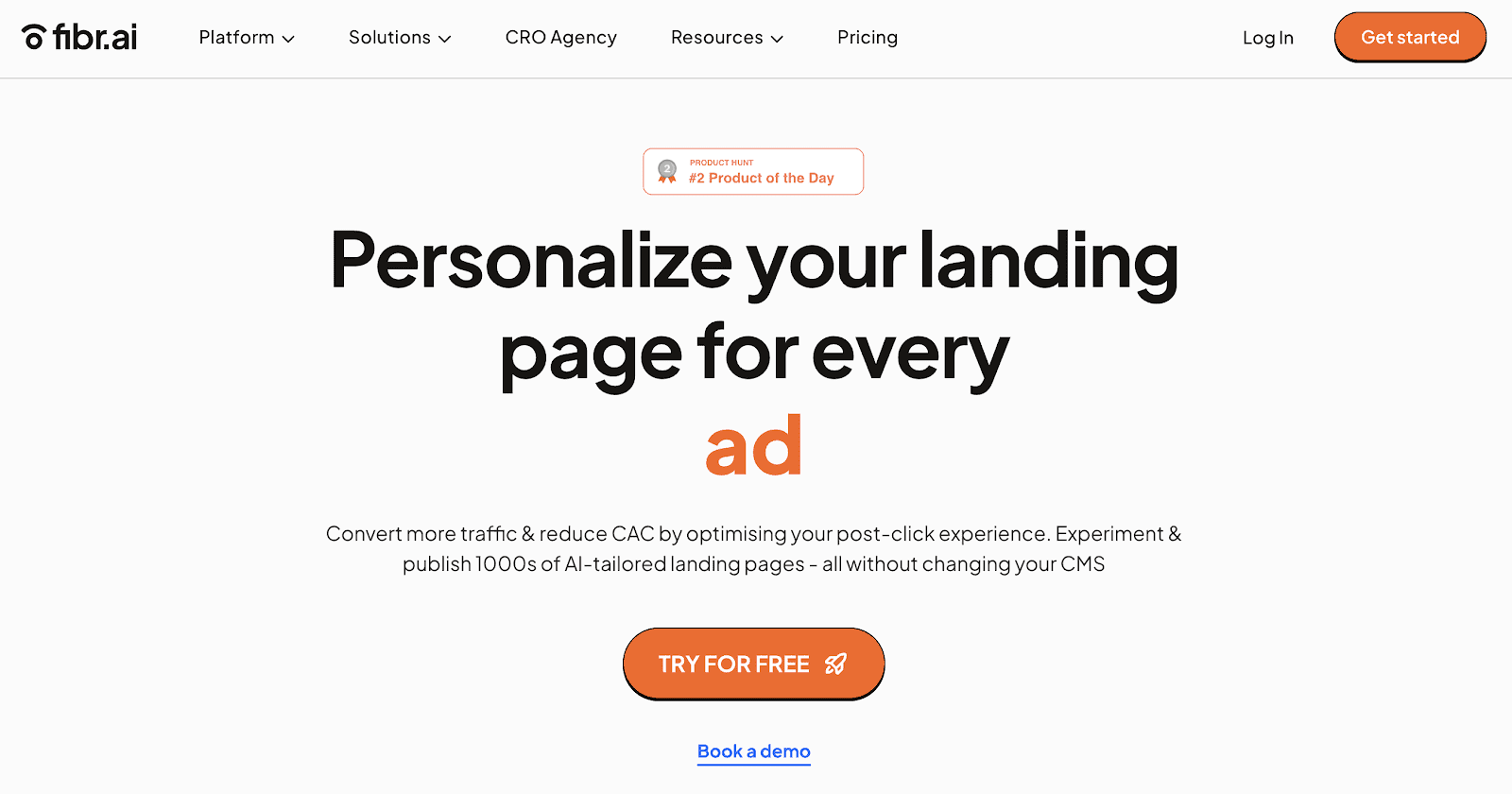
Fibr AI is a personalization platform that is transforming the way marketers understand and engage with their audiences. Leveraging the power of AI, Fibr AI enables marketers to get detailed insights into user behaviour analysis and personalizing landing pages for every user.
Imagine fine-tuning your campaigns to match each visitor’s unique journey and capturing behavioural patterns across a variety of channels, including ads, emails, SMS, and websites.
Fibr AI is designed to help marketers optimize user experiences by aligning every touchpoint—whether from ads, emails, SMS, or websites—with individual user behavior and intent.
Whether it’s clicks, conversions, or content engagement, Fibr AI helps you create personalized experiences that resonate with users. This user behaviour tool plays a critical role in post-click behavior optimization, helping marketers deliver personalized experiences that resonate with users and drive conversions.
Some key features of Fibr AI include:
Tailored landing pages based on whether a visitor is new or returning for greater engagement and conversions
Behavior-driven CTA testing to determine which performs the best
Tracking visitor behaviour and data to adjust landing pages as per the audience
Monitoring user activity on-site and modifying content elements based on visitor interactions and preferences
Behavior-based personalization that aligns content with user location, device, and on-site actions
Bulk page creation for seamless scaling without developer dependency, ensuring high-volume campaigns maintain consistency and relevance
Personalized experiences based on device( mobile or desktop) using device analytics for smooth and engaging browsing
Integrate easily with Google Ads, Meta Ads, and analytics tools for efficient performance tracking and optimization
Align personalization efforts with GDPR and CCPA standards, safeguarding user data without compromising relevance
Pricing:
Free: $0
Custom: Available on request
For Agencies: Available on request
G2 rating: 4.9/5
2. Mixpanel

Mixpanel is a product analytics tool that helps you track customer journeys, generate custom reports, and create funnels. This user behaviour software also offers robust features for deep segmentation and cohort analysis, helping businesses understand user behaviour over time. Additionally, Mixpanel's intuitive interface allows for real-time data exploration, making it easier to identify trends and patterns for tailored marketing strategies.
Some key features of this tool:
Automated workflows with custom dashboard and instant alerts
Advanced features, including data visualisation, A/B testing, audience targeting, and more
Event-based tracking to identify user patterns and make data-driven decisions.
Pricing:
Free: $0 for up to 20 million monthly events
Growth: Starts at $24/month for 10,000 events
Enterprise: Available on request for up to 1 trillion monthly events
G2 rating: 4.6/5
3. VWO Insights - Web

VWO Insights is another behaviour software that helps you understand how users interact with your site through in-depth heatmaps, session recordings, and conversion tracking. Its dynamic heatmaps allow you to see where users are clicking, scrolling, and spending the most time. VWO Insights also offers Gen AI-based features that generate concise survey summaries and provide actionable insights based on respondent feedback.
Some key features of this tool:
Detailed heatmap reports with segmentation options to filter data based on specific segments
Flexible session recording options to review user actions at your own pace
On-page surveys with customizable survey logic
Pricing:
Starter: Free
Growth: $135/month (billed annually)
Pro: $321/month (billed annually)
Enterprise: $758/month (billed annually)
G2 rating: 4.2/5
4. Zipy.ai
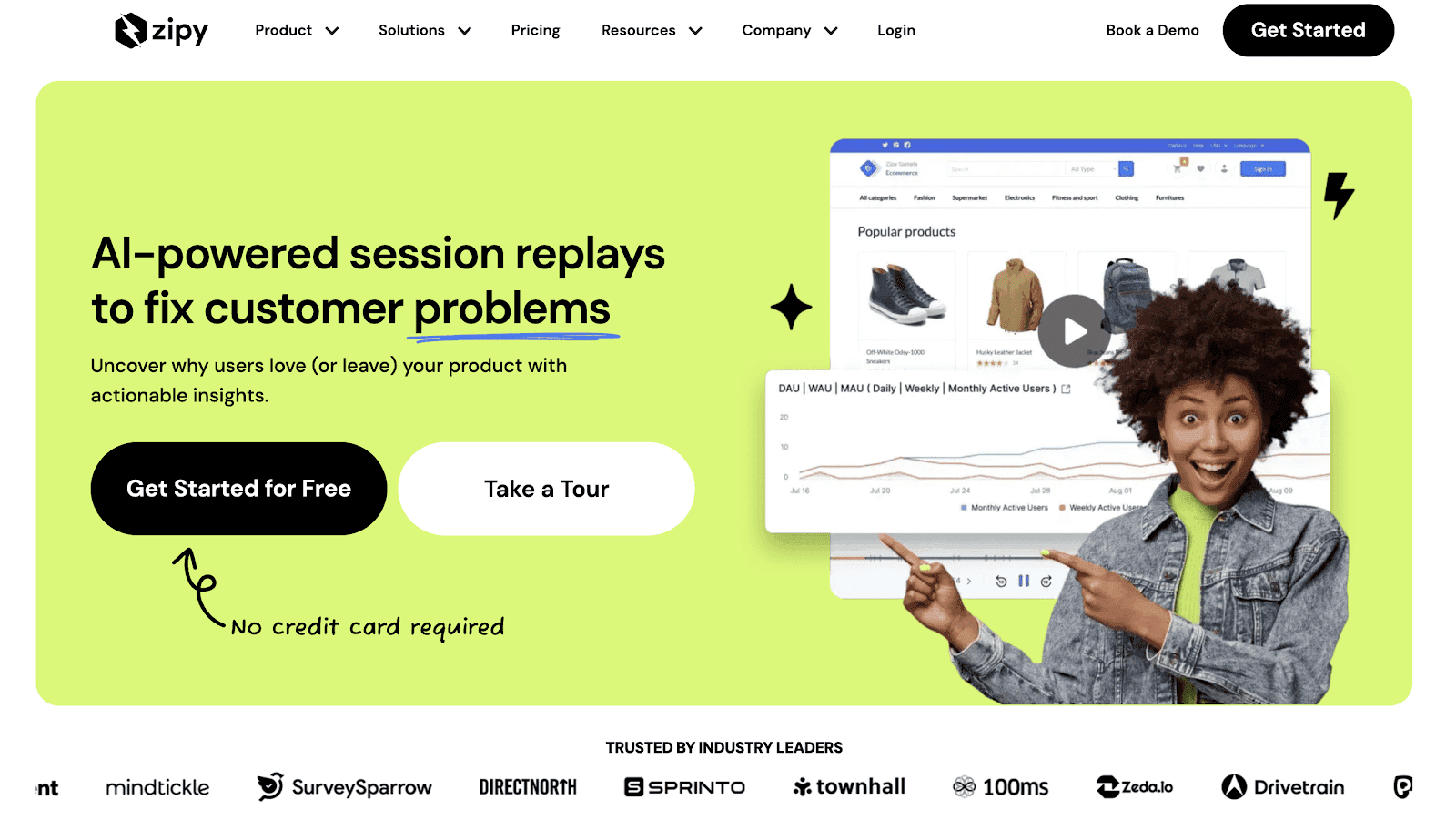
Zipy is a user behaviour tracking tool that offers a comprehensive overview of user interactions across digital channels. This tool features an intuitive dashboard that helps visualise complex data in easily digestible formats. With Zipy, you can monitor errors, track API performance, and access DevTools features, all on a single platform.
Some key features of this tool:
Session replays, debugging, and error tracking, all on a centralised dashboard
Real-time user monitoring to detect and resolve issues early
Multiple identifiers for searches and custom parameter protection through user identification
Pricing:
Free: $0/month
Startup: $39/month (billed annually) and $49/month (billed monthly)
Growth: Starts at $83/month (billed annually) and $99/month (billed monthly)
Enterprise: Available on request
G2 rating: 4.9/5
5. Hotjar

Hotjar is a website heatmap and user behavior tool that offers a mix of heatmaps, session recordings, and feedback features to understand what users are doing—and why they’re doing it. While heatmaps highlight the most (and least) engaged areas of your site, session recordings capture individual journeys, making it easier to spot friction in the customer journey.
Some key features of this tool:
Watch session recordings with website bugs using the console tracking functionality and error filter
Surveys, form analytics, and user feedback widget
Seamless integration with Google Analytics, Unbounce, Zapier, and more
Pricing:
Basic: $0 for up to 35 daily sessions
Plus: $32/month (billed annually) and $39/month (billed monthly)
Business: $80/month (billed annually) and $99/month (billed monthly)
Scale: $121/month (billed annually) and $213/month (billed monthly)
G2 rating: 4.3/5
6. Fullstory
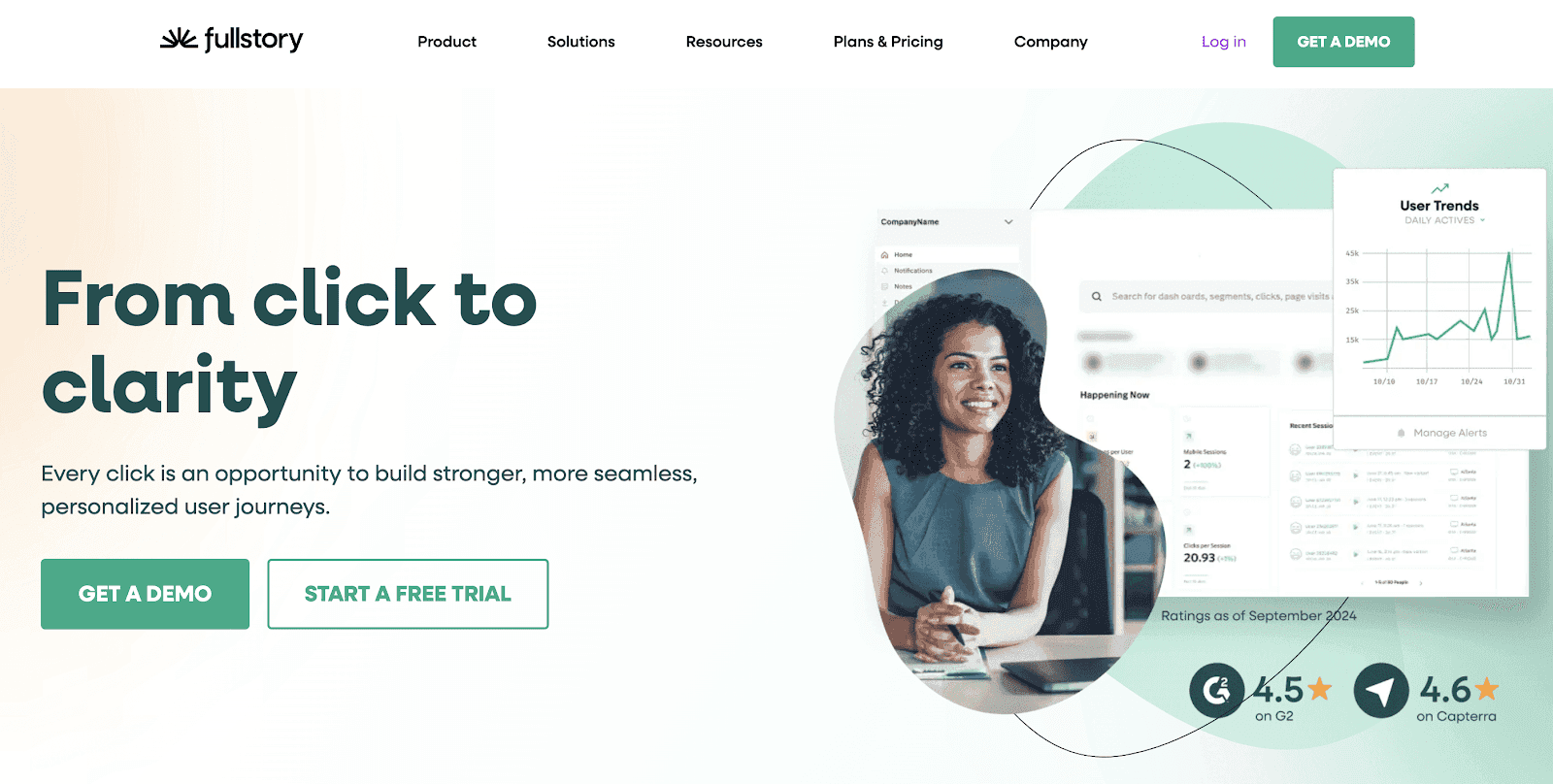
Fullstory is another user behavior tool that helps you access high-quality behavorial data at scale by incorporating digital behavior data with your analytics stacks. The platform also provides session playbacks to view a visitor's journey, inspect clicks and activities, and create funnels. The platform's retroactive, tagless auto-capture offers flexible privacy settings to help you capture valuable information without any PII.
Some key features of this tool:
Click maps for detailed page insights
300 app scans per minute, requiring less than 100kb of data for fast performance
SOC 2 Type II attestation, SOC 3 report, and ISO 27001 and ISO 27701 certified
Pricing: Available on request
G2 rating: 4.5/5
7. Crazy Egg

Last on our list of the top seven user behavior tools is Crazy Egg. It helps you visualize user behavior and optimize website performance through heatmaps, A/B testing, and user recordings. The platform provides visual snapshots of user interactions, enabling marketers to see where visitors are clicking, scrolling, or losing interest on each page.
Some key features of this tool:
Confetti reports, visitor analysis, and UI/UX audits
Seamless traffic analysis to compare the performance of referring traffic, campaigns, and landing pages
Identify Javascript errors to boost conversion
Pricing:
Plus: $99/month (billed annually)
Pro: $249/month (billed annually)
Enterprise: $499/month (billed annually)
G2 rating: 4.⅖
Key Features of User Behavior Tools
The features are what set apart the best user behavior tools from the average ones. The best tools not only give you the number of clicks and scrolls on your website but also highlight how and why users interact with your platform.
From heat maps that reveal the hottest spots on your site to session replays that offer a bird's eye view of user interactions, each feature offers valuable insights to drive conversions.
But how do you find a tool that offers the most value for your investment? Make sure it offers these key features:
1. Session Recordings
Session recordings are an important feature in analyzing user behavior. They capture live user interactions on your website and allow you to replay them. This is a great way to see how users navigate your website and what issues they face. With session recordings, you can gauge user engagement and identify exit triggers.
2. Advanced Reporting
The best user behavior tools come with advanced reporting capabilities, which give you better insights into user behavior at an individual and aggregate level. These detailed, customizable reports allow you to go beyond standard metrics and dive deeper into specific behavior patterns or compare performance over time.
3. A/B Testing
If you want to compare two or more versions of a webpage, opt for a tool with A/B testing tools capabilities. It helps you compare the performance of all options and determine which performs better regarding user engagement, conversion rates, etc.
4. User Surveys
User surveys are an excellent method to gather feedback directly from users as they navigate your website. Many user behavior tools allow you to offer pop-up surveys at different touchpoints of the user journey to understand their preferences or pain points.
How to Choose the Best User Behavior Tools?
While these seven tools have nailed everything marketers need for user behavior analysis, it's important to remember not every option will be the best fit for your business. To make the right pick, it's essential to consider a few key factors like:
1. Business Objective
Start by outlining your goals. What exactly are you looking to achieve by analyzing user behavior? Is it boosting conversion rates, improving user engagement, or perhaps identifying which version of your app or website performs the best? A clear understanding of the results you seek will make it easier to shortlist tools to help you achieve them.
2. Budget
Budget is another key factor when selecting a user behavior tool. This will help you narrow your search and identify options that offer the most value for your money. Most tools provide multiple pricing options based on usage, from free options with limited features to premium packages with advanced capabilities. Therefore, it's essential to consider your business needs in terms of functionality, scalability, and budget to find a tool that ticks all the boxes.
3. Customer Reviews and Testimonials
Once you've shortlisted the tools that align with your goals and budget, the next step is to read customer reviews and testimonials. This will give you a better understanding of the product's functionality and potential shortcomings. Look for reviews from companies in the same industry or size as yours to gauge the tool's effectiveness. User reviews and testimonials are also a great way to gauge the provider's customer support.
4. Compliance and Data Security
While user behavior tracking tools are excellent for understanding customer preferences and pain points, the last thing you want is to land in legal trouble for non-compliance with data privacy regulations. Depending on the geographical area you're targeting, make sure the tool complies with rules like the CCPA, GDPR, HIPAA, etc. You must also look for SOC 2 Type II certification to ensure data is stored and managed securely.
5. Features and Capabilities
Different user behavior tools might have different features. To make the right decision, consider which features are the most important to achieving your goals. Look for tools that align with your goals and can easily integrate with your existing enterprise system. Make sure the tool you select is scalable enough to adapt to evolving goals as your business grows.
To Wrap Up
Selecting the right user behavior software is crucial to understanding user intent, preferences, and pain points and optimizing marketing efforts. However, these tools are a significant investment, so it's crucial to consider your goals and budget to make an informed decision.
One tool that checks all the boxes is Fibr. It gives you detailed analytics on your website performance, allowing you to run A/B tests and gain valuable insights into user behavior.
With Fibr, you can also:
Deliver personalized user experiences
Boost conversion rates and ROI
Use advanced filters to access insights for specific user segments
Bulk personalize key elements of a webpage
Track all key metrics in a single place
Don’t miss out on valuable user insights. Book a free demo with Fibr AI now and see results in real-time!
FAQs
1. What is a user behavior tool?
A user behavior tool is advanced software that helps you understand how users navigate your website or app. It generates detailed insights, allowing you to understand the reason behind certain actions, such as mouse clicks, scrolls, or bounces.
2. Which tool is used for tracking user behavior?
Marketers can easily track user behavior on websites or apps using a user behavior tool. This sophisticated software uses advanced algorithms to track user journeys on the site and offers a host of valuable features, such as session recordings, heatmaps, user surveys, and more.
3. How do user behavior tools work?
User behavior tools track and analyze how users interact with a website or app. They collect data like clicks, scrolls, time spent on a page, etc., to generate detailed insights into user behavior. With this information, marketers can better understand user preferences and potential pain points to optimize the user experience.
4. What are the most popular user behavior tools?
The most popular user behavior tools include Fibr, Hotjar, Fullstory, Mixpanel, VWO Insights, Zipy, and Crazy Egg.
5. What are the important features of a user behaviour tool?
Some important features of a user behaviour tool include session recordings, advanced reporting, A/B testing, and user survey.





Pritam Roy
Co-Founder @ Fibr AI
Pritam Roy, the Co-founder of Fibr, is a seasoned entrepreneur with a passion for product development and AI. A graduate of IIT Bombay, Pritam's expertise lies in leveraging technology to create innovative solutions. As a second-time founder, he brings invaluable experience to Fibr, driving the company towards its mission of redefining digital interactions through AI.
Read summarized version with
Introduction
In today’s digital-first world of websites and apps, are you still relying on surface-level metrics to understand your users? While many marketers rely on standard indicators like bounce rates, conversion rates, and page visits, these numbers usually don’t give you the full story. Sure, they’ll tell you 'what' is happening on your site but will leave you scratching your head about the 'why'.
This is where user behaviour analysis comes in. It digs deeper, giving you richer insights into user behaviour patterns, preferences, and pain points. With sophisticated user behaviour analytics tools, you can uncover valuable nuggets of information to tailor your strategies and enhance user experience.
A McKinsey report reveals how companies that track user behavior generate twice as much profit. They also see a staggering 115% greater ROI!
In this article, we’re taking a closer look at user behaviour analytics software and sharing our top seven picks for 2025.
These tools—Fibr AI, Mixpanel, VWO Insights, Zipy.ai, Hotjar, Fullstory, and Crazy Egg—offer powerful analytics for tracking and understanding user behavior to optimize digital experiences and drive conversions.
But first, let's lay the groundwork.
What are User Behaviour Tools?
User behaviour analytics tools are advanced software that enable you to track and analyse how users interact with your website. They go beyond standard metrics and help you understand the reasons behind specific actions like clicking on a link, mouse movements, scrolls, etc.
User behavior tools are software designed to track, analyze, and understand how users interact with your website, app, or digital platform. They gather data on actions like page views, clicks, time spent on pages, etc. to help you understand the preferences, pain points, and overall experience of your audience. This information can help you optimize the user experience and identify areas of improvement.
Your Traffic Isn't the Problem. Your Website Is.
See how teams using agentic AI get 4x more conversions and cut CAC by 45%, without adding traffic.
7 Best User Behavior Tools to Consider in 2025
Here are the top 7 user behavior tools you must consider in 2025 for data-driven decision-making:
1. Fibr AI
Fibr AI is a personalization platform that is transforming the way marketers understand and engage with their audiences. Leveraging the power of AI, Fibr AI enables marketers to get detailed insights into user behaviour analysis and personalizing landing pages for every user.
Imagine fine-tuning your campaigns to match each visitor’s unique journey and capturing behavioural patterns across a variety of channels, including ads, emails, SMS, and websites.
Fibr AI is designed to help marketers optimize user experiences by aligning every touchpoint—whether from ads, emails, SMS, or websites—with individual user behavior and intent.
Whether it’s clicks, conversions, or content engagement, Fibr AI helps you create personalized experiences that resonate with users. This user behaviour tool plays a critical role in post-click behavior optimization, helping marketers deliver personalized experiences that resonate with users and drive conversions.
Some key features of Fibr AI include:
Tailored landing pages based on whether a visitor is new or returning for greater engagement and conversions
Behavior-driven CTA testing to determine which performs the best
Tracking visitor behaviour and data to adjust landing pages as per the audience
Monitoring user activity on-site and modifying content elements based on visitor interactions and preferences
Behavior-based personalization that aligns content with user location, device, and on-site actions
Bulk page creation for seamless scaling without developer dependency, ensuring high-volume campaigns maintain consistency and relevance
Personalized experiences based on device( mobile or desktop) using device analytics for smooth and engaging browsing
Integrate easily with Google Ads, Meta Ads, and analytics tools for efficient performance tracking and optimization
Align personalization efforts with GDPR and CCPA standards, safeguarding user data without compromising relevance
Pricing:
Free: $0
Custom: Available on request
For Agencies: Available on request
G2 rating: 4.9/5
2. Mixpanel
Mixpanel is a product analytics tool that helps you track customer journeys, generate custom reports, and create funnels. This user behaviour software also offers robust features for deep segmentation and cohort analysis, helping businesses understand user behaviour over time. Additionally, Mixpanel's intuitive interface allows for real-time data exploration, making it easier to identify trends and patterns for tailored marketing strategies.
Some key features of this tool:
Automated workflows with custom dashboard and instant alerts
Advanced features, including data visualisation, A/B testing, audience targeting, and more
Event-based tracking to identify user patterns and make data-driven decisions.
Pricing:
Free: $0 for up to 20 million monthly events
Growth: Starts at $24/month for 10,000 events
Enterprise: Available on request for up to 1 trillion monthly events
G2 rating: 4.6/5
3. VWO Insights - Web
VWO Insights is another behaviour software that helps you understand how users interact with your site through in-depth heatmaps, session recordings, and conversion tracking. Its dynamic heatmaps allow you to see where users are clicking, scrolling, and spending the most time. VWO Insights also offers Gen AI-based features that generate concise survey summaries and provide actionable insights based on respondent feedback.
Some key features of this tool:
Detailed heatmap reports with segmentation options to filter data based on specific segments
Flexible session recording options to review user actions at your own pace
On-page surveys with customizable survey logic
Pricing:
Starter: Free
Growth: $135/month (billed annually)
Pro: $321/month (billed annually)
Enterprise: $758/month (billed annually)
G2 rating: 4.2/5
4. Zipy.ai
Zipy is a user behaviour tracking tool that offers a comprehensive overview of user interactions across digital channels. This tool features an intuitive dashboard that helps visualise complex data in easily digestible formats. With Zipy, you can monitor errors, track API performance, and access DevTools features, all on a single platform.
Some key features of this tool:
Session replays, debugging, and error tracking, all on a centralised dashboard
Real-time user monitoring to detect and resolve issues early
Multiple identifiers for searches and custom parameter protection through user identification
Pricing:
Free: $0/month
Startup: $39/month (billed annually) and $49/month (billed monthly)
Growth: Starts at $83/month (billed annually) and $99/month (billed monthly)
Enterprise: Available on request
G2 rating: 4.9/5
5. Hotjar
Hotjar is a website heatmap and user behavior tool that offers a mix of heatmaps, session recordings, and feedback features to understand what users are doing—and why they’re doing it. While heatmaps highlight the most (and least) engaged areas of your site, session recordings capture individual journeys, making it easier to spot friction in the customer journey.
Some key features of this tool:
Watch session recordings with website bugs using the console tracking functionality and error filter
Surveys, form analytics, and user feedback widget
Seamless integration with Google Analytics, Unbounce, Zapier, and more
Pricing:
Basic: $0 for up to 35 daily sessions
Plus: $32/month (billed annually) and $39/month (billed monthly)
Business: $80/month (billed annually) and $99/month (billed monthly)
Scale: $121/month (billed annually) and $213/month (billed monthly)
G2 rating: 4.3/5
6. Fullstory
Fullstory is another user behavior tool that helps you access high-quality behavorial data at scale by incorporating digital behavior data with your analytics stacks. The platform also provides session playbacks to view a visitor's journey, inspect clicks and activities, and create funnels. The platform's retroactive, tagless auto-capture offers flexible privacy settings to help you capture valuable information without any PII.
Some key features of this tool:
Click maps for detailed page insights
300 app scans per minute, requiring less than 100kb of data for fast performance
SOC 2 Type II attestation, SOC 3 report, and ISO 27001 and ISO 27701 certified
Pricing: Available on request
G2 rating: 4.5/5
7. Crazy Egg
Last on our list of the top seven user behavior tools is Crazy Egg. It helps you visualize user behavior and optimize website performance through heatmaps, A/B testing, and user recordings. The platform provides visual snapshots of user interactions, enabling marketers to see where visitors are clicking, scrolling, or losing interest on each page.
Some key features of this tool:
Confetti reports, visitor analysis, and UI/UX audits
Seamless traffic analysis to compare the performance of referring traffic, campaigns, and landing pages
Identify Javascript errors to boost conversion
Pricing:
Plus: $99/month (billed annually)
Pro: $249/month (billed annually)
Enterprise: $499/month (billed annually)
G2 rating: 4.⅖
Key Features of User Behavior Tools
The features are what set apart the best user behavior tools from the average ones. The best tools not only give you the number of clicks and scrolls on your website but also highlight how and why users interact with your platform.
From heat maps that reveal the hottest spots on your site to session replays that offer a bird's eye view of user interactions, each feature offers valuable insights to drive conversions.
But how do you find a tool that offers the most value for your investment? Make sure it offers these key features:
1. Session Recordings
Session recordings are an important feature in analyzing user behavior. They capture live user interactions on your website and allow you to replay them. This is a great way to see how users navigate your website and what issues they face. With session recordings, you can gauge user engagement and identify exit triggers.
2. Advanced Reporting
The best user behavior tools come with advanced reporting capabilities, which give you better insights into user behavior at an individual and aggregate level. These detailed, customizable reports allow you to go beyond standard metrics and dive deeper into specific behavior patterns or compare performance over time.
3. A/B Testing
If you want to compare two or more versions of a webpage, opt for a tool with A/B testing tools capabilities. It helps you compare the performance of all options and determine which performs better regarding user engagement, conversion rates, etc.
4. User Surveys
User surveys are an excellent method to gather feedback directly from users as they navigate your website. Many user behavior tools allow you to offer pop-up surveys at different touchpoints of the user journey to understand their preferences or pain points.
How to Choose the Best User Behavior Tools?
While these seven tools have nailed everything marketers need for user behavior analysis, it's important to remember not every option will be the best fit for your business. To make the right pick, it's essential to consider a few key factors like:
1. Business Objective
Start by outlining your goals. What exactly are you looking to achieve by analyzing user behavior? Is it boosting conversion rates, improving user engagement, or perhaps identifying which version of your app or website performs the best? A clear understanding of the results you seek will make it easier to shortlist tools to help you achieve them.
2. Budget
Budget is another key factor when selecting a user behavior tool. This will help you narrow your search and identify options that offer the most value for your money. Most tools provide multiple pricing options based on usage, from free options with limited features to premium packages with advanced capabilities. Therefore, it's essential to consider your business needs in terms of functionality, scalability, and budget to find a tool that ticks all the boxes.
3. Customer Reviews and Testimonials
Once you've shortlisted the tools that align with your goals and budget, the next step is to read customer reviews and testimonials. This will give you a better understanding of the product's functionality and potential shortcomings. Look for reviews from companies in the same industry or size as yours to gauge the tool's effectiveness. User reviews and testimonials are also a great way to gauge the provider's customer support.
4. Compliance and Data Security
While user behavior tracking tools are excellent for understanding customer preferences and pain points, the last thing you want is to land in legal trouble for non-compliance with data privacy regulations. Depending on the geographical area you're targeting, make sure the tool complies with rules like the CCPA, GDPR, HIPAA, etc. You must also look for SOC 2 Type II certification to ensure data is stored and managed securely.
5. Features and Capabilities
Different user behavior tools might have different features. To make the right decision, consider which features are the most important to achieving your goals. Look for tools that align with your goals and can easily integrate with your existing enterprise system. Make sure the tool you select is scalable enough to adapt to evolving goals as your business grows.
To Wrap Up
Selecting the right user behavior software is crucial to understanding user intent, preferences, and pain points and optimizing marketing efforts. However, these tools are a significant investment, so it's crucial to consider your goals and budget to make an informed decision.
One tool that checks all the boxes is Fibr. It gives you detailed analytics on your website performance, allowing you to run A/B tests and gain valuable insights into user behavior.
With Fibr, you can also:
Deliver personalized user experiences
Boost conversion rates and ROI
Use advanced filters to access insights for specific user segments
Bulk personalize key elements of a webpage
Track all key metrics in a single place
Don’t miss out on valuable user insights. Book a free demo with Fibr AI now and see results in real-time!
FAQs
1. What is a user behavior tool?
A user behavior tool is advanced software that helps you understand how users navigate your website or app. It generates detailed insights, allowing you to understand the reason behind certain actions, such as mouse clicks, scrolls, or bounces.
2. Which tool is used for tracking user behavior?
Marketers can easily track user behavior on websites or apps using a user behavior tool. This sophisticated software uses advanced algorithms to track user journeys on the site and offers a host of valuable features, such as session recordings, heatmaps, user surveys, and more.
3. How do user behavior tools work?
User behavior tools track and analyze how users interact with a website or app. They collect data like clicks, scrolls, time spent on a page, etc., to generate detailed insights into user behavior. With this information, marketers can better understand user preferences and potential pain points to optimize the user experience.
4. What are the most popular user behavior tools?
The most popular user behavior tools include Fibr, Hotjar, Fullstory, Mixpanel, VWO Insights, Zipy, and Crazy Egg.
5. What are the important features of a user behaviour tool?
Some important features of a user behaviour tool include session recordings, advanced reporting, A/B testing, and user survey.
Pritam Roy
Co-Founder @ Fibr AI
Pritam Roy, the Co-founder of Fibr, is a seasoned entrepreneur with a passion for product development and AI. A graduate of IIT Bombay, Pritam's expertise lies in leveraging technology to create innovative solutions. As a second-time founder, he brings invaluable experience to Fibr, driving the company towards its mission of redefining digital interactions through AI.