
Read summarized version with
How Does Digital Experience Analytics Work?
The process is generally straightforward: collect, analyze, act.
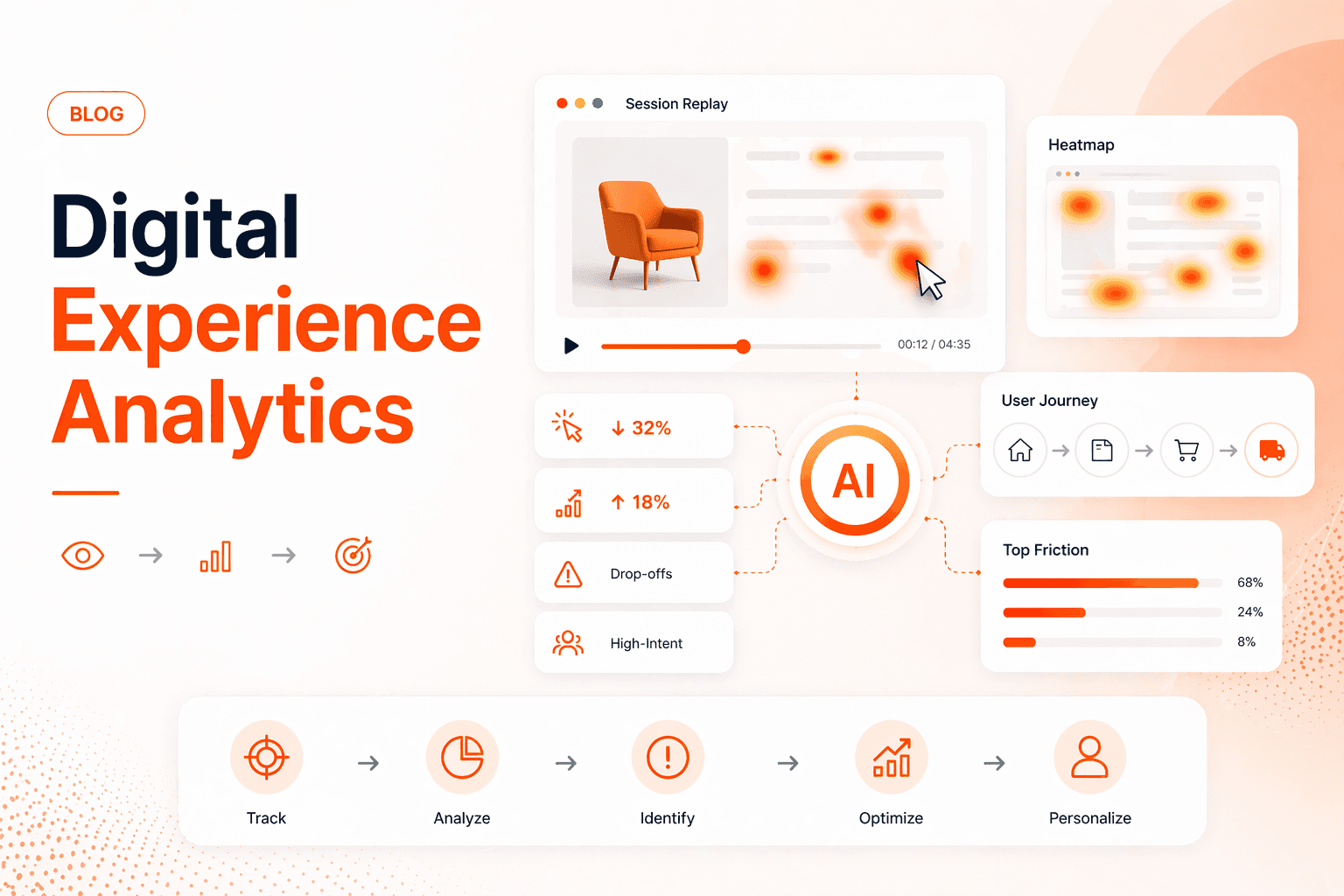
First, a small piece of code is added to your site or app. This code records user visits. It notes clicks, scrolls, and form entries. These recordings are sent to a DXA platform. Now, most platforms do two key things:
It creates visual tools from the data. Think heatmaps, session replays, and conversion funnels. These tools let you see patterns and individual experiences. More importantly, the platform helps you find the root cause of problems. You can filter sessions to show only users from a specific country, or only those who abandoned their cart. You watch what they did, in their exact order.
You take this evidence and fix the problem. Then, you use the same tool to determine if the fix was successful.
It is a continuous loop of observation, insight, and improvement. Let’s now quickly explore some of the most popular and common digital experience analyticsmethods.
The Most Common Digital Experience Analytics Methods
These are the primary tools within a digital experience analytics platform. Each serves a distinct purpose.
Session replays for direct observation
Session replays are video-like playbacks of user visits. You watch the screen as the user sees it. This is the fastest way to diagnose a problem.
You don’t have to imagine why a user left; you can see the error message pop up, watch them try to click a non-clickable image, or see them struggle on a mobile screen. In simpler terms, session replays help turn abstract data into a concrete, actionable visual.
Heatmaps for visual aggregation
A heatmap aggregates the clicks, scrolls, or mouse movements of thousands of visitors onto a single image of your page. Typically, red areas show high activity; blue areas show low activity. This instantly shows you what people are ignoring and what they are trying to click.
So, if users heavily click an element that looks like a button but is not, that points toward a clear design flaw. Product teams can take this feedback and address it proactively, preventing churn.
🙂Fun Fact: The concept of heatmaps dates back to the 1990s, when Leland Wilkinson’s SYSTAT made color-based cluster visuals possible. Around the same time, Cormac Kinney formalized the term 'heat map' for two-dimensional displays used to track financial markets in real time. |
A/B and multivariate testing for validating hypotheses
Modern DXA platforms integrate testing modules, letting you use behavioral insights to formulate a hypothesis, deploy the test variant, and measure its impact using the same deep behavioral metrics.
The test result isn't just a 'win' or 'loss' on conversion; you can analyze how the change affected scroll depth, session replays, and feedback scores for the test segment.
Funnel analysis for pinpointing drop-off
This method visualizes your key processes, like sign-up or purchase, as a step-by-step funnel. It shows the percentage of users who move from one step to the next.
The critical feature of digital experience analytics is linking the drop-off point to the reason. You don't just see that 40% leave at Step 2; you can open the replays of those users and watch them all fail at the same form field.
Form analytics for micro-optimization
Forms are where conversions are won or lost. Form analytics show you field-by-field behavior: where users pause, where they make errors, and which field they abandon.
You might learn that a single 'Company Name' field causes 25% of form exits because freelance visitors don't know what to enter. This allows for precise fixes, like adding an 'N/A' option.
Customer journey mapping for the full story
Users interact with your brand across multiple sessions and devices. Journey mapping connects these dots. It shows you the common paths, like visiting a pricing page, leaving, reading a blog post via email a week later, and then returning to sign up.
This reveals the true content and touchpoints that drive conversion, helping you allocate budget and effort effectively.
Segmentation for meaningful comparison
Your overall data is a blend of many different user types. Segmentation lets you compare them. Analyze new visitors versus returning ones. Compare traffic from Facebook ads to traffic from Google Search.
You will often find that a problem affecting one segment (e.g., mobile users) is hidden in the overall average. This allows for targeted improvements.
Feedback integration for direct sentiment
While behavior shows you what users did, feedback tells you how they felt. Modern DXA tools let you embed micro-surveys (e.g., 'Was this page helpful?') or trigger a feedback form after a key action.
When a user gives a low score, you can immediately jump to their session replay to understand the context, closing the loop between sentiment and action.
After methods, let’s now explore why digital experience analytics tools and platforms are a must in today’s digital-first world.
The Importance And Benefits Of Digital Experience Analytics
The value of digital experience analytics is measured in tangible business outcomes, not just insights. Here are some top benefits:
Increase conversion rates and revenue
Every point of friction has a cost. By identifying and fixing specific friction points: a slow-loading payment processor, a confusing shipping options display, or a broken form field, digital experience analytics plugs the leaks.
Platforms like Fibr AI take this surgical precision further by not just identifying friction, but eliminating it autonomously.
When analytics show that mobile visitors from Instagram abandon at the pricing section, Fibr's agentic URLs detect the traffic source and device type, then rewrite the pricing presentation to match that audience's expectations, automatically, without manual intervention.
Decrease bounce rates and improve SEO performance
Google's algorithms increasingly prioritize user experience signals like Core Web Vitals (loading speed, interactivity, visual stability). High bounce rates are a negative signal.
Digital experience analytics directly diagnose the causes of bounces: was it a page that loaded too slowly on mobile (visible in performance analytics), or content that didn't match the search intent (visible in rapid exit replays)?
By fixing these on-page experience issues, you not only satisfy human visitors but also improve your standing with search engine crawlers, creating a virtuous cycle of traffic and engagement.
Improve product and feature adoption
Customer loyalty is born from consistently positive experiences. When users can accomplish their goals effortlessly, they return. DXA forces businesses to see the product through the user's eyes, building a culture obsessed with removing frustration. This creates a direct competitive moat.
For instance, imagine you launch a new feature, but usage is low. Digital experience analytics can show you why. Session replays reveal that users can't find the feature or don't understand its first step. Now, instead of guessing, you have evidence to guide a redesign or improve onboarding.
So, in simpler words, DXA ensures your development resources are spent on changes that users actually need and will use.
Enhance marketing ROI
You spend significant capital driving traffic via PPC, social, and content marketing. DXA ensures that traffic converts. By analyzing the journey of users from specific campaigns, you can see if the landing page experience delivers on the ad's promise.
If users from a high-CPC ‘enterprise solution’ ad are landing on a generic homepage and bouncing, you're burning budget. Digital experience analytics, in such instances, allows for rapid landing page optimization tailored to specific audience segments, ensuring your acquisition spend translates into maximum downstream value.
Fibr AI automates this optimization. Instead of manually creating separate landing pages for each campaign, Fibr's agents detect which Ad a visitor clicked and generate experiences matched to that specific promise, turning your DXA insights into instant execution across hundreds of traffic sources simultaneously.
Mitigate risk and ensure compliance
DXA acts as a continuous monitor for your digital property. It can automatically detect and alert you to site-breaking errors, like forms that suddenly stop submitting on a specific browser. It also helps with accessibility and privacy compliance by allowing you to review how all users, including those using assistive technologies, interact with your site.
Reduce customer support costs
A significant portion of customer support contacts are 'how do I...' or 'why won't this work...' questions. Digital experience analytics allows you to see the exact problems users encounter before they pick up the phone or open a chat.
By fixing a mislabeled navigation item, clarifying instructions, or resolving a UI bug, you prevent the ticket from being created in the first place. This can help decrease ticket volume, freeing up support teams to handle more complex issues.
How Fibr AI Applies Digital Experience Analytics Across The Funnel
Traditional digital experience analytics platforms show you the problem. Fibr AI solves it. While most DXA platforms stop at insights, showing you heatmaps, replays, and drop-off points, Fibr's agentic experience layer acts on those insights autonomously.
When analytics reveal that visitors from Google Ads bounce because the landing page doesn't match their search intent, Fibr doesn't just report it. The platform detects the visitor's ad source and keyword, then mechanically rewrites the headline, hero image, and CTA before the page even loads.
This closes the gap between observation and action. You're not manually building variants for each audience segment or waiting weeks for A/B tests to reach significance. Fibr's autonomous agents generate signal-matched experiences in real-time, turning every friction point uncovered by your analytics into an opportunity for revenue recovery.
The result: DXA findings translate directly into measurable outcomes, higher Quality Scores, lower bounce rates, and improved revenue per session, without the manual bottleneck that typically delays fixes by weeks or months.
FAQs
How is this different from Google Analytics?
Google Analytics is great for measuring traffic and overall conversions. Digital experience analytics explains why those conversions happen or don't. GA4 might tell you a page has a high exit rate. DXA shows you (for instance) the video of users trying and failing to complete an action on that page. They work best together.
Is recording user sessions a privacy violation?
Reputable DXA tools are built for privacy. They automatically mask all sensitive data (passwords, credit card numbers). You can exclude entire pages (like a checkout confirmation) from being recorded. The goal is to understand interaction patterns, not to spy on personal information. Transparency with a clear privacy policy is key.
When should a company invest in digital experience analytics?
Ideally, an investment can be made if digital channels are absolutely crucial sources of revenue and you have enough traffic to see patterns (typically tens of thousands of visits per month). If you are spending money on driving traffic or your product is primarily digital, the cost of not understanding user experience is higher than the cost of the tool.
What is the typical return on investment timeline?
Many companies find ‘quick win’ fixes within weeks: broken links, glaring UI issues that provide immediate improvement. More strategic projects, like redesigning a core flow, take longer. Most businesses see a full return on their investment within 6 to 12 months through increased conversions and reduced support costs.
Do we need a data scientist to use it?
No. The tools are designed for product managers, marketers, UX designers, and support leads. A successful rollout involves training teams not just on the tool, but on a process of forming hypotheses, investigating sessions, and advocating for changes based on observed evidence.





Meenal Chirana
Content Marketing Manager
Meenal Chirana, Content Marketer at Fibr, brings five years of experience in the content field to the team. Her passion for creating engaging content is matched only by her expertise in writing, SEO and content marketing . Passionate about all things content and digital marketing, she is always on the lookout for innovative ways to connect with audiences and elevate brands.
Read summarized version with
How Does Digital Experience Analytics Work?
The process is generally straightforward: collect, analyze, act.
First, a small piece of code is added to your site or app. This code records user visits. It notes clicks, scrolls, and form entries. These recordings are sent to a DXA platform. Now, most platforms do two key things:
It creates visual tools from the data. Think heatmaps, session replays, and conversion funnels. These tools let you see patterns and individual experiences. More importantly, the platform helps you find the root cause of problems. You can filter sessions to show only users from a specific country, or only those who abandoned their cart. You watch what they did, in their exact order.
You take this evidence and fix the problem. Then, you use the same tool to determine if the fix was successful.
It is a continuous loop of observation, insight, and improvement. Let’s now quickly explore some of the most popular and common digital experience analyticsmethods.
The Most Common Digital Experience Analytics Methods
These are the primary tools within a digital experience analytics platform. Each serves a distinct purpose.
Session replays for direct observation
Session replays are video-like playbacks of user visits. You watch the screen as the user sees it. This is the fastest way to diagnose a problem.
You don’t have to imagine why a user left; you can see the error message pop up, watch them try to click a non-clickable image, or see them struggle on a mobile screen. In simpler terms, session replays help turn abstract data into a concrete, actionable visual.
Heatmaps for visual aggregation
A heatmap aggregates the clicks, scrolls, or mouse movements of thousands of visitors onto a single image of your page. Typically, red areas show high activity; blue areas show low activity. This instantly shows you what people are ignoring and what they are trying to click.
So, if users heavily click an element that looks like a button but is not, that points toward a clear design flaw. Product teams can take this feedback and address it proactively, preventing churn.
🙂Fun Fact: The concept of heatmaps dates back to the 1990s, when Leland Wilkinson’s SYSTAT made color-based cluster visuals possible. Around the same time, Cormac Kinney formalized the term 'heat map' for two-dimensional displays used to track financial markets in real time. |
A/B and multivariate testing for validating hypotheses
Modern DXA platforms integrate testing modules, letting you use behavioral insights to formulate a hypothesis, deploy the test variant, and measure its impact using the same deep behavioral metrics.
The test result isn't just a 'win' or 'loss' on conversion; you can analyze how the change affected scroll depth, session replays, and feedback scores for the test segment.
Funnel analysis for pinpointing drop-off
This method visualizes your key processes, like sign-up or purchase, as a step-by-step funnel. It shows the percentage of users who move from one step to the next.
The critical feature of digital experience analytics is linking the drop-off point to the reason. You don't just see that 40% leave at Step 2; you can open the replays of those users and watch them all fail at the same form field.
Form analytics for micro-optimization
Forms are where conversions are won or lost. Form analytics show you field-by-field behavior: where users pause, where they make errors, and which field they abandon.
You might learn that a single 'Company Name' field causes 25% of form exits because freelance visitors don't know what to enter. This allows for precise fixes, like adding an 'N/A' option.
Customer journey mapping for the full story
Users interact with your brand across multiple sessions and devices. Journey mapping connects these dots. It shows you the common paths, like visiting a pricing page, leaving, reading a blog post via email a week later, and then returning to sign up.
This reveals the true content and touchpoints that drive conversion, helping you allocate budget and effort effectively.
Segmentation for meaningful comparison
Your overall data is a blend of many different user types. Segmentation lets you compare them. Analyze new visitors versus returning ones. Compare traffic from Facebook ads to traffic from Google Search.
You will often find that a problem affecting one segment (e.g., mobile users) is hidden in the overall average. This allows for targeted improvements.
Feedback integration for direct sentiment
While behavior shows you what users did, feedback tells you how they felt. Modern DXA tools let you embed micro-surveys (e.g., 'Was this page helpful?') or trigger a feedback form after a key action.
When a user gives a low score, you can immediately jump to their session replay to understand the context, closing the loop between sentiment and action.
After methods, let’s now explore why digital experience analytics tools and platforms are a must in today’s digital-first world.
The Importance And Benefits Of Digital Experience Analytics
The value of digital experience analytics is measured in tangible business outcomes, not just insights. Here are some top benefits:
Increase conversion rates and revenue
Every point of friction has a cost. By identifying and fixing specific friction points: a slow-loading payment processor, a confusing shipping options display, or a broken form field, digital experience analytics plugs the leaks.
Platforms like Fibr AI take this surgical precision further by not just identifying friction, but eliminating it autonomously.
When analytics show that mobile visitors from Instagram abandon at the pricing section, Fibr's agentic URLs detect the traffic source and device type, then rewrite the pricing presentation to match that audience's expectations, automatically, without manual intervention.
Decrease bounce rates and improve SEO performance
Google's algorithms increasingly prioritize user experience signals like Core Web Vitals (loading speed, interactivity, visual stability). High bounce rates are a negative signal.
Digital experience analytics directly diagnose the causes of bounces: was it a page that loaded too slowly on mobile (visible in performance analytics), or content that didn't match the search intent (visible in rapid exit replays)?
By fixing these on-page experience issues, you not only satisfy human visitors but also improve your standing with search engine crawlers, creating a virtuous cycle of traffic and engagement.
Improve product and feature adoption
Customer loyalty is born from consistently positive experiences. When users can accomplish their goals effortlessly, they return. DXA forces businesses to see the product through the user's eyes, building a culture obsessed with removing frustration. This creates a direct competitive moat.
For instance, imagine you launch a new feature, but usage is low. Digital experience analytics can show you why. Session replays reveal that users can't find the feature or don't understand its first step. Now, instead of guessing, you have evidence to guide a redesign or improve onboarding.
So, in simpler words, DXA ensures your development resources are spent on changes that users actually need and will use.
Enhance marketing ROI
You spend significant capital driving traffic via PPC, social, and content marketing. DXA ensures that traffic converts. By analyzing the journey of users from specific campaigns, you can see if the landing page experience delivers on the ad's promise.
If users from a high-CPC ‘enterprise solution’ ad are landing on a generic homepage and bouncing, you're burning budget. Digital experience analytics, in such instances, allows for rapid landing page optimization tailored to specific audience segments, ensuring your acquisition spend translates into maximum downstream value.
Fibr AI automates this optimization. Instead of manually creating separate landing pages for each campaign, Fibr's agents detect which Ad a visitor clicked and generate experiences matched to that specific promise, turning your DXA insights into instant execution across hundreds of traffic sources simultaneously.
Mitigate risk and ensure compliance
DXA acts as a continuous monitor for your digital property. It can automatically detect and alert you to site-breaking errors, like forms that suddenly stop submitting on a specific browser. It also helps with accessibility and privacy compliance by allowing you to review how all users, including those using assistive technologies, interact with your site.
Reduce customer support costs
A significant portion of customer support contacts are 'how do I...' or 'why won't this work...' questions. Digital experience analytics allows you to see the exact problems users encounter before they pick up the phone or open a chat.
By fixing a mislabeled navigation item, clarifying instructions, or resolving a UI bug, you prevent the ticket from being created in the first place. This can help decrease ticket volume, freeing up support teams to handle more complex issues.
How Fibr AI Applies Digital Experience Analytics Across The Funnel
Traditional digital experience analytics platforms show you the problem. Fibr AI solves it. While most DXA platforms stop at insights, showing you heatmaps, replays, and drop-off points, Fibr's agentic experience layer acts on those insights autonomously.
When analytics reveal that visitors from Google Ads bounce because the landing page doesn't match their search intent, Fibr doesn't just report it. The platform detects the visitor's ad source and keyword, then mechanically rewrites the headline, hero image, and CTA before the page even loads.
This closes the gap between observation and action. You're not manually building variants for each audience segment or waiting weeks for A/B tests to reach significance. Fibr's autonomous agents generate signal-matched experiences in real-time, turning every friction point uncovered by your analytics into an opportunity for revenue recovery.
The result: DXA findings translate directly into measurable outcomes, higher Quality Scores, lower bounce rates, and improved revenue per session, without the manual bottleneck that typically delays fixes by weeks or months.
FAQs
How is this different from Google Analytics?
Google Analytics is great for measuring traffic and overall conversions. Digital experience analytics explains why those conversions happen or don't. GA4 might tell you a page has a high exit rate. DXA shows you (for instance) the video of users trying and failing to complete an action on that page. They work best together.
Is recording user sessions a privacy violation?
Reputable DXA tools are built for privacy. They automatically mask all sensitive data (passwords, credit card numbers). You can exclude entire pages (like a checkout confirmation) from being recorded. The goal is to understand interaction patterns, not to spy on personal information. Transparency with a clear privacy policy is key.
When should a company invest in digital experience analytics?
Ideally, an investment can be made if digital channels are absolutely crucial sources of revenue and you have enough traffic to see patterns (typically tens of thousands of visits per month). If you are spending money on driving traffic or your product is primarily digital, the cost of not understanding user experience is higher than the cost of the tool.
What is the typical return on investment timeline?
Many companies find ‘quick win’ fixes within weeks: broken links, glaring UI issues that provide immediate improvement. More strategic projects, like redesigning a core flow, take longer. Most businesses see a full return on their investment within 6 to 12 months through increased conversions and reduced support costs.
Do we need a data scientist to use it?
No. The tools are designed for product managers, marketers, UX designers, and support leads. A successful rollout involves training teams not just on the tool, but on a process of forming hypotheses, investigating sessions, and advocating for changes based on observed evidence.
Meenal Chirana
Content Marketing Manager
Meenal Chirana, Content Marketer at Fibr, brings five years of experience in the content field to the team. Her passion for creating engaging content is matched only by her expertise in writing, SEO and content marketing . Passionate about all things content and digital marketing, she is always on the lookout for innovative ways to connect with audiences and elevate brands.



Is your website starting every visit from zero?
Is your website starting every visit from zero?
Is your website starting every visit from zero?
Fibr gives your website the intelligence it needs right from the start
Fibr AI gives your website the
intelligence it needs right from the start