Read summarized version with
Introduction
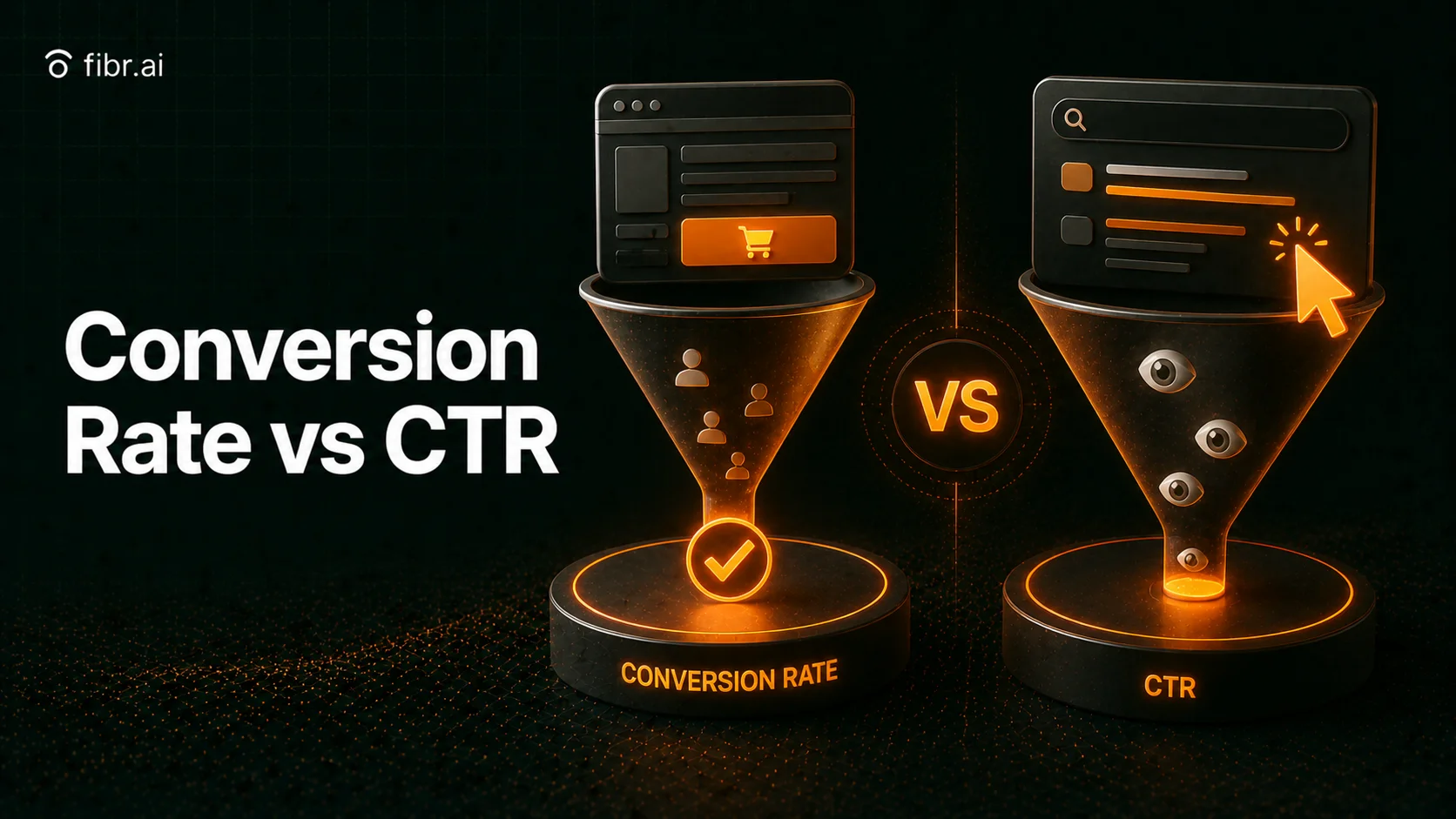
When it comes to measuring the effectiveness of digital marketing campaigns, two key metrics stand out: Click-Through Rate (CTR) and Conversion Rate (CR). While both are crucial indicators of performance, they serve different functions and impact overall marketing success in distinct ways.
CTR is the measure of how many people click on your ad, email, or search result, while CR measures how many of those clicks turn into actual customers or leads. Hence, businesses must understand the relationship between the two metrics to optimise their marketing strategies.
In this blog, we’ll break down the key differences between Conversion Rate vs CTR, why they matter, and most importantly how to improve both for business success.
Key Takeaways
CTR gets clicks, but CR drives revenue. Click-Through Rate (CTR) measures how many people click on an ad, email, or search result, while Conversion Rate (CR) tracks how many take action (buy, sign up, etc).
High CTR but low CR? You’re attracting traffic but failing to convert – This could mean poor landing pages, weak CTAs, or the wrong audience.
Have high CR but low CTR? You’re converting well but not reaching enough people. This signals a need for better ad copy, stronger targeting, or improved SEO.
Optimising both CTR & CR is key. Higher CTR reduces ad costs and improves rankings, while higher CR lowers acquisition costs and increases ROI.
Data-driven tools like Fibr AI – AI-powered CRO solutions optimise landing pages, personalisations, and A/B testing for better conversions.
What is the Conversion Rate?
Conversion rate is the percentage of visitors who take a desired action on your website or marketing campaign. This action could be:
Making a purchase (if you run an eCommerce store)
Filling out a form (for lead generation)
Signing up for a free trial or newsletter
Clicking a button or downloading an app
It’s basically a measure of success of how well you’re turning visitors into actual customers or leads. If you’re driving thousands of visitors to your site but only a handful convert, you’re leaving money on the table and vice-versa.
Think of it this way: traffic alone doesn’t pay the bills but conversions do.
How can you Calculate the Conversion Rate?
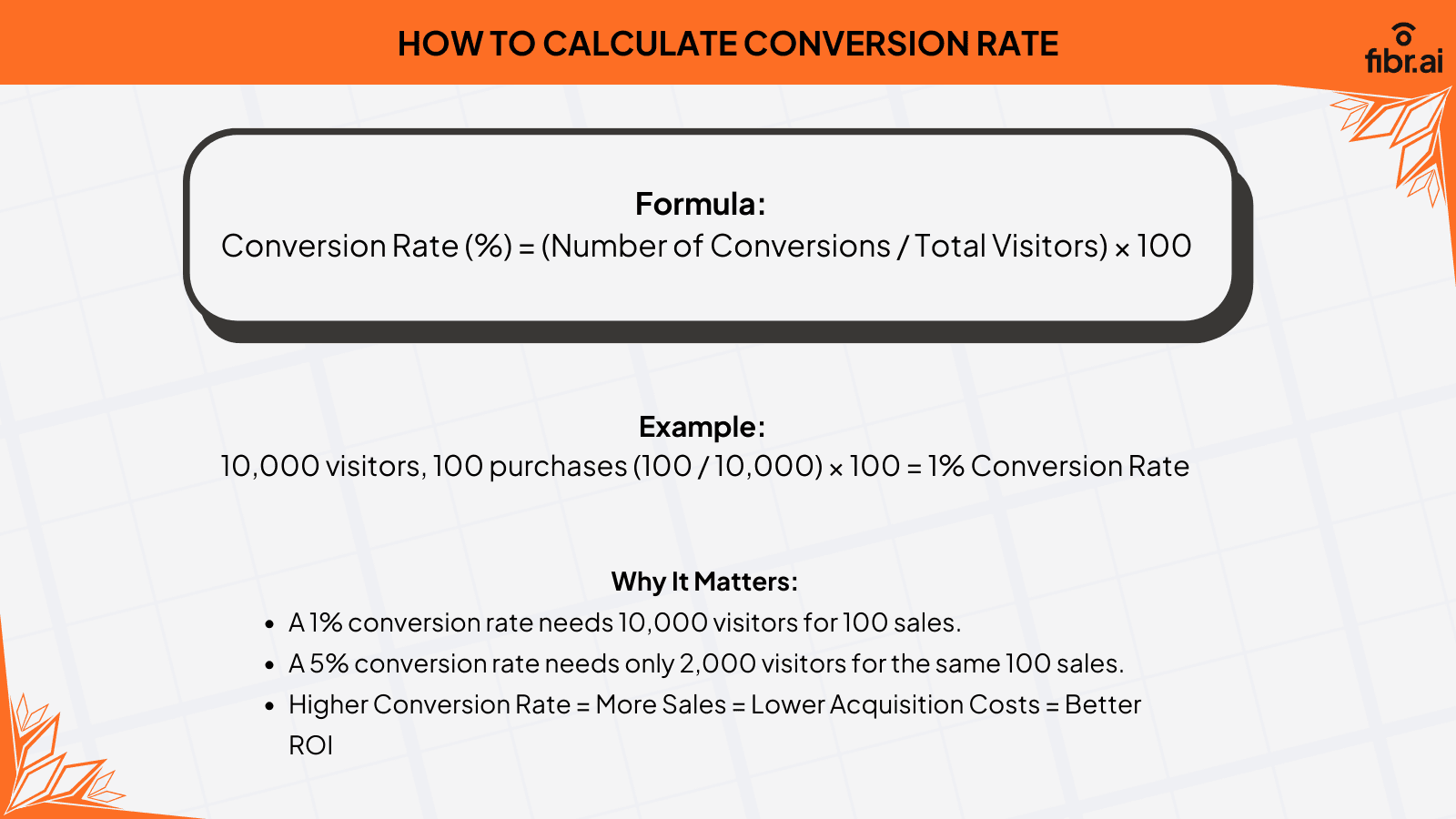
You can calculate the conversion rate by the following formula:
Conversion Rate(%) = Number of Conversions/Total Number of Visitors x 100
Let’s say you own an online store selling sneakers. If 10,000 people visit your website every month, but only 100 buy a pair of sneakers, your conversion rate is:
Conversion Rate = (100 Sales/10000 Visitors)* 100 = 1%
That means 99% of your visitors are leaving without making a purchase. Imagine if you could double that conversion rate to 2%—you’d double your revenue without spending a single extra dollar on ads!
Now, let’s compare:
A site with 1% conversion rate needs 10,000 visitors to make 100 sales.
A site with 5% conversion rate only needs 2,000 visitors to make the same 100 sales.
So, Higher Conversion Rates = More Sales = Lower Customer Acquisition Costs = Better ROI
Where Is Your Site Leaking Conversions?
Run a free scan for a quick snapshot of the issues most likely holding your conversions back.

Why is Conversion Rate Important?
Conversion rate is important because of the following reasons:
1. Maximises Revenue Without Increasing Traffic
One of the biggest benefits of improving conversion rates is that it boosts revenue without requiring additional traffic. Instead of spending more on advertising to attract visitors, businesses can focus on optimising their websites to convert more of their existing visitors into paying customers.
For example, if an eCommerce store receives 10,000 visitors per month with a 1% conversion rate, that results in 100 sales. If the conversion rate increases to 3%, the store will now generate 300 sales with the same traffic.
Moreover, AI-powered CRO tools like Fibr help streamline this process by continuously testing and adapting website elements to drive higher conversions. Fibr's AI-powered personalisation can help in delivering 1:1 tailored experiences.
It adjusts the content, headlines, visuals, CTAs, and more in real-time based on user behaviour and preference.
2. Reduces Customer Acquisition Costs (CAC)
Higher conversion rates reduce the cost per customer acquisition, allowing businesses to achieve more with their marketing budgets. CAC is calculated by dividing total marketing spend by the number of new customers acquired. If a business can increase conversions, it spends less per acquired customer, improving profitability.
For example, if a company spends ₹5,000 on ads and gains 100 customers, its CAC is ₹50 per customer. However, if conversion rates double, the company now gets 200 customers for the same budget, reducing CAC to ₹25 per customer.
Lower CAC means higher profit margins, better ROI, and more funds available for reinvestment, making conversion rate optimisation a sustainable business growth tactic.
3. Enhances Marketing ROI
Every dollar spent on marketing should generate a strong return on investment (ROI). If conversion rates are low, businesses need more traffic to achieve the same number of conversions, leading to higher marketing costs and lower efficiency.
For instance, if a business spends ₹10,000 per month on paid ads but only converts 1% of visitors, the ROI is significantly lower than a business that converts 3-5% of visitors with the same budget.
Small improvements in conversion rates such as better landing pages, stronger CTAs, or optimised checkout flows. This can result in massive revenue gains. By focusing on CRO, businesses make their marketing more cost-effective, ensuring they get the most value from every marketing dollar spent.
To do so, companies can make use of Fibr's A/B testing and optimisation capabilities. It helps businesses run unlimited tests to identify the highest performing elements without any manual effort. This saves time and ensures you get a better return on investment.
4. Gives a Competitive Edge
In a highly competitive market, businesses with higher conversion rates outperform their competitors. If two companies have the same ad spend, traffic, and audience size, the one with the better conversion rate will generate more customers and revenue.
For example, if Company A and Company B both drive 10,000 visitors per month but Company A has a 2% conversion rate (200 customers) and Company B has a 5% conversion rate (500 customers), Company B is making 2.5 times more sales without spending extra on marketing.
This advantage allows high-converting companies to scale faster, reinvest profits into better products or services, and dominate their industry while competitors struggle to keep up.
5. Improves Customer Experience
A high conversion rate is often a reflection of a better user experience. Websites that convert well are usually faster, easier to navigate, and more user-friendly, making visitors more likely to take action.
For example, research shows that a 1-second delay in page load time can lead to a 7% drop in conversions. Additionally, a complicated checkout process can cause cart abandonment rates to soar up to 70%. By optimising these areas, businesses not only increase conversions but also improve customer satisfaction, trust, and retention.
A seamless, intuitive experience reduces frustration, encourages repeat purchases, and builds brand loyalty—leading to long-term revenue growth and lower churn rates.
6. Drives Sustainable Business Growth
Conversion rate optimization plays a crucial role in long-term business success by creating a repeatable and scalable growth model. Unlike paid traffic, which requires continuous spending, improving conversions allows businesses to get more from existing traffic indefinitely.
For example, companies that regularly test, analyse, and optimise their websites (using A/B testing, heatmaps, and behavioral analytics) create a self-improving system where conversion rates naturally increase over time.
As conversion rates grow, businesses have more capital to invest in innovation, expansion, and customer service, creating a cycle of sustainable, compounding growth
What is CTR?
CTR (Click-Through Rate) is a key metric in digital marketing that measures how often people click on a link compared to how many times it is shown (impressions). It helps businesses understand how engaging and relevant their ads, emails, search results, or website elements are. It applies to:
Online ads (Google Ads, Facebook Ads, Display Ads)
Email campaigns (links in newsletters or promotional emails)
Search results (Organic & Paid search listings)
Web Page elements (Call-to-Action buttons, internal links)
Imagine you’re scrolling through Google, Facebook, or your email inbox. You see dozens of ads, search results, and emails—but how many of them do you actually click on? That’s where CTR comes in.
CTR measures the percentage of people who click on your ad, email, or search result compared to the number of people who saw it. It’s a direct indicator of how compelling and relevant your content is to your audience. If lots of people click, your message is working. If no one clicks, something needs fixing.
How can you Calculate CTR?

CTR is calculated using the following formula:
CTR = Total Clicks/Total Impressions×100
Clicks: The number of times users clicked on the ad, link, or search result.
Impressions: The number of times the ad, email, or webpage was displayed to users.
Let’s say your Google ad appears 20,000 times (impressions), and 400 people click on it.
CTR Formula= (400/20,000) X 100 = 2%
This means 2% of users who saw your ad clicked on it.
Why is CTR Important?
CTR (Click-Through Rate) is a crucial metric because of the following reasons:
1. Impacts Ad Performance & Cost (PPC Ads)
For businesses running pay-per-click (PPC) ads on platforms like Google Ads and Facebook Ads, CTR plays a significant role in determining ad costs and placement. A higher CTR signals that users find the ad relevant, which leads to lower cost-per-click (CPC) and better rankings in search results.
For example, if two advertisers are bidding for the same keyword, but one ad has a CTR of 5% while the other has a CTR of 1%, the higher CTR ad will cost less and be displayed more often. This is because Google’s algorithm favours engaging and relevant ads.
A low CTR means your ad isn't connecting with users, which increases costs and lowers visibility. Businesses with high CTRs get better ad placements and higher returns on their marketing investments.
2. Improves Organic Search Rankings (SEO)
CTR is important for paid ads and also impacts organic search rankings. When users search for something on Google, they see multiple results. If a higher percentage of people click on your link than others, Google sees this as a signal that your content is relevant and rewards it with higher rankings.
For example, if two blog articles rank on page one for the same keyword, but one gets a 10% CTR while the other gets only 3%, Google will push the higher CTR page up the rankings.
The logic is simple: if more users click on a result, it must be valuable. This means that well-optimised meta titles, descriptions, and URLs can significantly increase CTR and boost your organic traffic—without extra SEO efforts.
3. Measure Audience Engagement
CTR is a direct reflection of how engaging and relevant your marketing content is. A low CTR suggests that your message, visuals, or offer aren't compelling enough to make users click. If an ad, email, or search result is shown to thousands of people but only a small percentage click, it means that your targeting, copy, or creative assets need improvement.
For example, if an eCommerce brand sends out an email to 10,000 subscribers, but only 100 people click on the product link, the CTR is just 1%. This could mean that the subject line wasn’t enticing, the CTA wasn’t clear, or the offer wasn’t appealing enough.
By analysing CTR, businesses can understand which campaigns resonate with their audience and refine their messaging accordingly.
4. Higher CTR Guarantees Better Conversion Potential
A high CTR means that more people are clicking on your ad, email, or search results, leading to higher website traffic. This increases the likelihood of converting those visitors into customers, leads, or subscribers. While CTR alone doesn’t guarantee conversions, it creates the first step in the conversion funnel—getting users to your site.
For example, if a Facebook ad gets a 4% CTR, it means more users are visiting the product page than an ad with a 1% CTR. This gives the business more opportunities to convert visitors into customers.
However, if CTR is high but conversions are low, this suggests that the landing page experience, product offering, or pricing needs optimization. Businesses should focus on both CTR and conversion rate for maximum marketing success.
5. Determines Ad Quality & Relevance
Ad platforms like Google Ads and Facebook Ads use CTR to measure the relevance of your ad to your target audience. If an ad has a low CTR, it means that users are not finding it relevant or engaging, which leads to lower ad placements and higher costs per click.
For example, a business running Google Ads might have two different versions of an ad. If Ad A has a 2% CTR and Ad B has a 6% CTR, Google will prioritise showing Ad B more often because it’s more relevant to users.
A low CTR ad may struggle to get impressions, rank lower in ad auctions, and require a higher budget to maintain visibility. This makes CTR optimisation crucial for maximising ad effectiveness and ROI.
6. Optimises & Improve Future Campaigns
Tracking CTR over time helps businesses understand what works and what doesn’t in their marketing efforts. By A/B testing different ad copies, email subject lines or headlines, businesses can identify which versions generate higher CTRs and refine their strategy accordingly.
For example, a company running a Google Ads campaign might test two versions of a headline:
Ad 1: "Best Running Shoes – 20% Off Today!"
Ad 2: "Limited Stock – Shop Running Shoes Now!"
If Ad 1 gets a 3% CTR and Ad 2 gets a 5% CTR, the business should scale Ad 2 because it resonates better with users. Similarly, in email marketing, businesses can test different subject lines to determine which gets higher open rates and click-throughs.
Companies can use AI-driven CRO like Fibr, which helps companies personalise their campaigns and continuously run A/B testing based on user preferences, behaviour, and more in real-time.
Your Traffic Isn't the Problem. Your Website Is.
See how teams using agentic AI get 4x more conversions and cut CAC by 45%, without adding traffic.
Key Differences Between Conversion Rate Vs CTR
Both Conversion Rate (CR) and Click-Through Rate (CTR) are critical metrics in digital marketing and website optimisation. However, they measure different aspects of user engagement. The key differences between them are as follows:
| Factor               | Conversion Rate (CR)                                  | Click-Through Rate (CTR)                                |
|--------------------------|-----------------------------------------------------------|------------------------------------------------------------|
| Definition           | Measures the percentage of visitors who complete a specific goal (e.g., purchase, sign-up, form submission, download). | Measures the percentage of people who click on a specific link (e.g., ad, email, website link) compared to total impressions. |
| Purpose              | Evaluates how effective a web page or landing page is at turning visitors into customers or leads. | Determines how well an ad, email, or search listing attracts clicks from users. |
| Importance           | Directly impacts revenue—a higher CR means more sales or leads from the same traffic. | Reduces marketing costs by converting more visitors into paying customers. Helps measure website, product, and checkout performance. |
|                          |                                                           | Indicates how engaging an ad, email, or website link is in attracting users. |
|                          |                                                           | Higher CTR lowers cost-per-click (CPC) in paid advertising. |
|                          |                                                           | Helps improve SEO rankings and organic reach in search engines. |
| Formula              | CR = (Conversions ÷ Total Visitors) × 100                | CTR = (Clicks ÷ Total Impressions) × 100                   |
| Example Calculation  | If 500 people visit a product page and 25 make a purchase: (25 ÷ 500) × 100 = 5% CR | If an ad gets 10,000 impressions and 300 clicks: (300 ÷ 10,000) × 100 = 3% CTR |
| What Does it Measure?| Effectiveness of a website, landing page, or checkout process. Tracks how many visitors take a desired action after landing on a site. High CR leads to effective UX, compelling offers, and clear CTAs. | Effectiveness of an ad, email, or search listing in attracting clicks. Measures the relevance and attractiveness of content. High CTR leads to strong ad copy, good targeting, and compelling visuals. |
| Key Influencing Factors | Landing Page Quality: Is it well-designed and user-friendly? | Ad Copy & Headline: Does it grab attention?                |
|                          | Call-to-Action (CTA): Is it compelling and easy to find?  | Keywords & Targeting: Is the right audience seeing the ad? |
|                          | Page Load Speed: A slow site can increase the bounce rate. | Meta Title & Description: Are they optimised for SEO?     |
|                          | Trust Signals: Are there reviews, security badges, and guarantees? | Visuals & Ad Format: Are images/videos engaging?          |
|                          | Checkout Process: Is it smooth and hassle-free?           | Ad Placement: Where is the ad displayed (top of page vs. bottom)





Meenal Chirana
Content Marketing Manager
Meenal Chirana, Content Marketer at Fibr, brings five years of experience in the content field to the team. Her passion for creating engaging content is matched only by her expertise in writing, SEO and content marketing . Passionate about all things content and digital marketing, she is always on the lookout for innovative ways to connect with audiences and elevate brands.
Read summarized version with
Introduction
When it comes to measuring the effectiveness of digital marketing campaigns, two key metrics stand out: Click-Through Rate (CTR) and Conversion Rate (CR). While both are crucial indicators of performance, they serve different functions and impact overall marketing success in distinct ways.
CTR is the measure of how many people click on your ad, email, or search result, while CR measures how many of those clicks turn into actual customers or leads. Hence, businesses must understand the relationship between the two metrics to optimise their marketing strategies.
In this blog, we’ll break down the key differences between Conversion Rate vs CTR, why they matter, and most importantly how to improve both for business success.
Key Takeaways
CTR gets clicks, but CR drives revenue. Click-Through Rate (CTR) measures how many people click on an ad, email, or search result, while Conversion Rate (CR) tracks how many take action (buy, sign up, etc).
High CTR but low CR? You’re attracting traffic but failing to convert – This could mean poor landing pages, weak CTAs, or the wrong audience.
Have high CR but low CTR? You’re converting well but not reaching enough people. This signals a need for better ad copy, stronger targeting, or improved SEO.
Optimising both CTR & CR is key. Higher CTR reduces ad costs and improves rankings, while higher CR lowers acquisition costs and increases ROI.
Data-driven tools like Fibr AI – AI-powered CRO solutions optimise landing pages, personalisations, and A/B testing for better conversions.
What is the Conversion Rate?
Conversion rate is the percentage of visitors who take a desired action on your website or marketing campaign. This action could be:
Making a purchase (if you run an eCommerce store)
Filling out a form (for lead generation)
Signing up for a free trial or newsletter
Clicking a button or downloading an app
It’s basically a measure of success of how well you’re turning visitors into actual customers or leads. If you’re driving thousands of visitors to your site but only a handful convert, you’re leaving money on the table and vice-versa.
Think of it this way: traffic alone doesn’t pay the bills but conversions do.
How can you Calculate the Conversion Rate?
You can calculate the conversion rate by the following formula:
Conversion Rate(%) = Number of Conversions/Total Number of Visitors x 100
Let’s say you own an online store selling sneakers. If 10,000 people visit your website every month, but only 100 buy a pair of sneakers, your conversion rate is:
Conversion Rate = (100 Sales/10000 Visitors)* 100 = 1%
That means 99% of your visitors are leaving without making a purchase. Imagine if you could double that conversion rate to 2%—you’d double your revenue without spending a single extra dollar on ads!
Now, let’s compare:
A site with 1% conversion rate needs 10,000 visitors to make 100 sales.
A site with 5% conversion rate only needs 2,000 visitors to make the same 100 sales.
So, Higher Conversion Rates = More Sales = Lower Customer Acquisition Costs = Better ROI
Where Is Your Site Leaking Conversions?
Run a free scan for a quick snapshot of the issues most likely holding your conversions back.
Why is Conversion Rate Important?
Conversion rate is important because of the following reasons:
1. Maximises Revenue Without Increasing Traffic
One of the biggest benefits of improving conversion rates is that it boosts revenue without requiring additional traffic. Instead of spending more on advertising to attract visitors, businesses can focus on optimising their websites to convert more of their existing visitors into paying customers.
For example, if an eCommerce store receives 10,000 visitors per month with a 1% conversion rate, that results in 100 sales. If the conversion rate increases to 3%, the store will now generate 300 sales with the same traffic.
Moreover, AI-powered CRO tools like Fibr help streamline this process by continuously testing and adapting website elements to drive higher conversions. Fibr's AI-powered personalisation can help in delivering 1:1 tailored experiences.
It adjusts the content, headlines, visuals, CTAs, and more in real-time based on user behaviour and preference.
2. Reduces Customer Acquisition Costs (CAC)
Higher conversion rates reduce the cost per customer acquisition, allowing businesses to achieve more with their marketing budgets. CAC is calculated by dividing total marketing spend by the number of new customers acquired. If a business can increase conversions, it spends less per acquired customer, improving profitability.
For example, if a company spends ₹5,000 on ads and gains 100 customers, its CAC is ₹50 per customer. However, if conversion rates double, the company now gets 200 customers for the same budget, reducing CAC to ₹25 per customer.
Lower CAC means higher profit margins, better ROI, and more funds available for reinvestment, making conversion rate optimisation a sustainable business growth tactic.
3. Enhances Marketing ROI
Every dollar spent on marketing should generate a strong return on investment (ROI). If conversion rates are low, businesses need more traffic to achieve the same number of conversions, leading to higher marketing costs and lower efficiency.
For instance, if a business spends ₹10,000 per month on paid ads but only converts 1% of visitors, the ROI is significantly lower than a business that converts 3-5% of visitors with the same budget.
Small improvements in conversion rates such as better landing pages, stronger CTAs, or optimised checkout flows. This can result in massive revenue gains. By focusing on CRO, businesses make their marketing more cost-effective, ensuring they get the most value from every marketing dollar spent.
To do so, companies can make use of Fibr's A/B testing and optimisation capabilities. It helps businesses run unlimited tests to identify the highest performing elements without any manual effort. This saves time and ensures you get a better return on investment.
4. Gives a Competitive Edge
In a highly competitive market, businesses with higher conversion rates outperform their competitors. If two companies have the same ad spend, traffic, and audience size, the one with the better conversion rate will generate more customers and revenue.
For example, if Company A and Company B both drive 10,000 visitors per month but Company A has a 2% conversion rate (200 customers) and Company B has a 5% conversion rate (500 customers), Company B is making 2.5 times more sales without spending extra on marketing.
This advantage allows high-converting companies to scale faster, reinvest profits into better products or services, and dominate their industry while competitors struggle to keep up.
5. Improves Customer Experience
A high conversion rate is often a reflection of a better user experience. Websites that convert well are usually faster, easier to navigate, and more user-friendly, making visitors more likely to take action.
For example, research shows that a 1-second delay in page load time can lead to a 7% drop in conversions. Additionally, a complicated checkout process can cause cart abandonment rates to soar up to 70%. By optimising these areas, businesses not only increase conversions but also improve customer satisfaction, trust, and retention.
A seamless, intuitive experience reduces frustration, encourages repeat purchases, and builds brand loyalty—leading to long-term revenue growth and lower churn rates.
6. Drives Sustainable Business Growth
Conversion rate optimization plays a crucial role in long-term business success by creating a repeatable and scalable growth model. Unlike paid traffic, which requires continuous spending, improving conversions allows businesses to get more from existing traffic indefinitely.
For example, companies that regularly test, analyse, and optimise their websites (using A/B testing, heatmaps, and behavioral analytics) create a self-improving system where conversion rates naturally increase over time.
As conversion rates grow, businesses have more capital to invest in innovation, expansion, and customer service, creating a cycle of sustainable, compounding growth
What is CTR?
CTR (Click-Through Rate) is a key metric in digital marketing that measures how often people click on a link compared to how many times it is shown (impressions). It helps businesses understand how engaging and relevant their ads, emails, search results, or website elements are. It applies to:
Online ads (Google Ads, Facebook Ads, Display Ads)
Email campaigns (links in newsletters or promotional emails)
Search results (Organic & Paid search listings)
Web Page elements (Call-to-Action buttons, internal links)
Imagine you’re scrolling through Google, Facebook, or your email inbox. You see dozens of ads, search results, and emails—but how many of them do you actually click on? That’s where CTR comes in.
CTR measures the percentage of people who click on your ad, email, or search result compared to the number of people who saw it. It’s a direct indicator of how compelling and relevant your content is to your audience. If lots of people click, your message is working. If no one clicks, something needs fixing.
How can you Calculate CTR?
CTR is calculated using the following formula:
CTR = Total Clicks/Total Impressions×100
Clicks: The number of times users clicked on the ad, link, or search result.
Impressions: The number of times the ad, email, or webpage was displayed to users.
Let’s say your Google ad appears 20,000 times (impressions), and 400 people click on it.
CTR Formula= (400/20,000) X 100 = 2%
This means 2% of users who saw your ad clicked on it.
Why is CTR Important?
CTR (Click-Through Rate) is a crucial metric because of the following reasons:
1. Impacts Ad Performance & Cost (PPC Ads)
For businesses running pay-per-click (PPC) ads on platforms like Google Ads and Facebook Ads, CTR plays a significant role in determining ad costs and placement. A higher CTR signals that users find the ad relevant, which leads to lower cost-per-click (CPC) and better rankings in search results.
For example, if two advertisers are bidding for the same keyword, but one ad has a CTR of 5% while the other has a CTR of 1%, the higher CTR ad will cost less and be displayed more often. This is because Google’s algorithm favours engaging and relevant ads.
A low CTR means your ad isn't connecting with users, which increases costs and lowers visibility. Businesses with high CTRs get better ad placements and higher returns on their marketing investments.
2. Improves Organic Search Rankings (SEO)
CTR is important for paid ads and also impacts organic search rankings. When users search for something on Google, they see multiple results. If a higher percentage of people click on your link than others, Google sees this as a signal that your content is relevant and rewards it with higher rankings.
For example, if two blog articles rank on page one for the same keyword, but one gets a 10% CTR while the other gets only 3%, Google will push the higher CTR page up the rankings.
The logic is simple: if more users click on a result, it must be valuable. This means that well-optimised meta titles, descriptions, and URLs can significantly increase CTR and boost your organic traffic—without extra SEO efforts.
3. Measure Audience Engagement
CTR is a direct reflection of how engaging and relevant your marketing content is. A low CTR suggests that your message, visuals, or offer aren't compelling enough to make users click. If an ad, email, or search result is shown to thousands of people but only a small percentage click, it means that your targeting, copy, or creative assets need improvement.
For example, if an eCommerce brand sends out an email to 10,000 subscribers, but only 100 people click on the product link, the CTR is just 1%. This could mean that the subject line wasn’t enticing, the CTA wasn’t clear, or the offer wasn’t appealing enough.
By analysing CTR, businesses can understand which campaigns resonate with their audience and refine their messaging accordingly.
4. Higher CTR Guarantees Better Conversion Potential
A high CTR means that more people are clicking on your ad, email, or search results, leading to higher website traffic. This increases the likelihood of converting those visitors into customers, leads, or subscribers. While CTR alone doesn’t guarantee conversions, it creates the first step in the conversion funnel—getting users to your site.
For example, if a Facebook ad gets a 4% CTR, it means more users are visiting the product page than an ad with a 1% CTR. This gives the business more opportunities to convert visitors into customers.
However, if CTR is high but conversions are low, this suggests that the landing page experience, product offering, or pricing needs optimization. Businesses should focus on both CTR and conversion rate for maximum marketing success.
5. Determines Ad Quality & Relevance
Ad platforms like Google Ads and Facebook Ads use CTR to measure the relevance of your ad to your target audience. If an ad has a low CTR, it means that users are not finding it relevant or engaging, which leads to lower ad placements and higher costs per click.
For example, a business running Google Ads might have two different versions of an ad. If Ad A has a 2% CTR and Ad B has a 6% CTR, Google will prioritise showing Ad B more often because it’s more relevant to users.
A low CTR ad may struggle to get impressions, rank lower in ad auctions, and require a higher budget to maintain visibility. This makes CTR optimisation crucial for maximising ad effectiveness and ROI.
6. Optimises & Improve Future Campaigns
Tracking CTR over time helps businesses understand what works and what doesn’t in their marketing efforts. By A/B testing different ad copies, email subject lines or headlines, businesses can identify which versions generate higher CTRs and refine their strategy accordingly.
For example, a company running a Google Ads campaign might test two versions of a headline:
Ad 1: "Best Running Shoes – 20% Off Today!"
Ad 2: "Limited Stock – Shop Running Shoes Now!"
If Ad 1 gets a 3% CTR and Ad 2 gets a 5% CTR, the business should scale Ad 2 because it resonates better with users. Similarly, in email marketing, businesses can test different subject lines to determine which gets higher open rates and click-throughs.
Companies can use AI-driven CRO like Fibr, which helps companies personalise their campaigns and continuously run A/B testing based on user preferences, behaviour, and more in real-time.
Your Traffic Isn't the Problem. Your Website Is.
See how teams using agentic AI get 4x more conversions and cut CAC by 45%, without adding traffic.
Key Differences Between Conversion Rate Vs CTR
Both Conversion Rate (CR) and Click-Through Rate (CTR) are critical metrics in digital marketing and website optimisation. However, they measure different aspects of user engagement. The key differences between them are as follows:
| Factor               | Conversion Rate (CR)                                  | Click-Through Rate (CTR)                                |
|--------------------------|-----------------------------------------------------------|------------------------------------------------------------|
| Definition           | Measures the percentage of visitors who complete a specific goal (e.g., purchase, sign-up, form submission, download). | Measures the percentage of people who click on a specific link (e.g., ad, email, website link) compared to total impressions. |
| Purpose              | Evaluates how effective a web page or landing page is at turning visitors into customers or leads. | Determines how well an ad, email, or search listing attracts clicks from users. |
| Importance           | Directly impacts revenue—a higher CR means more sales or leads from the same traffic. | Reduces marketing costs by converting more visitors into paying customers. Helps measure website, product, and checkout performance. |
|                          |                                                           | Indicates how engaging an ad, email, or website link is in attracting users. |
|                          |                                                           | Higher CTR lowers cost-per-click (CPC) in paid advertising. |
|                          |                                                           | Helps improve SEO rankings and organic reach in search engines. |
| Formula              | CR = (Conversions ÷ Total Visitors) × 100                | CTR = (Clicks ÷ Total Impressions) × 100                   |
| Example Calculation  | If 500 people visit a product page and 25 make a purchase: (25 ÷ 500) × 100 = 5% CR | If an ad gets 10,000 impressions and 300 clicks: (300 ÷ 10,000) × 100 = 3% CTR |
| What Does it Measure?| Effectiveness of a website, landing page, or checkout process. Tracks how many visitors take a desired action after landing on a site. High CR leads to effective UX, compelling offers, and clear CTAs. | Effectiveness of an ad, email, or search listing in attracting clicks. Measures the relevance and attractiveness of content. High CTR leads to strong ad copy, good targeting, and compelling visuals. |
| Key Influencing Factors | Landing Page Quality: Is it well-designed and user-friendly? | Ad Copy & Headline: Does it grab attention?                |
|                          | Call-to-Action (CTA): Is it compelling and easy to find?  | Keywords & Targeting: Is the right audience seeing the ad? |
|                          | Page Load Speed: A slow site can increase the bounce rate. | Meta Title & Description: Are they optimised for SEO?     |
|                          | Trust Signals: Are there reviews, security badges, and guarantees? | Visuals & Ad Format: Are images/videos engaging?          |
|                          | Checkout Process: Is it smooth and hassle-free?           | Ad Placement: Where is the ad displayed (top of page vs. bottom)
Meenal Chirana
Content Marketing Manager
Meenal Chirana, Content Marketer at Fibr, brings five years of experience in the content field to the team. Her passion for creating engaging content is matched only by her expertise in writing, SEO and content marketing . Passionate about all things content and digital marketing, she is always on the lookout for innovative ways to connect with audiences and elevate brands.