
Resources from Fibr
The Ultimate Guide to Conversion Rate Optimization (CRO) in 2026
The Ultimate Guide to Conversion Rate Optimization (CRO) in 2026

Meenal Chirana
Jan 02, 2026






Give your website a mind of its own.
The future of websites is here!
Are you tired of seeing most visitors drop off your website without any purchases or sign-ups?
You're not alone.
Most businesses struggle with turning website visitors into meaningful conversions. The average landing page conversion rate across all industries is just 2.35%. Put simply, only 2 out of 100 visitors convert into paying customers.
This means while you're attracting plenty of eyeballs, not enough are staying to take the next step. This can not only affect your revenue but also affect your brand's potential to grow. Every dropped visitor is a missed opportunity to build a loyal customer base.
This is where conversion rate optimization (CRO) comes in.
It helps you identify potential bottlenecks, exit triggers, and challenges that might restrict visitors from purchasing, signing up for a webinar, or downloading an eBook.
In this comprehensive guide, we'll delve into the world of conversion optimization and explore everything you need to know to boost conversions.
Key takeaways:
Conversion rate optimization helps marketers increase the percentage of website visitors who complete a desired action. It involves improving user experience, running A/B tests, and analyzing data to identify common pain points.
With effective CRO, marketers can gain valuable insights into customer behavior, reduce CAC, enhance user experience, and increase CLV.
Effective CRO strategies include enhancing website design, creating compelling and actionable content, leveraging data, and crafting strong, benefit-oriented CTAs.
CRO complements your marketing efforts by improving experiences across paid, owned, and earned media, ensuring seamless user journeys from ad engagement to on-site interactions.
What is conversion rate optimization?
Conversion rate optimization is the process of improving a website or landing page to increase the percentage of visitors who take a desired action, such as signing up or making a purchase. Before diving into strategy, it helps to understand key CRO terms and definitions so you can speak the language of optimization confidently. Key CRO strategies involve A/B testing, user behavior analysis, and personalization, all of which are focused on boosting performance and maximizing marketing ROI.
But CRO goes beyond simply improving sales. A good CRO campaign helps you unlock new growth strategies by better understanding what resonates the most with visitors. You can also leverage AI to enhance your CRO efforts. To understand how CRO fits into your broader digital marketing strategy, it's worth exploring how it intersects with paid, owned, and earned channels.
Why does conversion rate optimization matter for your business?
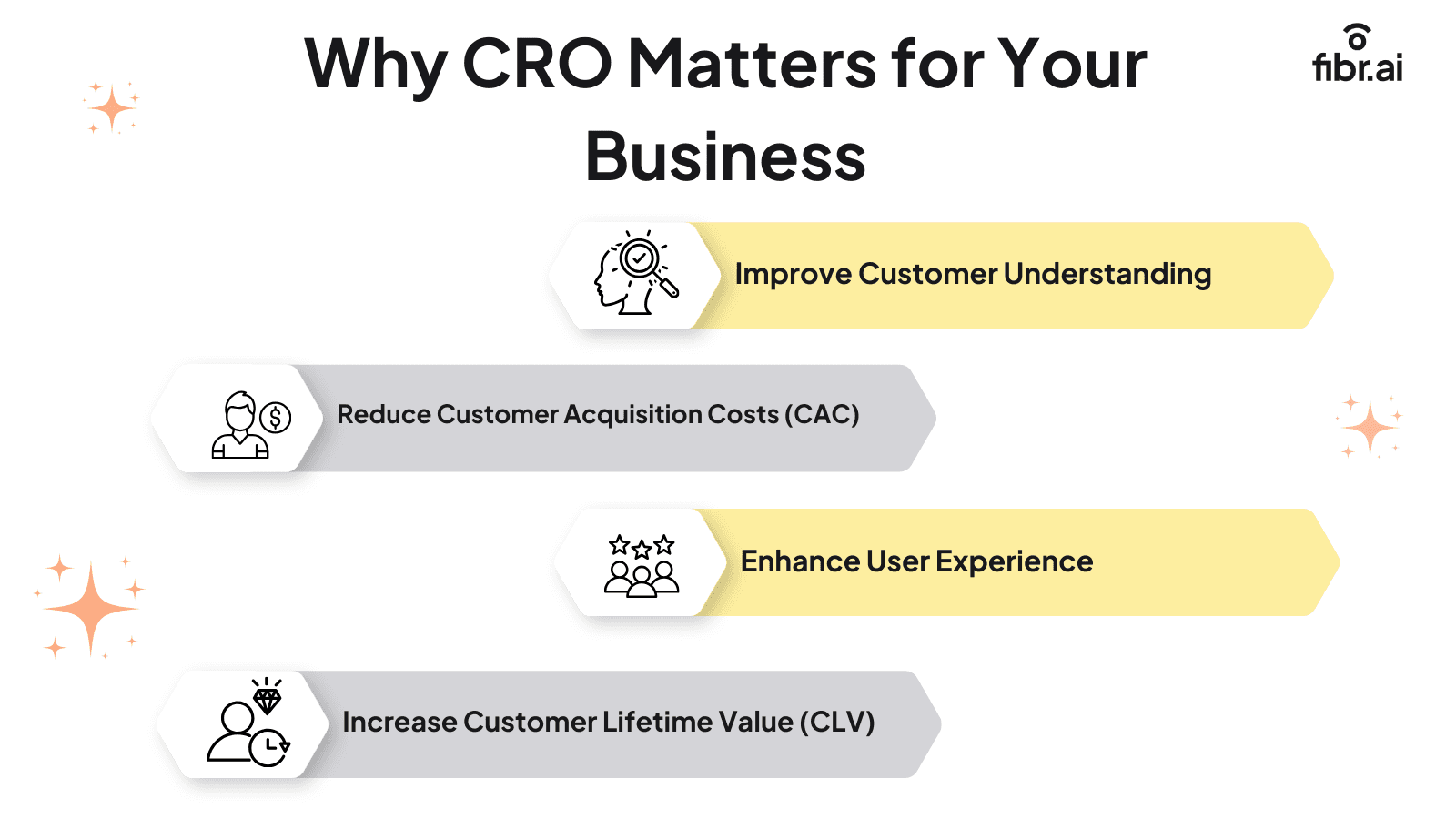
Conversion rate optimization helps businesses better understand their customers, reduce CAC, enhance user experience, and increase CLV to drive conversions. It allows marketers to realize the actual value of website visitors by converting them into customers or leads.
Let's understand the benefits of CRO for businesses in detail. n detail. The numbers tell a stark story research backs this up with compelling data showing the compounding impact of even modest conversion rate improvements across industries.
1. Improve your customer understanding
When it comes to acquiring customers, you must prioritize quality over quantity. This means you need to find the right customers and add them to the conversion funnel. But without knowing who these customers are, you're just shooting random arrows in the dark.
Conversion rate optimization gives you valuable insights into customer behaviors and pain points. This allows you to understand what makes them tick and tailor your marketing strategies accordingly. According to a Redpoint Global report, 74% of customers say they are more loyal toward brands that understand and appreciate them. A clear understanding of your target audience can make it easier to address their specific needs, enhance their experience, and boost conversions.
For example, if you’re running an online store and notice a high bounce rate, CRO can help you analyze heatmaps, run A/B tests, and conduct surveys to understand customers’ pain points and increase conversions.
2. Reduce customer acquisition costs (CAC)
One key metric that marketers track diligently is the customer acquisition cost. The lower the cost, the greater the ROI. However, with a low conversion rate, you need to allocate more resources to visitors who don't take any action. This has resulted in a 202% increase in CAC for businesses, lowering their marketing ROI.
Optimizing the website for conversions helps you maximize your ad spend and convert a large chunk of visitors into customers. Tracking and measuring ROI from your CRO efforts is what separates strategic optimization from guesswork and keeps stakeholders aligned on the real business impact.
For example, suppose you run a fitness app and spend $10,000 monthly on digital ads. The ads attract 5,000 users, of which only 100 convert to paying subscribers. This brings your conversion rate to 2% and your CAC to $100 per subscriber.
With CRO, you can add trust signals, offer discounts, or simplify the sign-up process, increasing the conversion rate to, say, 4%. Now, with the same $10,000 ad spend, you onboard 200 subscribers, reducing the CAC to $50 per user.
3. Enhance user experience
According to Hubspot,88% of website visitors might not return to your site if they have a poor user experience. This may be caused by a slow load time, unclear CTAs, a complicated checkout process, etc. Website conversion optimization helps you identify these areas and help visitors easily find what they're looking for.
A well-designed website reduces friction points, encouraging visitors to stay longer and take action. This not only boosts conversions but also builds trust and credibility for long-term business growth.
For example, if you’re running an online clothing brand and experience high cart abandonments, CRO can help you identify the friction points and increase purchases. This may be due to a lengthy checkout process, limited payment options, or poor mobile responsiveness. By addressing these issues, you can create a smoother journey for customers and boost conversions.
4. Increase customer lifetime value (CLV)
Another key benefit of CRO for businesses is increased CLV. When customers have a positive experience with your brand, they're more likely to return and increase their overall spending over time. You can see how brands have applied this in real-world CRO case studies that prove the long-term impact on CLV and repeat revenue.
Additionally, you can analyze user behavior and past purchases to share personalized recommendations and encourage them to buy more.For example, you may find that repeat buyers prefer auto-renewal options and can implement a subscription model with personalized recommendations and discounts. This is an excellent way to boost revenue while building a loyal customer base.
However, to ensure your CRO efforts bear fruit, you must understand the underlying concepts that inform a successful CRO strategy.
Conversion rate optimization helps businesses better understand their customers, reduce CAC, enhance user experience, and increase CLV to drive conversions. It allows marketers to realize the actual value of website visitors by converting them into customers or leads.
Let's understand the benefits of CRO for businesses in detail. n detail. The numbers tell a stark story research backs this up with compelling data showing the compounding impact of even modest conversion rate improvements across industries.
1. Improve your customer understanding
When it comes to acquiring customers, you must prioritize quality over quantity. This means you need to find the right customers and add them to the conversion funnel. But without knowing who these customers are, you're just shooting random arrows in the dark.
Conversion rate optimization gives you valuable insights into customer behaviors and pain points. This allows you to understand what makes them tick and tailor your marketing strategies accordingly. According to a Redpoint Global report, 74% of customers say they are more loyal toward brands that understand and appreciate them. A clear understanding of your target audience can make it easier to address their specific needs, enhance their experience, and boost conversions.
For example, if you’re running an online store and notice a high bounce rate, CRO can help you analyze heatmaps, run A/B tests, and conduct surveys to understand customers’ pain points and increase conversions.
2. Reduce customer acquisition costs (CAC)
One key metric that marketers track diligently is the customer acquisition cost. The lower the cost, the greater the ROI. However, with a low conversion rate, you need to allocate more resources to visitors who don't take any action. This has resulted in a 202% increase in CAC for businesses, lowering their marketing ROI.
Optimizing the website for conversions helps you maximize your ad spend and convert a large chunk of visitors into customers. Tracking and measuring ROI from your CRO efforts is what separates strategic optimization from guesswork and keeps stakeholders aligned on the real business impact.
For example, suppose you run a fitness app and spend $10,000 monthly on digital ads. The ads attract 5,000 users, of which only 100 convert to paying subscribers. This brings your conversion rate to 2% and your CAC to $100 per subscriber.
With CRO, you can add trust signals, offer discounts, or simplify the sign-up process, increasing the conversion rate to, say, 4%. Now, with the same $10,000 ad spend, you onboard 200 subscribers, reducing the CAC to $50 per user.
3. Enhance user experience
According to Hubspot,88% of website visitors might not return to your site if they have a poor user experience. This may be caused by a slow load time, unclear CTAs, a complicated checkout process, etc. Website conversion optimization helps you identify these areas and help visitors easily find what they're looking for.
A well-designed website reduces friction points, encouraging visitors to stay longer and take action. This not only boosts conversions but also builds trust and credibility for long-term business growth.
For example, if you’re running an online clothing brand and experience high cart abandonments, CRO can help you identify the friction points and increase purchases. This may be due to a lengthy checkout process, limited payment options, or poor mobile responsiveness. By addressing these issues, you can create a smoother journey for customers and boost conversions.
4. Increase customer lifetime value (CLV)
Another key benefit of CRO for businesses is increased CLV. When customers have a positive experience with your brand, they're more likely to return and increase their overall spending over time. You can see how brands have applied this in real-world CRO case studies that prove the long-term impact on CLV and repeat revenue.
Additionally, you can analyze user behavior and past purchases to share personalized recommendations and encourage them to buy more.For example, you may find that repeat buyers prefer auto-renewal options and can implement a subscription model with personalized recommendations and discounts. This is an excellent way to boost revenue while building a loyal customer base.
However, to ensure your CRO efforts bear fruit, you must understand the underlying concepts that inform a successful CRO strategy.
Key concepts in conversion rate optimization

Conversion rate optimization is a dynamic process. It involves multiple concepts and elements that help businesses make strategic decisions to drive conversions. Key CRO concepts include enhancing website design, creating compelling website copies, leveraging data analytics, incorporating strong CTAs, and understanding user behavior.
1. Enhancing website design
The easier your website is to navigate, the longer visitors will be willing to stay. A cluttered page with an overload of information, images, or colors can overwhelm visitors, driving them away. Therefore, it's important to create clean yet impactful landing pages that are easy to navigate and reflect your brand's identity.
Most importantly, make sure the landing page aligns with the ad or keyword that brought the visitor there. Not optimizing the landing page message to address the user's interests will lead to high bounces in fact, nearly 50% of website visitors leave the landing page without engaging with any marketing collateral. This is why optimizing your landing pages for conversions from headline alignment to visual hierarchy is one of the highest-leverage moves you can make. Use compelling headlines, interactive visuals, and strong CTAs to encourage visitors to take the next step.
2. Creating compelling website copies
Whether it's blog posts, product pages, or case studies, well-written, compelling copies are essential to capture visitors' attention and encourage them to take the desired action. In fact, user-generated content alone can increase the conversion rate by 3.2% proof that authenticity in copy drives real results.
Mastering conversion copywriting techniques takes this further, giving you a repeatable framework to turn casual readers into committed buyers from the opening hook to the final CTA.
A persuasive website copy typically includes:
Acknowledging the customer's pain points
Offering practical solutions to these problems
Highlighting the unique benefits of your product
incorporating a clear CTA
Create copies that are:
Not text-heavy (easy to scan)
Not full of complicated phrases or jargon (easy to read), and
Action-oriented (with clear CTAs)
Value-driven (focusing on benefits to the user instead of product features)
3. Leveraging data analytics
Data analytics is indispensable to running a successful business in today's digital world. Whether understanding user behavior, tracking website performance, or evaluating conversion metrics, collecting and analyzing this data is essential to make informed, data-backed decisions that directly impact growth. However, despite the growing importance of data, 83% of marketers say data is the most underutilized asset in their organization and that gap is exactly where your competitive edge lies.
Start by knowing which essential CRO metrics to track so you're measuring what actually drives decisions, not just what's easy to report. It also helps to understand how to calculate your conversion rate accurately before benchmarking any improvements otherwise you're optimizing against a moving target. CRO analytics tools and data then help you go beyond surface metrics to understand the full user journey, giving you visibility into what resonates, where users spend the most time, and how they navigate your website.
These tools also make it easier to track essential KPIs such as:
Conversion rate
Customer acquisition cost
Bounce rate
Page views
Click-through rate (CTR)
User behavior
Cost per conversion
Customer lifetime value
Average revenue per visitor
Churn rate
4. Incorporating strong CTAs
A well-crafted CTA can be the difference between a visitor and a conversion, convincing them to take the next step in the customer journey. While there’s no one-size-fits-all formula to nailing CTAs, even minor tweaks can lead to significant results. For example, Hubspot found simply adding some contrast on the page and bringing more attention to the CTA button increased CTA clicks by 25%. Bing increased its revenue by a whopping $80 million just by selecting a precise shade of blue for their CTA buttons.
While it’s best to A/B test a few options to understand what works best with your audience, here are some tried and tested CTA strategies you can consider:
User benefit: Highlight what benefit the user will get from taking an action. For example, ‘Download your free guide to boost productivity.’
Create Urgency: Add a sense of urgency to prompt visitors to take immediate action. For example, “Reserve your spot before it’s gone.’
Highlight Offers: Use words like ‘limited time,’ ‘only for today,’ or ‘members only’ to create a sense of exclusivity.
5. Understanding user behavior
Understanding user behavior is one of the most critical aspects of conversion rate optimization. It gives you insights into your visitors, including how they interact with your site and what influences their decisions. You can leverage and the right user behavior analytics tools to understand recurring patterns and identify exit triggers or friction points and the right user behavior analytics tools can reveal exactly where visitors hesitate, scroll away, or abandon the journey before converting.
These tools come with advanced features like:
Heatmaps
Session recordings
Monitoring clicks and scrolls
Funnel analysis
Retention analysis
Feedback collection
Comprehensive reporting
They make it easier to visualize the user journey and make adjustments to improve conversions. Let's understand the importance of this concept in detail.
Conversion rate optimization is a dynamic process. It involves multiple concepts and elements that help businesses make strategic decisions to drive conversions. Key CRO concepts include enhancing website design, creating compelling website copies, leveraging data analytics, incorporating strong CTAs, and understanding user behavior.
1. Enhancing website design
The easier your website is to navigate, the longer visitors will be willing to stay. A cluttered page with an overload of information, images, or colors can overwhelm visitors, driving them away. Therefore, it's important to create clean yet impactful landing pages that are easy to navigate and reflect your brand's identity.
Most importantly, make sure the landing page aligns with the ad or keyword that brought the visitor there. Not optimizing the landing page message to address the user's interests will lead to high bounces in fact, nearly 50% of website visitors leave the landing page without engaging with any marketing collateral. This is why optimizing your landing pages for conversions from headline alignment to visual hierarchy is one of the highest-leverage moves you can make. Use compelling headlines, interactive visuals, and strong CTAs to encourage visitors to take the next step.
2. Creating compelling website copies
Whether it's blog posts, product pages, or case studies, well-written, compelling copies are essential to capture visitors' attention and encourage them to take the desired action. In fact, user-generated content alone can increase the conversion rate by 3.2% proof that authenticity in copy drives real results.
Mastering conversion copywriting techniques takes this further, giving you a repeatable framework to turn casual readers into committed buyers from the opening hook to the final CTA.
A persuasive website copy typically includes:
Acknowledging the customer's pain points
Offering practical solutions to these problems
Highlighting the unique benefits of your product
incorporating a clear CTA
Create copies that are:
Not text-heavy (easy to scan)
Not full of complicated phrases or jargon (easy to read), and
Action-oriented (with clear CTAs)
Value-driven (focusing on benefits to the user instead of product features)
3. Leveraging data analytics
Data analytics is indispensable to running a successful business in today's digital world. Whether understanding user behavior, tracking website performance, or evaluating conversion metrics, collecting and analyzing this data is essential to make informed, data-backed decisions that directly impact growth. However, despite the growing importance of data, 83% of marketers say data is the most underutilized asset in their organization and that gap is exactly where your competitive edge lies.
Start by knowing which essential CRO metrics to track so you're measuring what actually drives decisions, not just what's easy to report. It also helps to understand how to calculate your conversion rate accurately before benchmarking any improvements otherwise you're optimizing against a moving target. CRO analytics tools and data then help you go beyond surface metrics to understand the full user journey, giving you visibility into what resonates, where users spend the most time, and how they navigate your website.
These tools also make it easier to track essential KPIs such as:
Conversion rate
Customer acquisition cost
Bounce rate
Page views
Click-through rate (CTR)
User behavior
Cost per conversion
Customer lifetime value
Average revenue per visitor
Churn rate
4. Incorporating strong CTAs
A well-crafted CTA can be the difference between a visitor and a conversion, convincing them to take the next step in the customer journey. While there’s no one-size-fits-all formula to nailing CTAs, even minor tweaks can lead to significant results. For example, Hubspot found simply adding some contrast on the page and bringing more attention to the CTA button increased CTA clicks by 25%. Bing increased its revenue by a whopping $80 million just by selecting a precise shade of blue for their CTA buttons.
While it’s best to A/B test a few options to understand what works best with your audience, here are some tried and tested CTA strategies you can consider:
User benefit: Highlight what benefit the user will get from taking an action. For example, ‘Download your free guide to boost productivity.’
Create Urgency: Add a sense of urgency to prompt visitors to take immediate action. For example, “Reserve your spot before it’s gone.’
Highlight Offers: Use words like ‘limited time,’ ‘only for today,’ or ‘members only’ to create a sense of exclusivity.
5. Understanding user behavior
Understanding user behavior is one of the most critical aspects of conversion rate optimization. It gives you insights into your visitors, including how they interact with your site and what influences their decisions. You can leverage and the right user behavior analytics tools to understand recurring patterns and identify exit triggers or friction points and the right user behavior analytics tools can reveal exactly where visitors hesitate, scroll away, or abandon the journey before converting.
These tools come with advanced features like:
Heatmaps
Session recordings
Monitoring clicks and scrolls
Funnel analysis
Retention analysis
Feedback collection
Comprehensive reporting
They make it easier to visualize the user journey and make adjustments to improve conversions. Let's understand the importance of this concept in detail.
What is the role of user behavior in conversion rate optimization?
User behavior plays a critical role in conversion rate optimization by providing valuable insights into how users interact with your website or app. Understanding which micro and macro conversions are happening and which are silently slipping away helps you prioritize what to fix first. This also goes hand-in-hand with optimizing the conversion path so every touchpoint moves users meaningfully forward through the funnel. It's also worth understanding the difference between conversion rate and CTR, since both measure engagement but reflect very different points in the user journey.
Here is how user behavior can help with conversion rate optimization:
Provides insights into user interactions: Helps you understand how users navigate your site or app what they click, how long they stay, and where they drop off.
Reveals user preferences and pain points: Aids in identifying what users like or struggle with, helping improve areas that hinder conversions.
Supports data-driven decision-making: Encourages using real behavior data over assumptions to make meaningful, measurable changes.
Highlights user journey patterns: Tracks steps users take before converting, allowing you to streamline and enhance their experience.
Identifies bottlenecks and drop-off points: Detects pages or elements that cause users to exit, so you can improve or redesign them.
Guides UX improvements: Helps refine layout, design, content relevance, and site speed for a smoother experience.
Improves marketing channel performance: Shows which traffic sources drive the most conversions, helping optimize campaigns and spend.
Enhances conversion funnel optimization: Allows you to guide users more effectively from awareness to conversion by improving each touchpoint.
Maximizes conversion potential: Analyzing user behavior helps increase sales, signups, or other key goals by optimizing every stage of interaction.
How does conversion rate optimization impact different marketing channels?
When talking about CRO, the first thing that marketers instantly think of is their websites. However, conversion rate optimization is a dynamic approach that helps you boost conversions across various marketing channels, including paid, owned, and earned media. It can help you optimize the user experience across all channels and boost conversions across multiple touchpoints.
1. Paid media
Paid media includes marketing channels where you need to pay to get your message delivered to your target audience. These include:
Pay-per-click (PPC) ads: Platforms like Google allow businesses to bid for ad space that targets specific keywords. This means when a potential customer clicks on an ad, you pay for that engagement.
Social media ads: You can run targeted ads on social media platforms such as Facebook, Instagram, or LinkedIn based on user demographics.
Display ads: These are visual ads that appear on websites and apps, capturing users' attention as they browse content online.
Affiliate marketing: You can partner with affiliates to promote your products on their platform and pay a commission for each sale made through their referral.
While both paid media and CRO are different marketing tactics, they can generate powerful results when combined. Running paid advertisements to get customers to your website is great but what happens if they arrive only to deal with a slow load time or poor navigation? This is where CRO can save the day. When it comes to improving PPC conversion rates, CRO ensures your landing page experience matches what your ad promised so visitors can move through the sales funnel seamlessly once they are on your site.
2. Owned media
Owned media are marketing channels or assets that are completely under your control. These include:
Your website: The heart of your online presence where customers learn about your brand, browse products, and make purchases. You can further use AI-powered platforms like Fibr to personalize your landing pages at scale.
Blog: Your content platform where you share valuable information to attract and engage customers.
Email list: Allows you to communicate directly with your subscribers and share updates, promotions, and newsletters directly to their inbox.
Social media handles: Your brand's social media profiles allow you to build and engage with your community.
Mobile apps: These allow customers to engage with your business in a more personalized and efficient way.
Since these channels are completely owned by your business, it is slightly easier to optimize them for better conversions. CRO helps you enhance your website performance, optimize email content, create tailored blog posts, and streamline the checkout process to create a loyal customer base and boost conversions. For content teams, understanding how CRO and SEO work together is key to driving both organic traffic and on-page action from the same content investment. Enterprise and SaaS brands should explore dedicated B2B CRO strategies, since the funnel dynamics differ significantly from consumer sites while consumer-focused brands can start by knowing their B2C conversion rate benchmarks to set realistic optimization targets.
3. Earned media
Earned media, also known as free media, is the content about your business that is written and published by third-parties on channels that you don’t own. It gives your brand organic exposure and is great for building credibility. Some common earned media channels include:
A backlink to your page from an unaffiliated website: By constantly publishing high-value content, you can earn a reference to your website from an unaffiliated blog or site.
Shares and mentions on social media: When others post about your brand on social media platforms, it can help you build trust and credibility.
Customer reviews and testimonials: Positive feedback from your customers is a great way to add trust badges.
A feature in a roundup article: Having your business featured in a curated list of the top companies or products can help build brand awareness.
Media coverage: Mentions from journalists or influencers is an excellent way of boosting brand awareness and building credibility.
But the question is how do you optimize channels that are beyond your control? A simple way is by optimizing your own landing pages. This ensures visitors that arrive at your site from external channels have a seamless experience, increasing their chances of conversion. This way, while you can’t directly control third-party mentions, you can control how your site performs when visitors arrive through these sources.
When talking about CRO, the first thing that marketers instantly think of is their websites. However, conversion rate optimization is a dynamic approach that helps you boost conversions across various marketing channels, including paid, owned, and earned media. It can help you optimize the user experience across all channels and boost conversions across multiple touchpoints.
1. Paid media
Paid media includes marketing channels where you need to pay to get your message delivered to your target audience. These include:
Pay-per-click (PPC) ads: Platforms like Google allow businesses to bid for ad space that targets specific keywords. This means when a potential customer clicks on an ad, you pay for that engagement.
Social media ads: You can run targeted ads on social media platforms such as Facebook, Instagram, or LinkedIn based on user demographics.
Display ads: These are visual ads that appear on websites and apps, capturing users' attention as they browse content online.
Affiliate marketing: You can partner with affiliates to promote your products on their platform and pay a commission for each sale made through their referral.
While both paid media and CRO are different marketing tactics, they can generate powerful results when combined. Running paid advertisements to get customers to your website is great but what happens if they arrive only to deal with a slow load time or poor navigation? This is where CRO can save the day. When it comes to improving PPC conversion rates, CRO ensures your landing page experience matches what your ad promised so visitors can move through the sales funnel seamlessly once they are on your site.
2. Owned media
Owned media are marketing channels or assets that are completely under your control. These include:
Your website: The heart of your online presence where customers learn about your brand, browse products, and make purchases. You can further use AI-powered platforms like Fibr to personalize your landing pages at scale.
Blog: Your content platform where you share valuable information to attract and engage customers.
Email list: Allows you to communicate directly with your subscribers and share updates, promotions, and newsletters directly to their inbox.
Social media handles: Your brand's social media profiles allow you to build and engage with your community.
Mobile apps: These allow customers to engage with your business in a more personalized and efficient way.
Since these channels are completely owned by your business, it is slightly easier to optimize them for better conversions. CRO helps you enhance your website performance, optimize email content, create tailored blog posts, and streamline the checkout process to create a loyal customer base and boost conversions. For content teams, understanding how CRO and SEO work together is key to driving both organic traffic and on-page action from the same content investment. Enterprise and SaaS brands should explore dedicated B2B CRO strategies, since the funnel dynamics differ significantly from consumer sites while consumer-focused brands can start by knowing their B2C conversion rate benchmarks to set realistic optimization targets.
3. Earned media
Earned media, also known as free media, is the content about your business that is written and published by third-parties on channels that you don’t own. It gives your brand organic exposure and is great for building credibility. Some common earned media channels include:
A backlink to your page from an unaffiliated website: By constantly publishing high-value content, you can earn a reference to your website from an unaffiliated blog or site.
Shares and mentions on social media: When others post about your brand on social media platforms, it can help you build trust and credibility.
Customer reviews and testimonials: Positive feedback from your customers is a great way to add trust badges.
A feature in a roundup article: Having your business featured in a curated list of the top companies or products can help build brand awareness.
Media coverage: Mentions from journalists or influencers is an excellent way of boosting brand awareness and building credibility.
But the question is how do you optimize channels that are beyond your control? A simple way is by optimizing your own landing pages. This ensures visitors that arrive at your site from external channels have a seamless experience, increasing their chances of conversion. This way, while you can’t directly control third-party mentions, you can control how your site performs when visitors arrive through these sources.
The Relationship Between CRO and the Customer Journey
The relationship between CRO and the customer journey plays a critical role in enhancing both the user experience and the chances of conversion at every touchpoint. While the main goal of website conversion rate optimization is boosting sales, it's not the only goal. Customers typically go through multiple stages in their journey to make a purchase which means optimizing each stage of the conversion funnel, from awareness and consideration to decision-making, is essential to ensure they move through seamlessly and ultimately convert.
By doing so, you can enhance user experience, provide valuable information, and address pain points along the way. Retailers and DTC brands should combine this with dedicated eCommerce CRO strategies built for high-intent, transaction-focused journeys where product pages, cart flows, and checkout all need individual attention. Reducing cart drop-off specifically starts with understanding checkout conversion rate optimization, because the checkout page is where purchase intent is highest but friction is most costly. Even further up the funnel, building high-converting sign-up forms can dramatically improve top-of-funnel lead capture with minimal development effort. Subscription businesses should also explore SaaS CRO best practices, where free trial optimization and onboarding conversion are the primary levers for sustainable growth.
Here are ways to leverage CRO to enhance the customer journey:
Identify touchpoints: Analyze key touchpoints where visitors interact with your business. Look for exit triggers or pain points to optimize these areas.
Data analysis: Use data analytics tools to better understand user behavior and gain valuable insights into customer preferences and interests.
Audience segmentation: Segment website visitors depending on similar traits and tailor the customer journey to address each segment.
Optimize UX: Make sure your website is user-friendly, optimized for different screen sizes and devices, and easy to navigate. Look for issues such as slow load speed, complex checkout process, etc., and address them to enhance the user experience.
Use social proof: Leverage customer reviews, testimonials, and other user-generated content to build credibility.
Besides overlooking the customer journey, several other misconceptions about CRO restrict marketers from achieving their conversion goals. Understanding and addressing these misconceptions is important to making the most of your marketing efforts and driving conversions.
The relationship between CRO and the customer journey plays a critical role in enhancing both the user experience and the chances of conversion at every touchpoint. While the main goal of website conversion rate optimization is boosting sales, it's not the only goal. Customers typically go through multiple stages in their journey to make a purchase which means optimizing each stage of the conversion funnel, from awareness and consideration to decision-making, is essential to ensure they move through seamlessly and ultimately convert.
By doing so, you can enhance user experience, provide valuable information, and address pain points along the way. Retailers and DTC brands should combine this with dedicated eCommerce CRO strategies built for high-intent, transaction-focused journeys where product pages, cart flows, and checkout all need individual attention. Reducing cart drop-off specifically starts with understanding checkout conversion rate optimization, because the checkout page is where purchase intent is highest but friction is most costly. Even further up the funnel, building high-converting sign-up forms can dramatically improve top-of-funnel lead capture with minimal development effort. Subscription businesses should also explore SaaS CRO best practices, where free trial optimization and onboarding conversion are the primary levers for sustainable growth.
Here are ways to leverage CRO to enhance the customer journey:
Identify touchpoints: Analyze key touchpoints where visitors interact with your business. Look for exit triggers or pain points to optimize these areas.
Data analysis: Use data analytics tools to better understand user behavior and gain valuable insights into customer preferences and interests.
Audience segmentation: Segment website visitors depending on similar traits and tailor the customer journey to address each segment.
Optimize UX: Make sure your website is user-friendly, optimized for different screen sizes and devices, and easy to navigate. Look for issues such as slow load speed, complex checkout process, etc., and address them to enhance the user experience.
Use social proof: Leverage customer reviews, testimonials, and other user-generated content to build credibility.
Besides overlooking the customer journey, several other misconceptions about CRO restrict marketers from achieving their conversion goals. Understanding and addressing these misconceptions is important to making the most of your marketing efforts and driving conversions.
Common misconceptions about conversion rate optimization

While CRO is an impactful strategy for improving website performance, several misconceptions surround its approach. Some marketers believe CRO is all about running A/B tests, while others believe it's about strictly following textbook best practices. Other misconceptions include assuming all visitors have the same behavior pattern, approaching CRO as a one-and-done task, and hoping small design tweaks will generate big rewards. These myths often go hand-in-hand with common CRO mistakes that even experienced marketers fall into, and understanding the real CRO challenges businesses face is what separates teams that optimize consistently from those that plateau.
Let's debunk these misconceptions one by one.
1. CRO is all about running A/B tests
A/B tests are an essential part of the conversion rate optimization process. They help you understand which version of different elements resonate the most with users and drive the maximum conversions.
However, they're not the only CRO strategy you should rely on. Effective CRO involves a more nuanced approach, such as understanding user behavior, analyzing data, optimizing website design, identifying friction points, etc.
As such, only running A/B tests without considering other aspects won't help you achieve the goals you're targeting.
2. CRO is all about following textbook best practices
But what's wrong with following best practices? After all, aren't they best practices for a reason?
Well, there's nothing inherently wrong with following best practices. However, businesses are dynamic, and so are their customers. As such, the CRO best practices that may work for some businesses and resonate with their customers might not necessarily work for you and yours.
Mind you, we're not asking you to disregard these best practices altogether. We just ask you to tailor your approach based on your specific business needs and customer expectations to generate effective results.
3. All visitors have the same behavior pattern
Another major CRO misconception is assuming all visitors navigate through your website in the same way. This is not only a false generalization but can also impact your CRO efforts. It's important to remember that each visitor arrives at your website with different intentions, needs, and backgrounds. Moreover, they might be at different stages of the purchase process, with some looking for information while others are ready to purchase.
Therefore, segmenting them based on their demographics, behavior, and stage in the customer journey is essential to ensure a seamless experience for all and enhance conversions.
4. Approaching CRO as a one-and-done task
Many marketers assume optimizing their website or landing pages once is enough to keep the conversions flowing. However, the truth is far from it. Conversion rate optimization is a dynamic, ongoing process that demands constant reviews and tweaking.
As market trends and consumer behavior evolve, something that worked a few months ago might not deliver the same results today. This is why you must regularly review and adjust your CRO strategy to adapt to these changes and maintain conversions.
5. Hoping small design tweaks will generate big rewards
Another common misconception marketers have about CRO is that minor tweaks to the website's design, such as moving an image, changing the font color, or personalizing the CTA, will immediately boost conversions.
While these tweaks may impact the conversions, they fail to address the underlying issues that affect user experience and conversion rates. You must go beyond these surface-level changes and run a comprehensive customer and website analysis to identify what needs improvement.
You must also constantly track the performance of your CRO strategy to gauge its impact on visitor conversions. Let's understand how you can do this.
1. CRO is all about running A/B tests
A/B tests are an essential part of the conversion rate optimization process. They help you understand which version of different elements resonate the most with users and drive the maximum conversions.
However, they're not the only CRO strategy you should rely on. Effective CRO involves a more nuanced approach, such as understanding user behavior, analyzing data, optimizing website design, identifying friction points, etc.
As such, only running A/B tests without considering other aspects won't help you achieve the goals you're targeting.
2. CRO is all about following textbook best practices
But what's wrong with following best practices? After all, aren't they best practices for a reason?
Well, there's nothing inherently wrong with following best practices. However, businesses are dynamic, and so are their customers. As such, the CRO best practices that may work for some businesses and resonate with their customers might not necessarily work for you and yours.
Mind you, we're not asking you to disregard these best practices altogether. We just ask you to tailor your approach based on your specific business needs and customer expectations to generate effective results.
3. All visitors have the same behavior pattern
Another major CRO misconception is assuming all visitors navigate through your website in the same way. This is not only a false generalization but can also impact your CRO efforts. It's important to remember that each visitor arrives at your website with different intentions, needs, and backgrounds. Moreover, they might be at different stages of the purchase process, with some looking for information while others are ready to purchase.
Therefore, segmenting them based on their demographics, behavior, and stage in the customer journey is essential to ensure a seamless experience for all and enhance conversions.
4. Approaching CRO as a one-and-done task
Many marketers assume optimizing their website or landing pages once is enough to keep the conversions flowing. However, the truth is far from it. Conversion rate optimization is a dynamic, ongoing process that demands constant reviews and tweaking.
As market trends and consumer behavior evolve, something that worked a few months ago might not deliver the same results today. This is why you must regularly review and adjust your CRO strategy to adapt to these changes and maintain conversions.
5. Hoping small design tweaks will generate big rewards
Another common misconception marketers have about CRO is that minor tweaks to the website's design, such as moving an image, changing the font color, or personalizing the CTA, will immediately boost conversions.
While these tweaks may impact the conversions, they fail to address the underlying issues that affect user experience and conversion rates. You must go beyond these surface-level changes and run a comprehensive customer and website analysis to identify what needs improvement.
You must also constantly track the performance of your CRO strategy to gauge its impact on visitor conversions. Let's understand how you can do this.
How to measure success in conversion rate optimization (CRO)?
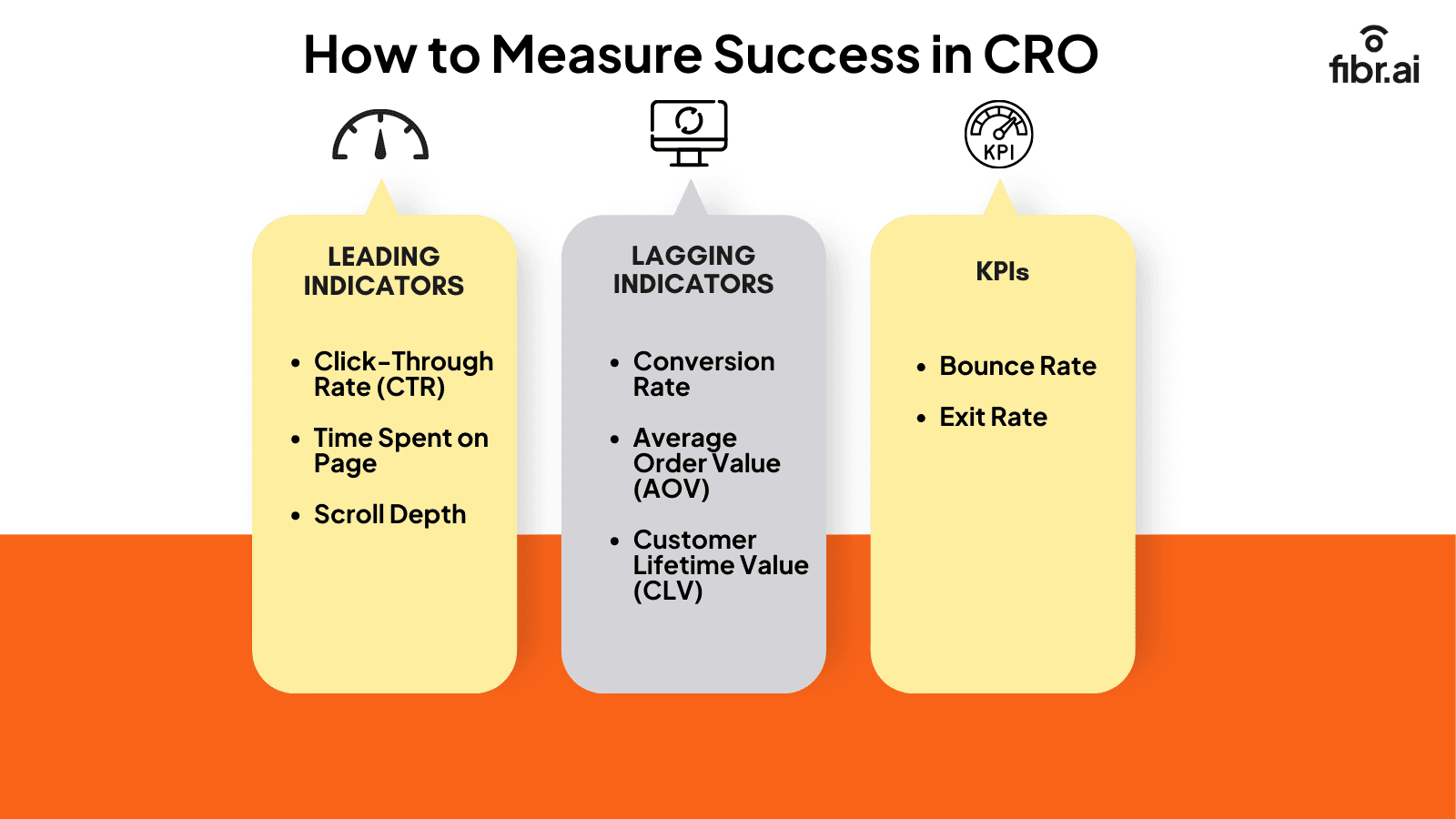
You can measure success in CRO by tracking leading indicators, lagging indicators, and KPIs. These metrics offer a mix of quantitative and qualitative data to determine how visitors navigate your website and where they may be facing obstacles. Knowing which numbers to watch is just as important as knowing how to improve them and pairing your KPIs with data-driven CRO analytics helps you move from observation to actionable insight faster, turning raw numbers into decisions that directly improve conversion rates.
1. Leading indicators: These metrics help you understand customer behavior and trends to predict future conversion rates. Leading indicators typically include:
Click-through rate: The click-through rate is the percentage of users who click on a specific link on the page compared to the total number of visitors on the page. The CTR can help you measure the effectiveness of different elements on the website, such as CTA text, placement, button color, etc., to determine if your CRO strategy is working successfully.
Time spent on the page: This metric helps you determine how long users engage with different site pages. A longer time on a page may indicate they find the content valuable and engaging. However, a shorter time on a page may highlight issues such as irrelevant content, complex navigation, etc.
Scroll depth: Scroll depth measures how far down a webpage visitors scroll before taking an action or dropping off. This metric is particularly valuable for longer pages, like blogs or landing pages, as it reveals whether users engage with all the content or drop off before reaching key sections.
2. Lagging indicators: These metrics measure the final performance and outcome of your CRO efforts. Lagging indicators typically include:
Conversion rate: The conversion rate measures the percentage of website visitors who convert into loyal customers or take a desired action. This action could be signing up for a webinar, filling out a form, or requesting a demo. A high conversion rate indicates that your optimization efforts are bearing fruit.
Average order value: AOV is the average amount a customer spends on your website every time they complete a purchase. A higher AOV can indicate your CRO strategies are working successfully, resulting in higher profitability for your business.
Customer lifetime value (CLV): Customer lifetime value measures the total revenue a customer generates throughout their relationship with your business. The higher this metric, the better the performance of your conversion rate optimization efforts.
3. KPIs: These are key metrics that help measure the overall website performance and the effectiveness of your CRO strategy. KPIs typically include:
Bounce rate: The bounce rate is the percentage of website visitors who land on your page but drop off without taking any action. A high bounce rate could indicate issues with the website, such as confusing CTAs, irrelevant content, slow loading speed, etc., and hinder your conversion efforts.
Exit rate: The exit rate is the percentage of website visitors who leave your site from a particular page, regardless of the number of pages they have viewed. A page with a high exit rate can indicate potential bottlenecks that restrict viewers from moving further down the sales funnel.
When should you invest in conversion rate optimization?
You must start investing in conversion rate optimization once you begin receiving steady traffic on your website, have outlined your business goals and KPIs, have the necessary resources to achieve those goals, and are ready to scale your business.
While conversion rate optimization can help you improve website performance and increase conversions, it's not always the right time to invest in CRO efforts. Optimizing the website won't generate results if you don't have website traffic, well-defined goals, and the resources to make improvements. In this case, you must first generate high-quality traffic for your website before investing in conversion rate optimization.
But if you have high website traffic and the resources to optimize it for conversions, it might be time to whip up a CRO strategy. Before you do, reviewing the latest CRO trends shaping the industry in 2026 ensures your strategy is aligned with where optimization is heading not built on tactics that have already run their course.
How can I increase my conversion rate? (CRO strategies)
When someone clicks on a specific ad, they expect a page that matches the message. Sending them to your homepage or a generic page can break that momentum. Instead, create dedicated landing pages that directly align with each ad's promise keeping the design clean, the message focused, and the CTA clear. CRO for landing pages ensures each of those pages is built not just to match the ad but to convert the visitor because relevance gets the click, but optimization closes it. Think of each landing page as a conversation that picks up right where the ad left off, and visitors are more likely to follow through.
1. Run tests on your landing pages
How do you uncover what’s working and what’s not on your landing pages? Until you test the key elements.
A/B testing your landing pages helps you figure out what grabs attention, what gets ignored, and what drives clicks. Start by testing one element at a time, such as your headline, CTA button, or even the layout.
The good news? You can use an A/B testing solution like FIBR to A/B test headlines, layouts, images, and CTAs without writing a line of code. With the help of their personalization agent MAX, you can quickly learn user behavior on your website and optimize it accordingly.
2.Optimize your mobile experience
Your visitors are probably scrolling on their phones, not sitting at a desktop. So if your site feels clunky or slow on mobile, you're losing conversions. For a deeper playbook, explore mobile CRO strategies built around today's thumb-first, scroll-happy users from tap-friendly navigation to frictionless mobile checkouts.
3. Make your CTAs stand out
A good call-to-action (CTA) tells your visitors exactly what to do next and gives them a reason to act. Use strong, action-focused language like “Get Started,” “Try Free,” or “Download Now.” Also, make it visually distinct with bold colors, clear fonts, and enough space around it so it doesn’t get lost.
Think about your CTA placement as well. If your CTA blends in with the background or is buried at the bottom of the page, you’re missing out. Treat your CTA like the main event, because that’s what it is.
4. Personalize your site experience based on visitor data
Visitors don't want a one-size-fits-all experience. Using visitor data such as location, browsing behavior, or past purchases, you can tailor the experience to each person. Personalization is just one of the latest CRO trends reshaping how brands connect with visitors in 2026. You can use Fibr AI's personalization agent, LIV, to personalize your landing pages effectively. Fibr is also part of a broader wave of AI marketing tools for CRO that are redefining what automated optimization looks like at scale.
5. Create dedicated landing pages for targeted ads
When someone clicks on a specific ad, they expect a page that matches the message. Sending them to your homepage or a generic page can break that momentum. Instead, create dedicated landing pages that directly align with each ad’s promise. Keep the design clean, the message focused, and the CTA clear. This approach boosts relevance and reduces confusion—two things that can kill conversion rates. Think of each landing page as a conversation that picks up right where the ad left off. It feels more cohesive, and visitors are more likely to follow through.
When someone clicks on a specific ad, they expect a page that matches the message. Sending them to your homepage or a generic page can break that momentum. Instead, create dedicated landing pages that directly align with each ad's promise keeping the design clean, the message focused, and the CTA clear. CRO for landing pages ensures each of those pages is built not just to match the ad but to convert the visitor because relevance gets the click, but optimization closes it. Think of each landing page as a conversation that picks up right where the ad left off, and visitors are more likely to follow through.
1. Run tests on your landing pages
How do you uncover what’s working and what’s not on your landing pages? Until you test the key elements.
A/B testing your landing pages helps you figure out what grabs attention, what gets ignored, and what drives clicks. Start by testing one element at a time, such as your headline, CTA button, or even the layout.
The good news? You can use an A/B testing solution like FIBR to A/B test headlines, layouts, images, and CTAs without writing a line of code. With the help of their personalization agent MAX, you can quickly learn user behavior on your website and optimize it accordingly.
2.Optimize your mobile experience
Your visitors are probably scrolling on their phones, not sitting at a desktop. So if your site feels clunky or slow on mobile, you're losing conversions. For a deeper playbook, explore mobile CRO strategies built around today's thumb-first, scroll-happy users from tap-friendly navigation to frictionless mobile checkouts.
3. Make your CTAs stand out
A good call-to-action (CTA) tells your visitors exactly what to do next and gives them a reason to act. Use strong, action-focused language like “Get Started,” “Try Free,” or “Download Now.” Also, make it visually distinct with bold colors, clear fonts, and enough space around it so it doesn’t get lost.
Think about your CTA placement as well. If your CTA blends in with the background or is buried at the bottom of the page, you’re missing out. Treat your CTA like the main event, because that’s what it is.
4. Personalize your site experience based on visitor data
Visitors don't want a one-size-fits-all experience. Using visitor data such as location, browsing behavior, or past purchases, you can tailor the experience to each person. Personalization is just one of the latest CRO trends reshaping how brands connect with visitors in 2026. You can use Fibr AI's personalization agent, LIV, to personalize your landing pages effectively. Fibr is also part of a broader wave of AI marketing tools for CRO that are redefining what automated optimization looks like at scale.
5. Create dedicated landing pages for targeted ads
When someone clicks on a specific ad, they expect a page that matches the message. Sending them to your homepage or a generic page can break that momentum. Instead, create dedicated landing pages that directly align with each ad’s promise. Keep the design clean, the message focused, and the CTA clear. This approach boosts relevance and reduces confusion—two things that can kill conversion rates. Think of each landing page as a conversation that picks up right where the ad left off. It feels more cohesive, and visitors are more likely to follow through.
Conversion rate optimization best practices
1. Understand your users
To optimize conversions, you first need to understand your audience. Dig into data, ask questions, and observe behavior until you know what makes users tick, you can't design experiences they actually want.
Use tools like heatmaps, surveys, interviews, and analytics to uncover what frustrates them or makes them leave. Are they confused by your layout? Is the copy unclear? From there, combine hard data with real feedback and you'll uncover insights that drive meaningful, user-first improvements. A structured CRO checklist ensures you never skip a critical step in this process keeping your research, testing, and implementation organized from start to finish.
2. Craft engaging, benefit-driven headlines and copy
Strong headlines and copy make a huge difference. Speak to your users' needs, highlight benefits over features, and skip jargon focus on how your product improves someone's life. A good headline hooks, but the copy should walk them toward action with clarity, emotion, and relevance. Learn the tactical craft of writing conversion-focused copy from structuring your opening hook to building urgency in your CTA without sounding pushy.
3. Simplify user experience
A smooth, clutter-free experience keeps users engaged. Simplify your site’s forms, menus, and calls-to-action to reduce friction and make it effortless to convert.
People don’t want to jump through hoops when using your website. Make your forms short and only ask for essential information such as name and email address. Also, keep navigation intuitive so users never feel lost.
And your CTAs? Make them obvious and action-oriented. The easier and faster it is for someone to find what they need or complete a task, the more likely they are to convert.
4. Run A/B tests continuously
CRO is not a one-time thing. Keep testing different headlines, layouts, CTAs, and whatever impacts the journey. A/B testing reveals what works best based on real user behavior.
With A/B testing, you let your audience decide what’s more effective. Maybe it’s a different color button, a shorter form, or a new headline.
Test one change at a time, keep a control, and measure results. It’s a cycle: learn, test, repeat. That’s how smart teams boost conversions consistently over time.
5. Set clear, measurable goals
Without clear goals, CRO is like sailing without a map. Set specific, measurable objectives like increasing signups, reducing cart abandonment, or boosting trial starts.
You can’t optimize what you don’t measure. Whether it’s more downloads or longer session times, your goals should be tied to real business outcomes.
Break them down into metrics you can track, such as click-through rates, bounce rates, and form completions. Clear goals keep your CRO strategy focused and help you know when your changes are actually working.
6. Align CRO with customer feedback
Use customer feedback to shape your CRO strategy. Complaints, suggestions, and praise can reveal where your funnel succeeds or where it falls apart.
Customers often tell you exactly what needs fixing, you just need to listen. Feedback uncovers blind spots that data alone can’t explain. Are users dropping off because the checkout feels sketchy? Or maybe they don’t understand your pricing.
Integrate feedback from support chats, surveys, and reviews to inform your testing roadmap. It’s like having your users co-create a better experience with you.
7. Monitor & iterate
Lastly, CRO is never finished. Keep an eye on performance, learn from what’s working (or not), and keep refining. The small tweaks you make over time can add up to big wins.
Think of CRO as a living process. Even the best changes need checking in on. Use analytics tools to track KPIs and user behavior regularly.
If something’s underperforming, dig deeper and pivot. Iteration keeps your site growing alongside your users’ expectations and market shifts. Consistent refinement is how you stay ahead and keep converting more visitors, long-term.
Top conversion rate optimization (CRO) tools
Several popular conversion rate optimization tools help to analyze user behavior and personalize website experience based on real feedback. Some popular CRO tools include Fibr AI, Google Analytics 4, Hotjar, and VWO.
Let's explore how these CRO tools work briefly.
1. Fibr AI
Fibr AI is an adaptive experience platform designed to help businesses adapt in real time. Instead of running a fixed set of tests and waiting on results, Fibr continuously reads live visitor signals referring source, location, past visits, even the specific ad someone clicked and generates the matching page experience on the fly. The platform doesn't just test ideas, it identifies which ones are converting best and applies them automatically. Whether you're optimizing a new product page or refining an existing funnel, Fibr makes sure your visitors see what they're most likely to engage with before they bounce.
2. Google Analytics (GA4)
GA4 gives you a full view of your website's traffic and user behavior. It tracks how visitors arrive, where they go, and what drives them to convert. With event-based tracking and predictive insights, GA4 helps uncover patterns and friction points. The tool is especially valuable for data-driven decisions, although it requires some setup and interpretation.
3. Hotjar
Hotjar brings your user experience to life through heatmaps, session recordings, and feedback polls. It shows where users click, how they scroll, and what's stopping them from converting. By watching real visitor sessions and gathering direct feedback, you can identify usability issues and quickly fix them for smoother journeys.
4. VWO
VWO (Visual Website Optimizer) is a reliable A/B testing platform that helps you experiment with headlines, layouts, CTAs, and more. You can run multivariate tests and split tests, and measure performance with detailed reports. VWO is great for controlled experiments, helping teams confidently optimize based on real user responses.
Going Deeper
The tools above are a strong starting point, but the CRO ecosystem goes much further. For a broader comparison, see our full list of top CRO tools covering 26 platforms across testing, analytics, and personalization. Hotjar is just one of the best user behavior analytics tools available see how it compares to alternatives like Mixpanel, Crazy Egg, and FullStory. If you'd rather work with experts than tools, we've ranked the top AI marketing agencies helping brands scale CRO with AI, and the leading CRO companies that can fast-track implementation and results. Stay sharp by following the top CRO experts who publish actionable insights and real test results.
How to get started with CRO step-by-step
Getting started with conversion rate optimization might seem daunting. However, by breaking down the CRO process into smaller steps, you'll be able to master CRO in no time. All you need to do is create a buyer's persona, CRO audit your website, identify bottlenecks and exit triggers, generate a hypothesis, and run experiments.
Here's a beginner-friendly approach to getting started with CRO:
Step 1: Create a buyer's persona
Start by creating a fictional representation of your ideal customer. Outline their demography, job role, pain points, and goals. This will help you tailor your CRO strategies to meet their specific needs. If you cater to multiple businesses or industries, you can create various buyer personas for each.
Step 2: Audit your website
The next step is to gauge your site's current performance. Track CRO metrics like conversion rate, CTR, bounce rate, etc., to understand your website's performance without any optimization. Look at elements like the website design, loading speed, content quality, etc.
Step 3: Identify bottlenecks and exit triggers
Based on your analysis, identify potential issues restricting visitors from taking a desired action. These may be complicated navigation, a lengthy checkout, irrelevant content, etc. Identifying and addressing these issues will help you encourage visitors to move to the next stage in the funnel.
Step 4: Generate and prioritize hypotheses
Determine multiple solutions to fix the issues you identified in the last step and prioritize them based on their potential impact on boosting conversions.
Step 5: Run experiments
Once you've outlined the hypotheses, run A/B tests to determine if they impact the conversion rate. Experiment with two versions of the same element to see what resonates the most with visitors and drives conversion. Make sure to run one experiment at a time to gauge the impact of all versions effectively.
Online retailers can follow our eCommerce CRO playbook for a channel-specific version of these steps, optimized for product pages, cart flows, and checkout. Ultimately, all these steps connect back to broader revenue optimization strategies that sustain long-term business growth well beyond the first conversion.
Final thoughts: The future of conversion rate optimization
CRO is an ongoing process. It helps you analyze the performance of your website and optimize it to turn more visitors into loyal customers. However, the key to CRO success is leveraging the right tools to analyze user behavior and make data-driven decisions.
With AI-powered platforms like Fibr AI, you can quickly analyze user behavior and personalize your landing pages at scale to ensure they mirror the message on the ad that brings customers to them. The platform also helps you analyze your website, run audits, and tells you exactly what needs to be improved. Want to see real proof? Browse CRO case studies from brands like Walmart, ACT Fibernet, and Flos USA that increased conversions by up to 125% using systematic optimization.
The best part? You can do all this through Fibr AI's WYSIWYG (What You See Is What You Get) no-code editor. Leverage the power of Fibr AI's innovative capabilities and maximize your CRO efforts. Book a demo today to boost your conversion rates.
FAQs on Conversion Rate Optimization
1. How do you calculate conversion rates?
To calculate your conversion rate, divide the number of conversions (like sign-ups or purchases) by the total number of visitors, then multiply by 100. For example, if 50 people bought something out of 1,000 visitors, your conversion rate is 5%. It’s a simple formula that reveals a lot about performance.
2. What is CRO and SEO?
CRO, or conversion rate optimization, focuses on strategies aimed at turning more visitors into customers. SEO, or search engine optimization focuses on improving your site’s visibility in search results. While SEO gets people to your site, CRO makes sure they take action once they’re there. Together, they make a powerful growth duo.
3. What are the best ways to increase conversion rates?
To maximize conversion rates, start by understanding your audience. What do they want, and what’s stopping them? Test different headlines, buttons, or layouts. Simplify forms, build trust with clear messaging, and use strong calls-to-action. Even small changes can boost conversions. Keep testing and tweaking; CRO is a game of ongoing improvement.
4. What is a CRO strategy?
A CRO strategy is your game plan for improving how well your website turns visitors into leads or customers. It usually involves analyzing user behavior, spotting pain points, and running A/B tests continuously. The goal is to remove friction and make it super easy for people to say “yes” to your offer.
1. Understand your users
To optimize conversions, you first need to understand your audience. Dig into data, ask questions, and observe behavior until you know what makes users tick, you can't design experiences they actually want.
Use tools like heatmaps, surveys, interviews, and analytics to uncover what frustrates them or makes them leave. Are they confused by your layout? Is the copy unclear? From there, combine hard data with real feedback and you'll uncover insights that drive meaningful, user-first improvements. A structured CRO checklist ensures you never skip a critical step in this process keeping your research, testing, and implementation organized from start to finish.
2. Craft engaging, benefit-driven headlines and copy
Strong headlines and copy make a huge difference. Speak to your users' needs, highlight benefits over features, and skip jargon focus on how your product improves someone's life. A good headline hooks, but the copy should walk them toward action with clarity, emotion, and relevance. Learn the tactical craft of writing conversion-focused copy from structuring your opening hook to building urgency in your CTA without sounding pushy.
3. Simplify user experience
A smooth, clutter-free experience keeps users engaged. Simplify your site’s forms, menus, and calls-to-action to reduce friction and make it effortless to convert.
People don’t want to jump through hoops when using your website. Make your forms short and only ask for essential information such as name and email address. Also, keep navigation intuitive so users never feel lost.
And your CTAs? Make them obvious and action-oriented. The easier and faster it is for someone to find what they need or complete a task, the more likely they are to convert.
4. Run A/B tests continuously
CRO is not a one-time thing. Keep testing different headlines, layouts, CTAs, and whatever impacts the journey. A/B testing reveals what works best based on real user behavior.
With A/B testing, you let your audience decide what’s more effective. Maybe it’s a different color button, a shorter form, or a new headline.
Test one change at a time, keep a control, and measure results. It’s a cycle: learn, test, repeat. That’s how smart teams boost conversions consistently over time.
5. Set clear, measurable goals
Without clear goals, CRO is like sailing without a map. Set specific, measurable objectives like increasing signups, reducing cart abandonment, or boosting trial starts.
You can’t optimize what you don’t measure. Whether it’s more downloads or longer session times, your goals should be tied to real business outcomes.
Break them down into metrics you can track, such as click-through rates, bounce rates, and form completions. Clear goals keep your CRO strategy focused and help you know when your changes are actually working.
6. Align CRO with customer feedback
Use customer feedback to shape your CRO strategy. Complaints, suggestions, and praise can reveal where your funnel succeeds or where it falls apart.
Customers often tell you exactly what needs fixing, you just need to listen. Feedback uncovers blind spots that data alone can’t explain. Are users dropping off because the checkout feels sketchy? Or maybe they don’t understand your pricing.
Integrate feedback from support chats, surveys, and reviews to inform your testing roadmap. It’s like having your users co-create a better experience with you.
7. Monitor & iterate
Lastly, CRO is never finished. Keep an eye on performance, learn from what’s working (or not), and keep refining. The small tweaks you make over time can add up to big wins.
Think of CRO as a living process. Even the best changes need checking in on. Use analytics tools to track KPIs and user behavior regularly.
If something’s underperforming, dig deeper and pivot. Iteration keeps your site growing alongside your users’ expectations and market shifts. Consistent refinement is how you stay ahead and keep converting more visitors, long-term.
Top conversion rate optimization (CRO) tools
Several popular conversion rate optimization tools help to analyze user behavior and personalize website experience based on real feedback. Some popular CRO tools include Fibr AI, Google Analytics 4, Hotjar, and VWO.
Let's explore how these CRO tools work briefly.
1. Fibr AI
Fibr AI is an adaptive experience platform designed to help businesses adapt in real time. Instead of running a fixed set of tests and waiting on results, Fibr continuously reads live visitor signals referring source, location, past visits, even the specific ad someone clicked and generates the matching page experience on the fly. The platform doesn't just test ideas, it identifies which ones are converting best and applies them automatically. Whether you're optimizing a new product page or refining an existing funnel, Fibr makes sure your visitors see what they're most likely to engage with before they bounce.
2. Google Analytics (GA4)
GA4 gives you a full view of your website's traffic and user behavior. It tracks how visitors arrive, where they go, and what drives them to convert. With event-based tracking and predictive insights, GA4 helps uncover patterns and friction points. The tool is especially valuable for data-driven decisions, although it requires some setup and interpretation.
3. Hotjar
Hotjar brings your user experience to life through heatmaps, session recordings, and feedback polls. It shows where users click, how they scroll, and what's stopping them from converting. By watching real visitor sessions and gathering direct feedback, you can identify usability issues and quickly fix them for smoother journeys.
4. VWO
VWO (Visual Website Optimizer) is a reliable A/B testing platform that helps you experiment with headlines, layouts, CTAs, and more. You can run multivariate tests and split tests, and measure performance with detailed reports. VWO is great for controlled experiments, helping teams confidently optimize based on real user responses.
Going Deeper
The tools above are a strong starting point, but the CRO ecosystem goes much further. For a broader comparison, see our full list of top CRO tools covering 26 platforms across testing, analytics, and personalization. Hotjar is just one of the best user behavior analytics tools available see how it compares to alternatives like Mixpanel, Crazy Egg, and FullStory. If you'd rather work with experts than tools, we've ranked the top AI marketing agencies helping brands scale CRO with AI, and the leading CRO companies that can fast-track implementation and results. Stay sharp by following the top CRO experts who publish actionable insights and real test results.
How to get started with CRO step-by-step
Getting started with conversion rate optimization might seem daunting. However, by breaking down the CRO process into smaller steps, you'll be able to master CRO in no time. All you need to do is create a buyer's persona, CRO audit your website, identify bottlenecks and exit triggers, generate a hypothesis, and run experiments.
Here's a beginner-friendly approach to getting started with CRO:
Step 1: Create a buyer's persona
Start by creating a fictional representation of your ideal customer. Outline their demography, job role, pain points, and goals. This will help you tailor your CRO strategies to meet their specific needs. If you cater to multiple businesses or industries, you can create various buyer personas for each.
Step 2: Audit your website
The next step is to gauge your site's current performance. Track CRO metrics like conversion rate, CTR, bounce rate, etc., to understand your website's performance without any optimization. Look at elements like the website design, loading speed, content quality, etc.
Step 3: Identify bottlenecks and exit triggers
Based on your analysis, identify potential issues restricting visitors from taking a desired action. These may be complicated navigation, a lengthy checkout, irrelevant content, etc. Identifying and addressing these issues will help you encourage visitors to move to the next stage in the funnel.
Step 4: Generate and prioritize hypotheses
Determine multiple solutions to fix the issues you identified in the last step and prioritize them based on their potential impact on boosting conversions.
Step 5: Run experiments
Once you've outlined the hypotheses, run A/B tests to determine if they impact the conversion rate. Experiment with two versions of the same element to see what resonates the most with visitors and drives conversion. Make sure to run one experiment at a time to gauge the impact of all versions effectively.
Online retailers can follow our eCommerce CRO playbook for a channel-specific version of these steps, optimized for product pages, cart flows, and checkout. Ultimately, all these steps connect back to broader revenue optimization strategies that sustain long-term business growth well beyond the first conversion.
Final thoughts: The future of conversion rate optimization
CRO is an ongoing process. It helps you analyze the performance of your website and optimize it to turn more visitors into loyal customers. However, the key to CRO success is leveraging the right tools to analyze user behavior and make data-driven decisions.
With AI-powered platforms like Fibr AI, you can quickly analyze user behavior and personalize your landing pages at scale to ensure they mirror the message on the ad that brings customers to them. The platform also helps you analyze your website, run audits, and tells you exactly what needs to be improved. Want to see real proof? Browse CRO case studies from brands like Walmart, ACT Fibernet, and Flos USA that increased conversions by up to 125% using systematic optimization.
The best part? You can do all this through Fibr AI's WYSIWYG (What You See Is What You Get) no-code editor. Leverage the power of Fibr AI's innovative capabilities and maximize your CRO efforts. Book a demo today to boost your conversion rates.
FAQs on Conversion Rate Optimization
1. How do you calculate conversion rates?
To calculate your conversion rate, divide the number of conversions (like sign-ups or purchases) by the total number of visitors, then multiply by 100. For example, if 50 people bought something out of 1,000 visitors, your conversion rate is 5%. It’s a simple formula that reveals a lot about performance.
2. What is CRO and SEO?
CRO, or conversion rate optimization, focuses on strategies aimed at turning more visitors into customers. SEO, or search engine optimization focuses on improving your site’s visibility in search results. While SEO gets people to your site, CRO makes sure they take action once they’re there. Together, they make a powerful growth duo.
3. What are the best ways to increase conversion rates?
To maximize conversion rates, start by understanding your audience. What do they want, and what’s stopping them? Test different headlines, buttons, or layouts. Simplify forms, build trust with clear messaging, and use strong calls-to-action. Even small changes can boost conversions. Keep testing and tweaking; CRO is a game of ongoing improvement.
4. What is a CRO strategy?
A CRO strategy is your game plan for improving how well your website turns visitors into leads or customers. It usually involves analyzing user behavior, spotting pain points, and running A/B tests continuously. The goal is to remove friction and make it super easy for people to say “yes” to your offer.

