Selecting the Right Marketing Automation Software: Features and Benefits Overview


Read summarized version with
Introduction
Have you ever come across a situation where you think that you are too busy doing routine work or hope that you can spend more time elaborating new approaches?
From crafting that perfect content to handling social networks, making analysis and organizing emails – it is easy to get tired. That is presumably where the marketing automation tools help come into the picture. This way, these marketing automation services will allow you to focus more on the interesting and innovative aspects of marketing as opposed to the mundane and time-demanding roles or tasks on your calendar.
Think of an email campaign that is set up one time and left without your daily monitoring of its actions. Additionally, using a programme that analyzes consumer behavior and adjusts your marketing messages to exactly suit their requirements.
Doesn't it sound like a dream?
Well, with the correct marketing automation technologies, it's all achievable. They do more for you than just save time; they make you work more efficiently, target your audience more successfully, and produce better outcomes overall.
Let's examine what exactly is a marketing automation software.
What are Marketing Automation Tools?
The marketing applications can however be defined as on the other hand, as the marketing automation tools that enable the use of software to automate the marketing tasks that come with routines.
Some of them are restricted to having drip sequences, updates in the CRM, and only email actions. Possible helpers could prepare SMS, manage the turn of selling leads, sort the leads according to priorities and perform numerous other operations.
Automating your marketing responsibilities can help increase the overall efficiency on the job and create more time to work on higher-level projects. For instance, if you employ marketing automation solutions, you might be able to collect useful information for more personalized marketing with greater conversion rates.
12 Best Marketing Automation Tools You Must Not Skip

Fibr is a cutting-edge marketing automation software designed to enhance your marketing efforts and streamline your operations. This AI-native web personalization platform dynamically adjusts content, user interface (UI), and messaging based on user behavior and data, significantly boosting engagement and driving conversions.
Why Choose Fibr?
1. Effortless Setup and User-Friendly Interface:
Setting up Fibr on your website is quick and straightforward, taking less than 5 minutes with no technical expertise required. Its intuitive interface ensures that marketers can easily harness its powerful features without relying on technical teams.
2. Advanced A/B Testing:
Say goodbye to time-consuming A/B testing processes. Fibr’s smart A/B testing feature automates and simplifies this traditionally complex task. You can run multiple A/B tests simultaneously on any section of your website, with the AI handling the execution and analysis, providing you with data-driven insights for optimization.
3. Personalization at Scale:
Fibr’s AI-powered personalization allows you to create highly customized landing pages for each visitor. Tailor headlines, descriptions, images, and text based on individual user interests and behaviors, ensuring your messaging perfectly aligns with your ad campaigns. This level of personalization enhances relevance and boosts conversion rates.
4. AI-Powered Editor:
With Fibr’s AI-powered editor, editing any element on your website is as simple as point-and-click, requiring no coding knowledge. Create multiple variants of the same landing page quickly and efficiently, facilitating rapid deployment and testing.
5. Targeted Recommendations:
Fibr’s intelligent system analyzes website data and user behavior to provide targeted recommendations for customer segments most likely to convert. By focusing on these predefined segments, you can tailor your content, offers, and messaging to resonate with your audience, leading to higher engagement and conversion rates.
6. Ad Connect:
Streamline your advertising efforts with Fibr Connect, which consolidates all your ad channels in one convenient place. Create personalized landing pages for each ad campaign without technical hassle, significantly increasing the relevance and effectiveness of your campaigns.
7. AI Personalization at Scale:
Generate hundreds of personalized landing pages effortlessly with Fibr’s AI personalization, aligning perfectly with your ads. This bulk editor feature empowers any team member to create and deploy multiple variations swiftly, eliminating the need for technical team involvement.
8. On-Brand AI Content Generation:
Fibr helps users create on-brand content such as images and text, ensuring consistency and quality across all your marketing materials.
Additional Benefits:
Dynamic Content: Boost content relevance by dynamically changing headlines and calls-to-action to address each visitor directly.
Flicker-Free Delivery: Personalized content created with Fibr loads incredibly quickly, maximizing user experience.
Smart Content Generator: Create catchy campaign content proven to drive conversions.
Real-Time Analytics: Gain insights into website performance with real-time analytics, tracking the impact of personalization efforts on engagement and conversions.
Security and Compliance: Rest assured that your website personalization is secure and compliant with data protection regulations.
By choosing Fibr, you’re not just adopting a marketing automation tool—you’re investing in a comprehensive solution that transforms your marketing strategy and elevates your business to new heights.

Omnisend falls among the list of the best marketing automation platforms available. This makes it different from the other marketing automation software on this list due to its omnichannel feature. You can include multiple channels, for instance, Facebook Messenger, SMS, push notifications, and email into a single Bar as a workflow.
Thus, you can provide your clients an active omnichannel experience and send them messages and other material through the preferred channel. Omnisend is a worthwhile option because of its split automation, sophisticated targeting, and simple drag-and-drop builder.
A free package is available from Omnisend for basic email marketing. Depending on the necessary automation features and contact volume, the automation packages can be tailored for enterprise-level pricing.
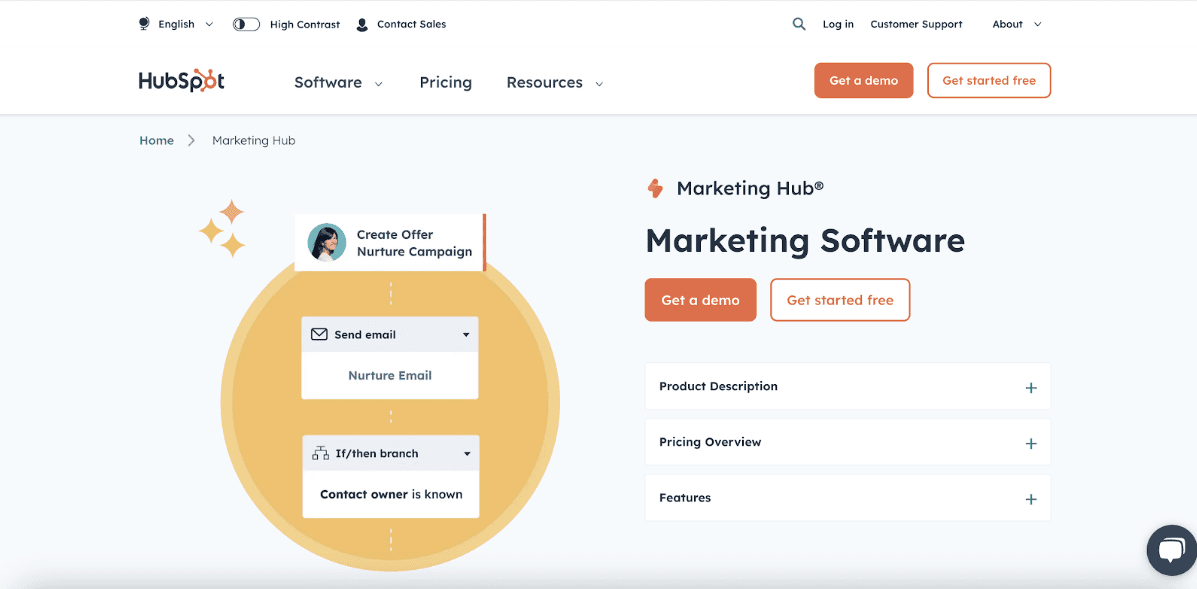
As far as the functionalities are concerned, the most powerful according to the given list is the HubSpot marketing automation. It is something that is well regarded by customers, and it is found in the top spot on the G2 Grid for marketing automation as well.
Of course, HubSpot provides an incredibly extensive growth suite, which encompasses applications for marketing, selling, and supporting customers. These applications all naturally interface with the company's CRM. Having all of your growth activity and data in one location can have a huge impact on creative automation opportunities that would be challenging or impossible to implement with different platforms.
HubSpot's marketing automation technology can be used independently. It features an intuitive visual board where you can create basic or complex conditional workflows.
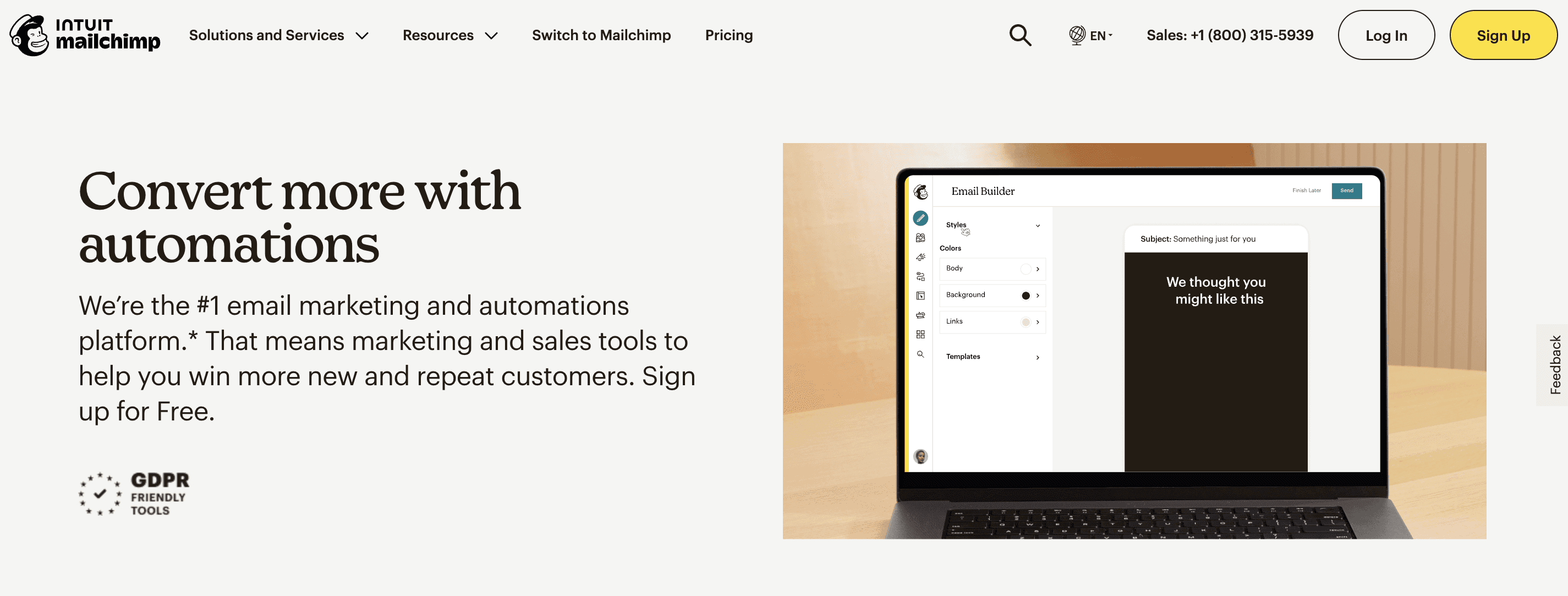
Today, Mailchimp is becoming the complex marketing automation platform and transitioning from the email marketing software it initially started as.
With this change, the platform enters an exciting new phase as it strives to provide a greater range of features intended to simplify different marketing procedures. Although evaluations of these new capabilities are ongoing, Mailchimp's established track record as a leader in email marketing tools is a testament to its dependability.
Its email automation features have been refined over time, making it very effective and user-friendly. Companies may anticipate that Mailchimp's extended portfolio of marketing automation products will have the same superior quality and user-friendliness.
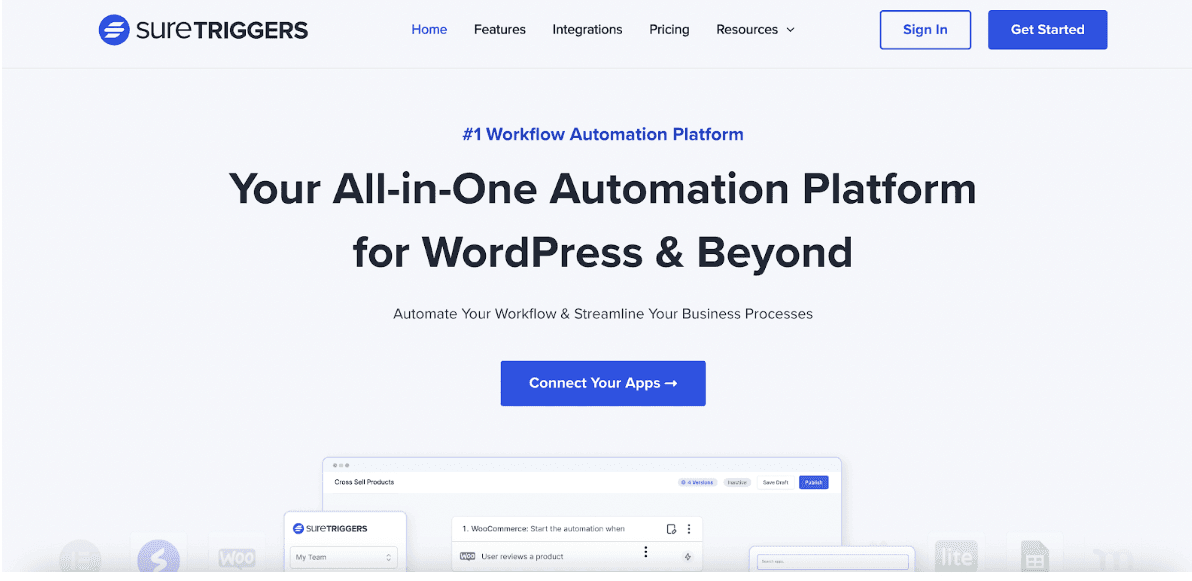
SureTriggers is a marketing automation solution that streamlines corporate processes and improves workflows.
This marketing automation agency helps you increase productivity on your WordPress website by automating repetitive tasks and minimizing human error. Several operations may be easily automated to increase efficiency, and it is simple to interface with other CRM and marketing applications.
SureTriggers provides features like custom workflow, automation triggers and reporting to various companies who are interested in getting the most out of their marketing automation system. It is also very useful and viable for the practical application of certain business activities such as marketing automation related to leads, customers support and even marketing emails.

For small and expanding enterprises, Sender is an excellent and reasonably priced email and SMS automation solution. With its easy-to-use drag-and-drop email builder, comprehensive analytics, and heatmap, it offers all the tools you need for campaigns that succeed.
With Sender, you can use an email design builder, personalize predefined email templates, and use high-converting pop ups to expand your email list. When your email is prepared, you can quickly set up automatic workflows and use intelligent segmentation to deliver the correct content to the right people.
You can utilize Sender's premium features, including email automation, for free for up to 2,500 subscribers. They also offer extra capabilities that are ideal for win-back emails, order confirmation emails, feedback emails, and cart abandonment recovery, among other things.

LeadSquared offers comprehensive marketing automation services and sales execution. With the help of this platform, you can gather leads from a variety of sources and campaigns, monitor their behavior, and even divide them into demographic groups for more focused marketing.
You can communicate with leads via email, WhatsApp, SMS, self-serve portals, and other channels with the aid of the omnichannel platform. The best part about LeadSquared's emails and landing pages is that they can be fully customized using a drag-and-drop editor and don't require any code.
You can set up automatic and trigger-based workflows to guarantee consistent outreach across platforms once you want to increase your marketing activities. You can also implement user-friendly dashboards, as well as detailed, real-time reports that show the success of your campaigns when using LeadSquared.

Moosend is an email marketing automation software suited for a variety of industries from SaaS to e-commerce. By using this tool in marketing automation, one can send the right e-mail marketing campaign to such contacts that are interested in a certain good or service using website tracking and other triggers.
To target potential customers who left their shopping carts without making a purchase, you could, for instance, build up a cart abandonment series. Organizing and gathering consumer data can also be beneficial since it allows you to create campaigns for product recommendations based on product views.
Additionally, you may utilize this data to generate comprehensive statistics on the campaign's performance and user behaviour, which will help you maximize the impact of your marketing messaging.

Marketing automation includes more than just email. Consider automating some of your most routine customer experiences on other platforms.
ManyChat is a chatbot that can be used across Facebook Messenger, Instagram DMs, WhatsApp and text. The bot can be created in a matter of minutes with a very simple and easy to use interface accompanied by templates.

Mailmodo is a platform that offers email marketing solutions in one step. It lets you develop and send interactive emails with AMP support without knowing any code. You may create email templates with interactive widgets that provide your emails app-like interactivity using their drag-and-drop template builder.
You can select one from their template collection, which includes templates for a variety of use cases, if you don't want to create one from the start. Email automation setup is simple using Mailmodo's visual customer journey editor, which utilizes the same drag-and-drop interface.
Automations can be configured to send emails based on predetermined intervals or conditions, such as when a client opens an email, clicks a link, or replies. These workflows are very adaptable to your needs and simple to set up.
Besides dynamic subscriber segmentation, Mailmodo also lets you test several versions of an email before sending them, schedule send time optimisation, and monitor campaign results in a dashboard.
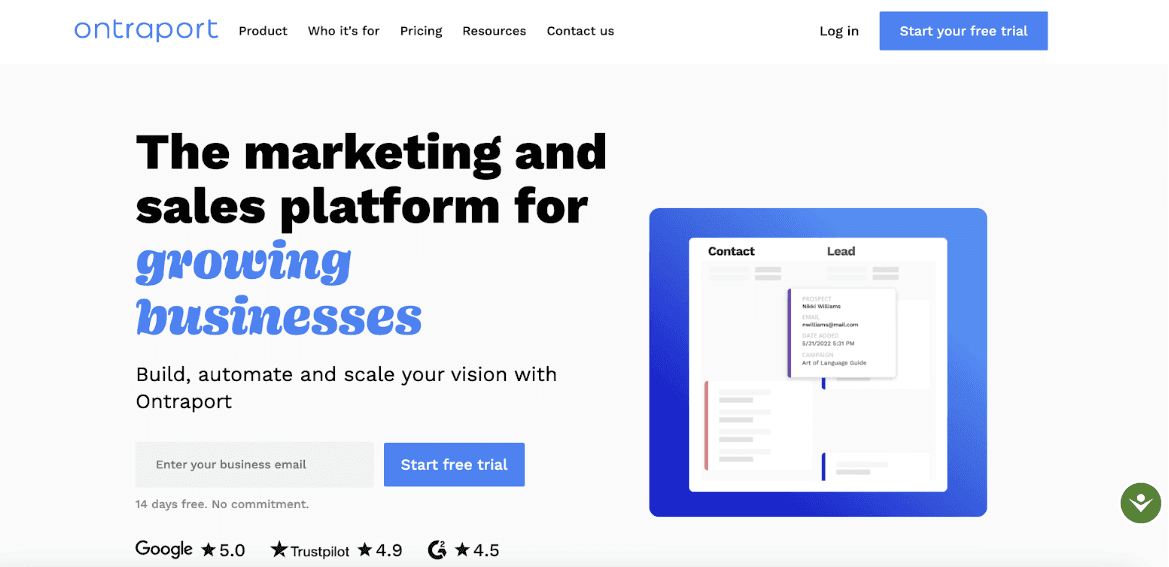
Ontraport is fundamentally a marketing automation platform developed specifically for small businesses, self-employed professionals, and business owners, unlike some other marketing automation tools.
This solution offers multiple features to run and grow a small business, such as email marketing, landing pages, reporting, and e-commerce features along with CRM and marketing automation. Ontraport's emphasis on insights and reporting is among its most beneficial features.
Ontraport provides you with an easy way to view the effectiveness of your efforts, in contrast to other tools that might be a bit of a mystery.

Since its founding in 2001, Keap (previously known as Infusionsoft) has assisted thousands of marketers in meeting their goals for lead generation, revenue, and client acquisition.Keap really takes off with the small business and solopreneur community, and from what I've seen, its user base is rather smart.
You can set up relatively complex decision trees depending on which lead magnet someone signs up for, how many (and which) emails they open and click, or other contact property data.
You can set up relatively complex decision trees depending on which lead magnet someone signs up for, how many (and which) emails they open and click, or other contact property data.
Boost Your Marketing Efforts with the Best Marketing Automation Tool
There are tons of options for marketing automation software. Selecting the best option for your requirements in terms of money, technical proficiency, and company needs is crucial.
With the right digital marketing automation platforms chosen to meet your unique needs, you can turn marketing insights into outstanding execution on a grand scale.
This enables you to devote more of your attention to business growth and spend less time on minute details.
Experience this newly emerging force of automation and elevate your marketing strategy with Fibr today!





Meenal Chirana
Content Marketing Manager
Meenal Chirana, Content Marketer at Fibr, brings five years of experience in the content field to the team. Her passion for creating engaging content is matched only by her expertise in writing, SEO and content marketing . Passionate about all things content and digital marketing, she is always on the lookout for innovative ways to connect with audiences and elevate brands.
Read summarized version with
Introduction
Have you ever come across a situation where you think that you are too busy doing routine work or hope that you can spend more time elaborating new approaches?
From crafting that perfect content to handling social networks, making analysis and organizing emails – it is easy to get tired. That is presumably where the marketing automation tools help come into the picture. This way, these marketing automation services will allow you to focus more on the interesting and innovative aspects of marketing as opposed to the mundane and time-demanding roles or tasks on your calendar.
Think of an email campaign that is set up one time and left without your daily monitoring of its actions. Additionally, using a programme that analyzes consumer behavior and adjusts your marketing messages to exactly suit their requirements.
Doesn't it sound like a dream?
Well, with the correct marketing automation technologies, it's all achievable. They do more for you than just save time; they make you work more efficiently, target your audience more successfully, and produce better outcomes overall.
Let's examine what exactly is a marketing automation software.
What are Marketing Automation Tools?
The marketing applications can however be defined as on the other hand, as the marketing automation tools that enable the use of software to automate the marketing tasks that come with routines.
Some of them are restricted to having drip sequences, updates in the CRM, and only email actions. Possible helpers could prepare SMS, manage the turn of selling leads, sort the leads according to priorities and perform numerous other operations.
Automating your marketing responsibilities can help increase the overall efficiency on the job and create more time to work on higher-level projects. For instance, if you employ marketing automation solutions, you might be able to collect useful information for more personalized marketing with greater conversion rates.
12 Best Marketing Automation Tools You Must Not Skip
Fibr is a cutting-edge marketing automation software designed to enhance your marketing efforts and streamline your operations. This AI-native web personalization platform dynamically adjusts content, user interface (UI), and messaging based on user behavior and data, significantly boosting engagement and driving conversions.
Why Choose Fibr?
1. Effortless Setup and User-Friendly Interface:
Setting up Fibr on your website is quick and straightforward, taking less than 5 minutes with no technical expertise required. Its intuitive interface ensures that marketers can easily harness its powerful features without relying on technical teams.
2. Advanced A/B Testing:
Say goodbye to time-consuming A/B testing processes. Fibr’s smart A/B testing feature automates and simplifies this traditionally complex task. You can run multiple A/B tests simultaneously on any section of your website, with the AI handling the execution and analysis, providing you with data-driven insights for optimization.
3. Personalization at Scale:
Fibr’s AI-powered personalization allows you to create highly customized landing pages for each visitor. Tailor headlines, descriptions, images, and text based on individual user interests and behaviors, ensuring your messaging perfectly aligns with your ad campaigns. This level of personalization enhances relevance and boosts conversion rates.
4. AI-Powered Editor:
With Fibr’s AI-powered editor, editing any element on your website is as simple as point-and-click, requiring no coding knowledge. Create multiple variants of the same landing page quickly and efficiently, facilitating rapid deployment and testing.
5. Targeted Recommendations:
Fibr’s intelligent system analyzes website data and user behavior to provide targeted recommendations for customer segments most likely to convert. By focusing on these predefined segments, you can tailor your content, offers, and messaging to resonate with your audience, leading to higher engagement and conversion rates.
6. Ad Connect:
Streamline your advertising efforts with Fibr Connect, which consolidates all your ad channels in one convenient place. Create personalized landing pages for each ad campaign without technical hassle, significantly increasing the relevance and effectiveness of your campaigns.
7. AI Personalization at Scale:
Generate hundreds of personalized landing pages effortlessly with Fibr’s AI personalization, aligning perfectly with your ads. This bulk editor feature empowers any team member to create and deploy multiple variations swiftly, eliminating the need for technical team involvement.
8. On-Brand AI Content Generation:
Fibr helps users create on-brand content such as images and text, ensuring consistency and quality across all your marketing materials.
Additional Benefits:
Dynamic Content: Boost content relevance by dynamically changing headlines and calls-to-action to address each visitor directly.
Flicker-Free Delivery: Personalized content created with Fibr loads incredibly quickly, maximizing user experience.
Smart Content Generator: Create catchy campaign content proven to drive conversions.
Real-Time Analytics: Gain insights into website performance with real-time analytics, tracking the impact of personalization efforts on engagement and conversions.
Security and Compliance: Rest assured that your website personalization is secure and compliant with data protection regulations.
By choosing Fibr, you’re not just adopting a marketing automation tool—you’re investing in a comprehensive solution that transforms your marketing strategy and elevates your business to new heights.
Omnisend falls among the list of the best marketing automation platforms available. This makes it different from the other marketing automation software on this list due to its omnichannel feature. You can include multiple channels, for instance, Facebook Messenger, SMS, push notifications, and email into a single Bar as a workflow.
Thus, you can provide your clients an active omnichannel experience and send them messages and other material through the preferred channel. Omnisend is a worthwhile option because of its split automation, sophisticated targeting, and simple drag-and-drop builder.
A free package is available from Omnisend for basic email marketing. Depending on the necessary automation features and contact volume, the automation packages can be tailored for enterprise-level pricing.
As far as the functionalities are concerned, the most powerful according to the given list is the HubSpot marketing automation. It is something that is well regarded by customers, and it is found in the top spot on the G2 Grid for marketing automation as well.
Of course, HubSpot provides an incredibly extensive growth suite, which encompasses applications for marketing, selling, and supporting customers. These applications all naturally interface with the company's CRM. Having all of your growth activity and data in one location can have a huge impact on creative automation opportunities that would be challenging or impossible to implement with different platforms.
HubSpot's marketing automation technology can be used independently. It features an intuitive visual board where you can create basic or complex conditional workflows.
Today, Mailchimp is becoming the complex marketing automation platform and transitioning from the email marketing software it initially started as.
With this change, the platform enters an exciting new phase as it strives to provide a greater range of features intended to simplify different marketing procedures. Although evaluations of these new capabilities are ongoing, Mailchimp's established track record as a leader in email marketing tools is a testament to its dependability.
Its email automation features have been refined over time, making it very effective and user-friendly. Companies may anticipate that Mailchimp's extended portfolio of marketing automation products will have the same superior quality and user-friendliness.
SureTriggers is a marketing automation solution that streamlines corporate processes and improves workflows.
This marketing automation agency helps you increase productivity on your WordPress website by automating repetitive tasks and minimizing human error. Several operations may be easily automated to increase efficiency, and it is simple to interface with other CRM and marketing applications.
SureTriggers provides features like custom workflow, automation triggers and reporting to various companies who are interested in getting the most out of their marketing automation system. It is also very useful and viable for the practical application of certain business activities such as marketing automation related to leads, customers support and even marketing emails.
For small and expanding enterprises, Sender is an excellent and reasonably priced email and SMS automation solution. With its easy-to-use drag-and-drop email builder, comprehensive analytics, and heatmap, it offers all the tools you need for campaigns that succeed.
With Sender, you can use an email design builder, personalize predefined email templates, and use high-converting pop ups to expand your email list. When your email is prepared, you can quickly set up automatic workflows and use intelligent segmentation to deliver the correct content to the right people.
You can utilize Sender's premium features, including email automation, for free for up to 2,500 subscribers. They also offer extra capabilities that are ideal for win-back emails, order confirmation emails, feedback emails, and cart abandonment recovery, among other things.
LeadSquared offers comprehensive marketing automation services and sales execution. With the help of this platform, you can gather leads from a variety of sources and campaigns, monitor their behavior, and even divide them into demographic groups for more focused marketing.
You can communicate with leads via email, WhatsApp, SMS, self-serve portals, and other channels with the aid of the omnichannel platform. The best part about LeadSquared's emails and landing pages is that they can be fully customized using a drag-and-drop editor and don't require any code.
You can set up automatic and trigger-based workflows to guarantee consistent outreach across platforms once you want to increase your marketing activities. You can also implement user-friendly dashboards, as well as detailed, real-time reports that show the success of your campaigns when using LeadSquared.
Moosend is an email marketing automation software suited for a variety of industries from SaaS to e-commerce. By using this tool in marketing automation, one can send the right e-mail marketing campaign to such contacts that are interested in a certain good or service using website tracking and other triggers.
To target potential customers who left their shopping carts without making a purchase, you could, for instance, build up a cart abandonment series. Organizing and gathering consumer data can also be beneficial since it allows you to create campaigns for product recommendations based on product views.
Additionally, you may utilize this data to generate comprehensive statistics on the campaign's performance and user behaviour, which will help you maximize the impact of your marketing messaging.
Marketing automation includes more than just email. Consider automating some of your most routine customer experiences on other platforms.
ManyChat is a chatbot that can be used across Facebook Messenger, Instagram DMs, WhatsApp and text. The bot can be created in a matter of minutes with a very simple and easy to use interface accompanied by templates.
Mailmodo is a platform that offers email marketing solutions in one step. It lets you develop and send interactive emails with AMP support without knowing any code. You may create email templates with interactive widgets that provide your emails app-like interactivity using their drag-and-drop template builder.
You can select one from their template collection, which includes templates for a variety of use cases, if you don't want to create one from the start. Email automation setup is simple using Mailmodo's visual customer journey editor, which utilizes the same drag-and-drop interface.
Automations can be configured to send emails based on predetermined intervals or conditions, such as when a client opens an email, clicks a link, or replies. These workflows are very adaptable to your needs and simple to set up.
Besides dynamic subscriber segmentation, Mailmodo also lets you test several versions of an email before sending them, schedule send time optimisation, and monitor campaign results in a dashboard.
Ontraport is fundamentally a marketing automation platform developed specifically for small businesses, self-employed professionals, and business owners, unlike some other marketing automation tools.
This solution offers multiple features to run and grow a small business, such as email marketing, landing pages, reporting, and e-commerce features along with CRM and marketing automation. Ontraport's emphasis on insights and reporting is among its most beneficial features.
Ontraport provides you with an easy way to view the effectiveness of your efforts, in contrast to other tools that might be a bit of a mystery.
Since its founding in 2001, Keap (previously known as Infusionsoft) has assisted thousands of marketers in meeting their goals for lead generation, revenue, and client acquisition.Keap really takes off with the small business and solopreneur community, and from what I've seen, its user base is rather smart.
You can set up relatively complex decision trees depending on which lead magnet someone signs up for, how many (and which) emails they open and click, or other contact property data.
You can set up relatively complex decision trees depending on which lead magnet someone signs up for, how many (and which) emails they open and click, or other contact property data.
Boost Your Marketing Efforts with the Best Marketing Automation Tool
There are tons of options for marketing automation software. Selecting the best option for your requirements in terms of money, technical proficiency, and company needs is crucial.
With the right digital marketing automation platforms chosen to meet your unique needs, you can turn marketing insights into outstanding execution on a grand scale.
This enables you to devote more of your attention to business growth and spend less time on minute details.
Experience this newly emerging force of automation and elevate your marketing strategy with Fibr today!
Meenal Chirana
Content Marketing Manager
Meenal Chirana, Content Marketer at Fibr, brings five years of experience in the content field to the team. Her passion for creating engaging content is matched only by her expertise in writing, SEO and content marketing . Passionate about all things content and digital marketing, she is always on the lookout for innovative ways to connect with audiences and elevate brands.



Is your website starting every visit from zero?
Is your website starting every visit from zero?
Is your website starting every visit from zero?
Fibr gives your website the intelligence it needs right from the start
Fibr AI gives your website the
intelligence it needs right from the start