What Is Shopify AB Testing & How You Can Do It Too?

Meenal Chirana
Aug 16, 2024
Dec 10, 2025
Read summarized version with
Introduction
Every day Shopify entrepreneurs leave thousands of dollars on the table. The reason could be something as trivial as a misplaced CTA, headline, or design. A finely optimized Shopify store is the difference between conversion and an abandoned cart.
If the next question in your mind is how to optimize, the answer is Shopify AB testing.
Your Shopify store is like an ecosystem and the ecosystem needs continuous and intelligent optimization. AB testing allows for that optimization. So whether you run a jewelry store or a flower shop, you need to understand why AB testing on Shopify matters and how it can impact (read: improve) your revenue.
What is Shopify AB testing?
Before we explain what Shopify AB testing is, let’s have a quick recap on split testing or A/B testing.
A/B testing is an experiment in which two versions or variations of a digital element are tested and compared to see which one performs better. In such experiments typically, 50% of the traffic is shown Version A, and the remaining 50% is shown Version B and their performance is then measured through various metrics like—conversions, CTR (click-through rates), engagement, and so on.
Now, let’s quickly understand what Shopify does. Shopify is a leading eCommerce platform that allows businesses and entrepreneurs to create online stores to sell their products. The eCommerce giant has empowered more than 500,000 businesses and operates in over 175 companies. The company has been successful in transforming the eCommerce game through automated shipping, design, payments, and marketing.
Did you know? Shopify occupied a 10% share of the entire eCommerce in the US and served ~675 million online shoppers in 2023.

Shopify AB testing enables Shopify store owners to make data-driven decisions by testing variations of their online store elements. This could involve experimenting with a page layout, CTA buttons, checkout processes, pricing, and much more.
When should you do Shopify AB testing?
That’s a good question. You of course can test countless elements of your Shopify store. But would it be worth the time and resources? We think not. Here’s when you should actually go in for an Shopify AB test—
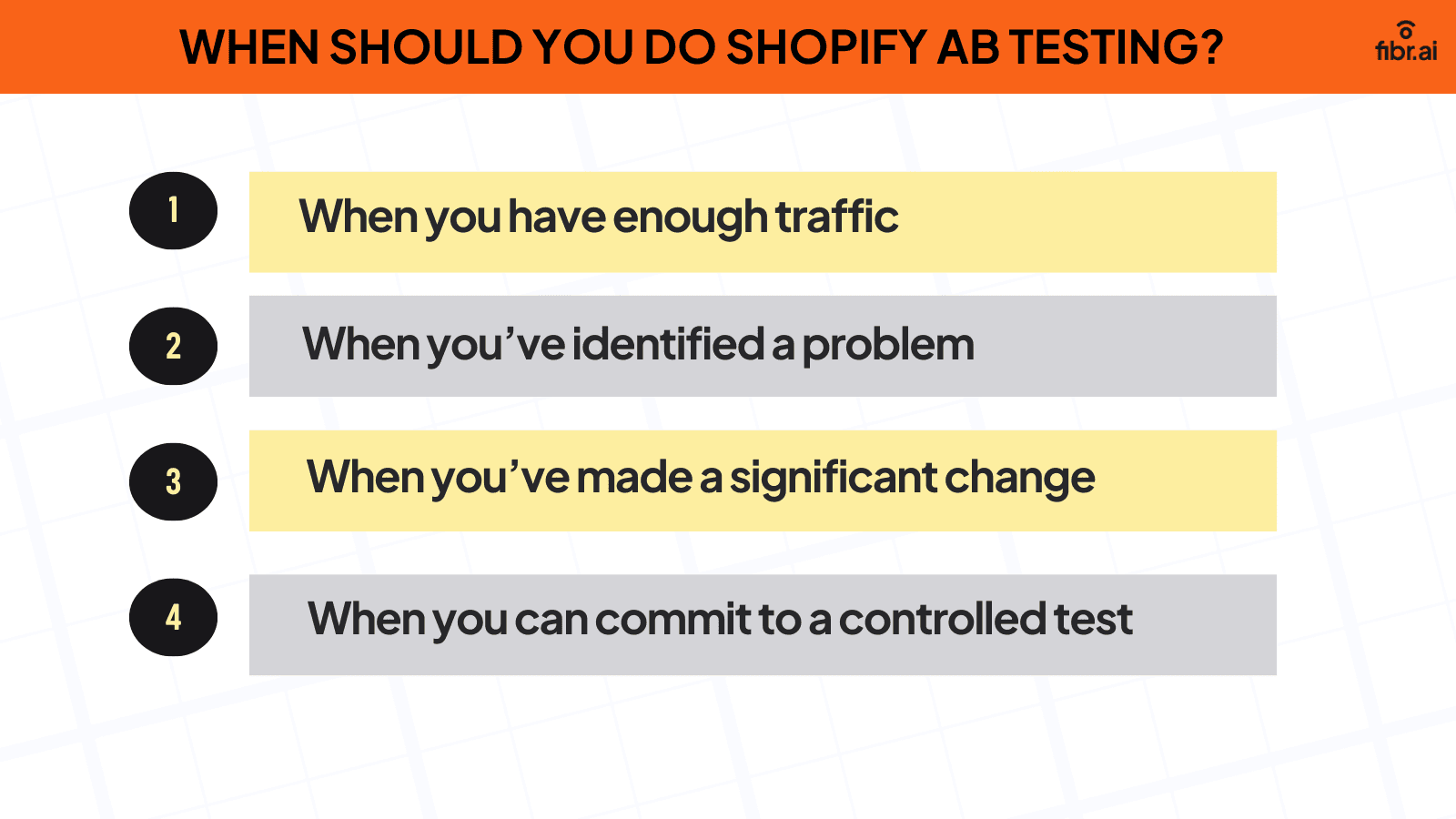
1. When you have enough traffic
There is no point in running an AB test if traffic numbers are low. Shopify owners need to have sufficient visitors to ensure their AB tests have statistical significance (results are not random or luck-based but rather reflect real user behavior).
Let’s take a quick example here. Imagine you run a Shopify store and want to increase your conversion rate from 3 to 3.75 (25%). For the same, you make changes to your CTA.
Now, when you input the baseline conversion rate (which is 3%) and Minimum Detectable Effect (MDA) that depicts how much improvement you want in your conversion rate (25% in this case) in an A/B calculator, it would show that you would precisely need 8408 visitors for the new CTA and 8404 visitors for the older CTA. So, in total, you need ~16800 visitors to truly determine if the change to the CTA is actually impacting conversions.
Now imagine you have a total traffic of only 3000 visitors. Then the test is statistically insignificant and any chance recorded could be a fluke (i.e. it cannot be attributed to data).
Also, here’s an important thing to note: for stores with low traffic, Shopify AB testing will have to typically run longer because it could take weeks to reach statistical significance. As a rule of thumb, Shopify AB tests must run for at least 7-14 days to gather all traffic variations, user behavior and reduce randomness.
2. When you’ve identified a problem
The benefit of AB testing is heightened when there is an issue with your online Shopify store. If you’re testing without a reason or hypothesis, you are most probably wasting resources and time.
For instance, if you notice a high bounce rate, you can employ AB testing to identify and adjust different elements of your store, or website. Similarly, say you notice that despite good traffic, your conversion rates are low, in such cases, AB testing can help pinpoint areas of issue and understand why users are not completing their purchases.
Another common concern for Shopify owners is the high cart abandonment rate. Even here, AB testing can come to the rescue by helping test layouts, experimenting with payment and checkout options, and more.
In essence, Shopify AB testing is effective when it helps address issues or gaps that directly impact user behavior (and in turn revenue).
3. When you’ve made a significant change
If you have significantly altered certain elements in your Shopify store, it’s important to AB test the same to see if they have yielded positive results. This is important because even small design and content updates can dramatically alter how visitors interact with your website. For those exploring alternatives to Shopify, the same principle applies continuous testing ensures that any changes made are actually improving user experience and conversions.
Let’s say, for example, you have moved the CTA around. AB testing can help here to understand how visitors are actually interacting with the new CTA, and if it’s actually successful in driving a change. Also, in the same context, if you have altered the structure of your product page, an AB test is crucial to see which version is getting more engagement and leads to boosted revenue.
It’s also recommended that store owners perform AB testing on Shopify when they ship a new feature, price, or even policy to understand user behavior and not hurt their conversions.
4. When you can commit to a controlled test
You must commit to an AB test only when you have the resources to organize a controlled test. This is because in an un-controlled environment, external events like the ‘Black Friday Sale’ ‘Christmas Sale’ or ‘Holiday Discount’ can interfere with the test, leading to inaccurate results.
Reason? Purchasing patterns can vary dramatically during the holiday season or seasonal traffic fluctuations when compared to normal days. In the same context, if you’re running multiple marketing campaigns, it’s going to be difficult to filter results or determine which particular element caused a shift in user behavior.
For instance, if you test a new product when your website is under maintenance for a technical issue, the results are going to be unreliable. You have to ensure every factor is under ‘control’ and work in perfect coordination without alteration to understand how the new product is actually performing.
By ensuring no external factors or marketing activities take place during the testing, you can get rather more reliable, clear actionable data to formulate future policy.
5. When should you avoid Shopify AB testing?
A lot has been spoken about when you should opt for AB testing. But here’s the thing–not every array of events warrants an AB test. Here’s when store owners should avoid Shopify A/B testing—
Holiday seasons or seasonal traffic fluctuations
Major marketing campaign periods
Low traffic
Though highly controversial, Fibr AI also suggests avoiding AB testing on Shopify if conversions are high. This could amount to unnecessarily ‘poking the bear.’ You may be tempted to tweak an element or two that could invariably harm your conversions.
Fun Fact: Shopify has more than ~2 million daily active users!
Shopify AB testing process
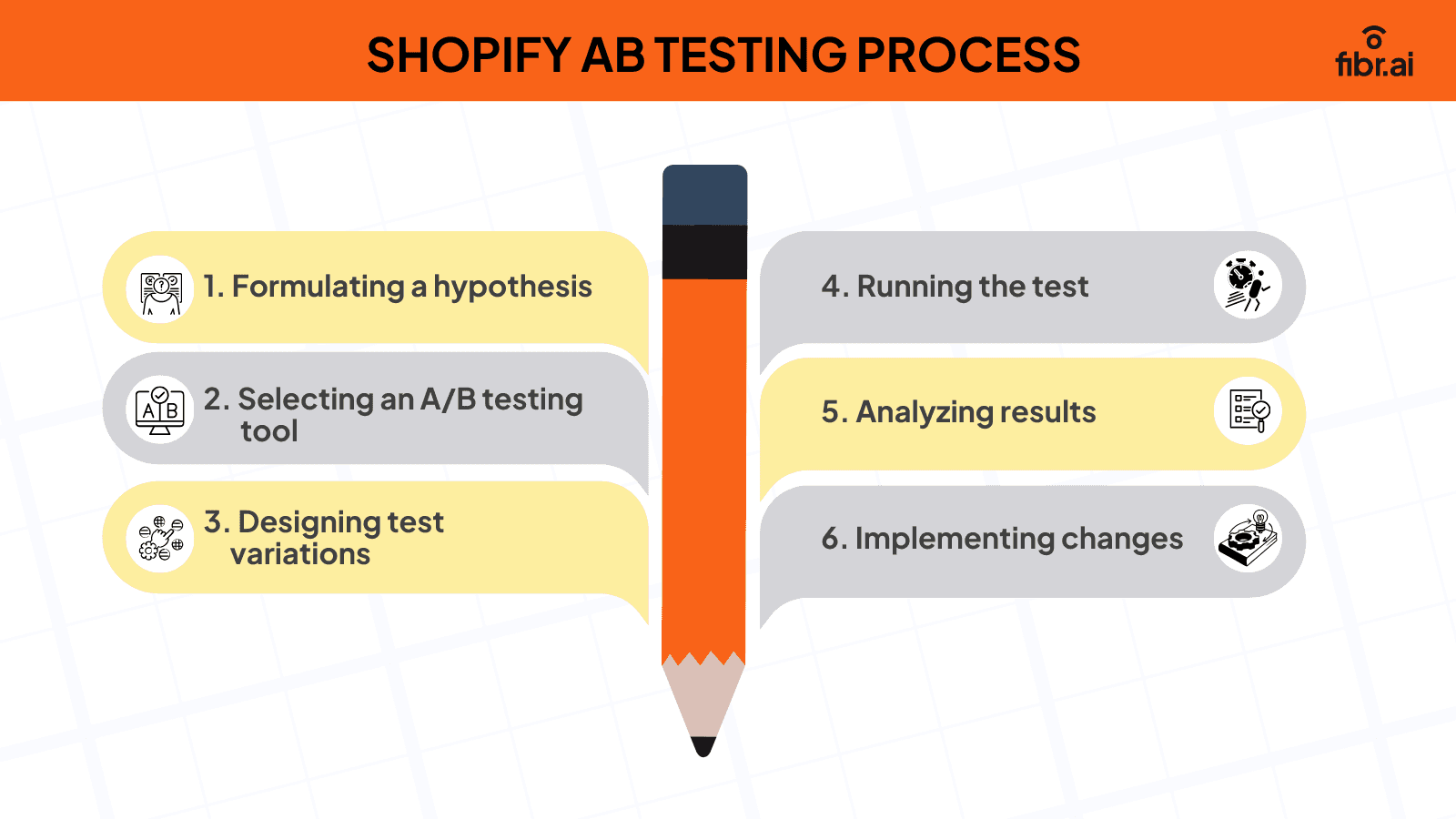
1. Formulating a hypothesis
Without a hypothesis, there is no foundation for your AB test to stand out. It can start by identifying an opportunity when it comes to user behavior, analytics, or even customer feedback.
For instance, you may notice a high cart abandonment rate and data from different AB test tools and heat map analysis show that customers hover on the ‘Add to cart’ button but don’t take further action. Here, a possible hypothesis could be that adding ‘Return in 30 days’ or ‘ All credit cards are accepted’ or trust indicators like rating could boost conversions by 5%.
You are basically spotting and dissecting a problem with a probable solution. In that sense, each hypothesis should ideally include
Observation: Identity a problematic area or opportunity
Proposed change or solution: The element that needs to be tested (CTA, headline, and such)
Outcome: Defining success (like 5% conversion rates in the above example)
A hypothesis without data is an assumption and can severely impact your store presence, traffic, and conversions. The next step helps avoid this and have a meaningful starting point.
2. Selecting an A/B testing tool
To collect proper data, and analyze traffic, heat maps, surveys, CRT, CPC, and 100s of such metrics, you can rely on Shopify’s native A/B testing tools or Google Analytics. Besides these tools, there are many third-party tools that you can use for your Shopify AB testing.
However, keep in mind the budget, ease of use, and integration with Shopify before locking in one. The right tool not only simplifies the whole testing process but also ensures the results are reliable and accurate. In this matter, no tool comes close to Fibr AI, the industry's leading AI A/B testing.
Integrate Fibr AI seamlessly in your Shopify store and get all the insights and data without any hassle or errors. Quickly adjust CTA, headlines, and more, and boost your store with data-backed experiments.
3. Designing test variations
With data analysis and hypothesis in place, it’s now time to test. The test involves modifying the chosen elements while keeping every other element constant. This ensures that the results are attributable to the one single pre-chosen element. Typically, your testing could be based on—
Text: Product description, headline, subtext, social proof, CTA, and more
Design: Page layout, color, images, videos, and more
Others: Rating, trust badgers, personalized recommendations, and more
For instance, let’s assume you want to check the impact of the color change of CTA on the CTR, then you could design 2 variations
Control (Version A) –Blue color ‘Add To Cart’
Variation (Version B) –Orange color ‘Add To Cart’
It is ideally recommended to avoid multivariate AB testing as results can be confusing and may not be actionable. Plus you may want to maintain consistency when you test—meaning your environment and traffic remain unaltered.
Lastly, as mentioned above, keep a period of at least 7-15 days to be able to record significant results.
4. Running the test
Once set, ensure the test runs without any interruption. The AB tool will ideally divide your traffic equally between the control and variation. As a store on an eCommerce platform, you must ideally track bounce rates, card abandonment rates, CTR, and such. Also, pay attention to how the variations perform in different channels, audience segments, and more (mobile vs desktop, social media vs email, and more)
Avoid making changes once the website is live. Introducing new elements or last-minute tweaks can alter results. More tools do allow you to stop or cancel tests but you must only resort to it if absolutely necessary.
5. Analyzing results
So, if you’ve followed the above step properly, congratulations, you have successfully completed AB testing on Shopify. Now, it's time to analyze the results. Focus on the specific goal of the test and ensure that results are not due to chance or compromised due to external factors.
Consider secondary metrics too. For instance, a change in CTA may improve CTR but may not result in a reduction in the card abandonment rate. These nuances will help decide if the change must be implemented or avoided.
Also remember that even if the results do not yield any actionable output like in this example, they do provide enough analysis and data to formulate alternative strategies.
6. Implementing changes
If the variation comes out successful, you can implement it permanently and ensure it reflects across all marketing channels. But do note that testing is always an ongoing and evolving process. Use the success of the variation for further optimization.
Regularly check analysis to monitor user preference and behavior that can change over a period of time.
Pros & cons of Shopify AB testing
As a Shopify store owner, it is natural to think if you should incorporate AB testing in your store optimization strategy. Fibr AI quickly presents the pros and cons of Shopify AB testing below to help you understand if AB testing can drive more conversion and revenue for your stores—
Pros
1. Increased conversions and revenue
Revenue is quite literally the cornerstone of why a brand opts for AB testing—to capture more leads, gain more users, and ultimately more revenue. Just a 1% increase in conversion rate could mean thousands of additional dollars for a mid-size Shopify store.
Through AB testing on Shopify, businesses can multiply their profits, and reduce CAC without much additional investment—Think of it as a low-effort, high-reward activity. Plus, if conversion rates fall without reasoning or run low (the worst possible nightmare for merchants), Shopify AB testing can help fix that by identifying the cause and crafting data-driven strategies.
2. Data based optimization
Precision is what AB testing on Shopify offers. By pinpointing specific elements and areas of improvement, Shopify AB testing ensures the changes you make are data-driven, scientific, and not based on assumptions or guesswork.
When you think contextually about it, AB tests act as risk mitigation tools that allow you to make controlled, tested, and monitored changes to your Shopify store, backed by data and not intuition.
3. Improved customer experience
AB testing is primarily performed to gain insights into what users want, and their behavior. By testing different elements and optimizing for them, merchants can provide their store visitors a smooth and memorable experience which can then directly impact revenue lines.
Cons
1. Resource considerations
AB testing on Shopify could demand a lot of resources (read: money), tools, expertise, and of course patience! This can burden new or smaller stores. It could get further complicated if the store is running multivariate AB tests (testing several elements together).
2. Psychological limitations
Not all user behavior can be captured through qualitative or quantitative tests. Several external factors like emotions, or brand perception can impact user engagement. The success and brand name of a Shopify store, in the long run, cannot be captured through time-sensitive AB tests.
3. Statistical omission
To be able to derive statistically significant results, a substantial volume of traffic is a prerequisite. This can be a challenge for smaller stores. Even if these stores were to proceed with AB tests, the results could be inaccurate and unreliable.
Partner with Fibr AI to streamline your Shopify AB testing
Shopify AB testing can be super complex and time-consuming. Without expert guidance, merchants and store owners can lose sight pretty quickly. You don’t want to be in that pool of merchants now, do you?
Leave complexities to experts at Fibr AI. Whether you’re performing A/B testing for a single element or need multivariate AB testing, the platform is equipped to handle all your needs. Run 100s of experiments and AB tests and optimize your Shopify store to convert leads into customers and increase your baseline.
Beat competition with Fibr AI. To sign up, visit —https://fibr.ai/pilot/ab-testing
FAQs
1. Why is A/B testing important for Shopify stores?
A/B testing is crucial for Shopify stores because it allows merchants to make data-driven decisions to optimize their store's performance. By testing different variations of elements like CTAs, headlines, or layouts, store owners can identify what resonates best with their audience, leading to higher conversions, improved user experience, and ultimately increased revenue.
2. When should I conduct A/B testing on my Shopify store?
A/B testing should be conducted when you have a substantial amount of traffic to ensure statistically significant results. It’s particularly useful when you’ve identified a problem, like a high bounce or cart abandonment rate, or after making a significant change to your store’s design or content. Testing is also recommended before rolling out new features, pricing, or policies to gauge their impact on user behavior.
3. What are the key benefits of A/B testing for Shopify store owners?
A/B testing provides several benefits, including:
Increased conversions and revenue by identifying the best-performing elements.
Data-driven optimization for precise, risk-free changes.
Improved customer experience through insights into user behavior, leading to smoother and more intuitive store interactions.
4. How does Fibr AI simplify A/B testing for Shopify stores?
Fibr AI streamlines the A/B testing process by offering an AI-powered, user-friendly platform that integrates seamlessly with Shopify. It allows store owners to design and run unlimited experiments, adjust elements like CTAs and headlines effortlessly, and analyze results with advanced tracking tools. Fibr AI’s automation and insights help merchants save time and resources while boosting store performance and revenue.





Meenal Chirana
Content Marketing Manager
Meenal Chirana, Content Marketer at Fibr, brings five years of experience in the content field to the team. Her passion for creating engaging content is matched only by her expertise in writing, SEO and content marketing . Passionate about all things content and digital marketing, she is always on the lookout for innovative ways to connect with audiences and elevate brands.
Read summarized version with
Introduction
Every day Shopify entrepreneurs leave thousands of dollars on the table. The reason could be something as trivial as a misplaced CTA, headline, or design. A finely optimized Shopify store is the difference between conversion and an abandoned cart.
If the next question in your mind is how to optimize, the answer is Shopify AB testing.
Your Shopify store is like an ecosystem and the ecosystem needs continuous and intelligent optimization. AB testing allows for that optimization. So whether you run a jewelry store or a flower shop, you need to understand why AB testing on Shopify matters and how it can impact (read: improve) your revenue.
What is Shopify AB testing?
Before we explain what Shopify AB testing is, let’s have a quick recap on split testing or A/B testing.
A/B testing is an experiment in which two versions or variations of a digital element are tested and compared to see which one performs better. In such experiments typically, 50% of the traffic is shown Version A, and the remaining 50% is shown Version B and their performance is then measured through various metrics like—conversions, CTR (click-through rates), engagement, and so on.
Now, let’s quickly understand what Shopify does. Shopify is a leading eCommerce platform that allows businesses and entrepreneurs to create online stores to sell their products. The eCommerce giant has empowered more than 500,000 businesses and operates in over 175 companies. The company has been successful in transforming the eCommerce game through automated shipping, design, payments, and marketing.
Did you know? Shopify occupied a 10% share of the entire eCommerce in the US and served ~675 million online shoppers in 2023.
Shopify AB testing enables Shopify store owners to make data-driven decisions by testing variations of their online store elements. This could involve experimenting with a page layout, CTA buttons, checkout processes, pricing, and much more.
When should you do Shopify AB testing?
That’s a good question. You of course can test countless elements of your Shopify store. But would it be worth the time and resources? We think not. Here’s when you should actually go in for an Shopify AB test—
1. When you have enough traffic
There is no point in running an AB test if traffic numbers are low. Shopify owners need to have sufficient visitors to ensure their AB tests have statistical significance (results are not random or luck-based but rather reflect real user behavior).
Let’s take a quick example here. Imagine you run a Shopify store and want to increase your conversion rate from 3 to 3.75 (25%). For the same, you make changes to your CTA.
Now, when you input the baseline conversion rate (which is 3%) and Minimum Detectable Effect (MDA) that depicts how much improvement you want in your conversion rate (25% in this case) in an A/B calculator, it would show that you would precisely need 8408 visitors for the new CTA and 8404 visitors for the older CTA. So, in total, you need ~16800 visitors to truly determine if the change to the CTA is actually impacting conversions.
Now imagine you have a total traffic of only 3000 visitors. Then the test is statistically insignificant and any chance recorded could be a fluke (i.e. it cannot be attributed to data).
Also, here’s an important thing to note: for stores with low traffic, Shopify AB testing will have to typically run longer because it could take weeks to reach statistical significance. As a rule of thumb, Shopify AB tests must run for at least 7-14 days to gather all traffic variations, user behavior and reduce randomness.
2. When you’ve identified a problem
The benefit of AB testing is heightened when there is an issue with your online Shopify store. If you’re testing without a reason or hypothesis, you are most probably wasting resources and time.
For instance, if you notice a high bounce rate, you can employ AB testing to identify and adjust different elements of your store, or website. Similarly, say you notice that despite good traffic, your conversion rates are low, in such cases, AB testing can help pinpoint areas of issue and understand why users are not completing their purchases.
Another common concern for Shopify owners is the high cart abandonment rate. Even here, AB testing can come to the rescue by helping test layouts, experimenting with payment and checkout options, and more.
In essence, Shopify AB testing is effective when it helps address issues or gaps that directly impact user behavior (and in turn revenue).
3. When you’ve made a significant change
If you have significantly altered certain elements in your Shopify store, it’s important to AB test the same to see if they have yielded positive results. This is important because even small design and content updates can dramatically alter how visitors interact with your website. For those exploring alternatives to Shopify, the same principle applies continuous testing ensures that any changes made are actually improving user experience and conversions.
Let’s say, for example, you have moved the CTA around. AB testing can help here to understand how visitors are actually interacting with the new CTA, and if it’s actually successful in driving a change. Also, in the same context, if you have altered the structure of your product page, an AB test is crucial to see which version is getting more engagement and leads to boosted revenue.
It’s also recommended that store owners perform AB testing on Shopify when they ship a new feature, price, or even policy to understand user behavior and not hurt their conversions.
4. When you can commit to a controlled test
You must commit to an AB test only when you have the resources to organize a controlled test. This is because in an un-controlled environment, external events like the ‘Black Friday Sale’ ‘Christmas Sale’ or ‘Holiday Discount’ can interfere with the test, leading to inaccurate results.
Reason? Purchasing patterns can vary dramatically during the holiday season or seasonal traffic fluctuations when compared to normal days. In the same context, if you’re running multiple marketing campaigns, it’s going to be difficult to filter results or determine which particular element caused a shift in user behavior.
For instance, if you test a new product when your website is under maintenance for a technical issue, the results are going to be unreliable. You have to ensure every factor is under ‘control’ and work in perfect coordination without alteration to understand how the new product is actually performing.
By ensuring no external factors or marketing activities take place during the testing, you can get rather more reliable, clear actionable data to formulate future policy.
5. When should you avoid Shopify AB testing?
A lot has been spoken about when you should opt for AB testing. But here’s the thing–not every array of events warrants an AB test. Here’s when store owners should avoid Shopify A/B testing—
Holiday seasons or seasonal traffic fluctuations
Major marketing campaign periods
Low traffic
Though highly controversial, Fibr AI also suggests avoiding AB testing on Shopify if conversions are high. This could amount to unnecessarily ‘poking the bear.’ You may be tempted to tweak an element or two that could invariably harm your conversions.
Fun Fact: Shopify has more than ~2 million daily active users!
Shopify AB testing process
1. Formulating a hypothesis
Without a hypothesis, there is no foundation for your AB test to stand out. It can start by identifying an opportunity when it comes to user behavior, analytics, or even customer feedback.
For instance, you may notice a high cart abandonment rate and data from different AB test tools and heat map analysis show that customers hover on the ‘Add to cart’ button but don’t take further action. Here, a possible hypothesis could be that adding ‘Return in 30 days’ or ‘ All credit cards are accepted’ or trust indicators like rating could boost conversions by 5%.
You are basically spotting and dissecting a problem with a probable solution. In that sense, each hypothesis should ideally include
Observation: Identity a problematic area or opportunity
Proposed change or solution: The element that needs to be tested (CTA, headline, and such)
Outcome: Defining success (like 5% conversion rates in the above example)
A hypothesis without data is an assumption and can severely impact your store presence, traffic, and conversions. The next step helps avoid this and have a meaningful starting point.
2. Selecting an A/B testing tool
To collect proper data, and analyze traffic, heat maps, surveys, CRT, CPC, and 100s of such metrics, you can rely on Shopify’s native A/B testing tools or Google Analytics. Besides these tools, there are many third-party tools that you can use for your Shopify AB testing.
However, keep in mind the budget, ease of use, and integration with Shopify before locking in one. The right tool not only simplifies the whole testing process but also ensures the results are reliable and accurate. In this matter, no tool comes close to Fibr AI, the industry's leading AI A/B testing.
Integrate Fibr AI seamlessly in your Shopify store and get all the insights and data without any hassle or errors. Quickly adjust CTA, headlines, and more, and boost your store with data-backed experiments.
3. Designing test variations
With data analysis and hypothesis in place, it’s now time to test. The test involves modifying the chosen elements while keeping every other element constant. This ensures that the results are attributable to the one single pre-chosen element. Typically, your testing could be based on—
Text: Product description, headline, subtext, social proof, CTA, and more
Design: Page layout, color, images, videos, and more
Others: Rating, trust badgers, personalized recommendations, and more
For instance, let’s assume you want to check the impact of the color change of CTA on the CTR, then you could design 2 variations
Control (Version A) –Blue color ‘Add To Cart’
Variation (Version B) –Orange color ‘Add To Cart’
It is ideally recommended to avoid multivariate AB testing as results can be confusing and may not be actionable. Plus you may want to maintain consistency when you test—meaning your environment and traffic remain unaltered.
Lastly, as mentioned above, keep a period of at least 7-15 days to be able to record significant results.
4. Running the test
Once set, ensure the test runs without any interruption. The AB tool will ideally divide your traffic equally between the control and variation. As a store on an eCommerce platform, you must ideally track bounce rates, card abandonment rates, CTR, and such. Also, pay attention to how the variations perform in different channels, audience segments, and more (mobile vs desktop, social media vs email, and more)
Avoid making changes once the website is live. Introducing new elements or last-minute tweaks can alter results. More tools do allow you to stop or cancel tests but you must only resort to it if absolutely necessary.
5. Analyzing results
So, if you’ve followed the above step properly, congratulations, you have successfully completed AB testing on Shopify. Now, it's time to analyze the results. Focus on the specific goal of the test and ensure that results are not due to chance or compromised due to external factors.
Consider secondary metrics too. For instance, a change in CTA may improve CTR but may not result in a reduction in the card abandonment rate. These nuances will help decide if the change must be implemented or avoided.
Also remember that even if the results do not yield any actionable output like in this example, they do provide enough analysis and data to formulate alternative strategies.
6. Implementing changes
If the variation comes out successful, you can implement it permanently and ensure it reflects across all marketing channels. But do note that testing is always an ongoing and evolving process. Use the success of the variation for further optimization.
Regularly check analysis to monitor user preference and behavior that can change over a period of time.
Pros & cons of Shopify AB testing
As a Shopify store owner, it is natural to think if you should incorporate AB testing in your store optimization strategy. Fibr AI quickly presents the pros and cons of Shopify AB testing below to help you understand if AB testing can drive more conversion and revenue for your stores—
Pros
1. Increased conversions and revenue
Revenue is quite literally the cornerstone of why a brand opts for AB testing—to capture more leads, gain more users, and ultimately more revenue. Just a 1% increase in conversion rate could mean thousands of additional dollars for a mid-size Shopify store.
Through AB testing on Shopify, businesses can multiply their profits, and reduce CAC without much additional investment—Think of it as a low-effort, high-reward activity. Plus, if conversion rates fall without reasoning or run low (the worst possible nightmare for merchants), Shopify AB testing can help fix that by identifying the cause and crafting data-driven strategies.
2. Data based optimization
Precision is what AB testing on Shopify offers. By pinpointing specific elements and areas of improvement, Shopify AB testing ensures the changes you make are data-driven, scientific, and not based on assumptions or guesswork.
When you think contextually about it, AB tests act as risk mitigation tools that allow you to make controlled, tested, and monitored changes to your Shopify store, backed by data and not intuition.
3. Improved customer experience
AB testing is primarily performed to gain insights into what users want, and their behavior. By testing different elements and optimizing for them, merchants can provide their store visitors a smooth and memorable experience which can then directly impact revenue lines.
Cons
1. Resource considerations
AB testing on Shopify could demand a lot of resources (read: money), tools, expertise, and of course patience! This can burden new or smaller stores. It could get further complicated if the store is running multivariate AB tests (testing several elements together).
2. Psychological limitations
Not all user behavior can be captured through qualitative or quantitative tests. Several external factors like emotions, or brand perception can impact user engagement. The success and brand name of a Shopify store, in the long run, cannot be captured through time-sensitive AB tests.
3. Statistical omission
To be able to derive statistically significant results, a substantial volume of traffic is a prerequisite. This can be a challenge for smaller stores. Even if these stores were to proceed with AB tests, the results could be inaccurate and unreliable.
Partner with Fibr AI to streamline your Shopify AB testing
Shopify AB testing can be super complex and time-consuming. Without expert guidance, merchants and store owners can lose sight pretty quickly. You don’t want to be in that pool of merchants now, do you?
Leave complexities to experts at Fibr AI. Whether you’re performing A/B testing for a single element or need multivariate AB testing, the platform is equipped to handle all your needs. Run 100s of experiments and AB tests and optimize your Shopify store to convert leads into customers and increase your baseline.
Beat competition with Fibr AI. To sign up, visit —https://fibr.ai/pilot/ab-testing
FAQs
1. Why is A/B testing important for Shopify stores?
A/B testing is crucial for Shopify stores because it allows merchants to make data-driven decisions to optimize their store's performance. By testing different variations of elements like CTAs, headlines, or layouts, store owners can identify what resonates best with their audience, leading to higher conversions, improved user experience, and ultimately increased revenue.
2. When should I conduct A/B testing on my Shopify store?
A/B testing should be conducted when you have a substantial amount of traffic to ensure statistically significant results. It’s particularly useful when you’ve identified a problem, like a high bounce or cart abandonment rate, or after making a significant change to your store’s design or content. Testing is also recommended before rolling out new features, pricing, or policies to gauge their impact on user behavior.
3. What are the key benefits of A/B testing for Shopify store owners?
A/B testing provides several benefits, including:
Increased conversions and revenue by identifying the best-performing elements.
Data-driven optimization for precise, risk-free changes.
Improved customer experience through insights into user behavior, leading to smoother and more intuitive store interactions.
4. How does Fibr AI simplify A/B testing for Shopify stores?
Fibr AI streamlines the A/B testing process by offering an AI-powered, user-friendly platform that integrates seamlessly with Shopify. It allows store owners to design and run unlimited experiments, adjust elements like CTAs and headlines effortlessly, and analyze results with advanced tracking tools. Fibr AI’s automation and insights help merchants save time and resources while boosting store performance and revenue.
Meenal Chirana
Content Marketing Manager
Meenal Chirana, Content Marketer at Fibr, brings five years of experience in the content field to the team. Her passion for creating engaging content is matched only by her expertise in writing, SEO and content marketing . Passionate about all things content and digital marketing, she is always on the lookout for innovative ways to connect with audiences and elevate brands.


