How to Write Effective Google Ads Copy: Techniques to Increase Click-Through Rates


Read summarized version with
Introduction
Imagine you’re searching for ‘noise-cancelling headphones,’ and within seconds, an ad pops up offering a discount on exactly the model you were eyeing.
Coincidence? Luck? Hardly.
It’s the result of years of innovation in how Google Ads learns from behavior, predicts intent, and delivers what feels almost personal.
Ads are no longer catchy one-liners. Modern Google Ads leverage AI to match your message with this powerful intent. AI now plays the role of both strategist and storyteller.
Google, too, has evolved from a static billboard into a dynamic, context-first engine. Your ad copy is the crucial link, a direct response to a user's immediate need.
But no matter how advanced the algorithms get, the foundation remains the same; the words you choose still decide whether someone clicks or scrolls away. This blog will show you how to craft Google Ads copy that combines creativity and psychology to ensure every click counts.
What is Google Ads copy?
At its most basic, Google Ads copy is the text you see in a paid search advertisement on Google’s Search Engine Results Pages (SERPs). It typically consists of a headline, a description, and a display URL.
via Google
While it might seem like small-scale work, ad copy plays a pivotal role: it must capture attention, resonate with a specific need, communicate a unique benefit, and compel action.
To better understand it, you must see it as an integral part of a larger digital marketing strategy. Your ads do not exist in a vacuum. They are the entry point of a carefully orchestrated customer journey that should lead to a tailored landing page, a seamless user experience, and ultimately, a conversion.
Also, the era of writing one ad and showing it to everyone is over. Google Ads has matured into a dynamic, AI-driven ecosystem. The advent of Responsive Search Ads (RSAs) is a prime example of this shift. Instead of creating a single, fixed version of an ad, you now provide multiple headlines and descriptions. Google’s AI then mixes and matches these assets, testing different combinations to discover which permutations perform best for different search queries and audiences.
Finally, modern Google Ads copy is deeply intertwined with contextual targeting. This goes beyond just keywords. It’s about understanding the searcher’s context: their location, the time of day, the device they’re using, their demographic details, and even their past interactions with your business.
Now, let’s quickly look at how to write a perfect Google Ads copy.
🙂Fun Fact: Every $1 spent on Google Ads can generate up to $8 in profit. That’s an 8:1 ROI! |
How to write perfect Google Ads copy that converts?
How to write effective Google Ads copy? This is the question that every marketing copywriter asks. Effective copy requires a strategic, step-by-step framework aligned with conversion optimization principles to ensure that every word you write moves the conversion clock.
Step 1: Deep dive into search intent and keyword alignment
Before you type a single character, you must understand why the user is searching.
There are four general types of search intent: navigational (wanting to go to a specific site), informational (seeking knowledge), commercial investigation (comparing brands or products), and transactional (ready to buy). Your ad copy must match this intent with surgical precision.
For a transactional keyword like 'buy running shoes online,' your copy should be direct, highlight purchase benefits like fast shipping and easy returns, and include a clear call-to-action like 'Shop Now.'
For a commercial investigation keyword like 'best running shoes for flat feet,' your copy should position your product as the expert solution, perhaps by mentioning 'Podiatrist-Recommended Insoles' or 'Top-Rated Support for Flat Feet.'
The messaging must directly answer the query implied by the keyword. Using broad match keywords without tailoring your ad copy to the specific intent they represent is a primary reason for low conversion rates.
Step 2: Architect a powerful value proposition
Your value proposition is the core reason a prospect should choose you over a competitor. It must be clear, compelling, and immediately communicated. A strong value proposition often answers the customer’s unspoken question: 'What’s in it for me?'
To build this, focus on benefits, not just features. A feature is 'organic cotton shirt.' A benefit is 'soft, breathable organic cotton for all-day comfort.' Go a step further and articulate the value: 'Feel confident and comfortable all day in our eco-friendly, premium organic cotton shirts.' Incorporate what makes you unique; is it your price, quality, speed, customer service, or brand story?
For instance, a SaaS company might lead with 'The Only Platform with a 99.9% Uptime Guarantee,' directly addressing a key pain point for their target audience.
Step 3: Master the art of the Call-to-Action (CTA)
A weak or ambiguous CTA is a definite conversion killer. Through a bad CTA, you are losing customers with super high intent to action. To avoid this, your call-to-action must preferably be a verb that commands the next step.
Generic CTAs like 'Click Here' are far less effective than action-oriented, intent-matched commands. Align your CTA with the user’s place in the funnel.
For top-of-funnel, informational intent, use CTAs like 'Learn More,' 'Download Guide,' or 'Discover How.' For bottom-of-funnel, transactional intent, use direct CTAs like 'Buy Now,' 'Get Quote,' 'Shop Today,' or 'Start Free Trial.'
The psychological principle of direct instruction is powerful; telling a user what to do often results in them doing it.
Step 4: Tie your ad copy to dynamic landing pages
This is the most crucial, yet most often overlooked, step in the conversion optimization chain. The promise made in your ad copy must be perfectly fulfilled on the landing page the user clicks through to. Any disconnect creates friction, increases bounce rates, and destroys conversion potential.
Now, manically creating unique landing pages for every ad variation and audience segment is a resource-intensive nightmare. This is the precise challenge that Fibr AI solves.
Fibr AI specializes in real-time personalization. Imagine your Google Ad copy dynamically inserts the user's city. With Fibr AI, the user can land on a page that not only acknowledges their city but also showcases local inventory, testimonials from customers in their area, or special local promotions. This creates a seamless, hyper-relevant journey from click to conversion.
By ensuring the message match is perfect, Fibr AI dramatically increases the probability that the qualified traffic you worked so hard to acquire through your compelling ad copy actually converts.
These 4 steps are the typical framework you can apply to create your Google ad copy. Now, below is a bonus section on additional best practices to keep in mind when crafting your ad copy.
Google Ads copy best practices to keep in mind
Define the audience and intent: Who is the searcher? What are they looking for? Are they in research mode, comparison mode, or ready to buy? What keyword are you targeting? What is their pain point or desire? The more specific you are, the more targeted your copy can be.
Choose the keyword and mirror language: Make sure your copy reflects the keyword or search phrase. This helps the user recognise relevance and improves your Quality Score. Studies show that including the searched keyword in the ad copy helps both relevance and click-through.
Craft a compelling headline: Your headline is the first thing users see and often the key to getting the click. You must catch attention, deliver relevance, and give a reason to click, all in about 30 characters. Use strong language, show benefit, highlight differentiation, or urgency. For example: 'Boost Sales 30% in 60 Days' or 'Get Demo – No Credit Card'. These are stronger than generic 'Best CRM software'.
Write the description: In the description (up to 90 characters typically), you expand on the headline. Focus on the benefit or outcome the user will getand use action-oriented language and include a clear CTA.
Use extensions and support copy: Google allows ad extensions (site links, callouts, structured snippets, location, price, etc). These support the main copy and help improve visibility and click-through. Use them strategically: e.g., '24/7 Support', 'Trusted by 20K+ Firms', 'Free setup included'.
Test and optimise relentlessly: Writing one ad and letting it run isn’t enough. You need to test multiple headlines, descriptions, CTAs, offers, and landing pages. Use A/B testing or multivariate testing. Monitor CTR (click-through rate), conversion rate, cost per action (CPA), and Quality Score. Factor in device, time of day, and audience segment.
Maintain compliance and brand voice: Ensure your ad copy complies with Google’s policies (for example, on trademarks, prohibited content, and accuracy of claims). At the same time, maintain consistent brand tone and voice across your ads and landing pages. Consistency builds trust, which increases Google Ad CTR and conversion.
👉Read More: Expert Google Ads Optimization Tips: Drive Higher ROI and Improve Campaign Performance
Some Google Ads Copy Best Practices to Keep in Mind
By now I’m sure you have understood what Ad Copy for google ads are and why Google ad Copy is a must for businesses while advertising. If you are thinking of implementing ad copy in your Pay Per Click ads, keep these best practices in mind.
Your Google Ads are like mini billboards on the digital highway. To stop the scroll and turn clicks into customers, you need a catchy ad copy. We have created a checklist on Google ads copy best practices for you, to help you utilize their potential to the maximum.
Know who you're talking to: Imagine your ideal customer. What are they looking for? Use words they understand and talk about their problems.
Magic Words: Find the words people search for online (like "best pizza near me"). Sprinkle these words throughout your ad, especially at the beginning. This makes your ad show up when people search.
Headline: This is the first thing people see, so make it short and sweet. Show what makes you special and use strong words to grab attention. You can read and know more in detail about Gooogle ads copy specs.
Description Duo: This is where you explain your business in more detail. google ad copy character limit for description is 90 words. Use clear and simple language to show why someone should choose you. Tell them what to do next, like "Visit now" or "Get a discount!"
Try Different Ads: Don't just write one ad and hope for the best. Make a few different versions and see which ones work best. This way, you can find the words that really win!
Mobile Magic: Most people search on phones now. Make sure your ad looks good and is easy to read on a small screen. Keep it short, use big buttons, and write clearly. Use dynamic landing pages to make the audience experience message matches, which creates trust.
Happy Talk Wins: People like positive things! Focus on how your product or service helps people and the good things they'll get from using it.
Bonus Tip: Numbers grab attention! Use numbers to show discounts, stats, or special offers to make your ad stand out.
Follow these tips, and you can display the best copy for google ads that people notice, understand, and want to click on!
Real-time Google Ad copy examples
Let's look at how successful companies craft their Google Ads copy. We'll examine three real examples from different industries to understand what makes them effective and why they likely achieve high click-through rates.
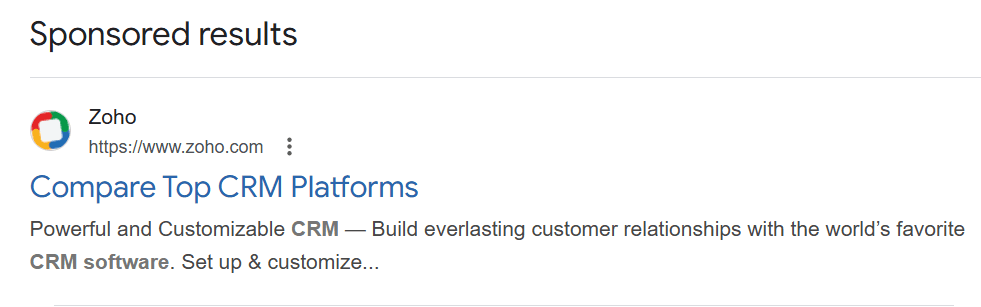
Example 1: ClickUp
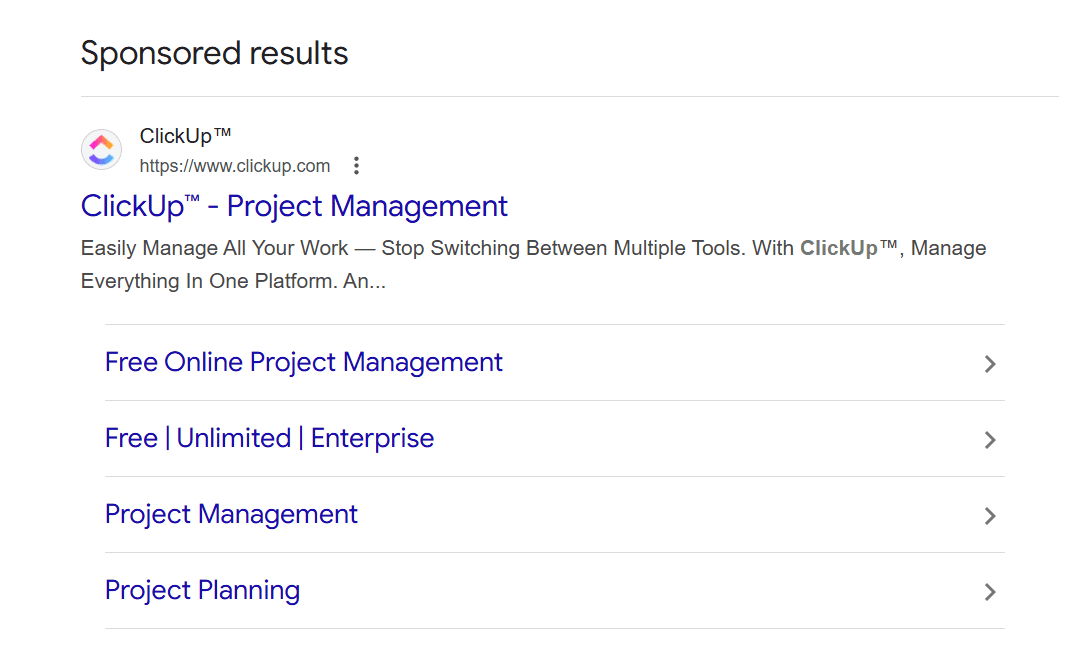
Headline: ClickUp–Project Management
Description: Easily manage all your work–stop switching between multiple tools. With Clickup manage everything in one platform
Why it works: This ad is powerful because it focuses on a single, universal pain point: tool overload. Many teams struggle with using separate apps for tasks, docs, and goals. The phrase 'stop switching between multiple tools' speaks directly to the frustration their target audience feels daily. It then offers a simple solution: 'manage everything in one platform.'
Plus, this ad works because it identifies an emotional pain point and positions itself as the clear, easy solution, making it highly relevant for anyone searching for a way to simplify their workflow.
Example 2: Semrush
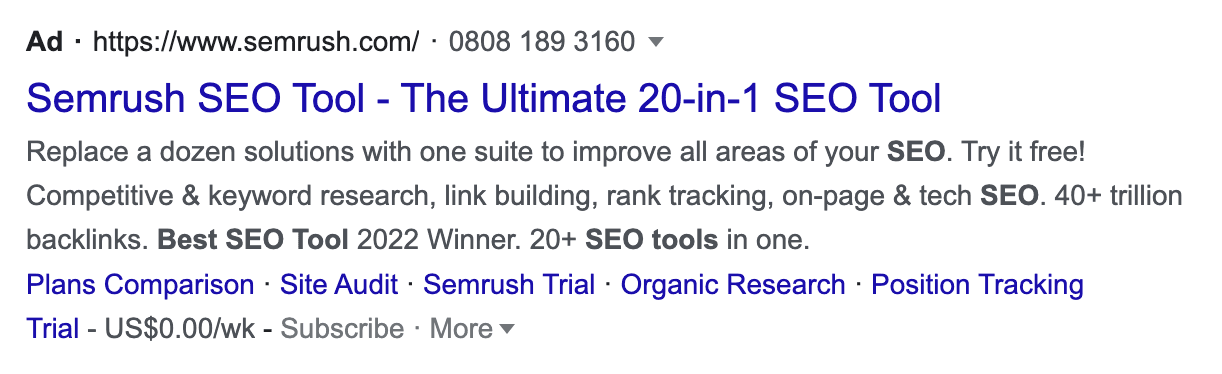
Headline: Semrush SEO tool –The Ultimate 20-in-1 Seo Tool
Description: Replace a dozen solutions with one suite to improve all areas of your SEO. Try it free! Competitive & keyword research, link building, ranking tracking, on-page and tech SEO. 40+ trillion backlinks. Best SEO tool 2022 winner. 20+ SEO tools in one.
Why it works: Semrush uses a classic and effective 'all-in-one' value proposition. The headline immediately establishes its scope with 'The ultimate 20-in-1 SEO tool.' This appeals to users tired of paying for multiple separate tools. The description is a masterclass in packing social proof and features into a small space.
It further uses a strong, risk-reducing call-to-action, 'Try it free!' The following text serves as a dense list of keywords that an SEO professional would be searching for, effectively telling Google and the user, 'We have everything you need.' Mentioning '40+ trillion backlinks' and 'Best SEO tool 2022 winner' provides concrete data and third-party validation, building immense trust and authority.
Example 3: HubSpot
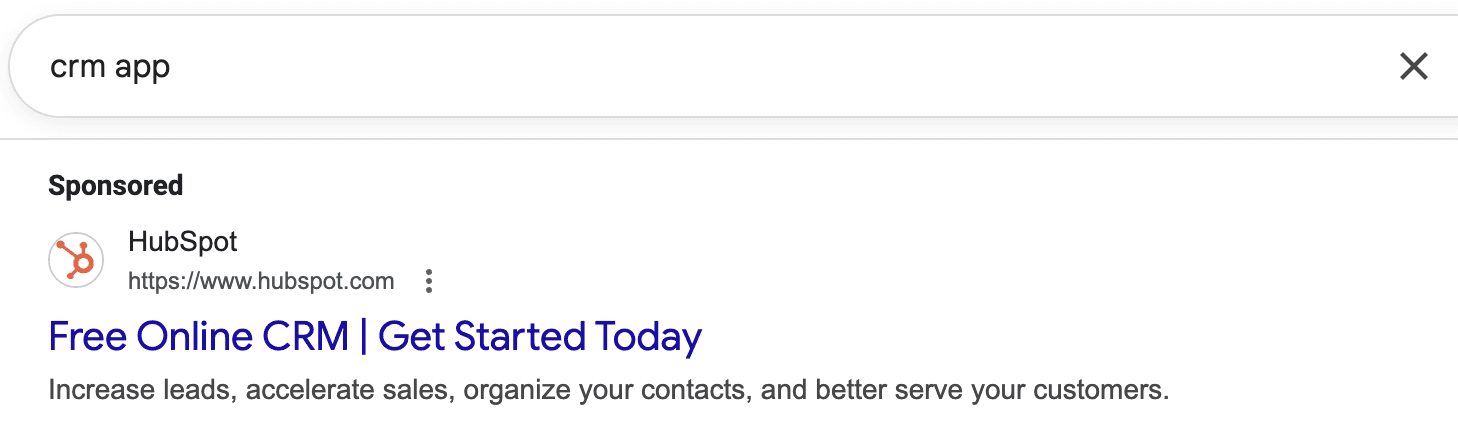
Headline: Free Online CRM│Get started today
Description: Increase leads, accelerate sales, organize your contacts, and better service your customers.
Why it works: HubSpot’s ad is a perfect example of simplicity and clarity. The headline leads with the two most attractive words for a small business owner: 'Free' and 'CRM.' It immediately removes the cost barrier, which is a major objection.
The CTA, 'Get started today,' is simple and encourages immediate action. The description answers the 'What's in it for me?' question perfectly: you will get more leads, close sales faster, have organized contacts, and serve customers better.
This ad works because it speaks the language of its target audience: busy business owners focused on growth and promises tangible results without any upfront cost.
Common Google Ads copy mistakes to avoid
Even with the best intentions, it’s easy to fall into common traps that can sabotage your Google Ads performance. Being aware of these pitfalls is the first step toward avoiding them.
Mistake 1: The ad-to-landing page disconnect
This is the cardinal sin of conversion optimization. If your ad promises '50% Off Winter Boots' but the landing page shows the full-price homepage, you have broken a promise. This instantly erodes trust and causes users to bounce.
Every ad must lead to a landing page that directly and immediately continues the conversation started in the ad copy. This is a core strength of the Fibr AI platform, which automates message matching at scale to eliminate this costly mistake entirely.
Mistake 2: Being vague
Ads that talk about 'premium solutions' and 'industry-leading services' without stating a concrete benefit are easily ignored. Users are scanning results quickly; they need to understand your value instantly. Instead of 'We offer comprehensive marketing solutions,' say 'Get More Qualified Leads with Our Proven Google Ads Framework.'
Mistake 3: Neglecting your CTA
If you leave users wondering ‘what now?’, you lose conversions.
A weak call-to-action (CTA) can sink an otherwise good ad. CTAs like 'Submit' or 'Click' lack inspiration. Your CTA should be a clear command that matches what the user wants to do next. Use action-oriented words like 'Shop the Sale,' 'Get Your Quote,' or 'Download the Ebook.'
Mistake 4: Forgetting mobile users
A significant portion of Google searches happens on mobile devices. If your ad copy and the landing page it links to are not optimized for small screens, you are alienating a massive audience. Ensure your value proposition is clear even on a small display and that your CTA is easy to tap.
Conclusion
To create Google Ads copy that converts, marketers require a clear strategy that connects user intent to a compelling value proposition. It is about moving beyond generic messaging to personalized, relevant ad experiences. But the true key to success lies in the seamless connection between your ad and the landing page, a step where many campaigns fail.
This is where Fibr AI transforms the process. Fibr AI's real-time personalization ensures that when a user clicks your expertly crafted ad, they land on a page that continues the same personalized conversation. This eliminates friction and dramatically boosts conversion rates.
Want to see this in action? Book a quick demo today to see how Fibr AI can help with ad creation and maximize your conversion rates.
FAQs
What is a good click-through rate (CTR) for Google Ads?
In 2025, across industries, the average search-ad CTR is around 6.66%. That means if your CTR is significantly below that number, it’s a signal that your ad copy or targeting might need improvement.
Does including keywords in Google Ads copy really help?
Yes. Including your primary keyword in the headline or description helps users quickly recognise relevance and improves your Quality Score in Google Ads.
How can I improve the conversion rate after someone clicks the ad?
First, ensure message-match: the landing page must accurately reflect the ad’s promise. Second, reduce friction: keep forms simple, load times fast. Next, personalise the experience: the segment that clicked sees messaging and visuals tuned to them.
Is ad copy still important when Google automates a lot of things (smart-bidding, responsive ads)?
Yes. Even with automation, your input (headlines, descriptions, offers, CTAs) determines what the system has to work with. Good copy gives automation the elements it needs to succeed.
What is the best CTA in an ad?
The best CTA is clear, direct, and low-friction: 'Start free trial', 'Book demo now', 'Get quote', etc. Tailor it to what you want the user to do, and test variants over time.





Pritam Roy
Co-Founder @ Fibr AI
Pritam Roy, the Co-founder of Fibr, is a seasoned entrepreneur with a passion for product development and AI. A graduate of IIT Bombay, Pritam's expertise lies in leveraging technology to create innovative solutions. As a second-time founder, he brings invaluable experience to Fibr, driving the company towards its mission of redefining digital interactions through AI.
Read summarized version with
Introduction
Imagine you’re searching for ‘noise-cancelling headphones,’ and within seconds, an ad pops up offering a discount on exactly the model you were eyeing.
Coincidence? Luck? Hardly.
It’s the result of years of innovation in how Google Ads learns from behavior, predicts intent, and delivers what feels almost personal.
Ads are no longer catchy one-liners. Modern Google Ads leverage AI to match your message with this powerful intent. AI now plays the role of both strategist and storyteller.
Google, too, has evolved from a static billboard into a dynamic, context-first engine. Your ad copy is the crucial link, a direct response to a user's immediate need.
But no matter how advanced the algorithms get, the foundation remains the same; the words you choose still decide whether someone clicks or scrolls away. This blog will show you how to craft Google Ads copy that combines creativity and psychology to ensure every click counts.
What is Google Ads copy?
At its most basic, Google Ads copy is the text you see in a paid search advertisement on Google’s Search Engine Results Pages (SERPs). It typically consists of a headline, a description, and a display URL.
via Google
While it might seem like small-scale work, ad copy plays a pivotal role: it must capture attention, resonate with a specific need, communicate a unique benefit, and compel action.
To better understand it, you must see it as an integral part of a larger digital marketing strategy. Your ads do not exist in a vacuum. They are the entry point of a carefully orchestrated customer journey that should lead to a tailored landing page, a seamless user experience, and ultimately, a conversion.
Also, the era of writing one ad and showing it to everyone is over. Google Ads has matured into a dynamic, AI-driven ecosystem. The advent of Responsive Search Ads (RSAs) is a prime example of this shift. Instead of creating a single, fixed version of an ad, you now provide multiple headlines and descriptions. Google’s AI then mixes and matches these assets, testing different combinations to discover which permutations perform best for different search queries and audiences.
Finally, modern Google Ads copy is deeply intertwined with contextual targeting. This goes beyond just keywords. It’s about understanding the searcher’s context: their location, the time of day, the device they’re using, their demographic details, and even their past interactions with your business.
Now, let’s quickly look at how to write a perfect Google Ads copy.
🙂Fun Fact: Every $1 spent on Google Ads can generate up to $8 in profit. That’s an 8:1 ROI! |
How to write perfect Google Ads copy that converts?
How to write effective Google Ads copy? This is the question that every marketing copywriter asks. Effective copy requires a strategic, step-by-step framework aligned with conversion optimization principles to ensure that every word you write moves the conversion clock.
Step 1: Deep dive into search intent and keyword alignment
Before you type a single character, you must understand why the user is searching.
There are four general types of search intent: navigational (wanting to go to a specific site), informational (seeking knowledge), commercial investigation (comparing brands or products), and transactional (ready to buy). Your ad copy must match this intent with surgical precision.
For a transactional keyword like 'buy running shoes online,' your copy should be direct, highlight purchase benefits like fast shipping and easy returns, and include a clear call-to-action like 'Shop Now.'
For a commercial investigation keyword like 'best running shoes for flat feet,' your copy should position your product as the expert solution, perhaps by mentioning 'Podiatrist-Recommended Insoles' or 'Top-Rated Support for Flat Feet.'
The messaging must directly answer the query implied by the keyword. Using broad match keywords without tailoring your ad copy to the specific intent they represent is a primary reason for low conversion rates.
Step 2: Architect a powerful value proposition
Your value proposition is the core reason a prospect should choose you over a competitor. It must be clear, compelling, and immediately communicated. A strong value proposition often answers the customer’s unspoken question: 'What’s in it for me?'
To build this, focus on benefits, not just features. A feature is 'organic cotton shirt.' A benefit is 'soft, breathable organic cotton for all-day comfort.' Go a step further and articulate the value: 'Feel confident and comfortable all day in our eco-friendly, premium organic cotton shirts.' Incorporate what makes you unique; is it your price, quality, speed, customer service, or brand story?
For instance, a SaaS company might lead with 'The Only Platform with a 99.9% Uptime Guarantee,' directly addressing a key pain point for their target audience.
Step 3: Master the art of the Call-to-Action (CTA)
A weak or ambiguous CTA is a definite conversion killer. Through a bad CTA, you are losing customers with super high intent to action. To avoid this, your call-to-action must preferably be a verb that commands the next step.
Generic CTAs like 'Click Here' are far less effective than action-oriented, intent-matched commands. Align your CTA with the user’s place in the funnel.
For top-of-funnel, informational intent, use CTAs like 'Learn More,' 'Download Guide,' or 'Discover How.' For bottom-of-funnel, transactional intent, use direct CTAs like 'Buy Now,' 'Get Quote,' 'Shop Today,' or 'Start Free Trial.'
The psychological principle of direct instruction is powerful; telling a user what to do often results in them doing it.
Step 4: Tie your ad copy to dynamic landing pages
This is the most crucial, yet most often overlooked, step in the conversion optimization chain. The promise made in your ad copy must be perfectly fulfilled on the landing page the user clicks through to. Any disconnect creates friction, increases bounce rates, and destroys conversion potential.
Now, manically creating unique landing pages for every ad variation and audience segment is a resource-intensive nightmare. This is the precise challenge that Fibr AI solves.
Fibr AI specializes in real-time personalization. Imagine your Google Ad copy dynamically inserts the user's city. With Fibr AI, the user can land on a page that not only acknowledges their city but also showcases local inventory, testimonials from customers in their area, or special local promotions. This creates a seamless, hyper-relevant journey from click to conversion.
By ensuring the message match is perfect, Fibr AI dramatically increases the probability that the qualified traffic you worked so hard to acquire through your compelling ad copy actually converts.
These 4 steps are the typical framework you can apply to create your Google ad copy. Now, below is a bonus section on additional best practices to keep in mind when crafting your ad copy.
Google Ads copy best practices to keep in mind
Define the audience and intent: Who is the searcher? What are they looking for? Are they in research mode, comparison mode, or ready to buy? What keyword are you targeting? What is their pain point or desire? The more specific you are, the more targeted your copy can be.
Choose the keyword and mirror language: Make sure your copy reflects the keyword or search phrase. This helps the user recognise relevance and improves your Quality Score. Studies show that including the searched keyword in the ad copy helps both relevance and click-through.
Craft a compelling headline: Your headline is the first thing users see and often the key to getting the click. You must catch attention, deliver relevance, and give a reason to click, all in about 30 characters. Use strong language, show benefit, highlight differentiation, or urgency. For example: 'Boost Sales 30% in 60 Days' or 'Get Demo – No Credit Card'. These are stronger than generic 'Best CRM software'.
Write the description: In the description (up to 90 characters typically), you expand on the headline. Focus on the benefit or outcome the user will getand use action-oriented language and include a clear CTA.
Use extensions and support copy: Google allows ad extensions (site links, callouts, structured snippets, location, price, etc). These support the main copy and help improve visibility and click-through. Use them strategically: e.g., '24/7 Support', 'Trusted by 20K+ Firms', 'Free setup included'.
Test and optimise relentlessly: Writing one ad and letting it run isn’t enough. You need to test multiple headlines, descriptions, CTAs, offers, and landing pages. Use A/B testing or multivariate testing. Monitor CTR (click-through rate), conversion rate, cost per action (CPA), and Quality Score. Factor in device, time of day, and audience segment.
Maintain compliance and brand voice: Ensure your ad copy complies with Google’s policies (for example, on trademarks, prohibited content, and accuracy of claims). At the same time, maintain consistent brand tone and voice across your ads and landing pages. Consistency builds trust, which increases Google Ad CTR and conversion.
👉Read More: Expert Google Ads Optimization Tips: Drive Higher ROI and Improve Campaign Performance
Some Google Ads Copy Best Practices to Keep in Mind
By now I’m sure you have understood what Ad Copy for google ads are and why Google ad Copy is a must for businesses while advertising. If you are thinking of implementing ad copy in your Pay Per Click ads, keep these best practices in mind.
Your Google Ads are like mini billboards on the digital highway. To stop the scroll and turn clicks into customers, you need a catchy ad copy. We have created a checklist on Google ads copy best practices for you, to help you utilize their potential to the maximum.
Know who you're talking to: Imagine your ideal customer. What are they looking for? Use words they understand and talk about their problems.
Magic Words: Find the words people search for online (like "best pizza near me"). Sprinkle these words throughout your ad, especially at the beginning. This makes your ad show up when people search.
Headline: This is the first thing people see, so make it short and sweet. Show what makes you special and use strong words to grab attention. You can read and know more in detail about Gooogle ads copy specs.
Description Duo: This is where you explain your business in more detail. google ad copy character limit for description is 90 words. Use clear and simple language to show why someone should choose you. Tell them what to do next, like "Visit now" or "Get a discount!"
Try Different Ads: Don't just write one ad and hope for the best. Make a few different versions and see which ones work best. This way, you can find the words that really win!
Mobile Magic: Most people search on phones now. Make sure your ad looks good and is easy to read on a small screen. Keep it short, use big buttons, and write clearly. Use dynamic landing pages to make the audience experience message matches, which creates trust.
Happy Talk Wins: People like positive things! Focus on how your product or service helps people and the good things they'll get from using it.
Bonus Tip: Numbers grab attention! Use numbers to show discounts, stats, or special offers to make your ad stand out.
Follow these tips, and you can display the best copy for google ads that people notice, understand, and want to click on!
Real-time Google Ad copy examples
Let's look at how successful companies craft their Google Ads copy. We'll examine three real examples from different industries to understand what makes them effective and why they likely achieve high click-through rates.
Example 1: ClickUp
Headline: ClickUp–Project Management
Description: Easily manage all your work–stop switching between multiple tools. With Clickup manage everything in one platform
Why it works: This ad is powerful because it focuses on a single, universal pain point: tool overload. Many teams struggle with using separate apps for tasks, docs, and goals. The phrase 'stop switching between multiple tools' speaks directly to the frustration their target audience feels daily. It then offers a simple solution: 'manage everything in one platform.'
Plus, this ad works because it identifies an emotional pain point and positions itself as the clear, easy solution, making it highly relevant for anyone searching for a way to simplify their workflow.
Example 2: Semrush
Headline: Semrush SEO tool –The Ultimate 20-in-1 Seo Tool
Description: Replace a dozen solutions with one suite to improve all areas of your SEO. Try it free! Competitive & keyword research, link building, ranking tracking, on-page and tech SEO. 40+ trillion backlinks. Best SEO tool 2022 winner. 20+ SEO tools in one.
Why it works: Semrush uses a classic and effective 'all-in-one' value proposition. The headline immediately establishes its scope with 'The ultimate 20-in-1 SEO tool.' This appeals to users tired of paying for multiple separate tools. The description is a masterclass in packing social proof and features into a small space.
It further uses a strong, risk-reducing call-to-action, 'Try it free!' The following text serves as a dense list of keywords that an SEO professional would be searching for, effectively telling Google and the user, 'We have everything you need.' Mentioning '40+ trillion backlinks' and 'Best SEO tool 2022 winner' provides concrete data and third-party validation, building immense trust and authority.
Example 3: HubSpot
Headline: Free Online CRM│Get started today
Description: Increase leads, accelerate sales, organize your contacts, and better service your customers.
Why it works: HubSpot’s ad is a perfect example of simplicity and clarity. The headline leads with the two most attractive words for a small business owner: 'Free' and 'CRM.' It immediately removes the cost barrier, which is a major objection.
The CTA, 'Get started today,' is simple and encourages immediate action. The description answers the 'What's in it for me?' question perfectly: you will get more leads, close sales faster, have organized contacts, and serve customers better.
This ad works because it speaks the language of its target audience: busy business owners focused on growth and promises tangible results without any upfront cost.
Common Google Ads copy mistakes to avoid
Even with the best intentions, it’s easy to fall into common traps that can sabotage your Google Ads performance. Being aware of these pitfalls is the first step toward avoiding them.
Mistake 1: The ad-to-landing page disconnect
This is the cardinal sin of conversion optimization. If your ad promises '50% Off Winter Boots' but the landing page shows the full-price homepage, you have broken a promise. This instantly erodes trust and causes users to bounce.
Every ad must lead to a landing page that directly and immediately continues the conversation started in the ad copy. This is a core strength of the Fibr AI platform, which automates message matching at scale to eliminate this costly mistake entirely.
Mistake 2: Being vague
Ads that talk about 'premium solutions' and 'industry-leading services' without stating a concrete benefit are easily ignored. Users are scanning results quickly; they need to understand your value instantly. Instead of 'We offer comprehensive marketing solutions,' say 'Get More Qualified Leads with Our Proven Google Ads Framework.'
Mistake 3: Neglecting your CTA
If you leave users wondering ‘what now?’, you lose conversions.
A weak call-to-action (CTA) can sink an otherwise good ad. CTAs like 'Submit' or 'Click' lack inspiration. Your CTA should be a clear command that matches what the user wants to do next. Use action-oriented words like 'Shop the Sale,' 'Get Your Quote,' or 'Download the Ebook.'
Mistake 4: Forgetting mobile users
A significant portion of Google searches happens on mobile devices. If your ad copy and the landing page it links to are not optimized for small screens, you are alienating a massive audience. Ensure your value proposition is clear even on a small display and that your CTA is easy to tap.
Conclusion
To create Google Ads copy that converts, marketers require a clear strategy that connects user intent to a compelling value proposition. It is about moving beyond generic messaging to personalized, relevant ad experiences. But the true key to success lies in the seamless connection between your ad and the landing page, a step where many campaigns fail.
This is where Fibr AI transforms the process. Fibr AI's real-time personalization ensures that when a user clicks your expertly crafted ad, they land on a page that continues the same personalized conversation. This eliminates friction and dramatically boosts conversion rates.
Want to see this in action? Book a quick demo today to see how Fibr AI can help with ad creation and maximize your conversion rates.
FAQs
What is a good click-through rate (CTR) for Google Ads?
In 2025, across industries, the average search-ad CTR is around 6.66%. That means if your CTR is significantly below that number, it’s a signal that your ad copy or targeting might need improvement.
Does including keywords in Google Ads copy really help?
Yes. Including your primary keyword in the headline or description helps users quickly recognise relevance and improves your Quality Score in Google Ads.
How can I improve the conversion rate after someone clicks the ad?
First, ensure message-match: the landing page must accurately reflect the ad’s promise. Second, reduce friction: keep forms simple, load times fast. Next, personalise the experience: the segment that clicked sees messaging and visuals tuned to them.
Is ad copy still important when Google automates a lot of things (smart-bidding, responsive ads)?
Yes. Even with automation, your input (headlines, descriptions, offers, CTAs) determines what the system has to work with. Good copy gives automation the elements it needs to succeed.
What is the best CTA in an ad?
The best CTA is clear, direct, and low-friction: 'Start free trial', 'Book demo now', 'Get quote', etc. Tailor it to what you want the user to do, and test variants over time.
Pritam Roy
Co-Founder @ Fibr AI
Pritam Roy, the Co-founder of Fibr, is a seasoned entrepreneur with a passion for product development and AI. A graduate of IIT Bombay, Pritam's expertise lies in leveraging technology to create innovative solutions. As a second-time founder, he brings invaluable experience to Fibr, driving the company towards its mission of redefining digital interactions through AI.



Is your website starting every visit from zero?
Is your website starting every visit from zero?
Is your website starting every visit from zero?
Fibr gives your website the intelligence it needs right from the start
Fibr AI gives your website the
intelligence it needs right from the start