

Read summarized version with
Introduction
VWO is a digital experience optimization platform that lets you test ideas, study user behavior, and improve conversions through experiments. In simple terms, it helps you learn what works and apply those changes to your website. You can:
Run A/B and multivariate testing to compare different versions of a page
Access heatmaps and session recordings to understand how people interact with your site
Conduct surveys and polls to collect direct feedback from visitors
While it’s a nifty tool, teams often look for VWO alternatives when they realize the platform’s pricing is quite steep. Setting up experiments often feels more technical than expected.
If you have a limited budget, a small team, and want simple website optimization, VWO’s learning curve and fragmented setup can slow you down.
All you need is a better VWO alternative. And that’s exactly what this article is all about.
We have tested more than a dozen VWO competitors and created a list of the top 7 solutions worth your investment. You will also find a small how-to-choose guide for better decision-making.
TL;DR
|
Why Should You Look for VWO Alternatives?
Here are some reasons why you should look for VWO competitors:
The visual editor doesn’t work well for complex layouts
VWO’s visual editor is helpful for quick cosmetic tweaks. However, it often struggles when you’re working with pages that have dynamic sections, heavy scripts, and complex grid layouts.
Elements may shift, break, or render differently inside the editor than they do on the live page, which forces you to switch to code mode more often than you would like. This slows down simple tests and adds extra back-and-forth for marketing teams who want to run experiments without developer help.
When the preview doesn’t match the real layout, it also increases the risk of publishing a variation that behaves differently for users.
On top of that, loading multiple elements in the editor sometimes feels sluggish, which isn’t ideal when you’re trying to move quickly or test multiple variants.
A G2 user also pointed out the problem with VWO’s visual editor in this review:
“One thing I’ve noticed is that sometimes the visual editor can act a little quirky, especially if I’m working on a page with a more complex layout—it doesn’t always match exactly how things look on the live site. I’ve also noticed that reports can take a bit longer to load when there’s a lot of data. Nothing major, but it can slow things down when I want the tasks to move quicker than usual.”
The pricing is steep
VWO’s cost becomes a major concern as you scale your testing program.
Plans are tied to monthly tracked users, which means your bill grows the moment your traffic increases. Smaller teams often feel pressured to limit how many tests they run because experimenting too much can push them into a higher pricing tier. You will notice that many powerful features sit behind higher-tier plans, so you may quickly outgrow the entry level.
These tools are split into different product suites, which you have to pay for separately. So, as you expand your CRO program to personalization, heatmaps, surveys, and advanced reporting, the price can jump significantly. While VWO offers value, the overall cost can be hard to justify for small businesses and startups with a limited budget.
Here is how another G2 user reviewed VWO on its pricing:
“While the platform is generally intuitive, there can be a slight learning curve when you want to use some of the more advanced features, such as custom code or integrating with other platforms. The pricing structure can also be a bit steep for smaller businesses, though the value you get for the cost is significant.”
VWO slows down while running bigger experiments
Running large and multi-page experiments can feel heavy in VWO. The dashboard may take longer to load, especially when you are tracking many goals and pulling detailed reports across multiple variations.
This slowdown becomes more noticeable quickly and can disrupt your workflow if you are switching between tests often. Reporting can also feel dense, so you might spend extra time filtering through different charts just to get a quick read on performance. Bigger experiments with advanced targeting rules also require more setup steps, and these aren’t always intuitive for beginners.
For example, this is what a G2 user had to say about VWO:
“Sometimes, bigger experiments take a while to load, and the reporting interface can feel a bit overwhelming if all I want is a quick summary. Advanced targeting usually needs some extra steps that aren’t always obvious. It gets the job done, but it would be nice if reporting and segmentation were a bit more straightforward.”
The platform has a steep learning curve
VWO looks simple on the surface, but the deeper you go into advanced tests, integrations, targeting, and custom scripts, the more complex it becomes. New users often need time to understand where everything is, how variations stack, how to track the right goals, and how to avoid conflicts in the editor.
Switching between tests, reports, insights, and user behavior tools isn’t always straightforward either, which adds friction for teams that want a clean and predictable workflow.
If you’re not familiar with experimentation logic and front-end structure, the setup steps for anything beyond a basic A/B test can feel overwhelming. This learning curve makes onboarding slower and increases your dependency on developers.
A G2 user even pointed out the complexity of setting up and navigating VWO:
“Some of the setup steps can feel a bit complex at times, especially for more advanced tests, and it can take a little while to get comfortable with all of the features. The interface could also be a bit more intuitive for navigating between multiple tests and insights.”
The 7 VWO Alternatives
Here the the 7 best alternatives to VWO. We will review these tools in detail, talk about their best features and pricing and tell you where they surpass VWO:
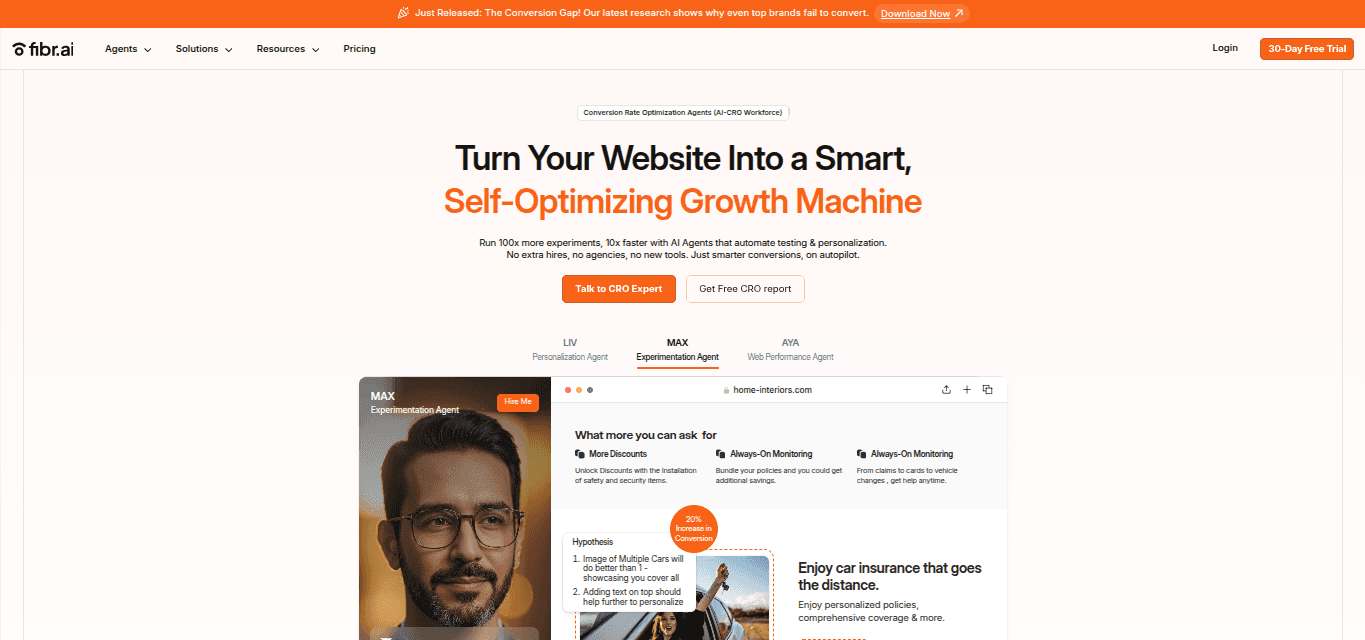
Best for: Running automated A/B tests and accurate web personalization at scale
Typical users: CMO or VP of Marketing, Product marketers, CRO pros, Performance marketers, and Lifecycle marketers in the B2B and B2C industries.
What is Fibr AI?
Fibr AI is an AI-powered conversion optimization tool that lets you automate split testing and personalize web pages for individual user segments.
It helps you spot what’s working on your site without digging through complex reports, and launch tests faster because most of the heavy lifting is done for you. When comparing VWO competitors, Fibr AI feels lighter, quicker, and easier to use for complex experiments.
Key features
Makes your ad copy, visuals, and offers match your landing page so visitors have a seamless post-click experience.
Personalizes the experience for visitors by offering product recommendations, images, and messaging tailored to their interests, location, or behavior.
Automates A/B testing for different page variations, including headlines, images, CTAs, and offers, to find what converts best.
Approves AI-generated variants with a single click or tweaks copy, images, and layouts in a no-code editor.
Automatically maintains consistency across all your pages to keep everything on-brand.
Creates hundreds of personalized landing pages at once with bulk generation, all aligned with your ads.
Tracks performance for every variation in your bulk flow to see what is working.
Adjusts customer reviews, testimonials, and social mentions so they fit your ad content and messaging.
Monitors GEO data to measure how well your AI-driven optimizations perform across regions.
How does it compare with VWO?
Unlike VWO, Fibr AI is very beginner-friendly, especially when you want to run lots of experiments without spending hours setting things up.
VWO needs more manual steps, separate tools, and frequent developer support, which slows teams down once they start testing at scale. Fibr AI cuts out most of that effort because the onboarding is quick and support is always readily available. You can create variants in bulk, which saves time.
Plus, VWO also gets expensive as traffic grows, while Fibr AI keeps things simpler with a custom model that scales with your operations. Reporting in Fibr AI is cleaner too, so you don’t have to dig through multiple dashboards to understand what’s working.
Pricing plans
VWO is priced based on the number of Monthly Tracked Users you have. As traffic or the number of tests grow, costs grow. Fibr AI uses a pay-for-what-you-use model rather than forcing you into fixed tiers. You pay only for the tests, pages, or personalizations you run. That means if you run light experiments or scale up gradually, your cost stays proportional.
For agencies and enterprises, Fibr AI offers custom pricing tailored to volume, use-case complexity. This gives you flexibility similar to enterprise plans but without unnecessary overhead when usage is low.
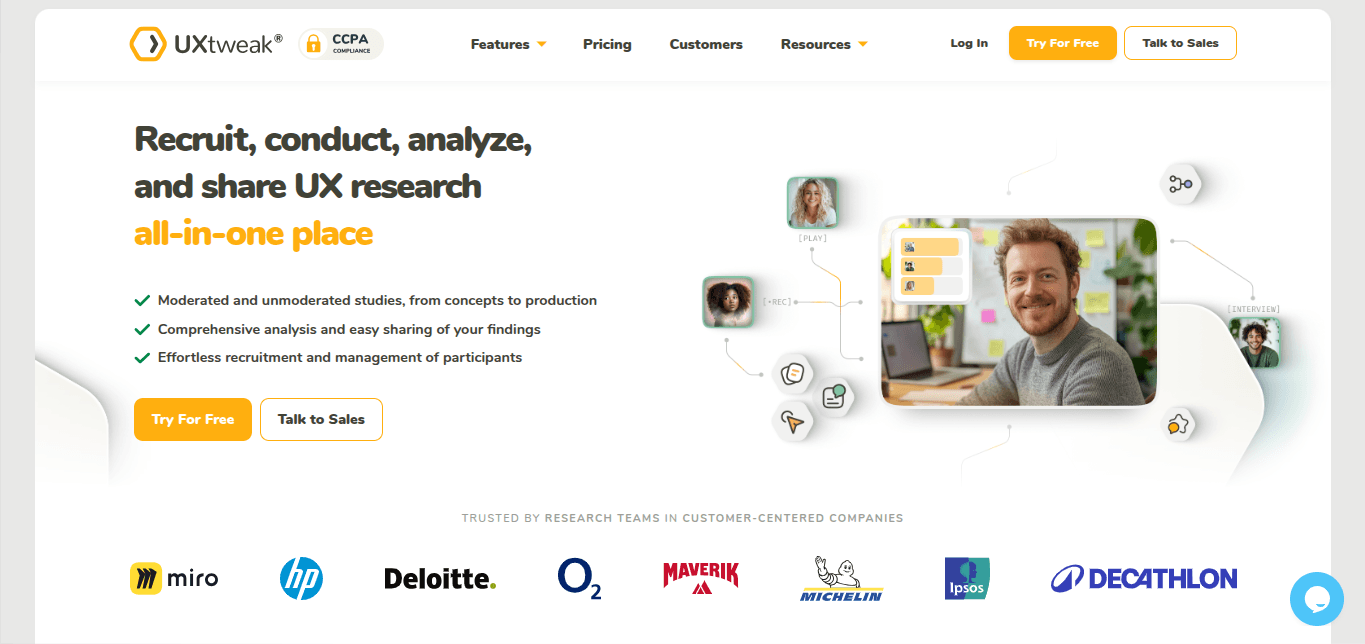
Best for: UX research, usability testing, and gathering real user behavior and feedback
Typical users: Product teams, UX researchers, designers, agencies, and companies building and improving websites and apps for startups, SaaS, and e-commerce.
What is UXtweak?
UXtweak is a user-research and usability-testing platform covering the full research cycle, from recruiting participants and running tests to analyzing feedback and sharing insights. It gives you a set of tools to watch how real users behave, what they click, how they navigate, and what confuses them.
Key features
Records sessions and captures heatmaps to show where users click, scroll, and navigate.
Lets you test prototypes or live websites for usability, flows, device responsiveness, and design feedback.
Offers surveys, first-click tests, preference tests, card sorting, and tree testing, covering a wide range of UX research methods.
Helps you recruit participants either from your own database or via UXtweak’s global user panel across 130+ countries.
Supports moderated interviews and live user testing alongside unmoderated studies
How does it compare with VWO?
UXtweak focuses more on understanding user behavior, usability, and feedback than VWO does. The navigation is much lighter and simpler. You can start free, and UXtweak typically costs less than VWO. So, it’s a better fit for small teams and early-stage projects where full-scale testing might be overkill.
Pricing plans
With VWO, even modest plans quickly go up based on traffic and visitor quotas. On the other hand, UXtweak’s paid Business plan costs roughly €92 per user license per month.
That adds more responses, longer retention, video exports, and unlimited tasks per study; you can also buy add-ons like participant recruitment and live interviews. So the cost is more affordable.
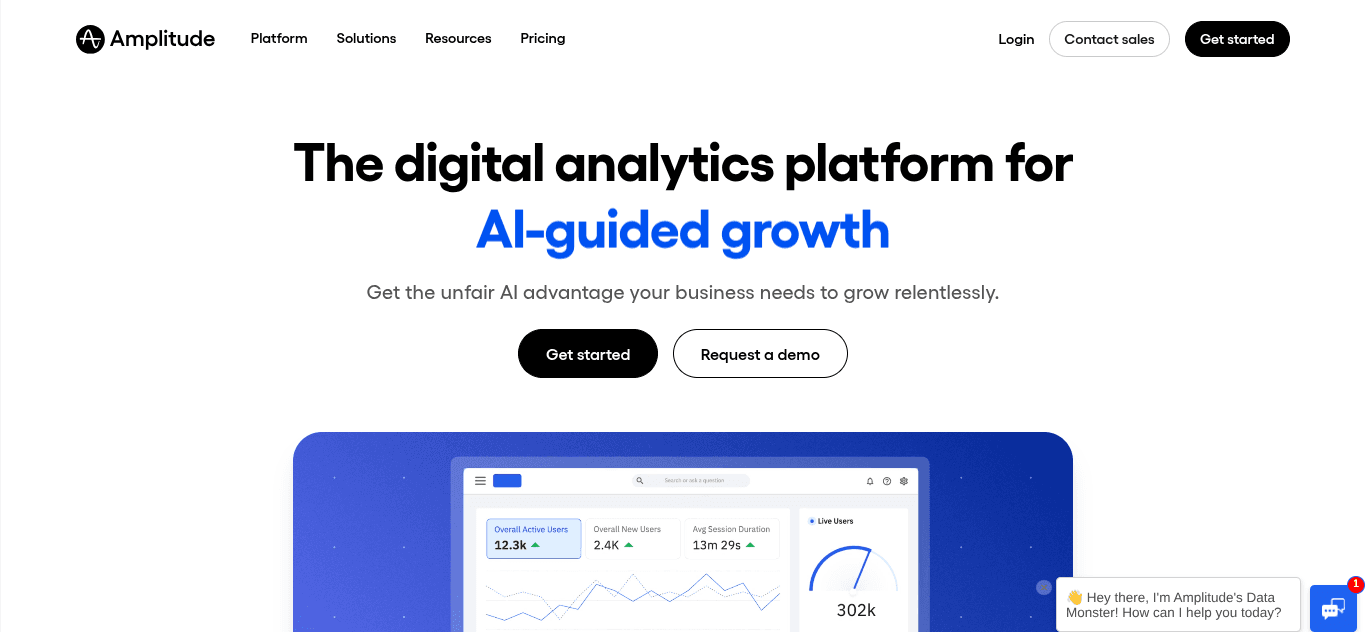
Best for: Understanding product usage and running experiments as your user base grows
Typical users: Product teams, data analysts, growth teams, and SaaS businesses
What is Amplitude?
Amplitude is a product analytics platform that shows you how users interact with your website. It gives insights into behavior, tracks conversions and retention, and lets you test changes so you can improve features, flows, and content based on real-time data.
Key features
Analyzes user behavior with ready dashboards, templates, and real-time data.
Gives session replay and experimentation tools to test new versions of pages or features.
Offers unlimited feature flags so teams can release changes in controlled steps.
Builds behavioral cohorts and custom audiences for targeted experiments.
Supports custom dashboards, event tracking, and segmentation for deeper insights.
Offers AI agents that can analyze user behavior and sentiment and suggest targeted improvements.
How does it compare with VWO?
Unlike VWO, Amplitude focuses on long-term product behavior rather than only running quick conversion tests. It helps teams understand how users act over time, why they return, and where they drop off.
Experiments feel more informed because analytics, feature flags, and testing all sit in the same system. For teams that want deeper behavioral insights beyond page-level experiments, Amplitude provides more context and feels more flexible than VWO.
Pricing plans
Amplitude offers a free Starter plan for up to 50,000 monthly tracked users, which already includes session replay, analytics tools, and basic testing.
The paid Plus plan starts at a low monthly fee and supports higher traffic with advanced segmentation and behavioral analysis. Larger companies can choose the custom Growth or Enterprise plans. The subscription charges start from $49/month.
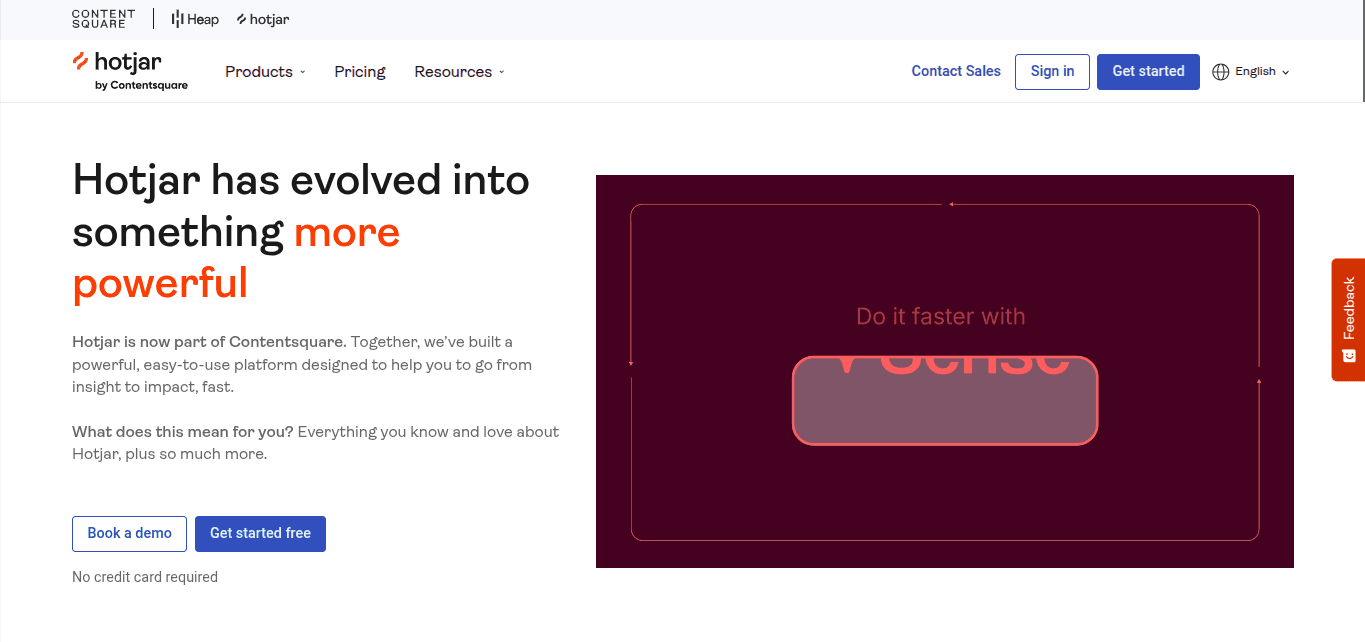
Best for: Understanding user behavior tracking, interaction,s and user feedback
Typical users: UX designers, marketers, and small to mid-sized teams t
What is Hotjar?
Hotjar is a website heatmaps and visitor behavior analytics software. You can see where users navigate, click, and scroll. You can use heatmaps alongside visitor feedback to understand user behavior and make informed improvements.
Key features
Replay real user journeys to identify bugs, confusion, and drop-offs
Generate one-click summaries that highlight key moments in user journeys
Use the Sense feature to spot blockers automatically
Access user feedback on your live pages, early product designs, and prototypes
Host and analyze 1:1 interviews with users to get real-time feedback on your landing pages
How does it compare with VWO?
While VWO’s setup is complex, you can get started with Hotjar in minutes. Their user behavior documentation is much more thorough than VWO's.
The 1:1 interviews help you get unique insights from users and implement more targeted changes. While reports in VWO don’t always hit the mark, Hotjar’s data insights are more comprehensible and offer accurate summaries with key data points.
Pricing plans
VWO doesn’t have a free plan, but Hotjar does. The paid plans also start at only $40/month. So the packages are much more affordable. You also get two custom plans and pay only for what you use.
Best for: Running feature experiments
Typical users: Product design and marketing teams in SaaS businesses
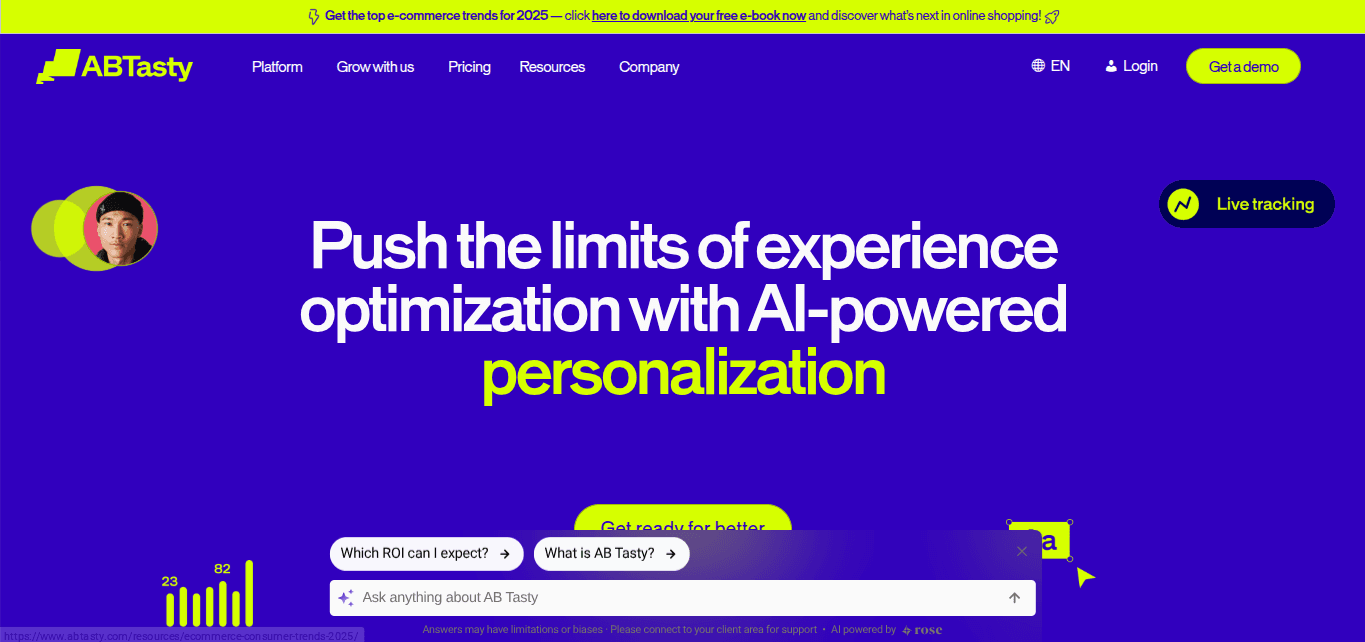
What is AB Tasty?
AB Tasty is a digital experimentation and optimization platform that helps you test different versions of web pages, roll out product changes gradually, and deliver personalized experiences for different user segments. It blends traditional A/B testing and feature flagging with advanced segmentation and personalization tools to optimize both content and functionality.
Key features
Runs A/B tests, split-URL tests, and multivariate tests across web pages and apps.
Personalizes experiences with advanced user segments, behavior insights, and AI-powered personalization engines.
Launches new features gradually with feature flagging, API, and SDK support, and KPI-triggered automatic rollbacks.
Offers a visual editor and widget library to build variants without heavy development.
Tracks performance and campaign health with tools like the Performance Center, tag size metrics, and real-time dashboards.
How does it compare with VWO?
While VWO mostly focuses on website optimization, AB Tasty lets you experiment not just with content but also with product features and gradually roll them out to users. The AI-powered personalization makes it easier to target different segments and deliver relevant experiences.
Pricing plans
AB Tasty hasn’t published fixed pricing on its public website. You need to contact their sales team for a custom quote tailored to your traffic volume, feature needs, and level of support.
Best for: eCommerce sites and business tech
Typical users: UX designers and marketers in B2B and e-commerce teams
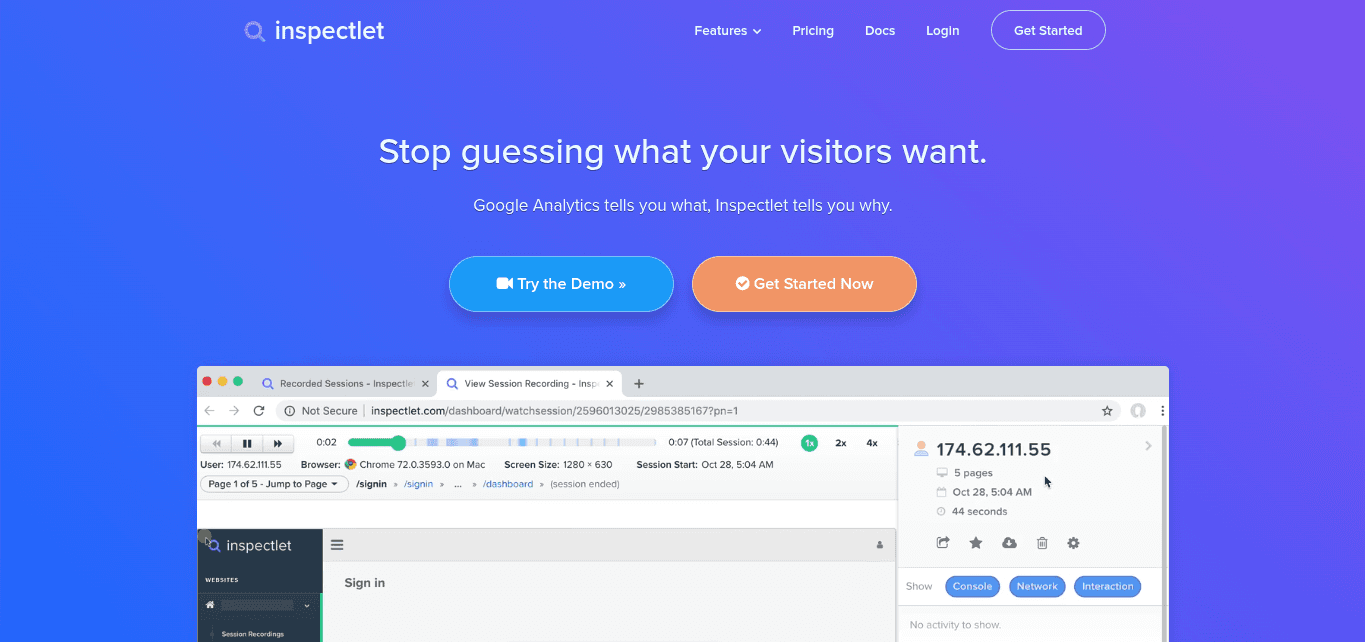
What is Inspectlet?
Inspectlet is a website behavior analytics tool that records real user sessions and shows clicks, mouse movements, scrolling, and navigation. It provides heatmaps and form analytics to show where people get stuck and how they interact with each page. It works on dynamic sites, single-page apps, and modern frameworks, making it helpful for teams that want a clear picture of visitor behavior.
Key features
Records user sessions so you can watch mouse movements, clicks, scrolls, and keypresses
Offers click, scroll, and movement heatmaps to highlight attention patterns
Provides form analytics to spot friction, like hesitation and abandonment
Lets you filter and segment sessions based on device, referrer, behavior, or tags
Supports multiple websites, dynamic sites, and single-page apps without extra setup
Tracks funnels so you can see where users drop off during checkout or signup
How does it compare with VWO?
Inspectlet focuses on showing what users actually do on your site through session recordings, heatmaps, and form analytics. It feels more direct and observational than VWO, since you can see real user behavior in action instead of only looking at test results.
Pricing plans
Inspectlet offers a free plan along with several paid tiers that increase session limits, pageviews, retention, form analytics access, and support for multiple sites.
Prices start at only $39/month and go up as you need more recorded sessions or advanced features. Compared with VWO’s traffic-based pricing, Inspectlet can feel more affordable for smaller and mid-sized businesses because costs rise based on recording volume rather than visitor volume
Best for: Building tests through AI agentic chat
Typical users: eCommerce sites and SaaS
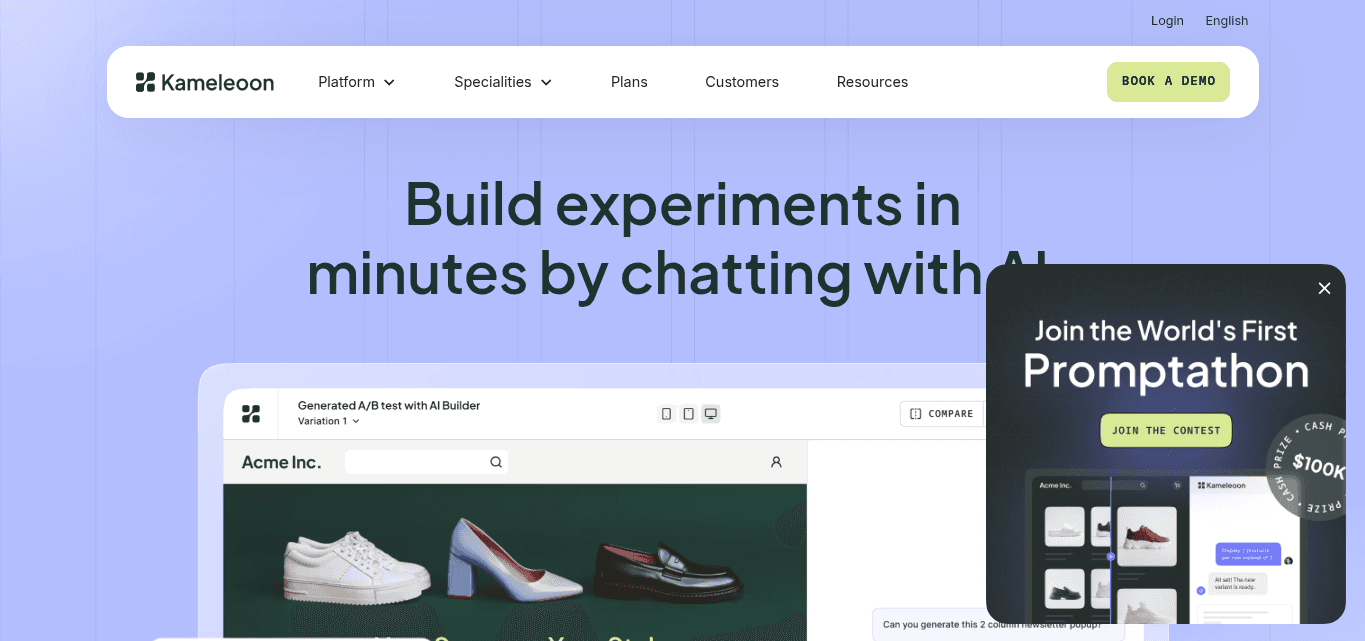
What is Kameloon?
Kameleoon is a unified experimentation and personalization platform that helps teams test website and app changes, roll out new features safely, and deliver tailored experiences to different user segments.
You can run experiments on simple page changes, single-page apps, mobile apps, and backend features. Kameleoon also lets you create and launch tests by chatting with the platform, making setup faster and easier for teams without heavy coding.
Key features
Conducts A/B, multivariate, and split-URL tests across web or app environments
Supports feature-flagging and full-stack experimentation to test backend or product logic, as well as UI changes
Delivers AI-powered personalization and targeting using behavioral, demographic, and geographic criteria to provide tailored experiences
Tracks results in real-time with tools to detect outliers and measure performance accurately
Covers single-page apps, mobile apps, server-side, and client-side experiments
Lets you design and launch tests by chatting with the platform, reducing setup time and complexity
How does it compare with VWO?
Unlike VWO, which focuses primarily on page-level A/B and multivariate tests, Kameleoon combines page experiments, feature rollouts, personalization, and chat-based test creation on a single platform.
You can run front-end and back-end tests, personalize experiences, and launch experiments faster. For companies with complex products, mobile apps, and high traffic, Kameleoon feels more flexible and powerful than VWO.
Pricing plans
Kameleoon offers a free trial for small projects. Paid plans start at a set monthly fee of $495 for 50K tracked users and up to 200 credits.
Enterprise plans are custom and include unlimited projects, traffic, variations, and premium support. Compared with VWO, Kameleoon’s plans are more predictable, but the starting range is quite similar.
How to Choose the Best VWO Alternative
When evaluating VWO alternatives, consider the following key factors to ensure the platform aligns with your business needs:
Ease of Use
While some VWO alternatives are built for beginners, some require some technical skills hence they can be challenging for users without technical knowledge.
Opt for a platform with an intuitive interface that simplifies the creation and management of experiments. A user-friendly design reduces the learning curve, enabling your team to implement and analyze tests efficiently without extensive technical expertise.
Platforms like Fibr AI have no code which makes them easy to use for users with varying technical skills.
Personalization Capabilities
Choose a tool that offers robust personalization features that allow you to tailor content and digital experiences to specific user segments. Tools with advanced personalization enhance user engagement and conversion rates by delivering relevant content. Fibr AI provides AI-driven personalization, enabling real-time content adjustments based on user behavior.
Testing Capabilities
Ensure the platform supports comprehensive testing options, including A/B testing, multivariate testing, and server-side experimentation. These features are essential for accurately assessing changes and optimizing user experiences. Optimizely offers extensive testing functionalities, making it a strong VWO competitor.
Integration Options
The platform should seamlessly integrate with your existing tools, such as analytics, CRM, and CMS systems. This compatibility simplifies workflows and ensures consistent data flow across platforms. Fibr AI, for instance, offers one-click integration for your enterprise marketing stack to provide flexibility and control over your data.
Mobile and App Testing
If your business operates on mobile platforms, select a tool that supports mobile app testing. This feature allows you to optimize user experiences across devices, ensuring consistency and satisfaction.
Budget and Scalability
Assess the platform's pricing structure to ensure it aligns with your budget and offers scalability for future growth. Ideally, you should consider platforms that offer transparent and flexible pricing models.
Fibr AI provides a pay-per-use pricing model, where you pay for tools that you use so you’re not tied up to a monthly subscription. This makes it an affordable option for businesses seeking cost-effective VWO alternatives.
How Do the 7 Best VWO Alternatives Compare With Each Other?
Here is how the top 7 VWO competitors stack up against each other:
Tools | Best for | Key features |
Fibr AI | Running automated A/B tests and web personalization at scale | A/B testing, personalization, bulk generation, variant approval, performance tracking, geo monitoring, review adjustment |
UXtweak | UX research, usability testing, and real user feedback | Session recording, heatmaps, prototype testing, surveys, card sorting, tree testing, participant recruitment |
Amplitude | Understanding product usage and running experiments | Analytics, session replay, experimentation, feature flags, cohorts, segmentation, AI insights |
Hotjar | Understanding user behavior, tracking interactions, and feedback | Session replay, heatmaps, blocker detection, user feedback, 1:1 interviews |
AB Tasty | Running feature experiments | A/B testing, split-URL testing, multivariate testing, personalization, feature flags, visual editor, performance tracking |
Inspectlet | E-commerce sites and business tech | Session recording, heatmaps, form analytics, session filtering, funnels, multi-site support |
Kameloon | Building tests through AI chat | A/B testing, multivariate testing, split-URL testing, full-stack testing, feature flags, personalization, chat-based test creation |
How Do You Choose The Best VWO Alternative?
Finding the right VWO alternative isn’t just about picking the cheapest option or the one with the most features. It’s about matching a tool to your team’s workflow, testing needs, and budget. Here’s a quick checklist to help you decide:
Ease of use: Look for a platform that lets your team set up experiments quickly without heavy coding. Fibr AI, for example, is beginner-friendly and reduces manual steps when running multiple tests.
Personalization capabilities: Choose tools that let you deliver tailored experiences to different user segments. AI-driven personalization like in Fibr AI can adjust content, recommendations, or offers based on visitor behavior, location, or interests.
Testing capabilities: Check if the platform supports A/B, multivariate, split-URL tests, and feature flagging. It should handle small experiments and large, multi-page tests efficiently.
Integrations + customer support: Make sure the tool connects with your analytics, CRM, and marketing stack. It should support mobile apps, single-page applications, or server-side experiments so your testing isn’t limited to desktop web pages.
Budget and scalability: Compare pricing models to see what works for your traffic and team size. Fibr AI charges for what you use, keeping costs proportional. VWO has modular plans that can get expensive as traffic grows. Enterprise tools like Kameleoon or AB Tasty offer custom pricing, while Hotjar, Inspectlet, and UXtweak are more affordable if you mainly need behavioral insights.
Here’s a quick guide to help you map your needs to the right tool:
Choose Fibr AI if you want no-code testing, AI personalization, and flexible pricing.
Choose VWO if you’re okay with modular pricing and want built-in heatmaps and testing.
Choose Kameleoon or AB Tasty if you need enterprise-grade experimentation.
Choose Hotjar, Inspectlet, or UXtweak if your focus is behavioral insights and UX research.
Which is the Best VWO Alternative Overall?
Choosing the best VWO alternative depends on what your team values most. If you want fast, no-code testing with AI-driven personalization and flexible pricing, Fibr AI stands out as a top choice.
For teams that need enterprise-grade experimentation with advanced feature flagging, Kameleoon or AB Tasty can handle complex setups. If your focus is on understanding user behavior and UX research, tools like Hotjar, Inspectlet, or UXtweak deliver clear insights without overcomplicating things.
Ultimately, the right tool will match your workflow, testing needs, and budget while helping you make informed decisions faster. Exploring these VWO alternatives gives you a chance to find a platform that suits your team’s scale and goals without unnecessary complexity.
FAQs
What are the top alternatives to VWO for website optimization?
Top alternatives to VWO for website optimization include Fibr AI, UXtweak, Amplitude, Hotjar, AB Tasty, Inspectlet, and Kameleoon. These tools help you run A/B tests, analyze user behavior, personalize experiences, and improve conversions. Each platform has different strengths, so your choice depends on testing needs, budget, and team size.
What are the best VWO alternatives?
The best VWO alternative depends on what you need from the optimization software. Fibr AI is great for AI-powered personalization and automated testing. UXtweak, Hotjar, and Inspectlet excel at UX research and user behavior insights. AB Tasty and Kameleoon support enterprise-grade experiments. Amplitude focuses on product analytics and long-term behavior tracking.
What is the difference between VWO and Mouseflow?
VWO is primarily an A/B testing and conversion optimization platform with personalization features. Mouseflow focuses on session recordings, heatmaps, funnels, and form analytics to track user behavior. While VWO emphasizes experimentation, Mouseflow emphasizes observation, making it easier to understand user behavior before running tests.
Does VWO use AI?
Yes, VWO offers AI-powered capabilities for personalization and recommendations. It can help suggest variations, predict visitor behavior, and optimize experiences. However, AI features are often part of higher-tier plans, so smaller teams might not get full access without upgrading.
Is VWO difficult?
VWO has a learning curve, especially for advanced tests and integrations. Setting up complex experiments, custom scripts, and segmentation often requires developer input. While basic A/B tests are simple, scaling experiments and analyzing multi-page tests can feel overwhelming for beginners or small teams.
Can I use VWO for free?
No you can’t use VWO for free. They provide a demo and trial period in some cases, but ongoing use requires a paid subscription. Smaller businesses or teams with limited traffic often consider alternatives like Hotjar, UXtweak, or Fibr AI, which offer free tiers or more flexible pricing.
What is the full form of VWO?
The full form of VWO is Visual Website Optimizer. It is a platform that helps businesses run A/B tests, multivariate tests, and personalization experiments on websites to improve conversions, track visitor behavior, and optimize user experience.
What are some of the downsides of VWO?
Some of the downsides of VWO include complexity for beginners, especially when running advanced tests. Its visual editor struggles with dynamic layouts, reports can load slowly for large experiments, and pricing scales quickly with traffic. Separate modules for surveys, heatmaps, and personalization add cost and setup complexity for small teams.





Pritam Roy
Co-Founder @ Fibr AI
Pritam Roy, the Co-founder of Fibr, is a seasoned entrepreneur with a passion for product development and AI. A graduate of IIT Bombay, Pritam's expertise lies in leveraging technology to create innovative solutions. As a second-time founder, he brings invaluable experience to Fibr, driving the company towards its mission of redefining digital interactions through AI.
Read summarized version with
Introduction
VWO is a digital experience optimization platform that lets you test ideas, study user behavior, and improve conversions through experiments. In simple terms, it helps you learn what works and apply those changes to your website. You can:
Run A/B and multivariate testing to compare different versions of a page
Access heatmaps and session recordings to understand how people interact with your site
Conduct surveys and polls to collect direct feedback from visitors
While it’s a nifty tool, teams often look for VWO alternatives when they realize the platform’s pricing is quite steep. Setting up experiments often feels more technical than expected.
If you have a limited budget, a small team, and want simple website optimization, VWO’s learning curve and fragmented setup can slow you down.
All you need is a better VWO alternative. And that’s exactly what this article is all about.
We have tested more than a dozen VWO competitors and created a list of the top 7 solutions worth your investment. You will also find a small how-to-choose guide for better decision-making.
TL;DR
|
Why Should You Look for VWO Alternatives?
Here are some reasons why you should look for VWO competitors:
The visual editor doesn’t work well for complex layouts
VWO’s visual editor is helpful for quick cosmetic tweaks. However, it often struggles when you’re working with pages that have dynamic sections, heavy scripts, and complex grid layouts.
Elements may shift, break, or render differently inside the editor than they do on the live page, which forces you to switch to code mode more often than you would like. This slows down simple tests and adds extra back-and-forth for marketing teams who want to run experiments without developer help.
When the preview doesn’t match the real layout, it also increases the risk of publishing a variation that behaves differently for users.
On top of that, loading multiple elements in the editor sometimes feels sluggish, which isn’t ideal when you’re trying to move quickly or test multiple variants.
A G2 user also pointed out the problem with VWO’s visual editor in this review:
“One thing I’ve noticed is that sometimes the visual editor can act a little quirky, especially if I’m working on a page with a more complex layout—it doesn’t always match exactly how things look on the live site. I’ve also noticed that reports can take a bit longer to load when there’s a lot of data. Nothing major, but it can slow things down when I want the tasks to move quicker than usual.”
The pricing is steep
VWO’s cost becomes a major concern as you scale your testing program.
Plans are tied to monthly tracked users, which means your bill grows the moment your traffic increases. Smaller teams often feel pressured to limit how many tests they run because experimenting too much can push them into a higher pricing tier. You will notice that many powerful features sit behind higher-tier plans, so you may quickly outgrow the entry level.
These tools are split into different product suites, which you have to pay for separately. So, as you expand your CRO program to personalization, heatmaps, surveys, and advanced reporting, the price can jump significantly. While VWO offers value, the overall cost can be hard to justify for small businesses and startups with a limited budget.
Here is how another G2 user reviewed VWO on its pricing:
“While the platform is generally intuitive, there can be a slight learning curve when you want to use some of the more advanced features, such as custom code or integrating with other platforms. The pricing structure can also be a bit steep for smaller businesses, though the value you get for the cost is significant.”
VWO slows down while running bigger experiments
Running large and multi-page experiments can feel heavy in VWO. The dashboard may take longer to load, especially when you are tracking many goals and pulling detailed reports across multiple variations.
This slowdown becomes more noticeable quickly and can disrupt your workflow if you are switching between tests often. Reporting can also feel dense, so you might spend extra time filtering through different charts just to get a quick read on performance. Bigger experiments with advanced targeting rules also require more setup steps, and these aren’t always intuitive for beginners.
For example, this is what a G2 user had to say about VWO:
“Sometimes, bigger experiments take a while to load, and the reporting interface can feel a bit overwhelming if all I want is a quick summary. Advanced targeting usually needs some extra steps that aren’t always obvious. It gets the job done, but it would be nice if reporting and segmentation were a bit more straightforward.”
The platform has a steep learning curve
VWO looks simple on the surface, but the deeper you go into advanced tests, integrations, targeting, and custom scripts, the more complex it becomes. New users often need time to understand where everything is, how variations stack, how to track the right goals, and how to avoid conflicts in the editor.
Switching between tests, reports, insights, and user behavior tools isn’t always straightforward either, which adds friction for teams that want a clean and predictable workflow.
If you’re not familiar with experimentation logic and front-end structure, the setup steps for anything beyond a basic A/B test can feel overwhelming. This learning curve makes onboarding slower and increases your dependency on developers.
A G2 user even pointed out the complexity of setting up and navigating VWO:
“Some of the setup steps can feel a bit complex at times, especially for more advanced tests, and it can take a little while to get comfortable with all of the features. The interface could also be a bit more intuitive for navigating between multiple tests and insights.”
The 7 VWO Alternatives
Here the the 7 best alternatives to VWO. We will review these tools in detail, talk about their best features and pricing and tell you where they surpass VWO:
Best for: Running automated A/B tests and accurate web personalization at scale
Typical users: CMO or VP of Marketing, Product marketers, CRO pros, Performance marketers, and Lifecycle marketers in the B2B and B2C industries.
What is Fibr AI?
Fibr AI is an AI-powered conversion optimization tool that lets you automate split testing and personalize web pages for individual user segments.
It helps you spot what’s working on your site without digging through complex reports, and launch tests faster because most of the heavy lifting is done for you. When comparing VWO competitors, Fibr AI feels lighter, quicker, and easier to use for complex experiments.
Key features
Makes your ad copy, visuals, and offers match your landing page so visitors have a seamless post-click experience.
Personalizes the experience for visitors by offering product recommendations, images, and messaging tailored to their interests, location, or behavior.
Automates A/B testing for different page variations, including headlines, images, CTAs, and offers, to find what converts best.
Approves AI-generated variants with a single click or tweaks copy, images, and layouts in a no-code editor.
Automatically maintains consistency across all your pages to keep everything on-brand.
Creates hundreds of personalized landing pages at once with bulk generation, all aligned with your ads.
Tracks performance for every variation in your bulk flow to see what is working.
Adjusts customer reviews, testimonials, and social mentions so they fit your ad content and messaging.
Monitors GEO data to measure how well your AI-driven optimizations perform across regions.
How does it compare with VWO?
Unlike VWO, Fibr AI is very beginner-friendly, especially when you want to run lots of experiments without spending hours setting things up.
VWO needs more manual steps, separate tools, and frequent developer support, which slows teams down once they start testing at scale. Fibr AI cuts out most of that effort because the onboarding is quick and support is always readily available. You can create variants in bulk, which saves time.
Plus, VWO also gets expensive as traffic grows, while Fibr AI keeps things simpler with a custom model that scales with your operations. Reporting in Fibr AI is cleaner too, so you don’t have to dig through multiple dashboards to understand what’s working.
Pricing plans
VWO is priced based on the number of Monthly Tracked Users you have. As traffic or the number of tests grow, costs grow. Fibr AI uses a pay-for-what-you-use model rather than forcing you into fixed tiers. You pay only for the tests, pages, or personalizations you run. That means if you run light experiments or scale up gradually, your cost stays proportional.
For agencies and enterprises, Fibr AI offers custom pricing tailored to volume, use-case complexity. This gives you flexibility similar to enterprise plans but without unnecessary overhead when usage is low.
Best for: UX research, usability testing, and gathering real user behavior and feedback
Typical users: Product teams, UX researchers, designers, agencies, and companies building and improving websites and apps for startups, SaaS, and e-commerce.
What is UXtweak?
UXtweak is a user-research and usability-testing platform covering the full research cycle, from recruiting participants and running tests to analyzing feedback and sharing insights. It gives you a set of tools to watch how real users behave, what they click, how they navigate, and what confuses them.
Key features
Records sessions and captures heatmaps to show where users click, scroll, and navigate.
Lets you test prototypes or live websites for usability, flows, device responsiveness, and design feedback.
Offers surveys, first-click tests, preference tests, card sorting, and tree testing, covering a wide range of UX research methods.
Helps you recruit participants either from your own database or via UXtweak’s global user panel across 130+ countries.
Supports moderated interviews and live user testing alongside unmoderated studies
How does it compare with VWO?
UXtweak focuses more on understanding user behavior, usability, and feedback than VWO does. The navigation is much lighter and simpler. You can start free, and UXtweak typically costs less than VWO. So, it’s a better fit for small teams and early-stage projects where full-scale testing might be overkill.
Pricing plans
With VWO, even modest plans quickly go up based on traffic and visitor quotas. On the other hand, UXtweak’s paid Business plan costs roughly €92 per user license per month.
That adds more responses, longer retention, video exports, and unlimited tasks per study; you can also buy add-ons like participant recruitment and live interviews. So the cost is more affordable.
Best for: Understanding product usage and running experiments as your user base grows
Typical users: Product teams, data analysts, growth teams, and SaaS businesses
What is Amplitude?
Amplitude is a product analytics platform that shows you how users interact with your website. It gives insights into behavior, tracks conversions and retention, and lets you test changes so you can improve features, flows, and content based on real-time data.
Key features
Analyzes user behavior with ready dashboards, templates, and real-time data.
Gives session replay and experimentation tools to test new versions of pages or features.
Offers unlimited feature flags so teams can release changes in controlled steps.
Builds behavioral cohorts and custom audiences for targeted experiments.
Supports custom dashboards, event tracking, and segmentation for deeper insights.
Offers AI agents that can analyze user behavior and sentiment and suggest targeted improvements.
How does it compare with VWO?
Unlike VWO, Amplitude focuses on long-term product behavior rather than only running quick conversion tests. It helps teams understand how users act over time, why they return, and where they drop off.
Experiments feel more informed because analytics, feature flags, and testing all sit in the same system. For teams that want deeper behavioral insights beyond page-level experiments, Amplitude provides more context and feels more flexible than VWO.
Pricing plans
Amplitude offers a free Starter plan for up to 50,000 monthly tracked users, which already includes session replay, analytics tools, and basic testing.
The paid Plus plan starts at a low monthly fee and supports higher traffic with advanced segmentation and behavioral analysis. Larger companies can choose the custom Growth or Enterprise plans. The subscription charges start from $49/month.
Best for: Understanding user behavior tracking, interaction,s and user feedback
Typical users: UX designers, marketers, and small to mid-sized teams t
What is Hotjar?
Hotjar is a website heatmaps and visitor behavior analytics software. You can see where users navigate, click, and scroll. You can use heatmaps alongside visitor feedback to understand user behavior and make informed improvements.
Key features
Replay real user journeys to identify bugs, confusion, and drop-offs
Generate one-click summaries that highlight key moments in user journeys
Use the Sense feature to spot blockers automatically
Access user feedback on your live pages, early product designs, and prototypes
Host and analyze 1:1 interviews with users to get real-time feedback on your landing pages
How does it compare with VWO?
While VWO’s setup is complex, you can get started with Hotjar in minutes. Their user behavior documentation is much more thorough than VWO's.
The 1:1 interviews help you get unique insights from users and implement more targeted changes. While reports in VWO don’t always hit the mark, Hotjar’s data insights are more comprehensible and offer accurate summaries with key data points.
Pricing plans
VWO doesn’t have a free plan, but Hotjar does. The paid plans also start at only $40/month. So the packages are much more affordable. You also get two custom plans and pay only for what you use.
Best for: Running feature experiments
Typical users: Product design and marketing teams in SaaS businesses
What is AB Tasty?
AB Tasty is a digital experimentation and optimization platform that helps you test different versions of web pages, roll out product changes gradually, and deliver personalized experiences for different user segments. It blends traditional A/B testing and feature flagging with advanced segmentation and personalization tools to optimize both content and functionality.
Key features
Runs A/B tests, split-URL tests, and multivariate tests across web pages and apps.
Personalizes experiences with advanced user segments, behavior insights, and AI-powered personalization engines.
Launches new features gradually with feature flagging, API, and SDK support, and KPI-triggered automatic rollbacks.
Offers a visual editor and widget library to build variants without heavy development.
Tracks performance and campaign health with tools like the Performance Center, tag size metrics, and real-time dashboards.
How does it compare with VWO?
While VWO mostly focuses on website optimization, AB Tasty lets you experiment not just with content but also with product features and gradually roll them out to users. The AI-powered personalization makes it easier to target different segments and deliver relevant experiences.
Pricing plans
AB Tasty hasn’t published fixed pricing on its public website. You need to contact their sales team for a custom quote tailored to your traffic volume, feature needs, and level of support.
Best for: eCommerce sites and business tech
Typical users: UX designers and marketers in B2B and e-commerce teams
What is Inspectlet?
Inspectlet is a website behavior analytics tool that records real user sessions and shows clicks, mouse movements, scrolling, and navigation. It provides heatmaps and form analytics to show where people get stuck and how they interact with each page. It works on dynamic sites, single-page apps, and modern frameworks, making it helpful for teams that want a clear picture of visitor behavior.
Key features
Records user sessions so you can watch mouse movements, clicks, scrolls, and keypresses
Offers click, scroll, and movement heatmaps to highlight attention patterns
Provides form analytics to spot friction, like hesitation and abandonment
Lets you filter and segment sessions based on device, referrer, behavior, or tags
Supports multiple websites, dynamic sites, and single-page apps without extra setup
Tracks funnels so you can see where users drop off during checkout or signup
How does it compare with VWO?
Inspectlet focuses on showing what users actually do on your site through session recordings, heatmaps, and form analytics. It feels more direct and observational than VWO, since you can see real user behavior in action instead of only looking at test results.
Pricing plans
Inspectlet offers a free plan along with several paid tiers that increase session limits, pageviews, retention, form analytics access, and support for multiple sites.
Prices start at only $39/month and go up as you need more recorded sessions or advanced features. Compared with VWO’s traffic-based pricing, Inspectlet can feel more affordable for smaller and mid-sized businesses because costs rise based on recording volume rather than visitor volume
Best for: Building tests through AI agentic chat
Typical users: eCommerce sites and SaaS
What is Kameloon?
Kameleoon is a unified experimentation and personalization platform that helps teams test website and app changes, roll out new features safely, and deliver tailored experiences to different user segments.
You can run experiments on simple page changes, single-page apps, mobile apps, and backend features. Kameleoon also lets you create and launch tests by chatting with the platform, making setup faster and easier for teams without heavy coding.
Key features
Conducts A/B, multivariate, and split-URL tests across web or app environments
Supports feature-flagging and full-stack experimentation to test backend or product logic, as well as UI changes
Delivers AI-powered personalization and targeting using behavioral, demographic, and geographic criteria to provide tailored experiences
Tracks results in real-time with tools to detect outliers and measure performance accurately
Covers single-page apps, mobile apps, server-side, and client-side experiments
Lets you design and launch tests by chatting with the platform, reducing setup time and complexity
How does it compare with VWO?
Unlike VWO, which focuses primarily on page-level A/B and multivariate tests, Kameleoon combines page experiments, feature rollouts, personalization, and chat-based test creation on a single platform.
You can run front-end and back-end tests, personalize experiences, and launch experiments faster. For companies with complex products, mobile apps, and high traffic, Kameleoon feels more flexible and powerful than VWO.
Pricing plans
Kameleoon offers a free trial for small projects. Paid plans start at a set monthly fee of $495 for 50K tracked users and up to 200 credits.
Enterprise plans are custom and include unlimited projects, traffic, variations, and premium support. Compared with VWO, Kameleoon’s plans are more predictable, but the starting range is quite similar.
How to Choose the Best VWO Alternative
When evaluating VWO alternatives, consider the following key factors to ensure the platform aligns with your business needs:
Ease of Use
While some VWO alternatives are built for beginners, some require some technical skills hence they can be challenging for users without technical knowledge.
Opt for a platform with an intuitive interface that simplifies the creation and management of experiments. A user-friendly design reduces the learning curve, enabling your team to implement and analyze tests efficiently without extensive technical expertise.
Platforms like Fibr AI have no code which makes them easy to use for users with varying technical skills.
Personalization Capabilities
Choose a tool that offers robust personalization features that allow you to tailor content and digital experiences to specific user segments. Tools with advanced personalization enhance user engagement and conversion rates by delivering relevant content. Fibr AI provides AI-driven personalization, enabling real-time content adjustments based on user behavior.
Testing Capabilities
Ensure the platform supports comprehensive testing options, including A/B testing, multivariate testing, and server-side experimentation. These features are essential for accurately assessing changes and optimizing user experiences. Optimizely offers extensive testing functionalities, making it a strong VWO competitor.
Integration Options
The platform should seamlessly integrate with your existing tools, such as analytics, CRM, and CMS systems. This compatibility simplifies workflows and ensures consistent data flow across platforms. Fibr AI, for instance, offers one-click integration for your enterprise marketing stack to provide flexibility and control over your data.
Mobile and App Testing
If your business operates on mobile platforms, select a tool that supports mobile app testing. This feature allows you to optimize user experiences across devices, ensuring consistency and satisfaction.
Budget and Scalability
Assess the platform's pricing structure to ensure it aligns with your budget and offers scalability for future growth. Ideally, you should consider platforms that offer transparent and flexible pricing models.
Fibr AI provides a pay-per-use pricing model, where you pay for tools that you use so you’re not tied up to a monthly subscription. This makes it an affordable option for businesses seeking cost-effective VWO alternatives.
How Do the 7 Best VWO Alternatives Compare With Each Other?
Here is how the top 7 VWO competitors stack up against each other:
Tools | Best for | Key features |
Fibr AI | Running automated A/B tests and web personalization at scale | A/B testing, personalization, bulk generation, variant approval, performance tracking, geo monitoring, review adjustment |
UXtweak | UX research, usability testing, and real user feedback | Session recording, heatmaps, prototype testing, surveys, card sorting, tree testing, participant recruitment |
Amplitude | Understanding product usage and running experiments | Analytics, session replay, experimentation, feature flags, cohorts, segmentation, AI insights |
Hotjar | Understanding user behavior, tracking interactions, and feedback | Session replay, heatmaps, blocker detection, user feedback, 1:1 interviews |
AB Tasty | Running feature experiments | A/B testing, split-URL testing, multivariate testing, personalization, feature flags, visual editor, performance tracking |
Inspectlet | E-commerce sites and business tech | Session recording, heatmaps, form analytics, session filtering, funnels, multi-site support |
Kameloon | Building tests through AI chat | A/B testing, multivariate testing, split-URL testing, full-stack testing, feature flags, personalization, chat-based test creation |
How Do You Choose The Best VWO Alternative?
Finding the right VWO alternative isn’t just about picking the cheapest option or the one with the most features. It’s about matching a tool to your team’s workflow, testing needs, and budget. Here’s a quick checklist to help you decide:
Ease of use: Look for a platform that lets your team set up experiments quickly without heavy coding. Fibr AI, for example, is beginner-friendly and reduces manual steps when running multiple tests.
Personalization capabilities: Choose tools that let you deliver tailored experiences to different user segments. AI-driven personalization like in Fibr AI can adjust content, recommendations, or offers based on visitor behavior, location, or interests.
Testing capabilities: Check if the platform supports A/B, multivariate, split-URL tests, and feature flagging. It should handle small experiments and large, multi-page tests efficiently.
Integrations + customer support: Make sure the tool connects with your analytics, CRM, and marketing stack. It should support mobile apps, single-page applications, or server-side experiments so your testing isn’t limited to desktop web pages.
Budget and scalability: Compare pricing models to see what works for your traffic and team size. Fibr AI charges for what you use, keeping costs proportional. VWO has modular plans that can get expensive as traffic grows. Enterprise tools like Kameleoon or AB Tasty offer custom pricing, while Hotjar, Inspectlet, and UXtweak are more affordable if you mainly need behavioral insights.
Here’s a quick guide to help you map your needs to the right tool:
Choose Fibr AI if you want no-code testing, AI personalization, and flexible pricing.
Choose VWO if you’re okay with modular pricing and want built-in heatmaps and testing.
Choose Kameleoon or AB Tasty if you need enterprise-grade experimentation.
Choose Hotjar, Inspectlet, or UXtweak if your focus is behavioral insights and UX research.
Which is the Best VWO Alternative Overall?
Choosing the best VWO alternative depends on what your team values most. If you want fast, no-code testing with AI-driven personalization and flexible pricing, Fibr AI stands out as a top choice.
For teams that need enterprise-grade experimentation with advanced feature flagging, Kameleoon or AB Tasty can handle complex setups. If your focus is on understanding user behavior and UX research, tools like Hotjar, Inspectlet, or UXtweak deliver clear insights without overcomplicating things.
Ultimately, the right tool will match your workflow, testing needs, and budget while helping you make informed decisions faster. Exploring these VWO alternatives gives you a chance to find a platform that suits your team’s scale and goals without unnecessary complexity.
FAQs
What are the top alternatives to VWO for website optimization?
Top alternatives to VWO for website optimization include Fibr AI, UXtweak, Amplitude, Hotjar, AB Tasty, Inspectlet, and Kameleoon. These tools help you run A/B tests, analyze user behavior, personalize experiences, and improve conversions. Each platform has different strengths, so your choice depends on testing needs, budget, and team size.
What are the best VWO alternatives?
The best VWO alternative depends on what you need from the optimization software. Fibr AI is great for AI-powered personalization and automated testing. UXtweak, Hotjar, and Inspectlet excel at UX research and user behavior insights. AB Tasty and Kameleoon support enterprise-grade experiments. Amplitude focuses on product analytics and long-term behavior tracking.
What is the difference between VWO and Mouseflow?
VWO is primarily an A/B testing and conversion optimization platform with personalization features. Mouseflow focuses on session recordings, heatmaps, funnels, and form analytics to track user behavior. While VWO emphasizes experimentation, Mouseflow emphasizes observation, making it easier to understand user behavior before running tests.
Does VWO use AI?
Yes, VWO offers AI-powered capabilities for personalization and recommendations. It can help suggest variations, predict visitor behavior, and optimize experiences. However, AI features are often part of higher-tier plans, so smaller teams might not get full access without upgrading.
Is VWO difficult?
VWO has a learning curve, especially for advanced tests and integrations. Setting up complex experiments, custom scripts, and segmentation often requires developer input. While basic A/B tests are simple, scaling experiments and analyzing multi-page tests can feel overwhelming for beginners or small teams.
Can I use VWO for free?
No you can’t use VWO for free. They provide a demo and trial period in some cases, but ongoing use requires a paid subscription. Smaller businesses or teams with limited traffic often consider alternatives like Hotjar, UXtweak, or Fibr AI, which offer free tiers or more flexible pricing.
What is the full form of VWO?
The full form of VWO is Visual Website Optimizer. It is a platform that helps businesses run A/B tests, multivariate tests, and personalization experiments on websites to improve conversions, track visitor behavior, and optimize user experience.
What are some of the downsides of VWO?
Some of the downsides of VWO include complexity for beginners, especially when running advanced tests. Its visual editor struggles with dynamic layouts, reports can load slowly for large experiments, and pricing scales quickly with traffic. Separate modules for surveys, heatmaps, and personalization add cost and setup complexity for small teams.
Pritam Roy
Co-Founder @ Fibr AI
Pritam Roy, the Co-founder of Fibr, is a seasoned entrepreneur with a passion for product development and AI. A graduate of IIT Bombay, Pritam's expertise lies in leveraging technology to create innovative solutions. As a second-time founder, he brings invaluable experience to Fibr, driving the company towards its mission of redefining digital interactions through AI.



Is your website starting every visit from zero?
Is your website starting every visit from zero?
Is your website starting every visit from zero?
Fibr gives your website the intelligence it needs right from the start
Fibr AI gives your website the
intelligence it needs right from the start