Table of Content
Read summarized version with
Introduction
You're scrolling through your favorite social media feed and stumble upon an ad for a new productivity app. It promises to banish procrastination and boost your efficiency to new heights. Intrigued, you click on the ad, eager to learn more. But instead of being taken to a sleek landing page showcasing the app's features and benefits, you're confronted with a lengthy registration form demanding your personal information before you can even glimpse the app's interface.
You’d be frustrated right? Well, your customers feel the same way if your conversion path is too difficult for them to go through. A friction-ridden conversion path that sends potential customers running for the hills. And it's a surefire way to lose valuable conversions.
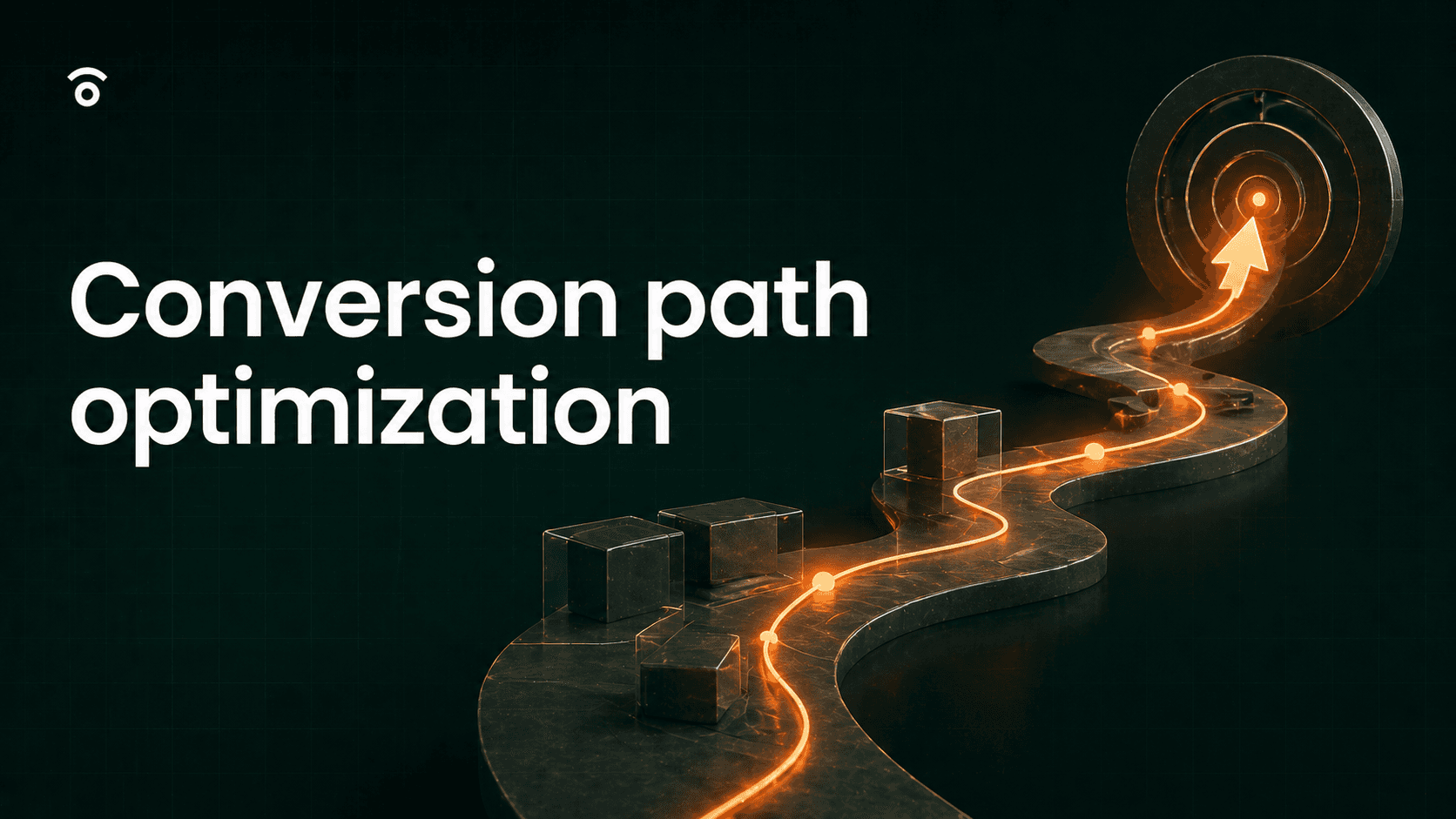
The solution to this problem is conversion path optimization. This is the process of meticulously refining every step of the customer journey, removing obstacles, and making it as effortless as possible for users to reach that final conversion goal, whether it's clicking the "Buy Now" button, signing up for a newsletter, or requesting a demo.
In this article, we explore what a conversion path is, its elements, steps to create one and how AI can help you automate the entire optimization process to increase conversions.
Key Takeaways
A well-optimized conversion path removes friction and guides users from discovering your brand to taking action. This includes ads, landing pages, CTAs, and post-conversion engagement, ensuring a journey that maximizes conversions and improves the user experience.
Identifying drop-off points through funnel analysis helps uncover why users leave before converting. Tracking metrics like bounce rates, time on page, and CTA effectiveness can reveal pain points, allowing for strategic improvements that boost conversion rates.
AI-driven tools like Fibr AI streamline conversion path optimization by automating performance monitoring, personalization, and experimentation. Fibr AI helps improve page speed, run A/B tests, and tailor landing pages to individual user preferences.
What is a conversion path?
A conversion path is the journey a user takes from being a stranger to your brand to becoming a customer or lead by completing a desired action. This journey includes multiple touchpoints where users engage with your content, ads, landing pages, and CTAs before converting.
An effective conversion path removes friction, provides valuable information, and guides users seamlessly through each stage of the decision-making process.
Key elements of a conversion path
The elements of a conversion path are the various touchpoints that users interact with as they move from getting to know your brand to finally performing the action you want them to. The key elements of a conversion path are:
1. Ad/Social Media Post/Article: Awareness Stage (Initial Exposure)
The awareness stage is the first time a user encounters your brand. This could be through:
Ads (Google, Facebook, Instagram, LinkedIn, etc.)
Social media posts
Blog articles and external content
Reviews and third-party mentions
These elements are designed to grab attention and spark curiosity, making users want to learn more.
For example, a user scrolling through Instagram sees an ad for an ergonomic chair with a compelling headline and CTA. If it interests them, they’ll engage further by clicking the link or visiting your profile.
2. Landing Page: Engagement Stage (Interaction with Content)
Once users engage with your ad or content, they land on a dedicated page that provides more details.
A landing page should:
Match the expectations set by the ad or content that led users there.
Offer a clear value proposition that speaks to their needs.
Include high-quality visuals, trust signals, and testimonials.
For example, if a user clicked an ad about an ergonomic chair, the landing page should showcase detailed product information, customer reviews, and images. If the landing page does not meet expectations, users are likely to leave.
3. CTA: Consideration Stage (Evaluation of Options)
The Call-to-Action (CTA) is one of the most important parts of your landing page. It tells users exactly what action to take and why they should take it. A well-crafted CTA provides clear direction, eliminating hesitation and increasing the likelihood of conversion.
At this consideration stage, users are evaluating their options before making a decision. They will explore your landing page, looking for:
Product details: features, pricing, and benefits.
Customer reviews and testimonials: to gauge trust and satisfaction.
Additional images or videos: to visualize the product or service in action.
A compelling CTA: that tells them exactly what to do next.
4. Sign-Up, Checkout, or Subscription Form: Conversion Stage (Final Transaction)
At this stage, the user has made their decision and is ready to complete the action, whether it’s signing up, checking out, or subscribing.
The form is the final barrier before conversion, so it must be simple and user-friendly, quick to fill out, optimised for mobile and error-free.
5. Thank You Page/Confirmation: Post-Conversion Engagement (Retention & Loyalty)
The journey doesn’t end when a user completes an action. Post-conversion engagement ensures they feel acknowledged and know what to expect next.
For example, after a user purchases an ergonomic chair, a confirmation email can include setup instructions and a discount for future purchases. Keeping users engaged after conversion strengthens brand loyalty and increases the chances of repeat business.
How to create a conversion path? (step by step)
A good conversion path is easy for potential customers to navigate and leads them toward the action you want them to take.
Here are the steps to create an effective conversion path:
Step 1: Create Great Content
Users interact with your brand online through the content you put out. This starts with the first ad or social media post they see and continues to the landing page they eventually visit. Your content should meet users where they are and offer exactly what they need based on their stage in the customer journey.
For example:
A user in the awareness stage needs a short, attention-grabbing ad that makes them want to learn more.
A user in the consideration stage wants detailed information, images, and trust signals—all of which you can provide on the landing page.
Your content should also match your brand voice. If you’re marketing a SaaS product, a hard-sell approach may not be the best fit. Instead, focus on thought leadership articles, case studies, and educational content that build trust and authority.
Step 2: Create channels to steer customers towards your landing page
Once you have great content, you need to guide users toward the landing page where conversions happen. Every piece of content should lead the user forward in their journey.
Here’s an example of how a conversion channel might work:
A user stumbles across your social media post and finds it interesting.
They message you asking for more information about your product or service.
You answer their questions and direct them to your landing page for further details.
Once on the landing page, they are guided toward the CTA and encouraged to take action.
Every conversion channel is different. However, the ultimate goal is the same: to move users closer to conversion.
Step 3: CTA and Conversion form/button
The CTA (Call-to-Action) is one of the most important elements on your landing page. A well-crafted CTA should:
Be clear and action-driven (e.g., “Start Your Free Trial,” “Download Now”).
Stand out visually with contrasting colors and compelling copy.
Be positioned above the fold to catch users' attention immediately.
If you're struggling to craft high-converting CTAs, Fibr AI’s CTA Generator can help by analyzing user intent and generating personalized, high-performing CTAs in seconds.
Right after the CTA, there is the conversion form. Whether it's a billing details form for a purchase or an email signup form for a newsletter, it should be:
Short, simple and ask only for necessary information.
Easy to navigate with clear labels and minimal friction.
Mobile-friendly to accommodate users on different devices.
A complicated or lengthy form can cause users to drop off before completing the conversion.
Step 4: Post Conversion Retention
What happens after a user signs up or makes a purchase is just as important as getting them to convert. Post-conversion retention ensures they stay engaged and don’t abandon your brand after taking action.
Immediate Confirmation: Send a thank you message or confirmation email right after the action.
Onboarding Support: If they signed up for a SaaS product, offer a step-by-step guide or tutorial.
Follow-ups: For newsletter signups, send a welcome email series to introduce them to your brand.
Personalized Recommendations: If they made a purchase, suggest related products or services to encourage repeat sales.
Step 5: Analyze
Creating a conversion path is not a one-time effort. You need to analyze performance and make continuous improvements based on data.
Here’s what to track:
Conversion Rate: Measures how many users complete the desired action.
Drop-off Points: Identifies where users exit the conversion path.
Landing Page Performance: Checks load time, bounce rate, and engagement metrics.
CTA Effectiveness: Tests different CTAs through A/B testing.
Fibr AI can automate A/B testing, analyze user behavior, and provide real-time insights to help optimize your conversion path efficiently.
How to analyze conversion paths to identify CRO opportunities?
The conversion path and CRO are deeply connected. By analyzing your conversion path, you can identify what’s causing users to leave before they complete an action and make changes to prevent this. Optimizing these touchpoints ensures a smoother user journey and increases conversions.
1. Do a conversion funnel analysis
A conversion funnel analysis helps map out the customer journey, showing where users enter and exit your funnel. Visualizing this flow allows you to see how users move through different stages and where they drop off.
Example of a conversion funnel:
Stage 1: Ad Click (Traffic Source: Facebook Ad)
Stage 2: Landing Page Visit
Stage 3: Product Page View
Stage 4: Add to Cart
Stage 5: Checkout Started
Stage 6: Order Completed
At each stage, collect data to understand where and why users are leaving:
Traffic Sources: Where are users coming from (social media, organic search, paid ads)?
Page Views: How many users visit each page in your funnel?
Unique Visitors: How many individual users enter your funnel?
Bounce Rate: What percentage of users leave after viewing only one page?
Conversion Rate: What percentage of users complete the desired action at each stage?
Time on Page: How long do users spend on each page?
Exit Pages: Where are users dropping off before converting?
2. Identifying drop-off points
If you want to understand why customers are leaving, you need to pinpoint what’s causing them to leave and when exactly in their journey they are exiting the conversion path. You can use Google analytics, funnel reports, and user feedback to find out.
For example, users drop off after clicking “Subscribe”, check your form length. Are you asking for too much information? Is the process too complicated?
If users bounce right after landing, your page may not match their expectations. Does it align with the ad they clicked? Is the CTA clear? Does it provide the information they need?
Want to find out if your landing page is doing its job? Use Fibr AI’s Landing Page Analyzer to identify what’s working and what’s not.
3. Analyze User Behaviour
Understanding user behavior gives deeper insights into what attracts or frustrates your visitors. Tools like heatmaps and session recordings help track exactly how users interact with your pages. You can optimize your CTA placement, page structure, and content flow to drive more conversions, by studying patterns using the following tools:
Heatmaps: Show where users click, hover, and scroll, helping you see what’s grabbing attention and what’s being ignored.
Session Recordings: Replay real user sessions to understand hesitation points and friction areas.
Best practices to create an effective conversion path
Here’s how you can ensure every part of your conversion path is optimized for success.
1. Remove all possible friction
The easier you make it for users to proceed through your conversion path, the more conversions you’ll get. For this, you have to remove all points of friction that hold users back. For example:
Maybe the link from the ad takes them to a sign-up page where they have to fill out a form even before they see your landing page. This can cause users to drop off as you’re asking for effort before delivering value.
Maybe on your landing page, the CTA and subscribe button are buried under too much content, making it hard for users to take action.
Maybe you ask for email verification immediately after a customer provides their email address. This prompts them to move away from your landing page to check their email for a code, increasing the chance of drop-off.
These are just some examples of friction points in your conversion path. A conversion funnel analysis will help you find out where your customers are actually leaving.
2. Ensure great performance
You may create the most brilliant and captivating content, write the best CTA, and use the most striking visuals. However, if your landing page takes more than three seconds to fully load, you’ve already lost a conversion.
Speed and performance matter. A slow website can make users question your brand’s reliability and product quality. Optimizing for performance means reducing load times, improving uptime, and eliminating security threats.
For this, Fibr AI can be a great help. By monitoring your website for performance issues, it alerts you when poor performance is affecting conversions and assists you in making changes to increase loading speed and uptime while minimizing threats.
3. Optimize your landing page
When users click on an ad, they expect to land on a page that directly aligns with what they saw in the ad. If the landing page content doesn’t match their expectations, they’ll leave.
Ad-to-landing page match involves:
Content Match: The offer, product, or messaging in your ad should be reflected on the landing page.
Intent Match: If an ad promises a discount, the landing page should immediately highlight that discount, not make the user hunt for it.
Keeping this alignment increases trust and engagement, reducing bounce rates.
Users also expect relevance. A landing page that speaks directly to their needs and behaviors is more likely to convert.
Personalizing hundreds of landing pages manually can be time-consuming. AI-driven tools simplify this process. Fibr AI helps you tailor landing pages based on demographics, behavior, and ad source, allowing you to personalize at scale. This can increase post-click conversions by up to 25%.
4. Use social proof
Why should someone who visits your landing page trust you?
People rely on the opinions and experiences of others before making decisions. Social proof reassures them that they are making the right choice. Adding authentic social proof can strengthen credibility and push users toward conversion.
You can integrate social proof into your landing page in multiple ways:
Customer Testimonials
Case Studies
User Count & Metrics
Badges & Certifications
Real-time Proof
5. Keep testing and optimizing
A conversion path isn’t something you set up once and forget. What works today may not work in a few weeks. Constant testing and optimization help you stay ahead.
A/B testing lets you compare different versions of ads, landing pages, and CTAs to see what resonates most with your audience. You can test elements like:
Headlines: Does a question-style headline perform better than a statement?
CTA Placement: Do conversions increase when the CTA is placed above the fold?
Form Length: Do shorter forms result in more sign-ups?
Running multiple CRO tests manually can be time-intensive. Fibr AI simplifies this by handling the entire testing process, from generating hypotheses to processing results. This lets you continuously optimize without draining resources.
Best practices to create an effective conversion path
1. What is conversion path optimization, and why is it important?
Conversion path optimization is the process of refining the steps a user takes from discovering your brand to completing a desired action, such as making a purchase or signing up for a demo. A well-optimized conversion path reduces friction, improves user experience, and increases conversions by ensuring that every touchpoint—ads, landing pages, CTAs, and forms—guides users seamlessly toward taking action.
2. How can AI help in optimizing conversion paths?
AI automates and enhances conversion path optimization by identifying drop-off points, running A/B tests, and personalizing user experiences in real time. Tools like Fibr AI use AI-driven automation for web performance, experimentation and testing, and personalization to streamline CRO processes. This helps improve page speed, optimize CTAs, and tailor landing pages to individual user preferences resulting in higher conversion rates with less manual effort.
3. What are the most common friction points in a conversion path?
Some common friction points include:
Slow-loading pages that cause users to leave before engaging.
Misaligned ad-to-landing page experience, where the landing page does not match user expectations.
Complex or lengthy forms that discourage sign-ups.
Unclear CTAs that fail to guide users effectively.
Lack of trust signals, such as testimonials or social proof.
By analyzing conversion funnels and using AI tools like Fibr AI, businesses can identify and eliminate these friction points to create a smoother, higher-converting user journey.



Ankur Goyal
CEO @ Fibr AI
Ankur Goyal, a visionary entrepreneur, is the driving force behind Fibr, a groundbreaking AI co-pilot for websites. With a dual degree from Stanford University and IIT Delhi, Ankur brings a unique blend of technical prowess and business acumen to the table. This isn't his first rodeo; Ankur is a seasoned entrepreneur with a keen understanding of consumer behavior, web dynamics, and AI. Through Fibr, he aims to revolutionize the way websites engage with users, making digital interactions smarter and more intuitive.
Table of Content
Read summarized version with
Introduction
You're scrolling through your favorite social media feed and stumble upon an ad for a new productivity app. It promises to banish procrastination and boost your efficiency to new heights. Intrigued, you click on the ad, eager to learn more. But instead of being taken to a sleek landing page showcasing the app's features and benefits, you're confronted with a lengthy registration form demanding your personal information before you can even glimpse the app's interface.
You’d be frustrated right? Well, your customers feel the same way if your conversion path is too difficult for them to go through. A friction-ridden conversion path that sends potential customers running for the hills. And it's a surefire way to lose valuable conversions.
The solution to this problem is conversion path optimization. This is the process of meticulously refining every step of the customer journey, removing obstacles, and making it as effortless as possible for users to reach that final conversion goal, whether it's clicking the "Buy Now" button, signing up for a newsletter, or requesting a demo.
In this article, we explore what a conversion path is, its elements, steps to create one and how AI can help you automate the entire optimization process to increase conversions.
Key Takeaways
A well-optimized conversion path removes friction and guides users from discovering your brand to taking action. This includes ads, landing pages, CTAs, and post-conversion engagement, ensuring a journey that maximizes conversions and improves the user experience.
Identifying drop-off points through funnel analysis helps uncover why users leave before converting. Tracking metrics like bounce rates, time on page, and CTA effectiveness can reveal pain points, allowing for strategic improvements that boost conversion rates.
AI-driven tools like Fibr AI streamline conversion path optimization by automating performance monitoring, personalization, and experimentation. Fibr AI helps improve page speed, run A/B tests, and tailor landing pages to individual user preferences.
What is a conversion path?
A conversion path is the journey a user takes from being a stranger to your brand to becoming a customer or lead by completing a desired action. This journey includes multiple touchpoints where users engage with your content, ads, landing pages, and CTAs before converting.
An effective conversion path removes friction, provides valuable information, and guides users seamlessly through each stage of the decision-making process.
Key elements of a conversion path
The elements of a conversion path are the various touchpoints that users interact with as they move from getting to know your brand to finally performing the action you want them to. The key elements of a conversion path are:
1. Ad/Social Media Post/Article: Awareness Stage (Initial Exposure)
The awareness stage is the first time a user encounters your brand. This could be through:
Ads (Google, Facebook, Instagram, LinkedIn, etc.)
Social media posts
Blog articles and external content
Reviews and third-party mentions
These elements are designed to grab attention and spark curiosity, making users want to learn more.
For example, a user scrolling through Instagram sees an ad for an ergonomic chair with a compelling headline and CTA. If it interests them, they’ll engage further by clicking the link or visiting your profile.
2. Landing Page: Engagement Stage (Interaction with Content)
Once users engage with your ad or content, they land on a dedicated page that provides more details.
A landing page should:
Match the expectations set by the ad or content that led users there.
Offer a clear value proposition that speaks to their needs.
Include high-quality visuals, trust signals, and testimonials.
For example, if a user clicked an ad about an ergonomic chair, the landing page should showcase detailed product information, customer reviews, and images. If the landing page does not meet expectations, users are likely to leave.
3. CTA: Consideration Stage (Evaluation of Options)
The Call-to-Action (CTA) is one of the most important parts of your landing page. It tells users exactly what action to take and why they should take it. A well-crafted CTA provides clear direction, eliminating hesitation and increasing the likelihood of conversion.
At this consideration stage, users are evaluating their options before making a decision. They will explore your landing page, looking for:
Product details: features, pricing, and benefits.
Customer reviews and testimonials: to gauge trust and satisfaction.
Additional images or videos: to visualize the product or service in action.
A compelling CTA: that tells them exactly what to do next.
4. Sign-Up, Checkout, or Subscription Form: Conversion Stage (Final Transaction)
At this stage, the user has made their decision and is ready to complete the action, whether it’s signing up, checking out, or subscribing.
The form is the final barrier before conversion, so it must be simple and user-friendly, quick to fill out, optimised for mobile and error-free.
5. Thank You Page/Confirmation: Post-Conversion Engagement (Retention & Loyalty)
The journey doesn’t end when a user completes an action. Post-conversion engagement ensures they feel acknowledged and know what to expect next.
For example, after a user purchases an ergonomic chair, a confirmation email can include setup instructions and a discount for future purchases. Keeping users engaged after conversion strengthens brand loyalty and increases the chances of repeat business.
How to create a conversion path? (step by step)
A good conversion path is easy for potential customers to navigate and leads them toward the action you want them to take.
Here are the steps to create an effective conversion path:
Step 1: Create Great Content
Users interact with your brand online through the content you put out. This starts with the first ad or social media post they see and continues to the landing page they eventually visit. Your content should meet users where they are and offer exactly what they need based on their stage in the customer journey.
For example:
A user in the awareness stage needs a short, attention-grabbing ad that makes them want to learn more.
A user in the consideration stage wants detailed information, images, and trust signals—all of which you can provide on the landing page.
Your content should also match your brand voice. If you’re marketing a SaaS product, a hard-sell approach may not be the best fit. Instead, focus on thought leadership articles, case studies, and educational content that build trust and authority.
Step 2: Create channels to steer customers towards your landing page
Once you have great content, you need to guide users toward the landing page where conversions happen. Every piece of content should lead the user forward in their journey.
Here’s an example of how a conversion channel might work:
A user stumbles across your social media post and finds it interesting.
They message you asking for more information about your product or service.
You answer their questions and direct them to your landing page for further details.
Once on the landing page, they are guided toward the CTA and encouraged to take action.
Every conversion channel is different. However, the ultimate goal is the same: to move users closer to conversion.
Step 3: CTA and Conversion form/button
The CTA (Call-to-Action) is one of the most important elements on your landing page. A well-crafted CTA should:
Be clear and action-driven (e.g., “Start Your Free Trial,” “Download Now”).
Stand out visually with contrasting colors and compelling copy.
Be positioned above the fold to catch users' attention immediately.
If you're struggling to craft high-converting CTAs, Fibr AI’s CTA Generator can help by analyzing user intent and generating personalized, high-performing CTAs in seconds.
Right after the CTA, there is the conversion form. Whether it's a billing details form for a purchase or an email signup form for a newsletter, it should be:
Short, simple and ask only for necessary information.
Easy to navigate with clear labels and minimal friction.
Mobile-friendly to accommodate users on different devices.
A complicated or lengthy form can cause users to drop off before completing the conversion.
Step 4: Post Conversion Retention
What happens after a user signs up or makes a purchase is just as important as getting them to convert. Post-conversion retention ensures they stay engaged and don’t abandon your brand after taking action.
Immediate Confirmation: Send a thank you message or confirmation email right after the action.
Onboarding Support: If they signed up for a SaaS product, offer a step-by-step guide or tutorial.
Follow-ups: For newsletter signups, send a welcome email series to introduce them to your brand.
Personalized Recommendations: If they made a purchase, suggest related products or services to encourage repeat sales.
Step 5: Analyze
Creating a conversion path is not a one-time effort. You need to analyze performance and make continuous improvements based on data.
Here’s what to track:
Conversion Rate: Measures how many users complete the desired action.
Drop-off Points: Identifies where users exit the conversion path.
Landing Page Performance: Checks load time, bounce rate, and engagement metrics.
CTA Effectiveness: Tests different CTAs through A/B testing.
Fibr AI can automate A/B testing, analyze user behavior, and provide real-time insights to help optimize your conversion path efficiently.
How to analyze conversion paths to identify CRO opportunities?
The conversion path and CRO are deeply connected. By analyzing your conversion path, you can identify what’s causing users to leave before they complete an action and make changes to prevent this. Optimizing these touchpoints ensures a smoother user journey and increases conversions.
1. Do a conversion funnel analysis
A conversion funnel analysis helps map out the customer journey, showing where users enter and exit your funnel. Visualizing this flow allows you to see how users move through different stages and where they drop off.
Example of a conversion funnel:
Stage 1: Ad Click (Traffic Source: Facebook Ad)
Stage 2: Landing Page Visit
Stage 3: Product Page View
Stage 4: Add to Cart
Stage 5: Checkout Started
Stage 6: Order Completed
At each stage, collect data to understand where and why users are leaving:
Traffic Sources: Where are users coming from (social media, organic search, paid ads)?
Page Views: How many users visit each page in your funnel?
Unique Visitors: How many individual users enter your funnel?
Bounce Rate: What percentage of users leave after viewing only one page?
Conversion Rate: What percentage of users complete the desired action at each stage?
Time on Page: How long do users spend on each page?
Exit Pages: Where are users dropping off before converting?
2. Identifying drop-off points
If you want to understand why customers are leaving, you need to pinpoint what’s causing them to leave and when exactly in their journey they are exiting the conversion path. You can use Google analytics, funnel reports, and user feedback to find out.
For example, users drop off after clicking “Subscribe”, check your form length. Are you asking for too much information? Is the process too complicated?
If users bounce right after landing, your page may not match their expectations. Does it align with the ad they clicked? Is the CTA clear? Does it provide the information they need?
Want to find out if your landing page is doing its job? Use Fibr AI’s Landing Page Analyzer to identify what’s working and what’s not.
3. Analyze User Behaviour
Understanding user behavior gives deeper insights into what attracts or frustrates your visitors. Tools like heatmaps and session recordings help track exactly how users interact with your pages. You can optimize your CTA placement, page structure, and content flow to drive more conversions, by studying patterns using the following tools:
Heatmaps: Show where users click, hover, and scroll, helping you see what’s grabbing attention and what’s being ignored.
Session Recordings: Replay real user sessions to understand hesitation points and friction areas.
Best practices to create an effective conversion path
Here’s how you can ensure every part of your conversion path is optimized for success.
1. Remove all possible friction
The easier you make it for users to proceed through your conversion path, the more conversions you’ll get. For this, you have to remove all points of friction that hold users back. For example:
Maybe the link from the ad takes them to a sign-up page where they have to fill out a form even before they see your landing page. This can cause users to drop off as you’re asking for effort before delivering value.
Maybe on your landing page, the CTA and subscribe button are buried under too much content, making it hard for users to take action.
Maybe you ask for email verification immediately after a customer provides their email address. This prompts them to move away from your landing page to check their email for a code, increasing the chance of drop-off.
These are just some examples of friction points in your conversion path. A conversion funnel analysis will help you find out where your customers are actually leaving.
2. Ensure great performance
You may create the most brilliant and captivating content, write the best CTA, and use the most striking visuals. However, if your landing page takes more than three seconds to fully load, you’ve already lost a conversion.
Speed and performance matter. A slow website can make users question your brand’s reliability and product quality. Optimizing for performance means reducing load times, improving uptime, and eliminating security threats.
For this, Fibr AI can be a great help. By monitoring your website for performance issues, it alerts you when poor performance is affecting conversions and assists you in making changes to increase loading speed and uptime while minimizing threats.
3. Optimize your landing page
When users click on an ad, they expect to land on a page that directly aligns with what they saw in the ad. If the landing page content doesn’t match their expectations, they’ll leave.
Ad-to-landing page match involves:
Content Match: The offer, product, or messaging in your ad should be reflected on the landing page.
Intent Match: If an ad promises a discount, the landing page should immediately highlight that discount, not make the user hunt for it.
Keeping this alignment increases trust and engagement, reducing bounce rates.
Users also expect relevance. A landing page that speaks directly to their needs and behaviors is more likely to convert.
Personalizing hundreds of landing pages manually can be time-consuming. AI-driven tools simplify this process. Fibr AI helps you tailor landing pages based on demographics, behavior, and ad source, allowing you to personalize at scale. This can increase post-click conversions by up to 25%.
4. Use social proof
Why should someone who visits your landing page trust you?
People rely on the opinions and experiences of others before making decisions. Social proof reassures them that they are making the right choice. Adding authentic social proof can strengthen credibility and push users toward conversion.
You can integrate social proof into your landing page in multiple ways:
Customer Testimonials
Case Studies
User Count & Metrics
Badges & Certifications
Real-time Proof
5. Keep testing and optimizing
A conversion path isn’t something you set up once and forget. What works today may not work in a few weeks. Constant testing and optimization help you stay ahead.
A/B testing lets you compare different versions of ads, landing pages, and CTAs to see what resonates most with your audience. You can test elements like:
Headlines: Does a question-style headline perform better than a statement?
CTA Placement: Do conversions increase when the CTA is placed above the fold?
Form Length: Do shorter forms result in more sign-ups?
Running multiple CRO tests manually can be time-intensive. Fibr AI simplifies this by handling the entire testing process, from generating hypotheses to processing results. This lets you continuously optimize without draining resources.
Best practices to create an effective conversion path
1. What is conversion path optimization, and why is it important?
Conversion path optimization is the process of refining the steps a user takes from discovering your brand to completing a desired action, such as making a purchase or signing up for a demo. A well-optimized conversion path reduces friction, improves user experience, and increases conversions by ensuring that every touchpoint—ads, landing pages, CTAs, and forms—guides users seamlessly toward taking action.
2. How can AI help in optimizing conversion paths?
AI automates and enhances conversion path optimization by identifying drop-off points, running A/B tests, and personalizing user experiences in real time. Tools like Fibr AI use AI-driven automation for web performance, experimentation and testing, and personalization to streamline CRO processes. This helps improve page speed, optimize CTAs, and tailor landing pages to individual user preferences resulting in higher conversion rates with less manual effort.
3. What are the most common friction points in a conversion path?
Some common friction points include:
Slow-loading pages that cause users to leave before engaging.
Misaligned ad-to-landing page experience, where the landing page does not match user expectations.
Complex or lengthy forms that discourage sign-ups.
Unclear CTAs that fail to guide users effectively.
Lack of trust signals, such as testimonials or social proof.
By analyzing conversion funnels and using AI tools like Fibr AI, businesses can identify and eliminate these friction points to create a smoother, higher-converting user journey.
Ankur Goyal
CEO @ Fibr AI
Ankur Goyal, a visionary entrepreneur, is the driving force behind Fibr, a groundbreaking AI co-pilot for websites. With a dual degree from Stanford University and IIT Delhi, Ankur brings a unique blend of technical prowess and business acumen to the table. This isn't his first rodeo; Ankur is a seasoned entrepreneur with a keen understanding of consumer behavior, web dynamics, and AI. Through Fibr, he aims to revolutionize the way websites engage with users, making digital interactions smarter and more intuitive.