Table of Content
Read summarized version with
You've invested time and resources into driving traffic to your site, whether through targeted ads or engaging social media campaigns. Every click that your landing page gets is a potential lead, a potential customer. But what happens when they click on your landing page only to find a page that is uninspired and underwhelming. They click away.
Your landing page is your digital storefront. It's the first real interaction a prospect has with your brand after expressing interest. A poorly designed landing page drives prospects away. Conversely, a well-structured, persuasive landing page guides prospects on their path towards conversion.
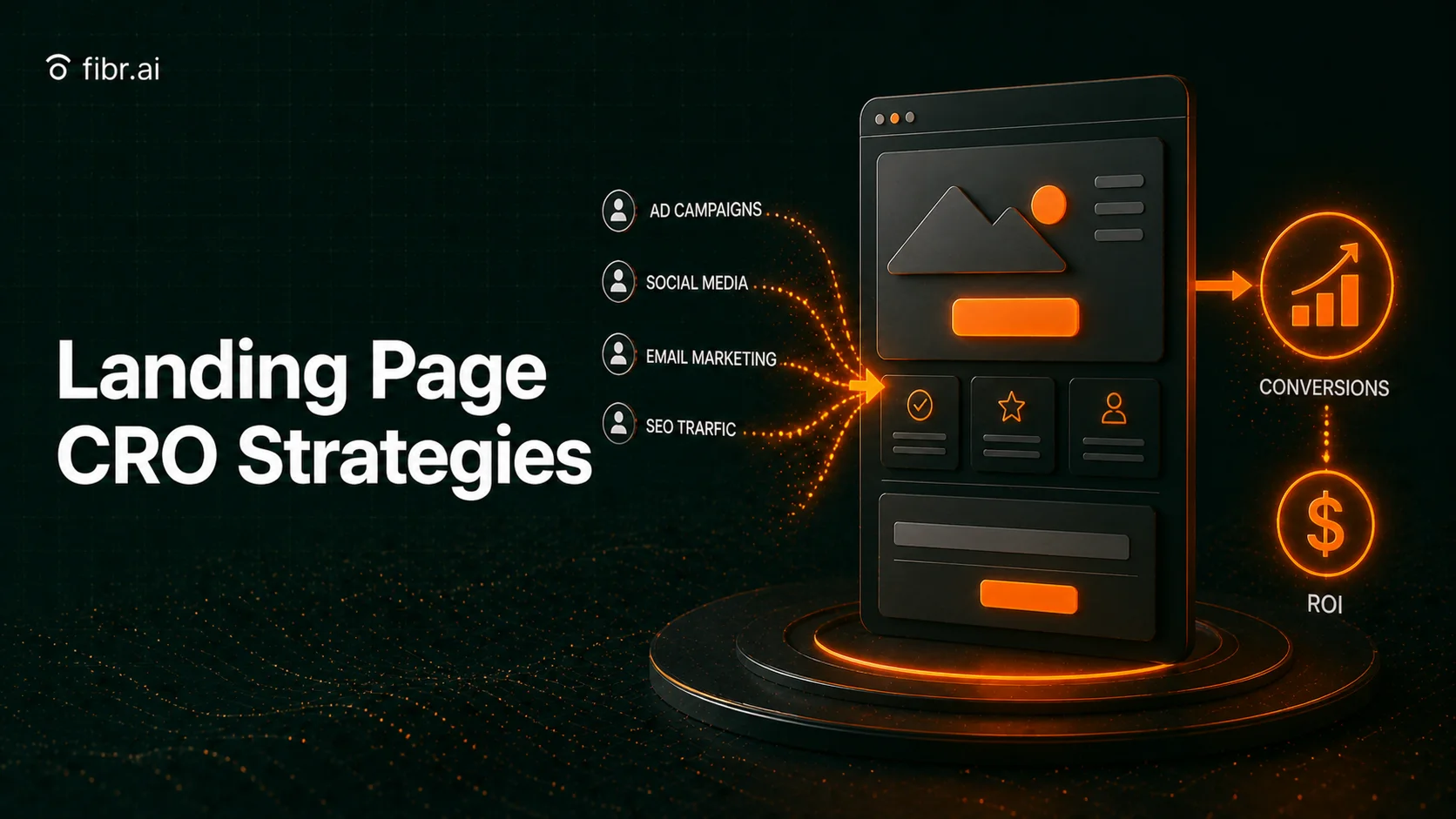
In this article, we’ll discuss strategies you must know to drive those conversions and turn every landing page visitor into a lead or a customer. Learn how to craft compelling headlines, design persuasive calls to action, and refine your landing page elements while using AI to automate and simplify these processes.
Key Takeaways
A high-converting landing page needs a strong headline, compelling CTA, and optimized content. Matching ad expectations, using trust signals, and improving page speed significantly impact conversion rates.
A/B testing and heatmaps help identify what resonates with your audience. Testing headlines, CTAs, layouts, and form fields ensures continuous improvement. Retargeting lost visitors through dynamic ads, exit-intent offers, and sequential content nurtures leads and increases conversion opportunities.
Page speed and user experience directly affect conversions. Slow pages increase bounce rates, while mobile responsiveness, optimized visuals, lazy loading, and CDN integration enhance performance.
Fibr AI automates CRO with one system handling personalization, A/B testing, and performance monitoring adapting content in real time, running continuous experiments, and detecting speed issues.
Key Elements of a High-Converting Landing Page
Every high-converting landing page must have three essential elements:
1. A catchy, relevant headline
2. The right content: both text and visuals
3. A compelling CTA that encourages users to perform the action
Without these three elements a landing page is incomplete. However, just having these three elements on your landing page is not enough. They should be optimized based on your target audience, the specific offer, and the overall marketing campaign goals.
Apart from the three essential elements mentioned above, high-converting landing pages will also usually:
Be optimized for speed and performance
Have various trust signals displayed prominently
Maintain a consistent message and design
Be mobile-responsive and user-friendly
Utilize A/B testing to refine and improve
Understand user behaviour through careful analytics
We’ll now discuss these elements and essentials one by one in detail to learn how each one can be optimized for better conversions.
How to Write Headlines That Drive Conversions
The first bit of text that users see when they visit your landing page is the headline. Ideally it should tell them exactly what your page is about, what they will get out of it and why it matters. So, a well-written headline would answer questions like:
What is your offer (product/service)?
What are the benefits to the user?
Why does it matter?
Let’s consider these two headlines for a landing page selling designer handbags.
Headline 1: "Handbags For Sale!"
Headline 2: "Discover Luxurious Designer Handbags with Exclusive Limited-Time Discounts."
Headline 1 is incredibly weak. It's generic, lacks any sense of excitement, and doesn't tell the visitor anything they don't already know (or expect). On the other hand, headline 2 is significantly more effective. It uses powerful language ("Luxurious," "Exclusive") that appeals to the target audience's desires. It also creates a sense of urgency ("Limited-Time Discounts"), encouraging immediate action.
Another aspect to take care of when it comes to writing headlines is content match. The headline must match the expectations set by the originating ad or link.
Let’s go back to our example. Imagine you run an ad for the designer handbag business offering users "Free Shipping on all orders over $100, plus a complimentary silk scarf with select handbags."
A good matching headline would be: "Free Shipping & Silk Scarf: Get Designer Handbags Today"
A bad matching headline would be: "New Fall Handbag Collection Arriving Soon!"
The first headline directly reflects the promises made in the ad, creating a consistent and trustworthy experience. The second headline, while it may be relevant, does not match the users expectations.
Of course customizing landing pages manually to match every ad you run can be tiring and time consuming. This is where Fibr AI shines with its automated ad personalization capabilities, helping you match your landing pages to your ads perfectly.
Optimizing CTAs for More Clicks and Sales
A CTA is a prompt on a landing page that tells the user exactly what action to take next: sign up, download, buy now, learn more, etc. It's typically a button or a link, designed to grab attention and encourage immediate action.
If you want to create a CTA that works, you need to follow these three rules:
Rule 1: Clarity Over Cleverness
Use concise, action-oriented language that clearly communicates the desired action. "Get Your Free Trial" is more effective than "Unlock Your Potential."
Rule 2: Create Urgency
Incorporate elements that encourage immediate action, such as limited-time offers, deadlines, or scarcity. "Download Your Free Guide Today" is more compelling than "Download Your Free Guide."
Rule 3: Match the Offer
Your CTA should align perfectly with the offer presented on the landing page. If the page promotes a discount, the CTA should reflect that, for example, "Claim Your 20% Discount Now."
While the CTA text is important, the CTA button is equally important. You should:
Make your CTA button stand out by using contrasting colors, bold fonts, and sufficient white space around it.
Position your CTA button above the fold and in a natural flow within the page layout, ensuring it's easily visible and accessible.
Why Page Speed Matters for Better Conversions
Page speed directly impacts your conversions. You know how frustrating it is when a page takes forever to load. Multiply that feeling by every potential customer landing on your site.
Time is a precious commodity, and if your page disrespects your visitors' time, they'll bounce. To put it bluntly, when your page load time increases from one second to three seconds, you see a 32% increase in bounce rates. That's a huge loss of potential conversions. Beyond that, search engines factor page speed into SEO rankings, so a slow site hurts your visibility.
Here are some strategies to create better performing landing pages:
1. Lightweight Design Elements
Ditch the bulky, high-resolution images and bloated scripts. Opt for optimized, compressed visuals and streamlined code. Simplicity and efficiency are your greatest performance allies.
2. Use Lazy Loading Features
Implement lazy loading to defer the loading of non-critical resources until they're needed. This significantly reduces initial load times, especially if your page has extensive media content.
3. Leverage a Content Delivery Network (CDN)
A CDN distributes your website's content across multiple servers globally. This reduces the distance between your visitors and your server, resulting in faster load times.
4. Minify and Compress Code
Remove unnecessary characters from your HTML, CSS, and JavaScript files. Then, compress your files to further reduce their size. Smaller files translate to faster downloads.
5. Automate Performance Optimization
You don't have time to manually monitor and fix every performance issue. AI tools can handle this for you. Fibr AI monitors your page 24/7 to catch issues like slow loading. It allows for proactive, continuous optimization, ensuring your landing pages always deliver a great user experience.
A/B Testing: What to Test on Your Landing Page
Every aspect of your landing page needs to be optimized. This means every element should be carefully tested to find what works. A/B testing helps you compare how different versions of the same landing page (created by tweaking any one element) perform. This shows you exactly what resonates with your audience.
Here are some landing page elements you should be A/B testing:
1. Headline
This is your opening statement, the first thing visitors see. Test different approaches. Maybe a question peaks curiosity more than a direct statement, or perhaps a headline highlighting a specific benefit outperforms a general one. See which version grabs attention and keeps them reading.
2. CTA Text and CTA Button
This is where you guide visitors to take action. Experiment with the wording ("Get Started," "Learn More," "Buy Now") and the button's appearance (color, size, shape). A simple change in text or button design can dramatically impact click-through rates.
3. Visuals
Images and videos are powerful tools for engagement. Try testing different visuals to see what resonates best. A product demo video might convert better than a static image, or a lifestyle shot might connect on an emotional level. See what visual elements capture attention and drive action.
4. Form Fields and Complexity
If your landing page includes a form, the number and type of fields can affect conversions. Test different form lengths and field types. Fewer fields can increase completion rates, but you might need more information to qualify leads. Experiment with different field labels and required fields to find the optimal balance.
5. Page Layout
The layout determines how easily visitors can navigate your page and find the information they need. Test different arrangements of elements, such as moving the CTA higher or lower, or reorganizing content sections. A cleaner, more intuitive layout can improve user experience and increase conversions.
A/B Testing: What to Test on Your Landing Page
What good is a beautifully designed page if people leave before taking action? Keeping bounce rates low is possible only when your visitors feel engaged. Here’s how to achieve this:
1. Content Match
Mismatched content kills conversions. When a user clicks on an ad, they expect the landing page to match in message, tone, and visuals. If the ad promises “Get 50% Off CRM Software” but the page only lists features with no mention of a discount, visitors will leave.
A high-converting landing page aligns on three levels:
Headline match: Your page’s main headline must reflect the exact offer or benefit that got them to click.
Visual consistency: If your ad has a modern, clean design, the landing page should mirror that. A sudden change in branding creates distrust.
Intent alignment: A visitor looking for a pricing page should land on one without having to dig for it. Each landing page should match a specific intent, whether it’s lead generation, product demos, or purchases.
2. High Quality Visuals
Images and videos shape user behavior. Low-quality or generic visuals create friction, while the right ones reinforce trust and engagement.
Choosing the right format matters:
Videos: Best for product demos, explainer content, and testimonials. A 30-second walkthrough of your software will convert better than a block of text.
Photos: Best for trust-building and emotional appeal. A consulting firm should use high-quality team photos, while an eCommerce page should showcase products in use.
Every visual should support a goal, highlight benefits, reduce uncertainty, or direct attention to conversions.
3. Provide Value
If a visitor lands on your page and doesn’t see immediate value, they’ll leave. The best landing pages answer one question fast: What’s in it for them?
Here’s how you can add tangible value to your landing pages:
Lead magnets: Free trials, guides, templates, or calculators. Example: A marketing agency offering a free SEO audit tool converts visitors into leads.
Social proof: Reviews, testimonials, and case studies. Seeing that others trust your solution reduces hesitation.
Clear, benefit-driven copy: Instead of “We offer AI-powered analytics,” say, “Turn Raw Data into Actionable Insights in Seconds.”
4. Refine Above-the-Fold Content
The first screen of your landing page determines whether users stay or bounce. This section must immediately communicate who you are, what you offer, and why it matters. High-converting above-the-fold structure include:
Headline: Clear, compelling, and benefit-focused. Example: “Automate Your Sales Pipeline – 14-Day Free Trial” instead of “Sales Automation Software.”
Subheadline: Reinforces the value. Example: “Close More Deals with AI-Powered Lead Scoring.”
CTA Button: Direct and action-driven. Example: “Get Started in 60 Seconds” instead of “Learn More.”
Trust Signals: Badges, customer logos, or quick stats to build credibility. Example: “Trusted by 10,000+ Businesses.”
Below the fold matters too. Once the top section hooks attention, the rest of the page should reinforce trust with deeper details, testimonials, and additional CTAs.
No one enjoys wrestling with a lengthy, convoluted form. It's a surefire way to lose potential leads. People are busy, their time is valuable, and if you ask for too much, they'll simply move on. That's why form optimization matters. You want to gather the information you need, but you need to do it efficiently.
High bounce rates and low form completion percentages are clear indicators that your forms are hindering landing page conversions. If visitors are leaving without submitting or struggling to complete the form, it signals that the form's design or requirements are creating unnecessary friction.
When optimizing forms, focus on these three key areas:
Minimize Fields: Only ask for essential information. Every extra field adds friction and increases the likelihood of abandonment. Prioritize the data you absolutely need to qualify leads or complete the desired action.
Simplify and Clarify: Use clear, concise language in your field labels and instructions. Avoid jargon or technical terms that might confuse users. Make sure the purpose of each field is immediately obvious.
Optimize User Experience: Make the form easy to navigate and complete. Use logical field order, provide helpful error messages, and ensure the form is mobile-friendly. Consider using features like auto-fill and progress indicators to reduce effort.
Not every visitor converts on the first visit, but that doesn’t mean they’re a lost opportunity. Retargeting helps bring them back by reminding them of what they showed interest in.
1. Dynamic Retargeting Based on Page Interaction
Not all visitors leave for the same reason, some abandon after reading testimonials, while others drop off at pricing. Dynamic retargeting lets you serve tailored ads based on their specific interactions.
If someone viewed your pricing page but didn’t convert, retarget them with an ad featuring a limited-time discount or a customer success story. This works because it speaks directly to their hesitation, increasing the chance of a return visit.
2. Exit-Intent Offers with Retargeting Follow-Up
If a visitor moves to exit your landing page, an exit-intent pop-up can capture their attention with a special offer or lead magnet.
However, many users still leave without engaging, which is where retargeting helps. Serve ads featuring the same offer they saw in the pop-up, whether it’s a discount, free consultation, or downloadable resource. This consistency reinforces the value of your offer and keeps it top of mind.
3. Retargeting with Sequential Content
Not all visitors are ready to convert immediately, some need more trust-building. Sequential retargeting moves users through a funnel by showing them different content at each stage.
A first retargeting ad might highlight a customer testimonial, followed by a second ad featuring a case study, and a final one with a strong call-to-action. This strategy works because it nurtures leads gradually, addressing concerns and increasing conversion likelihood.
Using Heatmaps to Find and Fix CRO Issues on Landing Pages
There's a reason why marketers spend so much time studying and analyzing user behavior it tells you exactly what your users are thinking. One powerful tool in the marketer's arsenal is the heatmap. Heatmaps provide a visual representation of user activity on your landing page by highlighting areas of interest and engagement, as well as those that are being overlooked.
Heatmaps are visual representations of user activity on a web page, using color variations to indicate areas of high and low engagement. Warm colors like red and orange typically represent areas where users click or hover their mouse the most, while cool colors like blue and green indicate less activity.
This visual representation allows you to quickly identify which elements on your page are attracting attention and which are being ignored.
Here’s what you should be looking for in a heatmap:
Click Concentration: Are users clicking on the elements you want them to? If your call-to-action button is receiving minimal clicks, it might be poorly placed, have an unclear message, or lack visual prominence.
Scroll Depth: How far down the page are users scrolling? If they're not reaching key sections below the fold, you might need to restructure your content or improve the visual cues that guide users down the page.
Attention Blind Spots: Are there elements on your page that are being completely ignored? This could indicate that they're not relevant, visually unappealing, or poorly integrated into the overall design.
Get Landing Page CRO Right with Fibr AI
Landing page conversion rate optimization (CRO) isn’t just making random tweaks; you need to implement strategies that align with user intent, remove friction, and drive action. While not every strategy discussed here will be relevant to every business, choosing the right ones based on audience behavior and continuously testing their impact will lead to better results.
The challenge, however, is that optimizing landing pages manually is both time-consuming and resource-intensive.
This is where AI-powered automation helps. Instead of relying on trial-and-error or waiting weeks for test results, Fibr AI automates every aspect of CRO. It dynamically tailors content, CTAs, and visuals to match visitor intent in real time, runs continuous A/B tests to refine page performance without requiring manual input, and proactively monitors and fixes performance issues that could hurt conversions.
This automation ensures your landing pages are always optimized, without the need for constant human oversight.
Beyond automation, Fibr AI also provides dedicated human experts who oversee implementation, integration, and strategy. This ensures the AI tools work seamlessly with your existing tech stack.
Whether you’re looking to improve personalization, speed, A/B testing, or overall page performance, Fibr AI can handle it all! Book a demo today and see how AI-driven optimization can boost your landing page conversions effortlessly.
What is CRO in landing pages?
Conversion Rate Optimization in landing pages is the process of maximizing a landing page’s ability to convert visitors by getting them to perform a desired action. The process involves optimizing every part of the landing page to drive conversions.
What is a good CTR for a landing page?
A good Click Through Rate (CTR) is usually one that is higher than your industry average. Generally across industries 1.9% is considered to be a good CTR. However, this number varies depending on your industries, the type of product or service you offer and who your target audience is.
How to calculate landing page conversion rate?
You can calculate the landing page conversion rate by dividing the number of conversions by the total number of landing page visitors. The formula for landing page conversion rate is:
Conversion Rate= (Number of Conversions/Total Number of Visitors) x 100





Ankur Goyal
CEO @ Fibr AI
Ankur Goyal, a visionary entrepreneur, is the driving force behind Fibr, a groundbreaking AI co-pilot for websites. With a dual degree from Stanford University and IIT Delhi, Ankur brings a unique blend of technical prowess and business acumen to the table. This isn't his first rodeo; Ankur is a seasoned entrepreneur with a keen understanding of consumer behavior, web dynamics, and AI. Through Fibr, he aims to revolutionize the way websites engage with users, making digital interactions smarter and more intuitive.
Table of Content
Read summarized version with
You've invested time and resources into driving traffic to your site, whether through targeted ads or engaging social media campaigns. Every click that your landing page gets is a potential lead, a potential customer. But what happens when they click on your landing page only to find a page that is uninspired and underwhelming. They click away.
Your landing page is your digital storefront. It's the first real interaction a prospect has with your brand after expressing interest. A poorly designed landing page drives prospects away. Conversely, a well-structured, persuasive landing page guides prospects on their path towards conversion.
In this article, we’ll discuss strategies you must know to drive those conversions and turn every landing page visitor into a lead or a customer. Learn how to craft compelling headlines, design persuasive calls to action, and refine your landing page elements while using AI to automate and simplify these processes.
Key Takeaways
A high-converting landing page needs a strong headline, compelling CTA, and optimized content. Matching ad expectations, using trust signals, and improving page speed significantly impact conversion rates.
A/B testing and heatmaps help identify what resonates with your audience. Testing headlines, CTAs, layouts, and form fields ensures continuous improvement. Retargeting lost visitors through dynamic ads, exit-intent offers, and sequential content nurtures leads and increases conversion opportunities.
Page speed and user experience directly affect conversions. Slow pages increase bounce rates, while mobile responsiveness, optimized visuals, lazy loading, and CDN integration enhance performance.
Fibr AI automates CRO with one system handling personalization, A/B testing, and performance monitoring adapting content in real time, running continuous experiments, and detecting speed issues.
Key Elements of a High-Converting Landing Page
Every high-converting landing page must have three essential elements:
1. A catchy, relevant headline
2. The right content: both text and visuals
3. A compelling CTA that encourages users to perform the action
Without these three elements a landing page is incomplete. However, just having these three elements on your landing page is not enough. They should be optimized based on your target audience, the specific offer, and the overall marketing campaign goals.
Apart from the three essential elements mentioned above, high-converting landing pages will also usually:
Be optimized for speed and performance
Have various trust signals displayed prominently
Maintain a consistent message and design
Be mobile-responsive and user-friendly
Utilize A/B testing to refine and improve
Understand user behaviour through careful analytics
We’ll now discuss these elements and essentials one by one in detail to learn how each one can be optimized for better conversions.
How to Write Headlines That Drive Conversions
The first bit of text that users see when they visit your landing page is the headline. Ideally it should tell them exactly what your page is about, what they will get out of it and why it matters. So, a well-written headline would answer questions like:
What is your offer (product/service)?
What are the benefits to the user?
Why does it matter?
Let’s consider these two headlines for a landing page selling designer handbags.
Headline 1: "Handbags For Sale!"
Headline 2: "Discover Luxurious Designer Handbags with Exclusive Limited-Time Discounts."
Headline 1 is incredibly weak. It's generic, lacks any sense of excitement, and doesn't tell the visitor anything they don't already know (or expect). On the other hand, headline 2 is significantly more effective. It uses powerful language ("Luxurious," "Exclusive") that appeals to the target audience's desires. It also creates a sense of urgency ("Limited-Time Discounts"), encouraging immediate action.
Another aspect to take care of when it comes to writing headlines is content match. The headline must match the expectations set by the originating ad or link.
Let’s go back to our example. Imagine you run an ad for the designer handbag business offering users "Free Shipping on all orders over $100, plus a complimentary silk scarf with select handbags."
A good matching headline would be: "Free Shipping & Silk Scarf: Get Designer Handbags Today"
A bad matching headline would be: "New Fall Handbag Collection Arriving Soon!"
The first headline directly reflects the promises made in the ad, creating a consistent and trustworthy experience. The second headline, while it may be relevant, does not match the users expectations.
Of course customizing landing pages manually to match every ad you run can be tiring and time consuming. This is where Fibr AI shines with its automated ad personalization capabilities, helping you match your landing pages to your ads perfectly.
Optimizing CTAs for More Clicks and Sales
A CTA is a prompt on a landing page that tells the user exactly what action to take next: sign up, download, buy now, learn more, etc. It's typically a button or a link, designed to grab attention and encourage immediate action.
If you want to create a CTA that works, you need to follow these three rules:
Rule 1: Clarity Over Cleverness
Use concise, action-oriented language that clearly communicates the desired action. "Get Your Free Trial" is more effective than "Unlock Your Potential."
Rule 2: Create Urgency
Incorporate elements that encourage immediate action, such as limited-time offers, deadlines, or scarcity. "Download Your Free Guide Today" is more compelling than "Download Your Free Guide."
Rule 3: Match the Offer
Your CTA should align perfectly with the offer presented on the landing page. If the page promotes a discount, the CTA should reflect that, for example, "Claim Your 20% Discount Now."
While the CTA text is important, the CTA button is equally important. You should:
Make your CTA button stand out by using contrasting colors, bold fonts, and sufficient white space around it.
Position your CTA button above the fold and in a natural flow within the page layout, ensuring it's easily visible and accessible.
Why Page Speed Matters for Better Conversions
Page speed directly impacts your conversions. You know how frustrating it is when a page takes forever to load. Multiply that feeling by every potential customer landing on your site.
Time is a precious commodity, and if your page disrespects your visitors' time, they'll bounce. To put it bluntly, when your page load time increases from one second to three seconds, you see a 32% increase in bounce rates. That's a huge loss of potential conversions. Beyond that, search engines factor page speed into SEO rankings, so a slow site hurts your visibility.
Here are some strategies to create better performing landing pages:
1. Lightweight Design Elements
Ditch the bulky, high-resolution images and bloated scripts. Opt for optimized, compressed visuals and streamlined code. Simplicity and efficiency are your greatest performance allies.
2. Use Lazy Loading Features
Implement lazy loading to defer the loading of non-critical resources until they're needed. This significantly reduces initial load times, especially if your page has extensive media content.
3. Leverage a Content Delivery Network (CDN)
A CDN distributes your website's content across multiple servers globally. This reduces the distance between your visitors and your server, resulting in faster load times.
4. Minify and Compress Code
Remove unnecessary characters from your HTML, CSS, and JavaScript files. Then, compress your files to further reduce their size. Smaller files translate to faster downloads.
5. Automate Performance Optimization
You don't have time to manually monitor and fix every performance issue. AI tools can handle this for you. Fibr AI monitors your page 24/7 to catch issues like slow loading. It allows for proactive, continuous optimization, ensuring your landing pages always deliver a great user experience.
A/B Testing: What to Test on Your Landing Page
Every aspect of your landing page needs to be optimized. This means every element should be carefully tested to find what works. A/B testing helps you compare how different versions of the same landing page (created by tweaking any one element) perform. This shows you exactly what resonates with your audience.
Here are some landing page elements you should be A/B testing:
1. Headline
This is your opening statement, the first thing visitors see. Test different approaches. Maybe a question peaks curiosity more than a direct statement, or perhaps a headline highlighting a specific benefit outperforms a general one. See which version grabs attention and keeps them reading.
2. CTA Text and CTA Button
This is where you guide visitors to take action. Experiment with the wording ("Get Started," "Learn More," "Buy Now") and the button's appearance (color, size, shape). A simple change in text or button design can dramatically impact click-through rates.
3. Visuals
Images and videos are powerful tools for engagement. Try testing different visuals to see what resonates best. A product demo video might convert better than a static image, or a lifestyle shot might connect on an emotional level. See what visual elements capture attention and drive action.
4. Form Fields and Complexity
If your landing page includes a form, the number and type of fields can affect conversions. Test different form lengths and field types. Fewer fields can increase completion rates, but you might need more information to qualify leads. Experiment with different field labels and required fields to find the optimal balance.
5. Page Layout
The layout determines how easily visitors can navigate your page and find the information they need. Test different arrangements of elements, such as moving the CTA higher or lower, or reorganizing content sections. A cleaner, more intuitive layout can improve user experience and increase conversions.
A/B Testing: What to Test on Your Landing Page
What good is a beautifully designed page if people leave before taking action? Keeping bounce rates low is possible only when your visitors feel engaged. Here’s how to achieve this:
1. Content Match
Mismatched content kills conversions. When a user clicks on an ad, they expect the landing page to match in message, tone, and visuals. If the ad promises “Get 50% Off CRM Software” but the page only lists features with no mention of a discount, visitors will leave.
A high-converting landing page aligns on three levels:
Headline match: Your page’s main headline must reflect the exact offer or benefit that got them to click.
Visual consistency: If your ad has a modern, clean design, the landing page should mirror that. A sudden change in branding creates distrust.
Intent alignment: A visitor looking for a pricing page should land on one without having to dig for it. Each landing page should match a specific intent, whether it’s lead generation, product demos, or purchases.
2. High Quality Visuals
Images and videos shape user behavior. Low-quality or generic visuals create friction, while the right ones reinforce trust and engagement.
Choosing the right format matters:
Videos: Best for product demos, explainer content, and testimonials. A 30-second walkthrough of your software will convert better than a block of text.
Photos: Best for trust-building and emotional appeal. A consulting firm should use high-quality team photos, while an eCommerce page should showcase products in use.
Every visual should support a goal, highlight benefits, reduce uncertainty, or direct attention to conversions.
3. Provide Value
If a visitor lands on your page and doesn’t see immediate value, they’ll leave. The best landing pages answer one question fast: What’s in it for them?
Here’s how you can add tangible value to your landing pages:
Lead magnets: Free trials, guides, templates, or calculators. Example: A marketing agency offering a free SEO audit tool converts visitors into leads.
Social proof: Reviews, testimonials, and case studies. Seeing that others trust your solution reduces hesitation.
Clear, benefit-driven copy: Instead of “We offer AI-powered analytics,” say, “Turn Raw Data into Actionable Insights in Seconds.”
4. Refine Above-the-Fold Content
The first screen of your landing page determines whether users stay or bounce. This section must immediately communicate who you are, what you offer, and why it matters. High-converting above-the-fold structure include:
Headline: Clear, compelling, and benefit-focused. Example: “Automate Your Sales Pipeline – 14-Day Free Trial” instead of “Sales Automation Software.”
Subheadline: Reinforces the value. Example: “Close More Deals with AI-Powered Lead Scoring.”
CTA Button: Direct and action-driven. Example: “Get Started in 60 Seconds” instead of “Learn More.”
Trust Signals: Badges, customer logos, or quick stats to build credibility. Example: “Trusted by 10,000+ Businesses.”
Below the fold matters too. Once the top section hooks attention, the rest of the page should reinforce trust with deeper details, testimonials, and additional CTAs.
Form Optimization: Get More Leads with Less Effort
No one enjoys wrestling with a lengthy, convoluted form. It's a surefire way to lose potential leads. People are busy, their time is valuable, and if you ask for too much, they'll simply move on. That's why form optimization matters. You want to gather the information you need, but you need to do it efficiently.
High bounce rates and low form completion percentages are clear indicators that your forms are hindering landing page conversions. If visitors are leaving without submitting or struggling to complete the form, it signals that the form's design or requirements are creating unnecessary friction.
When optimizing forms, focus on these three key areas:
Minimize Fields: Only ask for essential information. Every extra field adds friction and increases the likelihood of abandonment. Prioritize the data you absolutely need to qualify leads or complete the desired action.
Simplify and Clarify: Use clear, concise language in your field labels and instructions. Avoid jargon or technical terms that might confuse users. Make sure the purpose of each field is immediately obvious.
Optimize User Experience: Make the form easy to navigate and complete. Use logical field order, provide helpful error messages, and ensure the form is mobile-friendly. Consider using features like auto-fill and progress indicators to reduce effort.
Retargeting Strategies to Convert Lost Visitors
Not every visitor converts on the first visit, but that doesn’t mean they’re a lost opportunity. Retargeting helps bring them back by reminding them of what they showed interest in.
1. Dynamic Retargeting Based on Page Interaction
Not all visitors leave for the same reason, some abandon after reading testimonials, while others drop off at pricing. Dynamic retargeting lets you serve tailored ads based on their specific interactions.
If someone viewed your pricing page but didn’t convert, retarget them with an ad featuring a limited-time discount or a customer success story. This works because it speaks directly to their hesitation, increasing the chance of a return visit.
2. Exit-Intent Offers with Retargeting Follow-Up
If a visitor moves to exit your landing page, an exit-intent pop-up can capture their attention with a special offer or lead magnet.
However, many users still leave without engaging, which is where retargeting helps. Serve ads featuring the same offer they saw in the pop-up, whether it’s a discount, free consultation, or downloadable resource. This consistency reinforces the value of your offer and keeps it top of mind.
3. Retargeting with Sequential Content
Not all visitors are ready to convert immediately, some need more trust-building. Sequential retargeting moves users through a funnel by showing them different content at each stage.
A first retargeting ad might highlight a customer testimonial, followed by a second ad featuring a case study, and a final one with a strong call-to-action. This strategy works because it nurtures leads gradually, addressing concerns and increasing conversion likelihood.
Using Heatmaps to Find and Fix CRO Issues on Landing Pages
There's a reason why marketers spend so much time studying and analyzing user behavior it tells you exactly what your users are thinking. One powerful tool in the marketer's arsenal is the heatmap. Heatmaps provide a visual representation of user activity on your landing page by highlighting areas of interest and engagement, as well as those that are being overlooked.
Heatmaps are visual representations of user activity on a web page, using color variations to indicate areas of high and low engagement. Warm colors like red and orange typically represent areas where users click or hover their mouse the most, while cool colors like blue and green indicate less activity.
This visual representation allows you to quickly identify which elements on your page are attracting attention and which are being ignored.
Here’s what you should be looking for in a heatmap:
Click Concentration: Are users clicking on the elements you want them to? If your call-to-action button is receiving minimal clicks, it might be poorly placed, have an unclear message, or lack visual prominence.
Scroll Depth: How far down the page are users scrolling? If they're not reaching key sections below the fold, you might need to restructure your content or improve the visual cues that guide users down the page.
Attention Blind Spots: Are there elements on your page that are being completely ignored? This could indicate that they're not relevant, visually unappealing, or poorly integrated into the overall design.
Get Landing Page CRO Right with Fibr AI
Landing page conversion rate optimization (CRO) isn’t just making random tweaks; you need to implement strategies that align with user intent, remove friction, and drive action. While not every strategy discussed here will be relevant to every business, choosing the right ones based on audience behavior and continuously testing their impact will lead to better results.
The challenge, however, is that optimizing landing pages manually is both time-consuming and resource-intensive.
This is where AI-powered automation helps. Instead of relying on trial-and-error or waiting weeks for test results, Fibr AI automates every aspect of CRO. It dynamically tailors content, CTAs, and visuals to match visitor intent in real time, runs continuous A/B tests to refine page performance without requiring manual input, and proactively monitors and fixes performance issues that could hurt conversions.
This automation ensures your landing pages are always optimized, without the need for constant human oversight.
Beyond automation, Fibr AI also provides dedicated human experts who oversee implementation, integration, and strategy. This ensures the AI tools work seamlessly with your existing tech stack.
Whether you’re looking to improve personalization, speed, A/B testing, or overall page performance, Fibr AI can handle it all! Book a demo today and see how AI-driven optimization can boost your landing page conversions effortlessly.
What is CRO in landing pages?
Conversion Rate Optimization in landing pages is the process of maximizing a landing page’s ability to convert visitors by getting them to perform a desired action. The process involves optimizing every part of the landing page to drive conversions.
What is a good CTR for a landing page?
A good Click Through Rate (CTR) is usually one that is higher than your industry average. Generally across industries 1.9% is considered to be a good CTR. However, this number varies depending on your industries, the type of product or service you offer and who your target audience is.
How to calculate landing page conversion rate?
You can calculate the landing page conversion rate by dividing the number of conversions by the total number of landing page visitors. The formula for landing page conversion rate is:
Conversion Rate= (Number of Conversions/Total Number of Visitors) x 100
Ankur Goyal
CEO @ Fibr AI
Ankur Goyal, a visionary entrepreneur, is the driving force behind Fibr, a groundbreaking AI co-pilot for websites. With a dual degree from Stanford University and IIT Delhi, Ankur brings a unique blend of technical prowess and business acumen to the table. This isn't his first rodeo; Ankur is a seasoned entrepreneur with a keen understanding of consumer behavior, web dynamics, and AI. Through Fibr, he aims to revolutionize the way websites engage with users, making digital interactions smarter and more intuitive.


